
Installing an LG portable air conditioner doesn’t have to be complicated. This guide walks you through every step—from unboxing to final setup—so you can enjoy cool, comfortable air in no time. With clear instructions and practical tips, even first-time users can get their unit running smoothly.
Key Takeaways
Choose the right location: Place your LG portable AC near a window and power outlet, away from direct sunlight and heat sources for optimal performance.
Use the included window kit: Most LG models come with a adjustable window bracket and exhaust hose—follow the manual to secure it properly.
Ensure proper ventilation: The exhaust hose must vent hot air outside; never block or kink it during installation.
Check for leaks and gaps: Seal any gaps around the window kit to prevent warm air from sneaking back in.
Test before full use: Run the unit on fan mode first to confirm airflow and hose stability.
Maintain regularly: Clean filters monthly and inspect hoses annually to keep your AC efficient.
Use smart features wisely: Connect to the LG ThinQ app (2026 models) for remote control, scheduling, and energy tracking.
Introduction: Why Proper Installation Matters
So you’ve got your hands on a brand-new LG portable air conditioner—great choice! These sleek, energy-efficient units are perfect for cooling single rooms without the hassle of permanent installation. But to get the most out of your AC, proper setup is key. In this guide, we’ll walk you through installing your LG portable air conditioner in 2026, step by step. Whether you're a renter, homeowner, or just tired of sweating through summer nights, this guide ensures your unit works safely, quietly, and efficiently from day one.
You’ll learn how to choose the best spot, attach the exhaust hose, secure the window kit, and even connect to smart features. Plus, we’ll share pro tips and troubleshooting advice to avoid common mistakes. Let’s get started!
Choosing the Right LG Portable AC Model
Before you unbox, confirm the unit matches your room size and electrical capacity. LG’s 2026 lineup includes 8,000‑BTU, 10,000‑BTU, and 14,000‑BTU models; pick the best unit for your space by checking the manufacturer’s coverage chart. For a deeper look at sizing and features, see our guide on how to pick the best unit for your space[^1].
[^1]: pick the best unit for your space
Step 1: Unbox and Inspect Your LG Portable AC
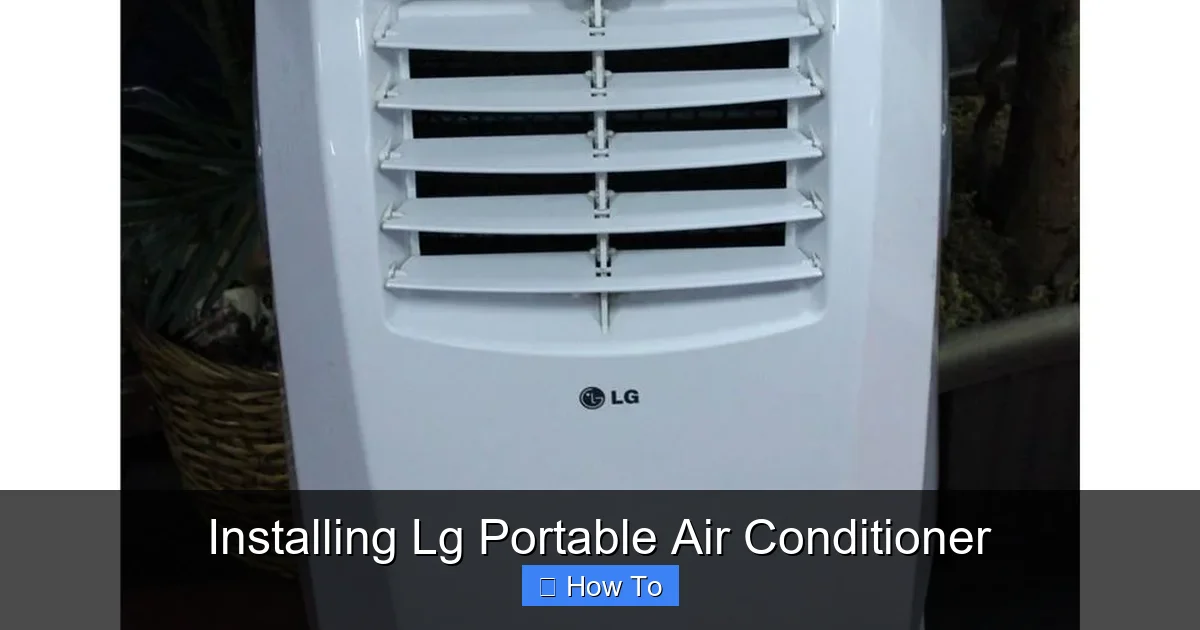
LG portable AC unit with window installation kit shown
Visual guide about Installing Lg Portable Air Conditioner
Image source: dygtyjqp7pi0m.cloudfront.net
Before you do anything, carefully unbox your LG portable air conditioner. Most 2026 models come in eco-friendly packaging with recyclable materials—so feel good about your purchase!
What’s in the Box?
You should find:
The portable AC unit
Exhaust hose (usually 5–7 feet long)
Adjustable window bracket or slider kit
Hose connectors and adapters
User manual and quick start guide
Remote control (with batteries)
Optional: Drain hose (for continuous drainage models)
Inspect for Damage
Check the unit and accessories for any dents, cracks, or missing parts. If anything looks off, contact LG customer support immediately. Don’t plug it in until you’re sure everything is intact.
Read the Manual
Even if you’re tech-savvy, take 5 minutes to skim the user manual. LG often includes model-specific tips, like optimal humidity settings or filter cleaning schedules.
Step 2: Choose the Best Location
Where you place your portable AC makes a big difference in performance and efficiency.
Near a Window
Your unit needs to vent hot air outside, so it must be within 5–7 feet of a window. Sliding windows work best, but hinged windows can also be used with the right adapter.
Close to an Electrical Outlet
Plug your AC directly into a grounded outlet. Avoid extension cords—they can overheat and reduce efficiency. If you must use one, choose a heavy-duty, UL-listed cord rated for at least 15 amps.
Avoid Heat Sources
Keep the unit away from stoves, radiators, or direct sunlight. Heat sources force the AC to work harder, increasing energy use and wear.
Ensure Clear Airflow
Leave at least 18–24 inches of space around the front and sides of the unit. Blocked vents reduce cooling power and can trigger overheating alarms.
Electrical Requirements and Safety
Verify that the outlet is on a dedicated 15‑amp circuit; portable units can draw 10‑12 amps at startup. If you’re unsure about your home’s wiring, review general AC wiring basics before plugging in. The U.S. Department of Energy also publishes safe‑installation guidelines for portable air conditioners[^2].
[^2]: general AC wiring basics
[^3]: U.S. Department of Energy portable AC safety
Step 3: Install the Window Kit
This is the most critical step—getting the exhaust hose connected properly.
Prepare the Window
Open your window and clean the sill. Remove any screens or obstructions. For sliding windows, measure the opening to ensure the bracket fits.
Assemble the Window Bracket
Most 2026 LG models include an adjustable foam or plastic bracket. Slide it into the window opening and extend it to fit snugly. Secure it with the provided screws or locking mechanism.
Attach the Exhaust Hose
Connect one end of the hose to the back of the AC unit. Twist or snap it into place—listen for a secure click. Then, attach the other end to the window bracket adapter. Make sure it’s tight to prevent air leaks.
Seal Gaps
Use the included foam tape or weather stripping to seal any gaps around the bracket. Even small leaks let warm air back in, reducing cooling efficiency by up to 20%.
Tip: Use a Hose Support
If the hose sags or bends, it can restrict airflow. Use a hose support bracket (sold separately) or prop it up with a book to keep it straight.
Ventilation Options for Different Window Types
Casement, awning, and double‑hung windows each need a slightly different adapter. LG’s universal kit covers most styles, but for non‑standard openings you may need a custom bracket—check local building codes for window bracket requirements[^4].
[^4]: window bracket requirements
Step 4: Plug In and Power On
Now it’s time to bring your AC to life.
Plug Into a Dedicated Outlet
Avoid sharing the outlet with high-wattage appliances like microwaves or space heaters. Portable ACs draw a lot of power at startup.
Turn On the Unit
Press the power button on the unit or remote. Most LG models will beep and display the current room temperature.
Test Fan Mode First
Before cooling, run the unit on fan-only mode for 5–10 minutes. Listen for unusual noises and check that air flows smoothly through the hose.
Set Your Desired Temperature
Use the remote or control panel to set your ideal temperature. In 2026, many LG models feature AI-powered cooling that adjusts based on room conditions.
Step 5: Connect to Smart Features (Optional)
If your LG portable AC supports Wi-Fi (like the 2026 LG Dual Inverter Smart model), you can control it from your phone.
Download the LG ThinQ App
Available on iOS and Android, the app lets you turn the AC on/off, set schedules, and monitor energy use.
Connect to Wi-Fi
Follow the in-app instructions to pair your AC with your home network. Make sure your phone and AC are on the same Wi-Fi band (2.4 GHz is usually required).
Use Voice Commands
Link the app to Google Assistant or Amazon Alexa to control your AC with voice commands. Say, “Hey Google, set the living room AC to 72 degrees.”
Enable Energy-Saving Modes
Use “Smart Cool” or “Eco Mode” to reduce power consumption when you’re away or asleep.
Energy Efficiency Tips for Portable Units
Set the thermostat a few degrees higher when you’re out; each degree saves roughly 3 % on cooling costs. Pair this with optimal temperature settings from our energy‑efficiency guide and follow a seasonal upkeep checklist to keep performance high all summer[^5][^6].
[^5]: optimal temperature settings [^6]: seasonal upkeep checklist
Step 6: Maintain Your LG Portable AC
Regular maintenance keeps your unit running smoothly all season.
Clean the Air Filter Monthly
Turn off the unit, remove the filter (usually behind a front panel), and rinse it with warm water. Let it dry completely before reinserting. A dirty filter reduces airflow and increases energy use.
Check the Exhaust Hose
Every few months, inspect the hose for cracks, kinks, or buildup. Replace it if damaged.
Empty the Water Tank (If Applicable)
Some models collect condensation in an internal tank. When the “Full” light comes on, turn off the unit, remove the drain plug, and empty the water. For continuous drainage, attach the optional drain hose to a floor drain or bucket.
Store Properly in Winter
If you don’t use your AC year-round, clean it thoroughly, coil the hoses, and store it in a dry, cool place. Cover it to prevent dust buildup.
When to Call a Professional
If the unit trips a breaker repeatedly, emits a burning smell, or shows persistent error codes after a reset, it’s time for a licensed HVAC technician. Our troubleshooting guide for warm‑air issues can help you decide whether a service call is needed[^7].
[^7]: diagnose warm‑air issues
Troubleshooting Common Issues
Even with perfect installation, problems can happen. Here’s how to fix the most common ones.
Unit Won’t Turn On
Check the power cord and outlet. Try a different outlet. If the remote isn’t working, replace the batteries.
Not Cooling Enough
Make sure the exhaust hose isn’t blocked or leaking. Close doors and windows to keep cool air in. Clean the filter—it’s the #1 cause of poor performance.
Water Leaking Inside
This usually means the drain tank is full or the unit isn’t level. Tilt the AC slightly backward to help water flow to the drain. Empty the tank and check for clogs.
Loud Noises or Vibrations
Ensure the unit is on a flat, stable surface. Loose parts or a damaged fan can cause noise—contact LG support if it persists.
Error Codes on Display
Refer to your manual for code meanings. Common codes include “E1” (sensor issue) or “F1” (drain problem). Reset the unit by unplugging it for 10 minutes.
Frequently Asked Questions
How long is the exhaust hose on a typical LG portable AC?
Most 2026 LG portable units ship with a 5‑ to 7‑foot hose; extensions up to 12 feet are available but may reduce efficiency.
Can I vent a portable AC through a sliding glass door?
Yes—use the included adjustable bracket or a door‑vent kit designed for sliding doors; ensure a tight seal to avoid leaks.
Does the LG ThinQ app work on 5 GHz Wi‑Fi?
No, the app requires a 2.4 GHz network; connect your phone to that band during pairing.
How often should I clean the air filter?
Monthly during heavy use; more frequently in dusty environments or homes with pets.
What does error code “E1” mean on my LG portable AC?
“E1” indicates a temperature‑sensor fault; try a power reset, and if it returns, contact LG service.
Is a dedicated circuit required for a portable air conditioner?
A 15‑amp dedicated circuit is recommended to avoid nuisance tripping, especially on startup.
Conclusion: Enjoy Cool, Comfortable Air
Installing your LG portable air conditioner in 2026 is simpler than you think—especially with this guide. By choosing the right spot, securing the window kit, and maintaining your unit, you’ll enjoy efficient, reliable cooling all summer long. Plus, with smart features and energy-saving modes, your LG AC doesn’t just keep you comfortable—it saves you money too.
Remember, a well-installed portable AC can cool a 300–500 sq. ft. room effectively, making it perfect for bedrooms, home offices, or apartments. Take your time, follow the steps, and don’t hesitate to reach out to LG support if needed. Stay cool, stay comfortable, and enjoy the rest of your summer!
Want more cooling tips? Check out our seasonal maintenance guide for year‑round performance. Installing an LG portable air conditioner doesn’t have to be complicated. This guide walks you through every step—from unboxing to final setup—so you can enjoy cool, comfortable air in no time. With clear instructions and practical tips, even first-time users can get their unit running smoothly.
Key Takeaways
Choose the right location: Place your LG portable AC near a window and power outlet, away from direct sunlight and heat sources for optimal performance.
Use the included window kit: Most LG models come with a adjustable window bracket and exhaust hose—follow the manual to secure it properly.
Ensure proper ventilation: The exhaust hose must vent hot air outside; never block or kink it during installation.
Check for leaks and gaps: Seal any gaps around the window kit to prevent warm air from sneaking back in.
Test before full use: Run the unit on fan mode first to confirm airflow and hose stability.
Maintain regularly: Clean filters monthly and inspect hoses annually to keep your AC efficient.
Use smart features wisely: Connect to the LG ThinQ app (2026 models) for remote control, scheduling, and energy tracking.
Introduction: Why Proper Installation Matters
So you’ve got your hands on a brand-new LG portable air conditioner—great choice! These sleek, energy-efficient units are perfect for cooling single rooms without the hassle of permanent installation. But to get the most out of your AC, proper setup is key. In this guide, we’ll walk you through installing your LG portable air conditioner in 2026, step by step. Whether you're a renter, homeowner, or just tired of sweating through summer nights, this guide ensures your unit works safely, quietly, and efficiently from day one.
You’ll learn how to choose the best spot, attach the exhaust hose, secure the window kit, and even connect to smart features. Plus, we’ll share pro tips and troubleshooting advice to avoid common mistakes. Let’s get started!
Choosing the Right LG Portable AC Model
Before you unbox, confirm the unit matches your room size and electrical capacity. LG’s 2026 lineup includes 8,000‑BTU, 10,000‑BTU, and 14,000‑BTU models; pick the best unit for your space by checking the manufacturer’s coverage chart. For a deeper look at sizing and features, see our guide on how to pick the best unit for your space[^1].
[^1]: pick the best unit for your space
Step 1: Unbox and Inspect Your LG Portable AC
LG portable AC unit with window installation kit shown
Visual guide about Installing Lg Portable Air Conditioner
Image source: dygtyjqp7pi0m.cloudfront.net
Before you do anything, carefully unbox your LG portable air conditioner. Most 2026 models come in eco-friendly packaging with recyclable materials—so feel good about your purchase!
What’s in the Box?
You should find:
The portable AC unit
Exhaust hose (usually 5–7 feet long)
Adjustable window bracket or slider kit
Hose connectors and adapters
User manual and quick start guide
Remote control (with batteries)
Optional: Drain hose (for continuous drainage models)
Inspect for Damage
Check the unit and accessories for any dents, cracks, or missing parts. If anything looks off, contact LG customer support immediately. Don’t plug it in until you’re sure everything is intact.
Read the Manual
Even if you’re tech-savvy, take 5 minutes to skim the user manual. LG often includes model-specific tips, like optimal humidity settings or filter cleaning schedules.
Step 2: Choose the Best Location
Where you place your portable AC makes a big difference in performance and efficiency.
Near a Window
Your unit needs to vent hot air outside, so it must be within 5–7 feet of a window. Sliding windows work best, but hinged windows can also be used with the right adapter.
Close to an Electrical Outlet
Plug your AC directly into a grounded outlet. Avoid extension cords—they can overheat and reduce efficiency. If you must use one, choose a heavy-duty, UL-listed cord rated for at least 15 amps.
Avoid Heat Sources
Keep the unit away from stoves, radiators, or direct sunlight. Heat sources force the AC to work harder, increasing energy use and wear.
Ensure Clear Airflow
Leave at least 18–24 inches of space around the front and sides of the unit. Blocked vents reduce cooling power and can trigger overheating alarms.
Electrical Requirements and Safety
Verify that the outlet is on a dedicated 15‑amp circuit; portable units can draw 10‑12 amps at startup. If you’re unsure about your home’s wiring, review general AC wiring basics before plugging in. The U.S. Department of Energy also publishes safe‑installation guidelines for portable air conditioners[^2][^3].
[^2]: general AC wiring basics [^3]: U.S. Department of Energy portable AC safety
Step 3: Install the Window Kit
This is the most critical step—getting the exhaust hose connected properly.
Prepare the Window
Open your window and clean the sill. Remove any screens or obstructions. For sliding windows, measure the opening to ensure the bracket fits.
Assemble the Window Bracket
Most 2026 LG models include an adjustable foam or plastic bracket. Slide it into the window opening and extend it to fit snugly. Secure it with the provided screws or locking mechanism.
Attach the Exhaust Hose
Connect one end of the hose to the back of the AC unit. Twist or snap it into place—listen for a secure click. Then, attach the other end to the window bracket adapter. Make sure it’s tight to prevent air leaks.
Seal Gaps
Use the included foam tape or weather stripping to seal any gaps around the bracket. Even small leaks let warm air back in, reducing cooling efficiency by up to 20%.
Tip: Use a Hose Support
If the hose sags or bends, it can restrict airflow. Use a hose support bracket (sold separately) or prop it up with a book to keep it straight.
Ventilation Options for Different Window Types
Casement, awning, and double‑hung windows each need a slightly different adapter. LG’s universal kit covers most styles, but for non‑standard openings you may need a custom bracket—check local building codes for window bracket requirements[^4].
[^4]: window bracket requirements
Step 4: Plug In and Power On
Now it’s time to bring your AC to life.
Plug Into a Dedicated Outlet
Avoid sharing the outlet with high-wattage appliances like microwaves or space heaters. Portable ACs draw a lot of power at startup.
Turn On the Unit
Press the power button on the unit or remote. Most LG models will beep and display the current room temperature.
Test Fan Mode First
Before cooling, run the unit on fan-only mode for 5–10 minutes. Listen for unusual noises and check that air flows smoothly through the hose.
Set Your Desired Temperature
Use the remote or control panel to set your ideal temperature. In 2026, many LG models feature AI-powered cooling that adjusts based on room conditions.
Step 5: Connect to Smart Features (Optional)
If your LG portable AC supports Wi-Fi (like the 2026 LG Dual Inverter Smart model), you can control it from your phone.
Download the LG ThinQ App
Available on iOS and Android, the app lets you turn the AC on/off, set schedules, and monitor energy use.
Connect to Wi-Fi
Follow the in-app instructions to pair your AC with your home network. Make sure your phone and AC are on the same Wi-Fi band (2.4 GHz is usually required).
Use Voice Commands
Link the app to Google Assistant or Amazon Alexa to control your AC with voice commands. Say, “Hey Google, set the living room AC to 72 degrees.”
Enable Energy-Saving Modes
Use “Smart Cool” or “Eco Mode” to reduce power consumption when you’re away or asleep.
Energy Efficiency Tips for Portable Units
Set the thermostat a few degrees higher when you’re out; each degree saves roughly 3 % on cooling costs. Pair this with optimal temperature settings from our energy‑efficiency guide and follow a seasonal upkeep checklist to keep performance high all summer[^5][^6].
[^5]: optimal temperature settings [^6]: seasonal upkeep checklist
Step 6: Maintain Your LG Portable AC
Regular maintenance keeps your unit running smoothly all season.
Clean the Air Filter Monthly
Turn off the unit, remove the filter (usually behind a front panel), and rinse it with warm water. Let it dry completely before reinserting. A dirty filter reduces airflow and increases energy use.
Check the Exhaust Hose
Every few months, inspect the hose for cracks, kinks, or buildup. Replace it if damaged.
Empty the Water Tank (If Applicable)
Some models collect condensation in an internal tank. When the “Full” light comes on, turn off the unit, remove the drain plug, and empty the water. For continuous drainage, attach the optional drain hose to a floor drain or bucket.
Store Properly in Winter
If you don’t use your AC year-round, clean it thoroughly, coil the hoses, and store it in a dry, cool place. Cover it to prevent dust buildup.
When to Call a Professional
If the unit trips a breaker repeatedly, emits a burning smell, or shows persistent error codes after a reset, it’s time for a licensed HVAC technician. Our troubleshooting guide for warm‑air issues can help you decide whether a service call is needed[^7].
[^7]: diagnose warm‑air issues
Troubleshooting Common Issues
Even with perfect installation, problems can happen. Here’s how to fix the most common ones.
Unit Won’t Turn On
Check the power cord and outlet. Try a different outlet. If the remote isn’t working, replace the batteries.
Not Cooling Enough
Make sure the exhaust hose isn’t blocked or leaking. Close doors and windows to keep cool air in. Clean the filter—it’s the #1 cause of poor performance.
Water Leaking Inside
This usually means the drain tank is full or the unit isn’t level. Tilt the AC slightly backward to help water flow to the drain. Empty the tank and check for clogs.
Loud Noises or Vibrations
Ensure the unit is on a flat, stable surface. Loose parts or a damaged fan can cause noise—contact LG support if it persists.
Error Codes on Display
Refer to your manual for code meanings. Common codes include “E1” (sensor issue) or “F1” (drain problem). Reset the unit by unplugging it for 10 minutes.
Frequently Asked Questions
How long is the exhaust hose on a typical LG portable AC?
Most 2026 LG portable units ship with a 5‑ to 7‑foot hose; extensions up to 12 feet are available but may reduce efficiency.
Can I vent a portable AC through a sliding glass door?
Yes—use the included adjustable bracket or a door‑vent kit designed for sliding doors; ensure a tight seal to avoid leaks.
Does the LG ThinQ app work on 5 GHz Wi‑Fi?
No, the app requires a 2.4 GHz network; connect your phone to that band during pairing.
How often should I clean the air filter?
Monthly during heavy use; more frequently in dusty environments or homes with pets.
What does error code “E1” mean on my LG portable AC?
“E1” indicates a temperature‑sensor fault; try a power reset, and if it returns, contact LG service.
Is a dedicated circuit required for a portable air conditioner?
A 15‑amp dedicated circuit is recommended to avoid nuisance tripping, especially on startup.
Conclusion: Enjoy Cool, Comfortable Air
Installing your LG portable air conditioner in 2026 is simpler than you think—especially with this guide. By choosing the right spot, securing the window kit, and maintaining your unit, you’ll enjoy efficient, reliable cooling all summer long. Plus, with smart features and energy-saving modes, your LG AC doesn’t just keep you comfortable—it saves you money too.
Remember, a well-installed portable AC can cool a 300–500 sq. ft. room effectively, making it perfect for bedrooms, home offices, or apartments. Take your time, follow the steps, and don’t hesitate to reach out to LG support if needed. Stay cool, stay comfortable, and enjoy the rest of your summer!
Want more cooling tips? Check out our seasonal maintenance guide for year‑round performance. [^1]: pick the best unit for your space [^2]: general AC wiring basics [^3]: U.S. Department of Energy portable AC safety [^4]: window bracket requirements [^5]: optimal temperature settings [^6]: seasonal upkeep checklist [^7]: diagnose warm‑air issues

