
Title: Instruction Guide for an Lg Air Conditioners
This step-by-step instruction guide for LG air conditioners covers everything from unboxing and installation to daily use, smart features, and maintenance. Whether you're setting up a new unit or optimizing an existing one in 2026, this guide ensures efficient cooling, energy savings, and long-lasting performance.
Key Takeaways
Proper installation is critical: Follow LG’s guidelines for safe and efficient setup to avoid performance issues and voided warranties.
Use smart features wisely: Connect your LG AC to Wi-Fi for remote control via the LG ThinQ app, enabling scheduling and energy monitoring.
Regular maintenance extends lifespan: Clean filters monthly and schedule professional servicing annually to maintain airflow and efficiency.
Optimize temperature settings: Set your AC to 72–78°F (22–26°C) for comfort and energy savings, especially when using eco mode.
Troubleshoot common issues quickly: Learn to reset the unit, check error codes, and resolve airflow or cooling problems without a technician.
Use timers and sleep mode: Maximize comfort and reduce energy use with built-in scheduling features tailored for 2026 smart homes.
Ensure proper ventilation: Keep vents unobstructed and maintain clearance around the unit for optimal airflow and performance.
Welcome to Your LG Air Conditioner Guide for 2026
Whether you’ve just unboxed a brand-new LG air conditioner or you’re looking to get the most out of your current model, this guide is here to help. LG air conditioners in 2026 come packed with advanced features like AI-powered cooling, Wi-Fi connectivity, and energy-efficient inverter technology. But even the smartest AC needs proper setup and care to perform at its best.
In this guide, you’ll learn how to install, operate, maintain, and troubleshoot your LG air conditioner with confidence. We’ll walk you through every step—from choosing the right location to using the LG ThinQ app—so you can enjoy cool, comfortable air all year long. Let’s get started!
Choosing the Right LG Model for Your Space
Before you unbox, consider the room size, insulation, and local climate to match an LG unit with the appropriate BTU rating. LG’s lineup includes single‑zone, multi‑zone, and ducted options, each suited to different layouts. Selecting the right unit for your space (selecting the right unit for your space) helps avoid undersized or oversized systems that waste energy.
Step 1: Unboxing and Preparing Your LG Air Conditioner
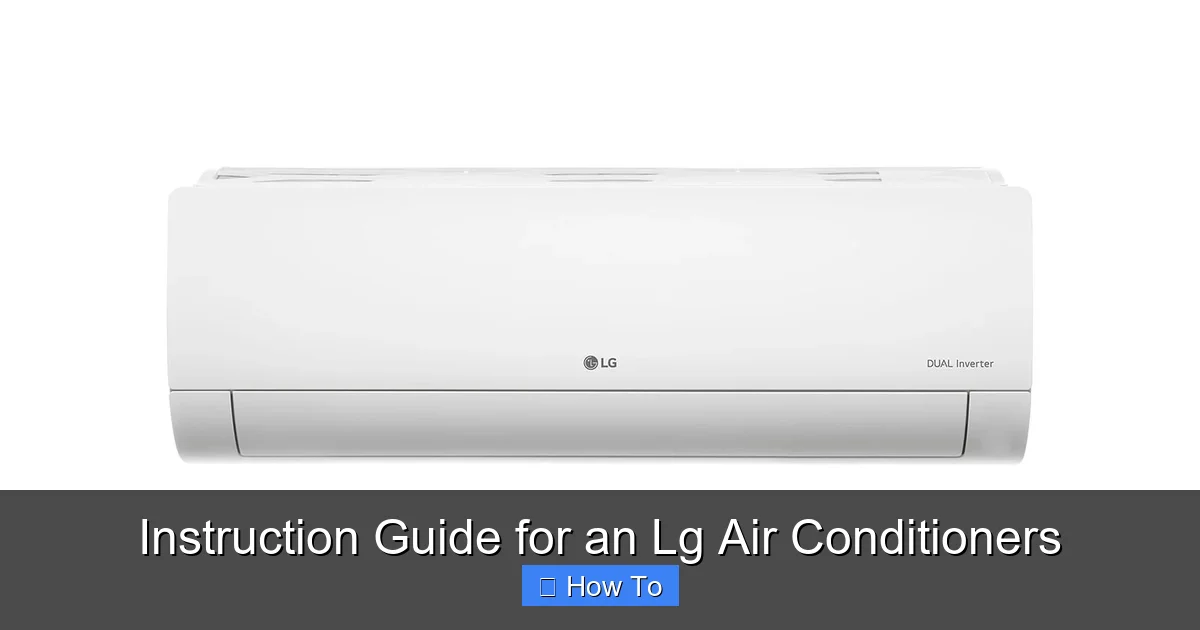
LG indoor unit installed on a wall with refrigerant lines running to the outdoor condenser.
Image source: lg.com
Before you plug anything in, take time to inspect your new LG air conditioner. Most 2026 models come in compact, eco-friendly packaging with clear labeling.
What’s in the Box?
You should find:
The indoor unit (evaporator)
The outdoor unit (condenser)
Remote control with batteries
User manual and warranty card
Drain hose and mounting brackets
Wi-Fi setup guide (for smart models)
Inspect for Damage
Carefully check all components for dents, scratches, or loose parts. If anything looks damaged, contact LG customer support before installation.
Choose the Right Location
Pick a spot that’s:
Free from direct sunlight and heat sources
At least 6–8 feet away from furniture or curtains
Near a power outlet and with access to an outdoor space for the condenser
Avoid placing the indoor unit above beds or desks to prevent cold drafts.
Understanding LG Inverter Technology
LG’s dual‑inverter compressors adjust speed continuously, delivering precise temperature control while consuming up to 40 % less power than conventional units. This variable‑speed operation reduces wear, lowers noise, and maintains steady comfort even during extreme outdoor temperatures.
Step 2: Installing Your LG Air Conditioner
Installation is best done by a certified technician, but if you're doing it yourself, follow these steps carefully.
Mount the Indoor Unit
Use the included wall bracket to securely attach the indoor unit. Make sure it’s level and anchored to a load-bearing wall. Drill a small hole for the refrigerant line and drain hose to pass through to the outside.
Connect the Outdoor Unit
Place the condenser on a stable, level surface outside—like a concrete pad or wall bracket. Keep it at least 12 inches away from walls or shrubs for proper airflow.
Connect Refrigerant Lines and Wiring
Attach the copper refrigerant lines and electrical wiring between the indoor and outdoor units. Tighten connections securely and insulate the lines to prevent energy loss.
Test the System
Once everything is connected, turn on the power and test the unit. Listen for unusual noises and check that cool air is blowing within a few minutes.
Professional Installation vs DIY Considerations
While a handy homeowner can mount the indoor unit, handling refrigerant, electrical wiring, and pressure testing requires EPA‑certified tools and training. Split‑system mounting steps (split‑system mounting steps) and general AC mounting guidelines (general AC mounting guidelines) outline safety checks that professionals perform. For the indoor unit, refer to indoor unit mounting details (indoor unit mounting details); for the condenser, see outdoor condenser placement tips (outdoor condenser placement tips). Hiring a licensed installer protects your warranty and ensures code compliance.
Step 3: Setting Up Smart Features with LG ThinQ
Most 2026 LG air conditioners support Wi-Fi and the LG ThinQ app, giving you remote control and smart home integration.
Download the LG ThinQ App
Available on iOS and Android, the app lets you control your AC from anywhere. Create an account and log in.
Connect to Wi-Fi
Press and hold the “Wi-Fi” button on the remote or unit until the LED blinks. In the app, select your AC model and follow the prompts to connect to your home network.
Use Voice Control
Link your LG ThinQ account to Google Assistant or Amazon Alexa. Say commands like, “Hey Google, set the AC to 74 degrees,” for hands-free control.
Set Schedules and Modes
Use the app to:
Schedule cooling during peak hours
Activate “Eco Mode” to save energy
Enable “Sleep Mode” for gradual temperature adjustments at night
Advanced Smart Features: AI Cooling and Energy Reports
LG’s AI‑Cool learns your usage patterns and pre‑cools rooms before you arrive, while the ThinQ dashboard provides real‑time energy consumption graphs. Pairing the unit with Energy Star certified models (Energy Star certified models) can qualify you for utility rebates and ensures the system meets strict efficiency standards.
Step 4: Operating Your LG Air Conditioner
Now that it’s set up, here’s how to use your AC like a pro.
Using the Remote Control
The remote has intuitive buttons:
Power: Turns the unit on/off
Mode: Switch between Cool, Heat, Fan, Dry, and Auto
Temp Up/Down: Adjust temperature
Fan Speed: Choose from Low, Medium, High, or Auto
Timer: Set on/off times
Recommended Settings for 2026
For comfort and efficiency:
Set temperature to 74°F (23°C) in summer
Use “Auto” fan speed for balanced airflow
Activate “Eco Mode” when away or sleeping
Use Sleep Mode
Sleep Mode gradually increases the temperature by 1–2°F each hour, so you stay comfortable without overcooling. Perfect for energy savings at night.
Optimizing Airflow with Ceiling Fans and Vent Placement
Running a ceiling fan on low in the same room lets you raise the thermostat 4 °F without losing comfort, because moving air enhances evaporative cooling on skin. Keep supply vents unobstructed and direct them toward the room’s center. Energy‑saving temperature recommendations (energy‑saving temperature recommendations) suggest 78 °F when occupied and 82 °F when empty for maximum savings.
Step 5: Maintaining Your LG Air Conditioner
Regular maintenance keeps your AC running smoothly and efficiently.
Clean the Air Filter Monthly
Turn off the unit, remove the front panel, and pull out the filter. Wash it with mild soap and water, let it dry completely, and reinstall. Dirty filters reduce airflow and increase energy use.
In practice, a clogged filter can cut airflow by 30 % and force the compressor to run longer, raising electricity costs.
Clean the Outdoor Unit Quarterly
Turn off power and gently remove debris like leaves or dirt from the condenser coils. Use a garden hose (low pressure) to rinse the fins—never use a pressure washer.
Coil fouling reduces heat rejection; a light spray restores most of the lost capacity.
Check the Drain Line
Ensure the drain hose isn’t clogged. A blocked line can cause water leaks or trigger error codes.
Adding a tablespoon of vinegar to the drain pan each month prevents algae buildup.
Schedule Annual Professional Service
Have a licensed technician inspect refrigerant levels, electrical connections, and overall performance once a year.
The technician will also verify superheat/subcool readings, tighten electrical terminals, and test safety controls.
Seasonal Maintenance Checklist
Before each cooling season, run through a quick checklist: clean filters, clear condenser debris, verify drain flow, test thermostat calibration, and confirm Wi‑Fi connectivity. A seasonal upkeep checklist (seasonal upkeep checklist) keeps the system at peak efficiency year after year.
Troubleshooting Common Issues
Even the best ACs can have hiccups. Here’s how to fix common problems.
AC Won’t Turn On
Check if:
The power is on and the circuit breaker hasn’t tripped
The remote has working batteries
The unit isn’t in “Timer Off” mode
Try resetting the unit by turning it off for 5 minutes, then back on.
Not Cooling Properly
Possible causes:
Dirty air filter—clean or replace it
Thermostat set too high—lower the temperature
Outdoor unit blocked—clear debris
Refrigerant leak—call a technician
Strange Noises or Odors
Rattling may mean loose parts—tighten mounting brackets. A musty smell often means mold in the drain pan—clean it with a vinegar solution.
Error Codes on Display
LG units show error codes like “CH 01” or “CH 05.” Check your user manual or the LG support website for code meanings. Many can be resolved with a reset or filter cleaning.
Common LG Error Code Quick Reference Table
| Code | Meaning | Typical Fix |
|---|---|---|
| CH 01 | Indoor‑outdoor communication error | Check wiring, reset power |
| CH 05 | Indoor temperature sensor fault | Replace sensor or reset |
| CH 34 | High pressure protection | Clean condenser, verify fan |
| CH 38 | Low pressure protection | Check refrigerant charge |
| CH 53 | Drain pump failure | Clear drain line, test pump |
Energy-Saving Tips for 2026
Stay cool without breaking the bank with these smart strategies.
Use a Programmable Schedule
Set your AC to cool only when you’re home. Use the LG ThinQ app to adjust settings remotely.
Seal Windows and Doors
Prevent cool air from escaping with weatherstripping or draft stoppers.
Use Ceiling Fans
Fans help circulate cool air, allowing you to raise the thermostat by 4°F without losing comfort.
Avoid Heat-Generating Appliances
Run ovens, dryers, or dishwashers during cooler parts of the day to reduce indoor heat.
Following EPA indoor air quality guidance (EPA indoor air quality guidance) also recommends limiting indoor pollutants that can strain the AC’s filtration.
Frequently Asked Questions
How do I reset my LG air conditioner?
Turn off the unit, unplug it for 5 minutes, then plug back in and power on. This clears most error codes and restores default settings.
What does error code CH 01 mean on an LG AC?
CH 01 indicates a communication error between indoor and outdoor units; check wiring connections and reset the system.
Can I use my LG AC with a smart thermostat?
Yes, LG ThinQ integrates with Google Assistant and Alexa, allowing voice control and scheduling via compatible smart thermostats.
How often should I clean the outdoor condenser coils?
Clean the condenser coils at least once per season, or quarterly in dusty environments, to maintain efficiency.
What temperature setting saves the most energy without sacrificing comfort?
Setting the thermostat to 78 °F (26 °C) when home and raising it 4–5 °F when away yields optimal savings per Energy Star guidance.
Find the ideal LG model for your space with our selection guide (selection guide).
Conclusion
Your LG air conditioner is a powerful tool for comfort and efficiency—especially with the smart features available in 2026. By following this guide, you’ve learned how to install, operate, maintain, and troubleshoot your unit like a pro. Regular care and smart usage not only keep your home cool but also extend the life of your AC and lower your energy bills.
Remember: clean filters, proper settings, and timely maintenance are the keys to long-term performance. With your LG air conditioner working at its best, you can enjoy a cool, comfortable home all year long.

