
Title: Installing Lg Window Air Conditioner
Installing an LG window air conditioner doesn’t have to be stressful. This guide walks you through every step—from choosing the right unit to securing it safely—so you can enjoy cool, comfortable air in no time. Perfect for DIYers in 2026 , it includes modern tips and safety updates.
Key Takeaways
Measure your window correctly: Ensure the AC unit fits snugly to prevent air leaks and improve efficiency.
Use the right tools: A drill, level, screwdriver, and measuring tape are essential for a secure installation.
Follow LG’s installation manual: Each model may have specific instructions—always check the included guide.
Seal gaps with foam or weatherstripping: This prevents drafts and boosts energy efficiency.
Ensure proper drainage: Tilt the unit slightly backward so condensation flows outside.
Test before finalizing: Run the AC briefly to check for vibrations, noise, or leaks.
Safety first: Turn off power, use gloves, and never install alone if the unit is heavy.
Before You Begin: Safety, Electrical & Code Considerations
Before lifting the unit, verify that your electrical circuit can handle the AC’s amperage. Most LG window units require a dedicated 120 V, 15 A circuit; larger models (18,000+ BTU) may need 20 A. Check the nameplate for exact specs. If you’re unsure, consult a licensed electrician—overloading a circuit can trip breakers or cause fire hazards. Also, some municipalities require a permit for through‑wall or window installations; check local building codes or HOA rules. For New York City residents, see whether brackets are mandated. A quick call to your building superintendent can prevent fines later. The U.S. Department of Energy offers a detailed room air conditioner installation guide that covers sizing and electrical requirements.
How to Install an LG Window Air Conditioner in 2026
Welcome to your complete guide on installing an LG window air conditioner —whether you're upgrading your home cooling system or setting up your first AC unit. In 2026, LG continues to lead with energy-efficient, smart-enabled window units that are easier to install than ever. But even with modern improvements, proper installation is key to performance, safety, and longevity.
This step-by-step guide will walk you through everything you need to know—from selecting the right model to securing it safely in your window. By the end, you’ll have a cool, quiet, and efficient cooling system up and running. No professional help required—just a few tools, some patience, and this guide.
Step 1: Choose the Right LG Window AC Unit
Before you even think about installation, make sure you’ve picked the right LG window air conditioner for your space. In 2026, LG offers models ranging from 5,000 to 24,000 BTUs, with features like Wi-Fi connectivity, voice control, and inverter technology for quieter operation.
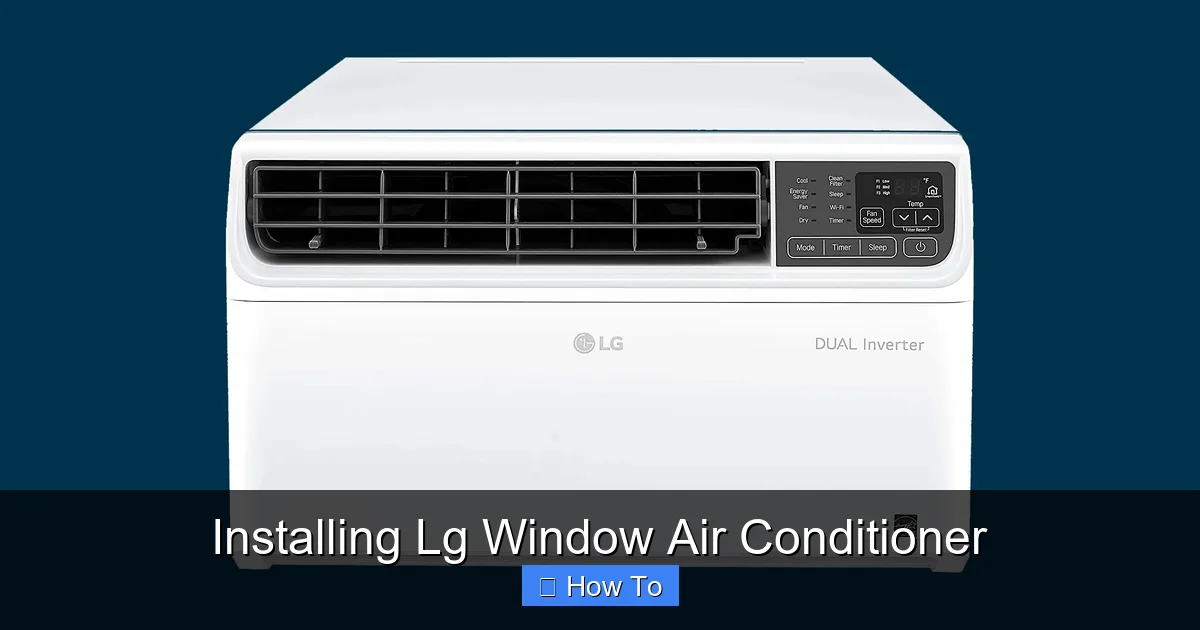
LG window AC unit positioned in a double-hung window with side panels extended.
Visual guide about Installing Lg Window Air Conditioner
Image source: media.wired.com
Check Room Size and BTU Rating
Match the BTU (British Thermal Unit) rating to your room size. As a general rule:
150 sq. ft. → 5,000–6,000 BTUs
250 sq. ft. → 8,000 BTUs
450 sq. ft. → 12,000 BTUs
600 sq. ft. → 15,000 BTUs
LG’s 2026 lineup includes smart models like the LG Dual Inverter Smart Window AC, which adjusts cooling based on room conditions and can be controlled via the LG ThinQ app.
Inverter-driven compressors in LG’s Dual Inverter models adjust speed continuously, maintaining temperature more precisely than conventional on/off units. This reduces energy use by up to 30 % and operates at lower decibel levels—ideal for bedrooms or home offices. For more on selecting efficient equipment, review selecting the right model.
Confirm Window Compatibility
Most LG window units fit double-hung or sliding windows. Measure your window opening:
Width: Should be within the unit’s minimum and maximum range (usually 23”–40”)
Height: Must allow the AC to sit level with enough space for the side panels
Tip: LG’s 2026 models often include adjustable side panels that expand to fit most standard windows—check your model’s specs online.
Step 2: Gather Your Tools and Materials
You don’t need a full toolbox, but having the right gear makes installation faster and safer.
Essential Tools
Measuring tape
Level
Drill with drill bits
Screwdriver (Phillips and flathead)
Pencil or marker
Adjustable wrench (for some models)
Safety Gear
Work gloves
Safety glasses
Sturdy step ladder (if window is high)
Installation Kit (Usually Included)
Most LG window AC units come with:
Foam insulation strips
Side accordion panels
Mounting brackets or support brackets
Screws and anchors
User manual and quick-start guide
Tip: If anything is missing, contact LG customer support—they often send replacement parts free of charge.
If your window frame is masonry or you’re adding a support bracket, a hammer drill with masonry bits will save time. A small tube of low‑expansion foam sealant (not included) is also handy for sealing exterior gaps without warping the cabinet.
Step 3: Prepare the Window and Area
A clean, level, and secure installation surface is crucial.
Clean the Window Frame
Remove dirt, dust, and old weatherstripping from the window sill and frame. This ensures a tight seal and prevents air leaks.
Check for Obstructions
Make sure there’s nothing blocking the window—like furniture, curtains, or outdoor plants. Also, confirm the outdoor side has at least 12–18 inches of clearance for proper airflow.
Install a Support Bracket (If Needed)
In 2026, many LG models include or recommend a support bracket for added stability, especially in older buildings or high-wind areas.
Position the bracket under the window sill.
Secure it to the exterior wall using masonry anchors (for brick or concrete) or wood screws (for wood siding).
Ensure it’s level and can support the AC’s weight (check the manual for weight limits).
Note: Some newer LG units are lighter and may not require a bracket—always follow the manufacturer’s recommendation.
Measure the window opening again after bracket installation to confirm the side panels will extend fully. A level sill is critical—use a torpedo level front‑to‑back and side‑to‑side; shim as needed before the unit goes in.
Step 4: Install the LG Window Air Conditioner
Now for the main event—placing and securing your AC unit.
Open the Window
Carefully raise the lower sash of your double-hung window. If it’s a sliding window, open it just enough to slide the AC in.
Position the AC Unit
With a helper (window ACs can weigh 60–100+ pounds), lift the unit and place it into the window opening.
Center the unit in the window.
Tilt it slightly backward (about 1/4 inch) so condensation drains outside.
Lower the window sash onto the top of the AC unit to hold it in place.
Tip: Never install an AC unit alone if it’s heavy. Ask a friend or family member to help—safety first!
Attach the Side Panels
Most LG models come with accordion-style side panels that expand to fill the gap between the AC and window frame.
Pull the panels outward to fit the window width.
Secure them using the provided screws or clips.
Ensure they’re tight and flush against the wall.
Seal Gaps with Insulation
Use the included foam strips or purchase weatherstripping to seal any gaps around the unit.
Apply foam tape to the top and sides where the AC meets the window.
This prevents hot air from entering and cool air from escaping.
Pro Tip: In 2026, LG recommends using low-expansion foam for outdoor sealing to avoid warping the unit.
Secure the Unit
Use the provided screws to anchor the AC to the window frame.
Drill pilot holes into the window sill or frame.
Insert screws through the AC’s mounting flanges.
Do not overtighten—this can crack the plastic or damage the frame.
After fastening, re‑check the unit’s level and tilt. A slight backward pitch (¼ inch) ensures condensate drains outward; a front‑to‑back level prevents compressor vibration. Tighten any loose panel screws now—doing it later is harder once the sash is down.
Step 5: Test and Optimize Performance
Before you kick back and enjoy the cool air, make sure everything is working properly.
Plug In and Power On
Plug the AC into a dedicated outlet (not an extension cord). Turn it on and set it to cool mode.
Listen for unusual noises (grinding, rattling).
Check that air is blowing out the front and hot air is exhausting out the back.
Check for Vibration or Movement
If the unit shakes or shifts, it may not be level or secure. Turn it off, adjust the tilt or tighten the screws, and retest.
Use the LG ThinQ App (For Smart Models)
In 2026, many LG window ACs are Wi-Fi enabled. Download the LG ThinQ app to:
Control temperature remotely
Set schedules
Monitor energy usage
Receive maintenance alerts
Follow the app’s setup instructions to connect your AC to your home Wi-Fi.
Enable the “Energy Saver” mode in the app to cycle the fan with the compressor—this can cut standby power by 10‑15 %. For deeper savings, see our energy‑saving thermostat tips.
Troubleshooting Common Installation Issues
Even with careful installation, problems can happen. Here’s how to fix the most common ones.
Air Leaking Around the Unit
If you feel warm air coming in around the edges, the seal isn’t tight enough.
Reapply weatherstripping or foam tape.
Check that side panels are fully extended and secured.
Water Leaking Inside
This usually means the unit isn’t tilted backward enough.
Turn off the AC.
Lift the front slightly and add a small wooden shim under the back.
Ensure the drain hole (on the back) is clear.
Unit Won’t Stay in Place
If the AC feels loose or shifts when turned on:
Double-check that the window sash is resting on the unit.
Tighten all mounting screws.
Consider adding a support bracket if not already installed.
AC Not Cooling Efficiently
Check that the filter is clean (wash or replace monthly).
Ensure vents aren’t blocked.
Verify the room isn’t too large for the BTU rating.
Unit Trips Circuit Breaker
If the breaker trips at startup, the circuit may be overloaded or the compressor drawing excessive inrush current. Verify the unit is on a dedicated circuit of the correct amperage. A hard‑start kit (available from LG parts) can reduce inrush on older wiring. If the problem persists, consult an electrician.
Remote Control Not Pairing
For smart models, ensure the AC is powered and the ThinQ app shows “ready to pair.” Hold the remote’s “Wi‑Fi” button for 3 seconds until the indicator blinks. If pairing fails, power‑cycle the unit (unplug 30 seconds) and retry. Keep the phone within 10 ft during setup.
Maintenance Tips for Long-Term Performance
Once installed, keep your LG window AC running smoothly with regular care.
Clean the filter monthly: Remove, rinse with water, and let dry.
Inspect seals seasonally: Replace worn weatherstripping.
Clear debris from the exterior: Remove leaves or dirt blocking the rear vents.
Schedule professional servicing: Every 2–3 years for coil cleaning and refrigerant checks.
Vacuum the condenser coils (exterior side) annually with a soft brush attachment—dirt buildup raises head pressure and cuts efficiency. Check the drain pan for algae; a 50/50 vinegar‑water flush keeps it clear. For a complete seasonal checklist, refer to our routine seasonal care.
Conclusion
Installing an LG window air conditioner in 2026 is a smart, doable project that can save you money and improve your comfort all summer long. With the right tools, a little planning, and this guide, you’ll have your unit up and running safely and efficiently.
Remember: measure twice, install once. Follow LG’s instructions, prioritize safety, and don’t skip the sealing step. Whether you’re cooling a bedroom, home office, or studio apartment, a properly installed LG AC delivers reliable, quiet, and energy-efficient performance.
Stay cool, stay safe, and enjoy your upgraded indoor climate—thanks for choosing LG and this guide!
Ready to maximize savings? Explore our core installation principles for any future AC projects.
Frequently Asked Questions
What size LG window AC do I need for a 300 sq ft room?
For 300 sq ft, choose an 8,000–10,000 BTU unit. LG’s 8,000 BTU models handle up to 350 sq ft with good insulation; if the room gets direct sun or has high ceilings, step up to 10,000 BTU.
Can I install an LG window AC in a sliding window?
Yes. Most LG units include adjustable side panels that work with horizontal sliding windows. Ensure the window opening height meets the unit’s minimum (usually 14–16 inches) and use the supplied bracket to prevent the sash from sliding.
Do I need a dedicated circuit for a window air conditioner?
LG recommends a dedicated 120 V, 15 A circuit for units up to 12,000 BTU. Larger models (15,000+ BTU) often require a 20 A circuit. Sharing a circuit risks nuisance tripping and violates NEC guidelines.
How often should I clean the filter on my LG window AC?
Clean the filter every 30 days during heavy use. In dusty environments or with pets, check every two weeks. A clogged filter reduces airflow, strains the compressor, and raises electricity consumption.
Why is my LG window AC leaking water inside?
Improper tilt is the most common cause—the unit must slope ¼ inch toward the outside. Also verify the rear drain hole isn’t blocked by debris or insects. If tilt is correct and drain is clear, the internal drain pan may be cracked; contact LG service.
Can I control my LG window AC with Alexa or Google Assistant?
Yes. 2026 LG ThinQ‑enabled models support both Alexa and Google Assistant. Link the ThinQ skill in the Alexa app or add the device in Google Home, then use voice commands for temperature, mode, and scheduling.

