
Title: How to Set Up an Lg Portable Air Conditioner
Key Takeaways
Choose the right location: Place your LG portable AC near a window for proper venting and away from heat sources for optimal performance.
Install the window kit correctly: A secure window seal prevents hot air from re-entering and ensures efficient cooling.
Connect the exhaust hose properly: Ensure the hose is straight and not kinked to maintain airflow and prevent overheating.
Use the included accessories: LG units come with window panels, hose adapters, and remote controls—use them all for best results.
Run a test cycle: After setup, run the unit for 10–15 minutes to confirm it’s cooling and draining properly.
Maintain regularly: Clean filters monthly and check the drain system to avoid clogs and maintain efficiency.
Use smart features (if available): Connect your LG portable AC to Wi-Fi for remote control via the LG ThinQ app in 2026.
Choosing the Right BTU Size for Your Room
Selecting a unit with the correct BTU rating ensures efficient cooling without short‑cycling. For a quick reference on matching capacity to square footage, see our guide on picking the right size. The Energy Star guidelines also provide a helpful sizing chart.
How to Set Up an LG Portable Air Conditioner in 2026
Welcome to your complete guide on how to set up an LG portable air conditioner in 2026. Whether you're escaping summer heat or just want better climate control in your home or office, LG’s portable AC units offer powerful cooling, energy efficiency, and smart features. But before you can enjoy that refreshing breeze, you need to get it installed correctly.
Don’t worry—this isn’t rocket science. With the right tools, a little patience, and this step-by-step guide, you’ll have your LG portable air conditioner up and running in under an hour. We’ll cover everything from choosing the perfect spot to connecting the exhaust hose, using smart controls, and troubleshooting common issues.
By the end of this guide, you’ll not only know how to set up your LG portable air conditioner, but you’ll also understand how to maintain it for long-term performance. Let’s dive in!
What You’ll Need Before You Begin
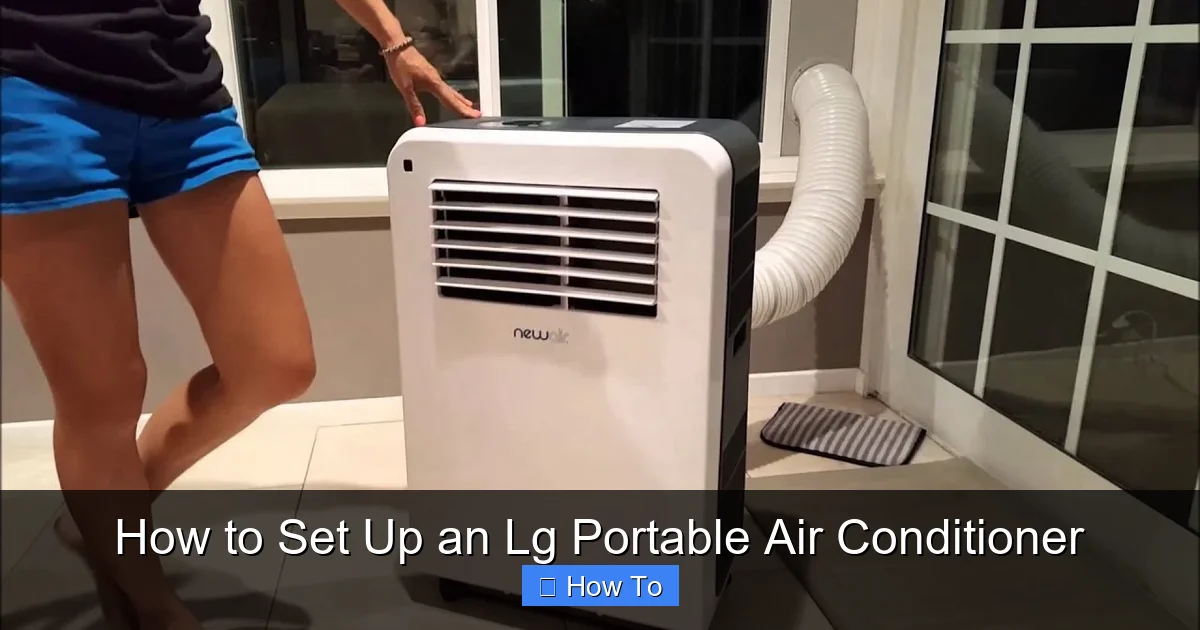
LG portable air conditioner shown with window vent kit installed
Visual guide about How to Set Up an Lg Portable Air Conditioner
Image source: i.ytimg.com
Before you unbox your new LG portable air conditioner, gather these essentials to make the setup process smooth and stress-free.
A flat, stable surface: Your unit needs to sit level to prevent water leakage and ensure proper drainage.
A nearby window: Most portable ACs require a window for venting hot air. Sliding or double-hung windows work best.
Measuring tape: To check window dimensions and ensure the window kit fits.
Screwdriver (if needed): Some window kits require minor adjustments or tightening.
Helper (optional): Portable ACs can be heavy—having someone assist makes lifting and positioning easier.
Access to power: Make sure there’s an electrical outlet nearby. Avoid using extension cords if possible.
Most LG portable air conditioners come with everything you need inside the box: the unit, exhaust hose, window kit, hose adapters, remote control, and user manual. Double-check the contents before you start.
A seasonal upkeep checklist can keep your system running smoothly year‑round; see our seasonal upkeep checklist for a printable plan. The EPA indoor air quality resources also highlight why proper ventilation matters.
Step 1: Choose the Right Location
Where you place your LG portable air conditioner makes a big difference in how well it cools your room. Here’s how to pick the best spot.
Look for a Window with Good Access
Your portable AC needs to vent hot air outside through a window. Choose a window that’s easy to access and close to where you’ll use the unit most—like your bedroom or living room.
Avoid windows that are hard to reach or blocked by furniture. Sliding windows are ideal because they allow for easy installation of the window kit. If you have a casement window, you may need a special adapter (check LG’s 2026 accessory list).
Keep It Level and Stable
Place the unit on a flat, hard surface like tile, wood, or concrete. Avoid carpets or uneven floors, which can cause the unit to tilt. A tilted AC may leak water or not drain properly.
If your floor is slightly uneven, use small shims or a leveling mat to stabilize the unit.
Avoid Heat Sources
Keep your LG portable AC away from direct sunlight, stoves, ovens, or heaters. These heat sources can trick the thermostat into thinking the room is hotter than it is, causing the unit to overwork and use more energy.
Also, avoid placing it behind curtains or furniture that could block airflow.
Allow Space for Airflow
Leave at least 12–18 inches of clearance around the unit, especially in front of the air intake and outlet. This ensures proper airflow and prevents the AC from overheating.
For optimal temperature settings that balance comfort and savings, review our tips on optimal temperature settings.
Step 2: Unbox and Inspect Your LG Portable Air Conditioner
Now it’s time to unbox your new LG portable air conditioner. Handle it with care—these units can weigh 50–80 pounds depending on the model.
Remove the Unit from the Box
Carefully cut the tape and open the box. Lift the unit out using the built-in handles. If it’s heavy, ask someone to help you.
Check for Damage
Inspect the exterior for dents, scratches, or loose parts. Open the front panel and check the air filter—make sure it’s clean and properly seated.
Locate the Accessories
Inside the box, you should find:
Exhaust hose (usually 5–7 feet long)
Window kit (adjustable panel with seal)
Hose connectors (to attach the hose to the unit and window)
Remote control with batteries
Drain hose (for models with manual drainage)
User manual and warranty card
If anything is missing, contact LG customer support immediately.
Staying aware of new cooling tech can help you spot features that improve convenience; our roundup of new cooling tech highlights recent advances.
Step 3: Install the Window Kit
The window kit is crucial for venting hot air outside. A poor seal can reduce cooling efficiency and let warm air back in.
Measure Your Window Opening
Open your window and measure the height (for vertical sliders) or width (for horizontal sliders). Most LG window kits are adjustable from 20 to 48 inches, but check your model’s specs.
Assemble the Window Panel
Slide the adjustable panels together to match your window size. Tighten the screws or locking mechanism to secure them. Don’t over-tighten—just enough to hold firm.
Install the Panel in the Window
Close the window down onto the panel. For vertical windows, the panel should sit between the top and bottom sashes. For horizontal windows, it fits between the left and right sashes.
Use the included foam tape or weather stripping to seal any gaps. This prevents air leaks and improves efficiency.
Secure the Panel (If Needed)
Some kits include brackets or screws to anchor the panel to the window frame. If yours does, follow the instructions to secure it. This is especially helpful in windy areas.
Recent advances in window‑kit design make sealing easier; see our coverage of recent advances for details.
Step 4: Connect the Exhaust Hose
The exhaust hose carries hot air from the unit to the outside. Proper connection is key to performance.
Attach the Hose to the Unit
Locate the exhaust port on the back of your LG portable AC. It’s usually a round opening with a twist-lock or clamp mechanism.
Take one end of the exhaust hose and connect it to the port. Twist or clamp it securely. Make sure it’s tight—loose connections can cause air leaks.
Connect the Other End to the Window Kit
Attach the other end of the hose to the window panel’s exhaust outlet. Again, use the twist-lock or clamp to secure it.
Keep the Hose Straight and Short
Avoid bending or kinking the hose. A straight, short hose improves airflow and reduces strain on the unit. If the hose is too long, coil the excess neatly—don’t let it sag or drag on the floor.
Seal Any Gaps
Use foam tape or duct tape to seal small gaps around the hose connections. This prevents warm air from sneaking back in.
Understanding the difference between portable and central systems can clarify why hose length matters; our comparison of portable vs central explains the trade‑offs.
Step 5: Plug In and Power On
Now it’s time to power up your LG portable air conditioner.
Plug Into a Dedicated Outlet
Plug the unit directly into a grounded electrical outlet. Avoid using extension cords or power strips, which can overheat or cause voltage drops. If you must use an extension cord, choose a heavy-duty, 14-gauge or thicker cord rated for at least 15 amps.
Turn On the Unit
Press the power button on the unit or use the remote control. The display should light up, and you’ll hear the fan start.
Set Your Desired Temperature
Use the remote or control panel to set the temperature. Most LG portable ACs cool between 60°F and 86°F (15°C–30°C). Start with a setting 5–7 degrees below room temperature.
Select the Cooling Mode
Choose “Cool” mode from the menu. Some models also have “Fan,” “Dry,” or “Auto” modes. For cooling, stick with “Cool.”
Installation best practices such as using a dedicated circuit are covered in our installation best practices.
Step 6: Test the Unit
Before you relax, run a quick test to make sure everything is working.
Listen for Normal Sounds
You should hear the fan and compressor running. A slight hum is normal. If you hear loud rattling, grinding, or clicking, turn it off and check for loose parts.
Feel the Airflow
Place your hand in front of the air outlet. You should feel cool air blowing out. If it’s warm or weak, check the exhaust hose for kinks or blockages.
Check for Leaks
Look around the unit and window for water leaks. Some condensation is normal, but pooling water could mean a drainage issue.
Monitor the Display
The control panel should show the set temperature and mode. If it displays an error code (like E1 or E2), refer to the troubleshooting section below.
Diagnosing warm airflow early can save time; our guide on diagnosing warm airflow walks through common causes.
Step 7: Use Smart Features (2026 Models)
Many LG portable air conditioners in 2026 come with Wi-Fi and smart home integration. Here’s how to set them up.
Download the LG ThinQ App
Search for “LG ThinQ” in your phone’s app store (iOS or Android). Download and install it.
Create an Account
Open the app and sign up or log in with your LG account. If you don’t have one, create it—it’s free.
Add Your Air Conditioner
Tap “Add Product” and select your portable AC model. Follow the on-screen instructions to connect it to your home Wi-Fi network.
Control Remotely
Once connected, you can:
Turn the AC on/off from anywhere
Adjust temperature and fan speed
Set schedules (e.g., cool the room before you get home)
Receive filter change reminders
Monitor energy usage
You can also use voice commands with Google Assistant or Amazon Alexa—just link your LG account in the respective apps.
Ready to control your climate from anywhere? Download the LG ThinQ app today.
Step 8: Maintain Your LG Portable Air Conditioner
Regular maintenance keeps your unit running efficiently and extends its lifespan.
Clean the Air Filter Monthly
Turn off the unit and unplug it. Remove the front panel and take out the air filter. Rinse it under warm water, let it dry completely, and reinstall it. A dirty filter reduces airflow and makes the unit work harder.
Check the Drain System
Most LG portable ACs have auto-evaporation, so they don’t need manual draining. But if you notice water pooling, check the drain hose or internal tank. Some models have a drain plug—open it to empty excess water.
Inspect the Exhaust Hose
Every few months, disconnect and inspect the hose for mold, dust, or blockages. Clean it with a damp cloth if needed.
Wipe Down the Exterior
Use a soft, dry cloth to clean the outside of the unit. Avoid harsh chemicals that could damage the finish.
Store Properly Off-Season
When not in use (e.g., winter), clean the unit, drain any water, and store it in a dry place. Cover it to prevent dust buildup.
Condenser checks are part of a thorough seasonal routine; see our notes on condenser checks for related guidance.
Troubleshooting Common Issues
Even the best setups can run into problems. Here’s how to fix the most common issues with LG portable air conditioners.
Unit Won’t Turn On
Check the power cord—is it plugged in?
Test the outlet with another device.
Make sure the remote has working batteries.
Look for a tripped circuit breaker.
Not Cooling Enough
Check the air filter—clean or replace it.
Ensure the exhaust hose isn’t kinked or blocked.
Verify the window seal is tight.
Close curtains and blinds to reduce heat gain.
Set the temperature lower and wait 10–15 minutes.
Water Leaking Inside
Check if the unit is level—tilting can cause leaks.
Inspect the drain system—clear any clogs.
Empty the internal water tank if your model has one.
Ensure the exhaust hose isn’t trapping condensation.
Error Codes on Display
E1: Temperature sensor issue—restart the unit. If it persists, contact LG support.
E2: Drain system problem—check for clogs or full tank.
E3: Communication error—reset the unit or update firmware via ThinQ app.
Strange Noises
Rattling: Check for loose panels or objects near the unit.
Banging: Could indicate a loose compressor mount—turn off and call service.
Hissing: Normal during refrigerant cycle; if loud, check for leaks.
Common error codes across brands share similar meanings; our article on common error codes offers a broader reference.
Tips for Maximum Efficiency in 2026
Get the most out of your LG portable air conditioner with these expert tips.
Use a fan: A ceiling or box fan helps circulate cool air, letting you set the AC higher and save energy.
Close doors and windows: Keep cooled air in and hot air out.
Run during cooler hours: Use the AC in the morning or evening when outdoor temps are lower.
Upgrade insulation: Seal gaps around windows and doors to improve efficiency.
Use eco mode: Many 2026 LG models have an energy-saving mode that adjusts cooling based on room conditions.
A programmable timer can automate the “cooler hours” strategy; many LG units include this feature in the ThinQ app.
Frequently Asked Questions
What size LG portable AC do I need for a 300‑sq‑ft room?
For a 300‑sq‑ft space, a 10,000‑12,000 BTU unit typically provides adequate cooling. Adjust up if the room has high ceilings, large windows, or heavy sun exposure.
Can I vent an LG portable AC through a sliding door?
Yes, many LG window kits include an adapter for sliding patio doors. Ensure the seal is tight and the hose runs straight to avoid performance loss.
How often should I clean the filter on my LG portable AC?
Clean the filter at least once a month during heavy use. In dusty environments or with pets, check every two weeks to maintain airflow and efficiency.
Why is my LG portable AC displaying error code E2?
E2 indicates a drainage problem—usually a full internal tank or a clogged drain hose. Empty the tank, clear the hose, and restart the unit.
Does the LG ThinQ app work with Google Home and Alexa?
Yes. After linking your LG account in the Google Home or Alexa app, you can control power, temperature, and modes with voice commands.
Conclusion
Setting up an LG portable air conditioner in 2026 is easier than you think. With the right location, proper window installation, and a few simple steps, you can enjoy cool, comfortable air in no time. Remember to test the unit, use smart features if available, and maintain it regularly for peak performance.
Whether you’re cooling a small bedroom or a large living space, your LG portable AC is designed to deliver reliable, energy-efficient comfort. Follow this guide, and you’ll be relaxing in a refreshing environment all summer long.
Now go ahead—plug it in, power it on, and feel the difference!

