
Installation of Lg Portable Air Conditioner
This guide walks you through the complete installation process for your LG portable air conditioner, from unboxing to first use. Whether you're a first-time user or upgrading your unit, you'll find clear, practical instructions to get your AC running smoothly in no time.
Key Takeaways
Choose the right location: Place your LG portable AC near a window and power outlet for efficient operation and easy venting.
Use the included window kit: The window adapter and hose are essential for expelling hot air outside—don’t skip this step.
Ensure proper sealing: A tight seal around the window prevents warm air from re-entering your room.
Check power requirements: Plug into a dedicated outlet to avoid tripping breakers or damaging the unit.
Run a test cycle: After installation, let the AC run for 10–15 minutes to confirm cooling and airflow.
Maintain regularly: Clean filters monthly and inspect hoses annually to keep your unit efficient.
Use smart features: Connect to the LG ThinQ app (2026 models) for remote control and scheduling.
Introduction: Why Proper Installation Matters
Installing your LG portable air conditioner correctly is the key to enjoying cool, comfortable air all summer long. Unlike window units or central AC, portable models offer flexibility—you can move them from room to room. But that convenience comes with a catch: they need to be vented properly to work efficiently. In this guide, we’ll walk you through every step of installing your LG portable AC in 2026, whether you have a single-hose or dual-hose model. You’ll learn how to set it up safely, avoid common mistakes, and get the most out of your unit’s advanced features.
By the end of this guide, you’ll be able to install your LG portable air conditioner in under 30 minutes—no professional help needed. We’ll cover everything from choosing the best spot in your home to troubleshooting startup issues. Let’s get started!
Ready to get started? Follow the steps below for a smooth setup.
Step 1: Unbox and Inspect Your LG Portable Air Conditioner
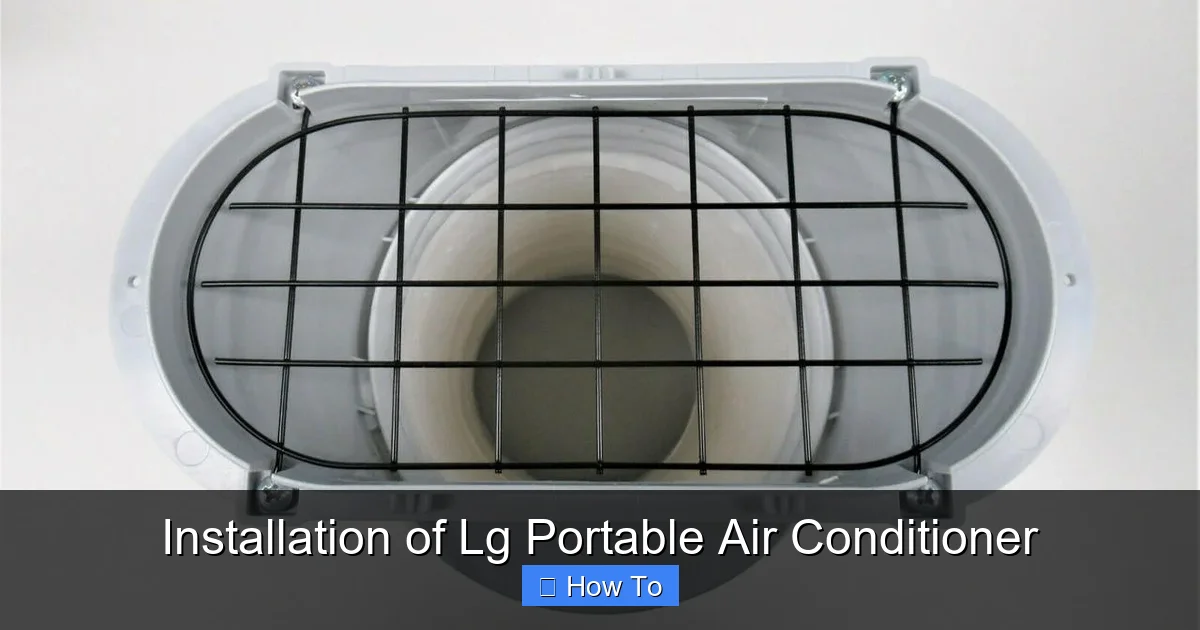
LG portable air conditioner with exhaust hose and window adapter installed
Visual guide about Installation of Lg Portable Air Conditioner
Image source: cdn11.bigcommerce.com
Before you begin, take a few minutes to unpack your unit carefully. Most 2026 LG portable ACs come in a sturdy box with protective foam and plastic wrap.
What’s in the Box?
You should find:
- The portable air conditioner unit
- Exhaust hose (single or dual, depending on model)
- Window adapter panel (usually plastic or foam)
- Hose connectors and brackets
- Remote control with batteries
- User manual and quick-start guide
- Drain hose (for models with auto-evaporation or manual drain)
Inspect for Damage
Check the unit for any dents, scratches, or loose parts. Make sure the exhaust hose isn’t kinked or torn. If anything looks damaged, contact LG customer support before proceeding.
Read the Manual
Even if you’re experienced, take a moment to skim the user manual. LG often updates features and safety guidelines, and 2026 models may include new smart controls or energy-saving modes.
In practice, verify the model number and voltage rating on the nameplate before plugging in. A common mistake is assuming all portable units run on standard 120 V; some larger models require a 240 V circuit.
Step 2: Choose the Best Location for Installation
Where you place your portable AC makes a big difference in performance and efficiency.
Near a Window
Your unit must be close to a window—ideally within 4–6 feet—so the exhaust hose can reach the venting kit. Sliding windows work best, but double-hungs can also be adapted.
Access to Power
Plug your AC into a dedicated electrical outlet. Avoid extension cords, which can overheat. If you must use one, choose a heavy-duty, grounded cord rated for at least 15 amps.
Clear Floor Space
Leave at least 20 inches of clearance around the unit for proper airflow. Don’t place it behind furniture or in a cramped corner.
Avoid Heat Sources
Keep the AC away from stoves, radiators, or direct sunlight. These can trick the thermostat and reduce cooling efficiency.
Dual-hose models need a bit more space behind the unit for the intake hose; keep at least 12 inches clear on the back side. For single-hose units, ensure the exhaust path is as straight as possible to minimize resistance.
Step 3: Install the Window Venting Kit
This is the most critical part of the installation. The exhaust hose removes hot air from your room, so it must be sealed properly.
Prepare the Window
Open your window slightly—just enough to insert the adapter panel. Clean the window frame to ensure a tight seal.
Assemble the Adapter Panel
Most LG kits include a foam or adjustable plastic panel. Slide it into the window opening. If your window is wider than the panel, use the included extension pieces. Tighten any screws or locking mechanisms to secure it.
Attach the Exhaust Hose
Connect one end of the hose to the back of the AC unit. It should snap into place with a firm push. Then, attach the other end to the window adapter. Make sure both connections are tight to prevent air leaks.
Seal Gaps
Use weather stripping, foam tape, or the included sealing strips to fill any gaps around the adapter. Even small leaks can let warm air back in, reducing cooling power.
For casement or sliding windows, consider a rigid insulation panel cut to size—it provides a more durable seal than foam tape alone. The U.S. Department of Energy recommends sealing all venting gaps to improve efficiency by up to 10 % [https://www.energy.gov/energysaver/ventilation].
Step 4: Plug In and Power On
Now that everything is connected, it’s time to fire up your LG portable AC.
Plug into a Dedicated Outlet
Avoid power strips or shared circuits. Portable ACs draw a lot of power at startup, which can trip breakers if the circuit is overloaded.
Turn On the Unit
Press the power button on the unit or use the remote. The display should light up, and you’ll hear the fan start.
Set Your Preferred Mode
Use the remote or control panel to select:
- Cool mode (for cooling)
- Fan mode (for air circulation)
- Dry mode (for dehumidifying)
- Auto mode (lets the unit adjust automatically)
Set your desired temperature—usually between 72°F and 78°F for comfort and efficiency.
Plug the unit into a surge protector rated for at least 15 A to guard against voltage spikes. If you notice the display flickering at startup, have an electrician check the circuit capacity.
Step 5: Connect to the LG ThinQ App (2026 Models)
Many 2026 LG portable air conditioners come with Wi-Fi and smart features. Connecting to the LG ThinQ app lets you control your AC from your phone.
Download the App
Search “LG ThinQ” in your app store and install it on your smartphone.
Create an Account
Sign up or log in with your LG account. This allows you to save settings and receive firmware updates.
Pair Your AC
Put your AC in pairing mode (usually by holding the Wi-Fi button for 3 seconds). Follow the app instructions to connect to your home Wi-Fi network.
Use Smart Features
Once connected, you can:
- Turn the AC on/off remotely
- Set cooling schedules
- Monitor energy usage
- Receive maintenance alerts
This is especially helpful if you want to cool your room before you get home.
If pairing fails, reboot your router and ensure the AC is within 15 ft of the access point. Firmware updates often resolve connectivity issues—check the app’s “Device Settings” for updates.
Want to maximize savings? Check out our guide on energy-efficient AC settings. What Are The Best Air Conditioning Settings For Energy Efficiency
Step 6: Run a Test and Adjust Settings
Let your AC run for 10–15 minutes to see how it performs.
Check Cooling
Feel the air coming from the front vent. It should be noticeably cooler than room temperature.
Listen for Unusual Noises
A gentle hum is normal. But if you hear grinding, rattling, or loud banging, turn off the unit and check for loose parts or obstructions.
Monitor the Exhaust Hose
Make sure hot air is flowing out the window and not leaking back into the room.
Adjust Fan Speed
Use the remote to switch between low, medium, and high fan speeds. Higher speeds cool faster but are louder.
Measure the temperature drop across the evaporator coil with a probe thermometer; a 15–20 °F difference indicates proper refrigerant charge. Adjust the directional louvers upward to promote better air mixing.
Troubleshooting Common Installation Issues
Even with careful setup, you might run into a few hiccups. Here’s how to fix them.
Unit Won’t Turn On
- Check the power cord and outlet.
- Make sure the circuit breaker hasn’t tripped.
- Verify the remote batteries are fresh.
Not Cooling Enough
- Ensure the exhaust hose is properly connected and not kinked.
- Clean or replace the air filter (located behind the front panel).
- Close curtains or blinds to reduce heat gain.
Water Leaking Inside
Most LG portable ACs use auto-evaporation, but in high humidity, water may collect. Check if the drain plug is closed. If leaking continues, use the included drain hose to empty the tank.
Error Codes on Display
Refer to your manual for specific codes. Common ones include:
- E1: Sensor error—restart the unit.
- PF: Power failure—wait 3 minutes before restarting.
- CL: Filter cleaning reminder—clean the filter.
Hose Keeps Falling Out
Use duct tape or zip ties to secure the hose to the window adapter. Avoid blocking the airflow.
For persistent E1 or PF codes, power-cycle the unit by unplugging it for 5 minutes. If the code returns, consult LG’s support portal [https://www.lg.com/us/support] or contact a certified technician.
Maintenance Tips for Long-Term Performance
To keep your LG portable AC running smoothly all summer, follow these simple maintenance steps.
Clean the Air Filter Monthly
Turn off the unit, remove the front panel, and take out the filter. Rinse it with warm water and let it dry completely before reinserting.
Inspect the Exhaust Hose Annually
Check for cracks, mold, or blockages. Replace the hose if it’s damaged.
Wipe Down the Exterior
Use a damp cloth to clean the unit’s surface. Avoid harsh chemicals that could damage the plastic.
Store Properly in Off-Season
When not in use, drain all water, clean the filter, and store the unit in a dry place. Cover it to prevent dust buildup.
Once a year, vacuum the condenser coils (accessible behind the rear grille) to remove dust buildup. A clogged condenser can reduce cooling capacity by 15 % or more. For seasonal upkeep, see our seasonal maintenance checklist. Seasonal Air Conditioning Maintenance Tips
Frequently Asked Questions
Can I vent my LG portable AC through a wall instead of a window?
Yes, with a through-the-wall vent kit you can exhaust hot air outdoors, but ensure the hole is properly sealed and insulated to prevent air leaks.
How often should I clean the filter on my LG portable air conditioner?
Clean the filter every 2–4 weeks during heavy use; monthly is sufficient for moderate operation.
What size room can a typical LG portable AC cool?
Most 10,000–12,000 BTU models cool 300–450 sq ft; check the unit’s spec sheet for exact coverage.
Does the LG ThinQ app work with older LG portable models?
Only 2020 and newer models with built‑in Wi‑Fi support ThinQ; older units require a separate smart plug for remote control.
Why is my portable AC making a gurgling sound?
Gurgling usually indicates refrigerant flow or condensate drainage—both are normal. If it’s loud or continuous, check for a kinked drain hose.
Can I use an extension cord with my LG portable air conditioner?
Only a heavy‑duty, grounded 14‑gauge (or thicker) cord rated for 15 A; avoid light‑duty cords to prevent overheating.
Conclusion: Enjoy Cool Comfort All Summer
Installing your LG portable air conditioner doesn’t have to be complicated. With the right location, a secure window vent, and a few smart settings, you can enjoy powerful cooling in any room. The 2026 models offer even more convenience with Wi-Fi connectivity and energy-efficient operation. By following this guide, you’ve set up your unit for success—now just sit back, relax, and enjoy the cool air. Remember to maintain your AC regularly, and it will keep you comfortable for years to come.
For more installation insights, explore our comprehensive AC installation guide. Ac Installation Guide

