
How to Use an Lg Window Air Conditioner
This guide walks you through how to use an LG window air conditioner effectively, from installation to daily operation and maintenance. Whether you're a first-time user or upgrading your unit, you’ll find clear, practical instructions to keep your space cool and energy-efficient all year long.
Key Takeaways
Proper installation is essential: A secure, level fit prevents leaks, noise, and inefficiency. Always follow LG’s guidelines and use support brackets if needed.
Use the remote and smart features: Most 2026 LG window ACs come with Wi-Fi, voice control, and app integration for remote scheduling and energy tracking.
Set the right temperature and mode: For comfort and efficiency, aim for 72–78°F and use Energy Saver or Auto mode when possible.
Clean filters monthly: Dirty filters reduce airflow and increase energy use. Wash or replace them regularly for optimal performance.
Maintain the unit seasonally: Cover the exterior in winter and inspect seals and coils annually to extend lifespan.
Troubleshoot common issues quickly: If the unit won’t turn on, check the power source, filter, and remote batteries before calling support.
Maximize efficiency with smart habits: Close windows and curtains during the day, and use a fan to circulate cool air.
How to Use an LG Window Air Conditioner: A Complete 2026 Guide
As summer temperatures rise and energy efficiency becomes more important than ever, knowing how to use an LG window air conditioner properly can make a big difference in your comfort and utility bills. Whether you’ve just unboxed a brand-new 2026 LG model or are upgrading from an older unit, this guide will walk you through every step—from installation to daily use, maintenance, and troubleshooting.
LG window air conditioners are known for their quiet operation, smart features, and energy-saving technology. In 2026, many models come equipped with Wi-Fi connectivity, voice assistant compatibility (like Alexa and Google Assistant), and advanced sensors that adjust cooling based on room conditions. But even the smartest AC won’t work well if it’s not installed or used correctly.
By the end of this guide, you’ll know how to set up your LG window AC safely, operate it efficiently, keep it clean, and solve common problems. Let’s get started!
Step 1: Choose the Right Location
LG window AC unit positioned in a double-hung window with side panels extended.
Visual guide about How to Use an Lg Window Air Conditioner
Image source: acsupportspoint.com
Before you even think about installing your LG window air conditioner, you need to pick the best spot. Not every window is suitable, and placement affects performance, safety, and energy use.
Check Window Compatibility
Most LG window ACs are designed for double-hung or sliding windows. Measure your window opening to ensure it matches the unit’s dimensions. LG provides size guidelines in the user manual—usually ranging from 23 to 48 inches in width.
Avoid placing the AC in a window that faces direct afternoon sun if possible. While the unit can handle heat, extra solar exposure increases cooling load and energy use.
Ensure Structural Support
Window ACs can weigh 50–100 pounds. Your window frame and wall must support this weight. Avoid installing in old, rotting, or weak frames. If your window is in a wall with limited support, consider using an exterior support bracket—many LG models include one or recommend compatible kits.
Also, make sure there’s enough clearance on both sides of the window for airflow. LG recommends at least 12–18 inches of space on each side for proper ventilation.
Avoid Obstructions
Keep the area around the window clear of furniture, curtains, or plants. Blocked airflow reduces efficiency and can cause the unit to overheat. Inside, ensure nothing is blocking the front vent where cool air comes out.
Pro tip: When measuring, also note the distance to the nearest outlet; a dedicated circuit reduces the need for extension cords. For more on selecting the right unit size, see our guide on picking the right unit.
Choosing the Right BTU Size for Your Room
Selecting a unit with the correct BTU rating ensures efficient cooling without short‑cycling. As a rule of thumb, 5,000 BTU cools roughly 150 sq ft, 8,000 BTU covers 300 sq ft, and 12,000 BTU handles up to 550 sq ft. Factor in ceiling height, sun exposure, and occupancy; add 10 % for sunny rooms and 600 BTU per extra person. An oversized AC cools quickly but leaves humidity high, while an undersized one runs continuously and wastes energy.
Step 2: Install the LG Window Air Conditioner
Now that you’ve chosen the right spot, it’s time to install your LG window AC. Proper installation prevents leaks, noise, and safety hazards.
Gather Your Tools
You’ll need:
- A tape measure
- A level
- A screwdriver (usually Phillips head)
- Foam weather stripping or sealant (included with most LG units)
- Support bracket (if recommended)
- A helper (optional but helpful)
Prepare the Window
- Open the window and remove the screen.
- Clean the sill and frame to remove dirt and debris.
- If your model includes side panels, attach them to the AC unit before installation. These help seal the gaps on either side of the window.
Position the Unit
- With a helper, lift the AC and place it gently into the window opening. The bottom of the unit should rest on the window sill.
- Slide the window down behind the AC’s top mounting rail. Make sure it’s centered and level.
- Extend the side panels (if included) to fill the gaps between the AC and window frame.
Secure the AC
- Use the included screws to attach the unit to the window frame. Most LG models have pre-drilled holes for this.
- If your model recommends a support bracket, install it beneath the unit and secure it to the exterior wall. This reduces strain on the window and prevents sagging.
- Apply foam weather stripping around the edges to seal gaps. This prevents hot air from leaking in and cool air from escaping.
Check for Level and Stability
Use a level to ensure the unit is slightly tilted backward (about 1/4 inch). This allows condensation to drain properly outside. If it’s tilted forward, water may leak inside.
Give the unit a gentle shake. It should feel solid and secure. If it wobbles, recheck the screws and support.
Installation note: In many municipalities, brackets are mandatory for units above a certain weight. Check local rules such as the bracket requirements in NYC before finalizing the install.
Step 3: Connect to Power
Once installed, it’s time to plug in your LG window air conditioner.
Use a Dedicated Outlet
Window ACs draw a lot of power. Plug the unit into a dedicated 120V or 240V outlet (depending on the model) that’s not shared with other high-wattage appliances like microwaves or space heaters.
Avoid using extension cords. If you must, use a heavy-duty, grounded cord rated for at least 15 amps. But ideally, have an electrician install a nearby outlet.
Check the Circuit Breaker
Make sure the circuit breaker for that outlet is on and has enough capacity. Most LG window ACs require a 15- or 20-amp circuit. Overloading can trip the breaker or cause a fire hazard.
Turn On the Unit
Plug in the AC and press the power button on the unit or remote. You should hear the fan start and feel cool air within a minute.
If nothing happens, check the outlet with another device to confirm it’s working. Also, ensure the remote has fresh batteries.
Safety reminder: The U.S. Department of Energy recommends verifying that the circuit can handle the unit’s amperage before first use; see their air‑conditioning guidance for details.
Step 4: Set Up Smart Features (2026 Models)
Many 2026 LG window air conditioners come with smart technology. Take advantage of these features to control your AC remotely and save energy.
Download the LG ThinQ App
Search for “LG ThinQ” in your phone’s app store and download it. This free app lets you control your AC from anywhere.
Connect to Wi-Fi
- Turn on the AC and press the “Wi-Fi” button on the remote or unit (usually held for 3 seconds).
- Open the LG ThinQ app and follow the on-screen instructions to add your AC.
- Select your home Wi-Fi network and enter the password.
Once connected, you can turn the AC on/off, adjust temperature, set schedules, and monitor energy use—all from your phone.
Enable Voice Control
Link your LG ThinQ account to Alexa or Google Assistant. Then say commands like:
- “Alexa, set the living room AC to 74 degrees.”
- “Hey Google, turn off the window AC.”
This is especially handy when your hands are full or you’re across the room.
Use Smart Scheduling
Set the AC to turn on 30 minutes before you get home, or turn off when you leave. The app can also use location data to detect when you’re away and adjust settings automatically.
Smart‑home tip: Pairing the AC with a compatible smart thermostat can unlock finer‑grained scheduling; explore the latest cooling tech for integration ideas.
Step 5: Operate Your LG Window Air Conditioner
Now that your AC is installed and connected, let’s talk about daily use.
Use the Remote Control
The remote is your main tool for controlling the AC. Here’s what the buttons do:
- Power: Turns the unit on or off.
- Mode: Cycles through Cool, Energy Saver, Fan, Dry, and Auto modes.
- Temperature Up/Down: Adjusts the target temperature (usually 60–86°F).
- Fan Speed: Sets low, medium, high, or auto fan speed.
- Timer: Sets a delay for turning on or off (great for bedtime).
- Sleep Mode: Gradually increases temperature over time to save energy while you sleep.
Choose the Right Mode
- Cool Mode: Standard cooling. Best for hot days.
- Energy Saver Mode: Fan and compressor cycle on and off to maintain temperature with less energy. Ideal for mild weather.
- Fan Only: Circulates air without cooling. Good for ventilation.
- Dry Mode: Reduces humidity without overcooling. Great for humid climates.
- Auto Mode: The AC decides the best mode and fan speed based on room conditions. A smart choice for most users.
Set the Ideal Temperature
For comfort and efficiency, set your AC between 72°F and 78°F. Every degree below 72°F can increase energy use by 6–8%.
Use a fan to circulate cool air. This lets you raise the thermostat a few degrees without sacrificing comfort.
Use the Timer and Sleep Features
Set the timer to turn the AC off after you fall asleep. Or use Sleep Mode, which slowly raises the temperature by 1–2°F over 1–2 hours to match your body’s natural cooling at night.
Efficiency insight: The optimal temperature settings article explains why 78 °F is often the sweet spot for cost savings.
Step 6: Maintain Your LG Window Air Conditioner
Regular maintenance keeps your AC running efficiently and extends its life.
Clean the Air Filter Monthly
A dirty filter blocks airflow, makes the unit work harder, and reduces cooling.
- Turn off and unplug the AC.
- Open the front panel and remove the filter.
- Wash it with warm, soapy water. Rinse and let it dry completely.
- Reinsert the filter and close the panel.
If the filter is damaged or very dirty, replace it. LG filters are washable, but replace them every 6–12 months.
Clean the Exterior and Interior
Wipe the outside of the unit with a damp cloth. Never spray water directly on the AC.
Every few months, vacuum the front vent and coils gently. If you’re comfortable, remove the front panel and use a soft brush to clean the evaporator coils.
Check the Drainage
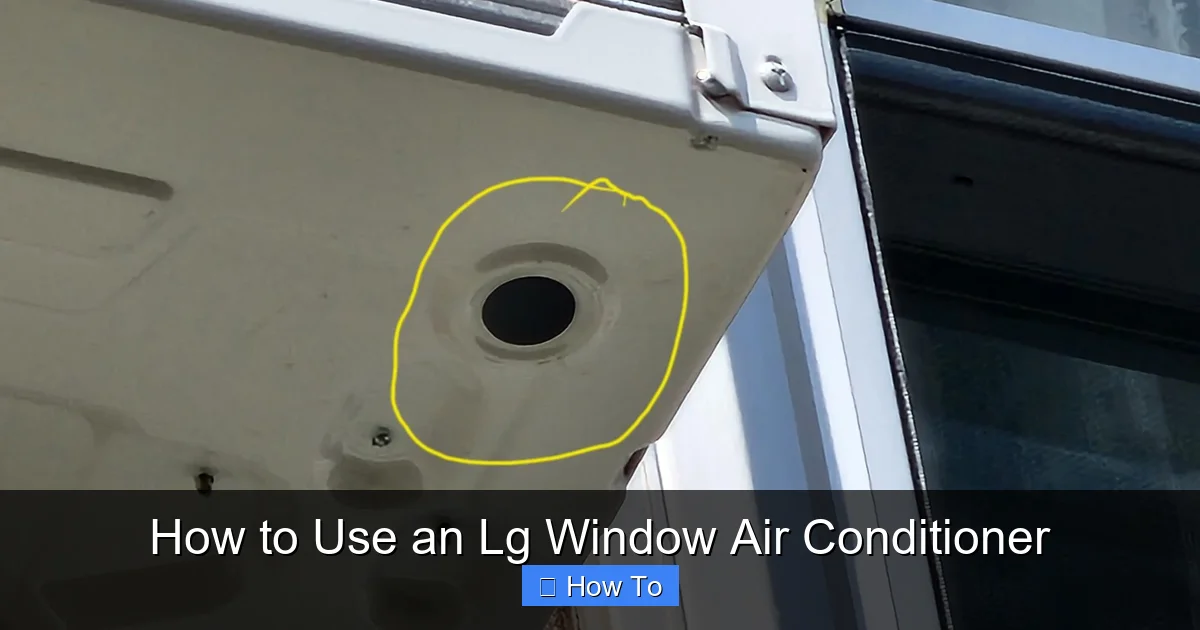
Condensation drains outside through a small hole at the back. Make sure it’s not clogged with dirt or debris. If water pools inside, the drain may be blocked.
Inspect Seals and Panels
Check the weather stripping and side panels for cracks or gaps. Replace them if they’re worn to prevent air leaks.
Winterize the Unit
If you don’t use the AC in winter, cover the outside with a waterproof cover. This protects it from snow, ice, and debris. Also, close the window tightly and seal any gaps.
Maintenance calendar: Follow a seasonal upkeep checklist to remember coil cleaning, seal checks, and cover installation each year.
Step 7: Troubleshoot Common Problems
Even the best ACs can have issues. Here’s how to solve the most common problems.
AC Won’t Turn On
- Check if it’s plugged in and the outlet has power.
- Replace the remote batteries.
- Make sure the circuit breaker hasn’t tripped.
- If the unit beeps or shows an error code, consult the manual or LG support.
Not Cooling Enough
- Clean or replace the air filter.
- Make sure windows and doors are closed.
- Check if the temperature is set correctly.
- Ensure the unit is the right size for the room (too small = not enough cooling).
Water Leaking Inside
- The unit may not be tilted backward enough. Adjust the installation.
- The drain hole might be clogged. Clear it with a wire or compressed air.
- The seal around the unit may be leaking. Reapply weather stripping.
Strange Noises
- Rattling: Check if the unit is loose or if objects are touching it.
- Humming: Could be a loose part or electrical issue. Turn off and call a technician.
- Clicking: Normal when the compressor starts or stops.
Remote Not Working
- Replace the batteries.
- Make sure nothing is blocking the remote sensor on the AC.
- Reset the remote by removing batteries for 1 minute.
Understanding LG Error Codes
Modern LG window units display alphanumeric codes (e.g., CH01, E5, F0) on the LED panel. CH01 typically signals a communication fault between the indoor board and the Wi‑Fi module; power‑cycling the unit often clears it. E5 points to a temperature‑sensor anomaly — verify the sensor isn’t obstructed by dust. F0 indicates a refrigerant‑pressure issue; this requires a certified technician. Keep the error‑code sheet from the manual handy, and log any recurring codes for faster service calls.
Step 8: Maximize Energy Efficiency
Using your LG window AC wisely can cut your energy bill and reduce environmental impact.
Use a Programmable Schedule
Set the AC to run only when needed. For example, turn it off during work hours and back on 30 minutes before you return.
Close Curtains and Blinds
Sunlight heats up rooms quickly. Close curtains, blinds, or shades during the day to keep heat out.
Seal Air Leaks
Use caulk or weather stripping around windows and doors to prevent cool air from escaping.
Upgrade to a Smart Thermostat (Optional)
Some LG models work with smart thermostats or can be controlled via the LG ThinQ app for even better scheduling and energy tracking.
Use Ceiling Fans
Fans create a wind-chill effect, making you feel cooler. This lets you raise the thermostat by 4°F without discomfort.
Extra savings: Combining a programmable schedule with ceiling fans can reduce cooling costs by up to 15 % according to ENERGY STAR® guidelines.
Seasonal Storage and Reinstallation
When the cooling season ends, remove the unit if possible. Store it upright in a dry, temperature‑controlled space; lay a soft blanket underneath to protect the base. Before reinstalling next spring, inspect the power cord for cracks, re‑apply fresh weather stripping, and verify the support bracket is still securely anchored. This routine prevents corrosion and ensures a quick, leak‑free setup.
Frequently Asked Questions
How often should I clean the LG window AC filter?
Clean the filter once a month during heavy use; wash with warm soapy water, dry fully, and reinstall. Replace the filter every 6–12 months if it shows wear.
Can I run the LG window AC on a 15‑amp circuit?
Most 2026 LG window models require a dedicated 15‑ or 20‑amp circuit. Check the unit’s nameplate for exact amperage and avoid sharing the circuit with other high‑draw appliances.
What does the “CH01” error code mean on my LG AC?
CH01 usually indicates a communication error between the main board and the Wi‑Fi module. Power‑cycle the unit (unplug for 30 seconds) to reset; if it persists, contact LG support.
Is a support bracket mandatory for all LG window units?
Brackets are recommended for units over 60 lb and required by some local codes (e.g., NYC). Always consult the installation manual and local building regulations.
How do I connect my LG window AC to Alexa?
Enable the LG ThinQ skill in the Alexa app, link your LG account, then discover devices. You can then say “Alexa, set the bedroom AC to 74 degrees.”
Should I cover the outdoor side of the unit in winter?
Yes. Use a breathable, waterproof cover to shield the condenser from snow, ice, and debris. Remove the cover before the next cooling season to avoid moisture buildup.
Conclusion
Learning how to use an LG window air conditioner doesn’t have to be complicated. With the right installation, smart settings, and regular maintenance, your AC will keep you cool, save energy, and last for years.
From choosing the perfect window to using the latest 2026 smart features, this guide covers everything you need. Remember to clean the filter monthly, use Energy Saver mode when possible, and take advantage of remote and voice controls.
A well-maintained LG window AC isn’t just a luxury—it’s a smart investment in comfort and efficiency. Stay cool, save money, and enjoy peace of mind all summer long.

