
How to Reset Lg Dual Inverter Air Conditioner
Resetting your LG Dual Inverter air conditioner can fix common issues like unresponsiveness, error codes, or cooling problems. This guide walks you through multiple reset methods—soft, hard, and remote-based—ensuring your unit runs smoothly in 2026.
Key Takeaways
Soft resets restore normal operation by clearing temporary glitches without affecting settings.
Hard resets return the unit to factory defaults , useful after major malfunctions or before selling the AC.
Remote control resets work for most 2026 LG Dual Inverter models and take under two minutes.
Power cycling is the first troubleshooting step and often resolves minor connectivity or performance issues.
Error codes like CH 09 or CH 27 indicate specific problems that may require a reset or professional help.
Always turn off the power at the circuit breaker before performing a hard reset for safety.
Regular maintenance prevents frequent resets and extends your AC’s lifespan.
How to Reset LG Dual Inverter Air Conditioner: A Complete 2026 Guide
Is your LG Dual Inverter air conditioner acting up? Maybe it’s not cooling properly, the remote isn’t responding, or you’re seeing an error code like CH 09 or CH 27 on the display. Before calling a technician, try resetting your unit. In 2026, LG’s Dual Inverter technology continues to deliver energy-efficient, quiet cooling—but even the smartest systems need a fresh start now and then.
This comprehensive guide will walk you through every method to reset your LG Dual Inverter air conditioner, whether you have a window unit, split system, or portable model. You’ll learn soft resets, hard resets, remote-based resets, and troubleshooting tips to keep your AC running smoothly all year long. By the end, you’ll know exactly how to restore performance, clear error messages, and maintain optimal efficiency—no technical degree required.
Why Reset Your LG Dual Inverter AC?
Resetting your air conditioner isn’t just about fixing problems—it’s about maintaining performance. Over time, your AC’s internal software can develop glitches. These might stem from power surges, firmware updates, or simply prolonged use. A reset clears the system’s memory, restarts the inverter compressor, and reestablishes communication between the indoor and outdoor units.
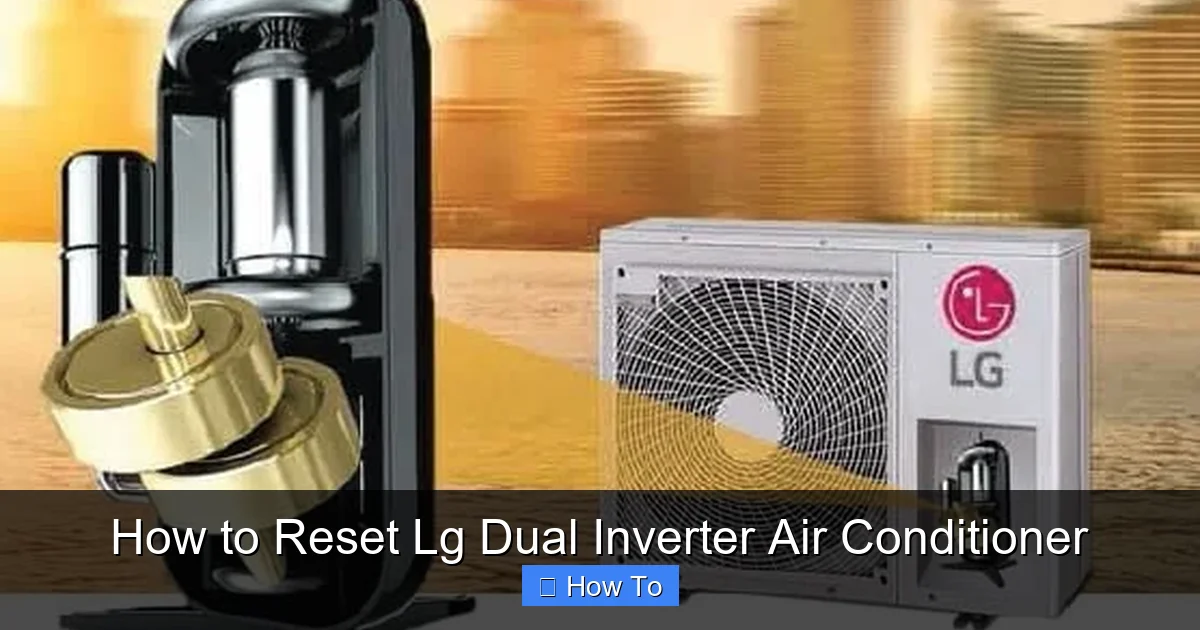
Diagram showing LG Dual Inverter AC reset process
Image source: cdn.reviewcenter.in
In 2026, LG’s Dual Inverter models are smarter than ever, with Wi-Fi connectivity, AI cooling modes, and self-diagnostic features. But with increased complexity comes the occasional hiccup. Common reasons to reset include:
The remote control stops working or responds slowly
The unit turns on but doesn’t cool or heat
Error codes appear on the display (e.g., CH 09, CH 27, CH 37)
The fan runs continuously even when the AC is off
The unit cycles on and off too frequently
You’ve recently moved or reinstalled the AC
A simple reset can resolve up to 70% of these issues without professional help. Think of it like restarting your smartphone—it refreshes the system and often fixes minor bugs.
Safety Precautions Before Resetting
Before you begin any reset, ensure the unit is powered off at the breaker to avoid electric shock. Keep the area around the outdoor condenser clear of debris, and never handle refrigerant lines yourself. If you notice a burning smell or smoke, stop immediately and contact a certified technician. For more on routine upkeep, see our seasonal upkeep guide.
Types of Resets: Soft vs. Hard
Before diving into the steps, it’s important to understand the two main types of resets: soft and hard.
Soft Reset (Power Cycle)
A soft reset, also known as a power cycle, is the gentlest option. It turns off the unit, clears temporary memory, and restarts the system without changing your settings. This is ideal for minor glitches and should always be your first step.
Hard Reset (Factory Reset)
A hard reset returns the air conditioner to its original factory settings. This erases all custom preferences, including temperature schedules, fan speeds, and Wi-Fi connections. Use this only if a soft reset fails or you’re preparing to sell or relocate the unit.
In 2026, most LG Dual Inverter models support both methods, but the exact steps may vary slightly by model. Always check your user manual or LG’s official support site for model-specific instructions.
Choosing the Right Reset Method
In practice, a soft reset resolves most temporary glitches, while a hard reset is reserved for persistent errors or when preparing the unit for a new owner. The remote‑based reset offers a quick middle ground when you cannot reach the power cord. A common mistake is skipping the 5‑minute wait during a power cycle, which can leave the inverter compressor in a locked state. For more on smart diagnostics, explore the smart diagnostics platform.
How to Perform a Soft Reset (Power Cycle)
The soft reset is the easiest and safest way to refresh your LG Dual Inverter AC. It’s quick, requires no tools, and won’t affect your settings. Here’s how to do it:
Step 1: Turn Off the Air Conditioner
Use the remote control to turn off the unit. Press the Power button until the display turns off. Wait about 10 seconds to ensure the system fully shuts down.
Step 2: Unplug the Unit
Locate the power cord and unplug it from the wall outlet. If you have a split system, find the outdoor unit’s power disconnect switch (usually a gray box near the unit) and turn it off. For window units, simply unplug the cord.
Step 3: Wait 5–10 Minutes
This is crucial. Waiting allows the internal capacitors to discharge and the inverter compressor to reset. Skipping this step may prevent the reset from working. Use this time to clean the air filter or check for obstructions around the unit.
Step 4: Restore Power
Plug the unit back in or turn the disconnect switch back on. Wait 30 seconds, then press the Power button on the remote to turn the AC back on.
Step 5: Test the System
Set the temperature to a level that will activate cooling or heating. Listen for the compressor to start and check if air is flowing properly. If the issue is resolved, you’re done!
Pro Tip: If your AC has a built-in timer or sleep mode, disable it temporarily to ensure the unit runs continuously during testing.
How to Reset Using the Remote Control
Many 2026 LG Dual Inverter models allow you to perform a soft reset directly from the remote. This method is convenient and doesn’t require unplugging the unit. Here’s how:
Step 1: Ensure the Remote Has Batteries
Weak batteries can cause communication issues. Replace them if the remote feels sluggish or the signal light doesn’t blink when you press buttons.
Step 2: Press and Hold the Reset Button
On most LG remotes, there’s a small Reset button, often located under the battery cover or near the bottom edge. Use a paperclip or pen to press and hold it for 3–5 seconds.
Step 3: Wait for the Display to Flash
The AC’s display should blink or show a brief message like “RESET” or “INIT.” This confirms the reset is in progress.
Step 4: Release and Test
Release the button and wait 30 seconds. Turn the AC back on using the remote. Check if the problem is resolved.
Note: Not all LG Dual Inverter remotes have a physical reset button. If yours doesn’t, use the power cycle method instead.
Using the LG ThinQ App for Remote Reset
Many 2026 LG Dual Inverter models connect to the LG ThinQ app, letting you trigger a reset from your phone. Open the app, select your AC, tap Settings → Reset, and confirm. The app also shows real‑time error codes and can schedule automatic reboots. For official guidance, visit LG’s support portal. You can also read about the latest app features.
Comparison Table of Reset Methods
| Method | Time | Settings Preserved | Best For |
|---|---|---|---|
| Soft Reset (Power Cycle) | 5‑10 min | Yes | Minor glitches, connectivity hiccups |
| Remote Button Reset | <2 min | Yes | Quick reboot without unplugging |
| LG ThinQ App Reset | <1 min | Yes | Remote management, scheduled resets |
| Hard Reset (Factory) | 2‑3 min | No | Persistent errors, resale preparation |
Choose the least invasive method that matches your situation.
How to Perform a Hard Reset (Factory Reset)
A hard reset should be used only when necessary, as it erases all custom settings. This includes Wi-Fi passwords, scheduled timers, and preferred modes. Follow these steps carefully:
Step 1: Turn Off the AC
Use the remote to power down the unit completely.
Step 2: Locate the Control Panel
On the indoor unit, find the control panel. This is usually behind a small flap on the front or side of the unit.
Step 3: Press and Hold the Filter and Mode Buttons
On most 2026 LG Dual Inverter models, press and hold the Filter and Mode buttons simultaneously for 5–7 seconds. You’ll see the display flash or hear a beep.
Step 4: Confirm the Reset
The display may show “INIT” or “FACTORY.” Release the buttons. The unit will restart automatically.
Step 5: Reconfigure Settings
After the reset, you’ll need to set the time, date, temperature preferences, and reconnect to Wi-Fi (if applicable). Use the remote to navigate the menu.
Safety Tip: Always turn off the power at the circuit breaker before performing a hard reset, especially if you’re uncomfortable with the process.
Resetting Specific LG Dual Inverter Models
While the general steps apply to most units, some 2026 LG Dual Inverter models have unique reset procedures. Here are a few examples:
LG Dual Inverter Window AC (Models: LW1216HR, LW1817IVSM)
Soft Reset: Unplug for 10 minutes, then plug back in.
Hard Reset: Press and hold Temp Up and Temp Down for 5 seconds.
LG Dual Inverter Split System (Models: LS120HSV5, LS180HSV5)
Soft Reset: Turn off via remote, then flip the outdoor disconnect switch off for 5 minutes.
Hard Reset: Use the remote’s reset button or hold Filter and Mode on the indoor unit.
LG Dual Inverter Portable AC (Models: LP1419IVSM, LP1217WSR)
Soft Reset: Unplug and wait 10 minutes.
Hard Reset: Press and hold Power and Fan for 7 seconds.
Always refer to your model’s user manual for the most accurate instructions. You can download manuals from LG’s official website using your model number.
Troubleshooting Common Reset Issues
Sometimes, a reset doesn’t solve the problem—or the unit won’t reset at all. Here’s how to troubleshoot:
The AC Won’t Turn On After Reset
Check the power source. Ensure the outlet is working by plugging in another device. If using a GFCI outlet, press the reset button on the outlet itself. Also, verify the circuit breaker hasn’t tripped.
Error Codes Persist After Reset
Common 2026 error codes include:
CH 09: Communication error between indoor and outdoor units. Check wiring connections.
CH 27: Inverter compressor fault. May require professional service.
CH 37: Refrigerant leak or low pressure. Do not operate—call a technician.
If error codes remain after a reset, the issue may be hardware-related. Contact LG support or a certified HVAC technician.
Remote Still Not Working
Try replacing the remote batteries. If that doesn’t work, re-pair the remote by pressing the Reset button on both the remote and the indoor unit simultaneously for 3 seconds.
Unit Resets But Problem Returns
This could indicate a deeper issue, such as a failing capacitor, dirty coils, or low refrigerant. Schedule a maintenance check to prevent further damage.
Preventing the Need for Frequent Resets
While resets are helpful, they shouldn’t be a regular occurrence. Follow these tips to keep your LG Dual Inverter AC running smoothly:
Clean the air filter monthly: A clogged filter restricts airflow and strains the compressor.
Clear debris from outdoor unit: Keep leaves, dirt, and grass clippings away from the condenser.
Schedule annual maintenance: A technician can check refrigerant levels, clean coils, and inspect electrical connections.
Avoid frequent power cycling: Turning the AC on and off too often can cause wear.
Use a surge protector: Power surges can damage the inverter board. A quality protector adds an extra layer of safety.
Additionally, keep the evaporator coil clean and verify that the condensate drain line is clear each season. Setting the thermostat to an energy‑saving temperature when you’re away reduces compressor cycles. For optimal temperature settings, review our guide on efficient cooling preferences. The U.S. Department of Energy recommends annual professional servicing to maintain efficiency.
In 2026, LG also offers smart diagnostics through the LG ThinQ app. Connect your AC to Wi-Fi to receive alerts, monitor performance, and even initiate remote resets from your phone.
When to Call a Professional
While most issues can be resolved with a reset, some problems require expert attention. Contact a certified technician if:
The unit makes unusual noises (grinding, clicking, or buzzing)
There’s a burning smell or smoke
Ice forms on the evaporator coils
The AC leaks water indoors
Error codes persist after multiple resets
Attempting to fix electrical or refrigerant issues yourself can be dangerous and may void your warranty. Always prioritize safety.
If you suspect a condenser issue, a professional condenser inspection guide can help diagnose the problem before it worsens.
For more tips on AC upkeep, explore our seasonal maintenance guide.
Conclusion
Resetting your LG Dual Inverter air conditioner is a simple yet powerful way to restore performance and resolve common issues. Whether you use a soft reset, remote reset, or hard reset, these steps can save you time and money in 2026. Remember to start with the least invasive method—power cycling—and only proceed to a factory reset if necessary.
By following this guide, you’ll keep your AC running efficiently, reduce the risk of breakdowns, and enjoy consistent comfort all year. And with regular maintenance and smart usage, you may never need to reset your unit again. Stay cool, stay informed, and let your LG Dual Inverter do what it does best: deliver quiet, energy-efficient cooling with minimal hassle.
Frequently Asked Questions
How often should I reset my LG Dual Inverter AC?
Only reset when you notice a malfunction such as unresponsive controls or error codes. Routine resets are unnecessary if the unit operates normally.
Can a reset fix a refrigerant leak error (CH 37)?
No. CH 37 indicates a refrigerant issue that requires a certified technician; a reset will not resolve a leak.
Will a hard reset delete my Wi‑Fi credentials?
Yes. A factory reset erases all saved networks, so you’ll need to reconnect the AC to Wi‑Fi afterward.
Is it safe to reset the unit during a thunderstorm?
Avoid resetting during storms. Power surges can damage the inverter board; wait until the weather clears.
Where can I find model‑specific reset instructions?
Download the user manual from LG’s official support site using your model number, or consult the LG ThinQ app for guided steps.

