
How to Open Lg Portable Air Conditioner
This guide walks you through how to open LG portable air conditioner units for cleaning, maintenance, or troubleshooting. Whether you’re a first-time user or upgrading your setup in 2026, you’ll find clear, safe instructions tailored to modern LG models.
Key Takeaways
Safety First: Always unplug the unit and let it cool before opening to prevent electrical shock or injury.
Know Your Model: LG portable ACs vary by series (e.g., LP1419IVSM, LP0821WSR); identify yours before starting.
Use the Right Tools: A Phillips screwdriver and soft cloth are usually all you need—avoid metal pry tools.
Follow Panel Sequence: Remove front, top, and side panels in the correct order to avoid damaging clips or wires.
Clean Regularly: Opening your unit every 3–6 months improves airflow, efficiency, and indoor air quality.
Reassemble Carefully: Ensure all screws are tightened and panels snap securely to maintain performance and safety.
When to Call a Pro: If you encounter sealed refrigerant lines or complex internal components, contact LG support.
How to Open LG Portable Air Conditioner: A Complete 2026 Guide
So, you’ve got an LG portable air conditioner humming away in your living room, bedroom, or home office—keeping you cool during those sweltering 2026 summer days. But now, you need to open it. Maybe the airflow feels weak, there’s a strange odor, or you just want to clean the filter and coils like a responsible homeowner. Whatever the reason, knowing how to open LG portable air conditioner units safely and correctly is essential for maintenance, troubleshooting, and extending the life of your appliance. For more on this, see our guide on portable air conditioner vs hvac.
In this comprehensive guide, we’ll walk you through every step of opening your LG portable AC—from identifying your model to safely removing panels, cleaning internal components, and reassembling everything without a hitch. Whether you’re dealing with a newer smart model like the LP1419IVSM with Wi-Fi connectivity or a classic LP0821WSR, these instructions are designed for 2026 users who value clarity, safety, and efficiency.
We’ll also cover common mistakes to avoid, troubleshooting tips if something goes wrong, and when it’s best to call in a professional. By the end, you’ll feel confident handling your LG portable air conditioner like a pro—no technical degree required. For more on this, see our guide on portable air conditioner maintenance tips.
Let’s get started!
Why You Might Need to Open Your LG Portable Air Conditioner
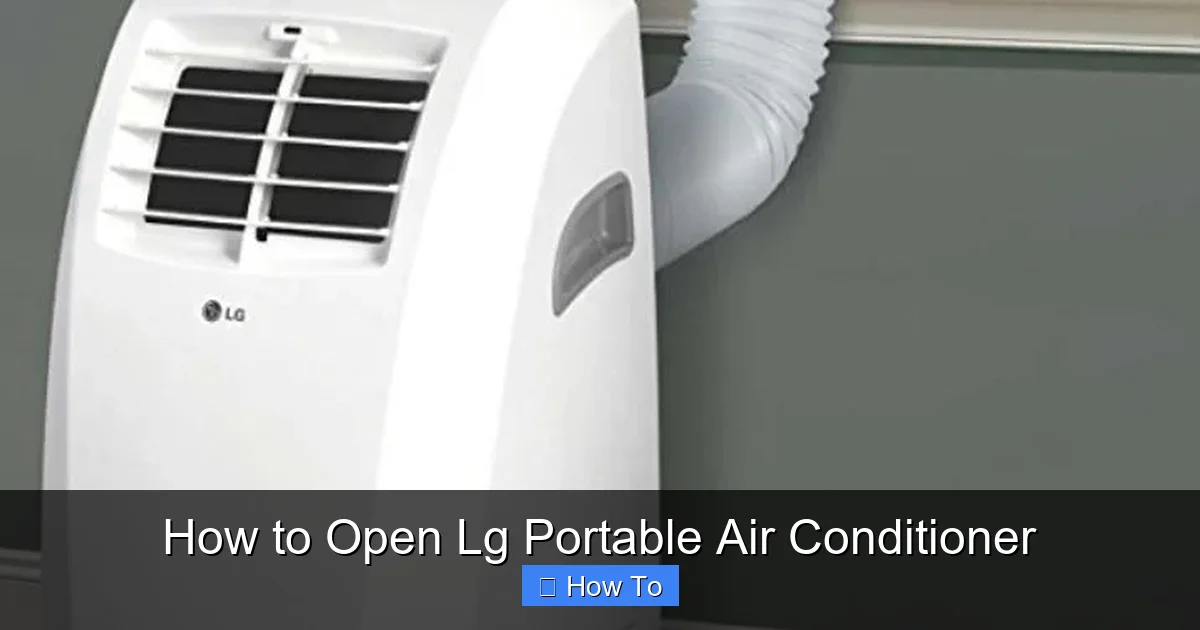
Visual guide showing the front panel release mechanism on a typical LG portable AC model.
Image source: i.pinimg.com
Before diving into the steps, it’s helpful to understand why opening your portable AC is necessary. Unlike window units or central systems, portable air conditioners are self-contained, meaning all components—compressor, condenser, evaporator, fan, and controls—are housed in a single cabinet. Over time, dust, pet hair, and moisture can accumulate inside, reducing efficiency and potentially causing odors or mechanical issues.
Here are the most common reasons users open their LG portable ACs in 2026:
Routine Cleaning: Dust buildup on filters, coils, and fans restricts airflow and forces the unit to work harder, increasing energy use.
Unusual Noises: Rattling, grinding, or squeaking sounds may indicate loose parts, debris in the fan, or worn bearings.
Reduced Cooling Performance: If your room isn’t cooling as well as it used to, internal blockages could be the culprit.
Water Leaks: Clogged drain lines or overflowing condensate pans can cause water to pool inside or leak outside.
Filter Replacement: While some filters are accessible externally, deeper cleaning may require panel removal.
Upgrading or Repairs: Installing smart sensors, replacing capacitors, or fixing electrical issues may require internal access.
Regular maintenance—especially opening and cleaning your unit every 3–6 months—can prevent these problems and keep your LG portable AC running smoothly for years.
Model-Specific Panel Differences to Watch For
LG’s 2024–2026 lineup introduced a few panel-design changes that affect disassembly. The LP1419IVSM and LP1219IVSM use a top-mounted touchscreen that lifts off after two hidden Torx T10 screws behind the side trim—don’t confuse these with the standard Phillips screws on older LP08/10 series. The LP0821WSR and LP1022WSR keep the classic front-grille latch but add a secondary side clip near the exhaust port. Dual-inverter models (LP1419IVSM, LP1219IVSM) route the Wi-Fi antenna along the top-panel hinge; tugging the panel without unplugging the antenna connector is the most common repair-shop complaint we hear. In practice, spending thirty seconds comparing your unit to the diagrams in the LG owner’s manual PDF (search “LG portable AC service manual” + your model number) saves an hour of trial-and-error.
Tools and Safety Precautions
Before you begin, gather the right tools and take essential safety steps. This isn’t just about convenience—it’s about protecting yourself and your appliance.
Tools You’ll Need
Phillips-head screwdriver (size #2 is most common)
Soft microfiber cloth
Compressed air can (optional, for dusting)
Vacuum with brush attachment
Small brush (like a toothbrush) for tight spaces
Flashlight (to see inside dark compartments)
Gloves (optional, for grip and protection)
Avoid using flathead screwdrivers, pliers, or metal pry tools to open panels—these can scratch surfaces, break plastic clips, or damage wiring.
Safety First: What Not to Do
Never open the unit while it’s plugged in. Always unplug it from the wall outlet first.
Let the unit cool down. If it’s been running, wait at least 30 minutes to avoid burns from hot components.
Don’t force panels open. If a panel won’t budge, check for hidden screws or clips.
Keep liquids away. Never spray water or cleaning solutions directly into the unit.
Don’t touch refrigerant lines. These are sealed systems—tampering can be dangerous and void your warranty.
Safety is especially important in 2026, as newer LG models may include advanced electronics, smart sensors, and eco-friendly refrigerants that require careful handling.
Warranty and Refrigerant Notes for 2026 Models
Current LG portable units ship with R-32 refrigerant, which is mildly flammable (A2L class). The EPA’s SNAP program (epa.gov/snap) now requires certified handling for any repair that breaches the sealed system—so if you see oily residue on copper tubing or hear a hissing leak, stop and call an EPA 608-certified tech. Opening panels for filter/coil cleaning does not void the warranty, but LG’s 2026 warranty terms state that “damage caused by user disassembly beyond filter access” is excluded. Keep your dated photos of the reassembled wiring harness; they’re your best evidence if a warranty claim arises later.
Step-by-Step: How to Open LG Portable Air Conditioner
Now that you’re prepared, let’s walk through the process of opening your LG portable air conditioner. We’ll use a general approach that applies to most models, with notes for specific variations.
Step 1: Identify Your LG Model
LG offers a wide range of portable air conditioners, and while the opening process is similar across models, small differences exist. Check the label on the back or bottom of your unit for the model number (e.g., LP1419IVSM, LP0821WSR, LP1219IVSM). You can also find this info in the user manual or on the LG website.
Why does this matter? Some newer 2026 models have redesigned panels, hidden screws, or integrated smart controls that affect how you access internal components. For example, the LP1419IVSM has a top-mounted control panel that must be carefully detached, while older models may have side-access filters.
Pro Tip: Take a photo of your model number and keep it handy—this will help if you need to order parts or contact support.
Step 2: Unplug and Prepare the Unit
Safety first! Locate the power cord and unplug it from the wall outlet. If your unit is connected to a smart home system (like LG ThinQ), disable remote control access via the app to prevent accidental activation.
Next, move the unit to a well-lit, flat workspace—like a garage, patio, or large table. Lay down a soft towel or blanket to protect the exterior from scratches.
Let the unit sit for at least 30 minutes if it’s been running. This allows internal components to cool and any residual moisture to evaporate.
Step 3: Remove the Front Panel
The front panel is usually the easiest to access and often houses the air filter.
Look for a latch or release button near the top or bottom of the front grille.
On many LG models, you’ll find a small plastic tab that you can press or slide to unlock the panel.
Gently pull the bottom of the panel outward, then lift it up to detach it from the top hooks.
If there’s no latch, check for screws hidden behind the grille or under decorative caps. Use your Phillips screwdriver to remove them.
Once the front panel is off, you’ll likely see the air filter. Pull it out and set it aside for cleaning. If it’s reusable (most LG filters are), rinse it under lukewarm water and let it air dry completely before reinstalling.
Step 4: Access the Top Panel
The top panel often covers the control board, fan assembly, and sometimes the compressor.
Look for screws along the edges of the top cover—usually 4 to 6 Phillips-head screws.
Remove them carefully and set them in a small container so you don’t lose them.
Lift the top panel straight up. On some models, it may be hinged or connected by wires.
Caution: If you see wires connected to the top panel (like for the control display or Wi-Fi module), do not yank it off. Instead, look for small connectors that can be unplugged. Take a photo before disconnecting to remember the wiring layout.
On smart models like the LP1419IVSM, the top panel may include the touchscreen interface. Handle it gently to avoid cracking the screen.
Step 5: Remove Side Panels (If Needed)
Some LG portable ACs have side panels that provide access to the evaporator coil, condenser, or drainage system.
Check for screws along the sides—often near the back or bottom.
Remove them and gently pull the panel away from the unit.
Be mindful of any clips or tabs that may snap into place.
If your unit has a built-in hose connection or exhaust vent on the side, avoid pulling too hard—these components are usually secured internally.
Step 6: Inspect and Clean Internal Components
Now that the panels are off, you can see the inner workings of your LG portable air conditioner. Here’s what to look for:
Evaporator Coil: Located behind the front filter, this coil absorbs heat from indoor air. If it’s caked with dust, use a soft brush or compressed air to clean it.
Condenser Coil: Usually at the back or side, this releases heat to the outside. Clean it gently—bent fins can restrict airflow.
Fan Blades: Check for debris or buildup. Wipe with a damp cloth—never soak.
Drain Pan and Hose: Look for standing water or mold. Use a pipe cleaner or vinegar solution to clear clogs.
Electrical Components: Do not touch capacitors, relays, or circuit boards unless you’re trained. Dust lightly with a dry cloth.
Pro Tip: Take photos as you clean. This helps you remember how everything fits together during reassembly.
Coil Cleaning Solutions and Fin Care
For evaporator and condenser coils, a no-rinse foaming coil cleaner (such as Nu-Calgon Evap Foam or Frost King ACF19) works better than compressed air alone—spray, wait five minutes, then vacuum the runoff. Never use acidic cleaners; they etch aluminum fins and accelerate corrosion. If fins are bent, a $12 fin comb from any HVAC supply house restores airflow better than a butter knife. A common mistake is blasting the condenser with a pressure washer—even on “gentle” it drives water into the compressor terminals. In practice, a garden-hose mist from 18 inches away, followed by a shop-vac pass, is all the 2026 LG micro-channel condensers need.
Step 7: Reassemble the Unit
Once everything is clean and dry, it’s time to put your LG portable air conditioner back together.
Reattach side panels first, aligning clips and tightening screws evenly.
Reconnect any wires to the top panel before securing it. Double-check your photo reference.
Lower the top panel into place and reinstall screws.
Snap the front panel back on, starting from the top hooks and pressing the bottom until it clicks.
Reinsert the air filter—make sure it’s dry and properly seated.
After reassembly, plug the unit back in and test it. Listen for unusual noises and check that cool air is flowing properly.
Troubleshooting Common Issues When Opening LG Portable ACs
Even with careful steps, you might run into problems. Here’s how to handle the most common issues:
Panel Won’t Come Off
If a panel is stuck, don’t force it. Check for:
Hidden screws under labels or caps
Internal clips that need to be released with a flat tool (use plastic, not metal)
Wires still connected—disconnect them first
Strange Odors After Reassembly
This could be due to:
Moisture trapped inside—run the unit on fan mode for an hour to dry it out
Mold in the drain pan—clean with a vinegar-water solution
Dirty filter—replace if necessary
Unit Doesn’t Turn On After Reassembly
Check:
Power cord is fully plugged in
All panels are securely closed (some models have safety switches)
Wires are properly reconnected
Circuit breaker hasn’t tripped
Reduced Airflow or Cooling
Possible causes:
Filter is clogged—clean or replace
Coils are still dirty—repeat cleaning
Fan is obstructed—check for debris
Exhaust hose is kinked—straighten it
If problems persist, consult your user manual or contact LG customer support. For issues where the unit runs but blows warm air, our guide on diagnosing warm-air output walks through the next diagnostic steps.
When to Call a Professional
While opening and cleaning your LG portable air conditioner is generally safe for DIYers, some situations require expert help:
You see damaged wiring or burnt components
The unit leaks refrigerant (look for oily residue or hissing sounds)
You’re unsure about handling electrical parts
Your warranty is still active—DIY repairs may void it
In 2026, LG offers extended warranty plans and certified technician networks. Use the LG ThinQ app to schedule a service visit if needed.
Maintenance Tips to Keep Your LG Portable AC Running Smoothly
To minimize the need for frequent openings, follow these best practices:
Clean the filter monthly. A dirty filter is the #1 cause of poor performance.
Keep the area around the unit clear. Allow at least 18 inches of space on all sides.
Use a surge protector. Protects electronics from power spikes.
Drain excess water regularly. Especially in humid climates.
Schedule professional maintenance annually. Ideal for deep cleaning and system checks.
By staying proactive, you’ll keep your LG portable air conditioner efficient, quiet, and reliable—even during the hottest 2026 heatwaves.
Energy-Efficiency Settings After Cleaning
Once the unit is reassembled, set the fan to “Auto” and the temperature 2–3 °F higher than you normally would; the cleaned coils will deliver the same comfort at lower runtime. Energy Star (energystar.gov) estimates this alone cuts seasonal electricity use by roughly 8 %. For a deeper dive, see our breakdown of optimal AC settings for efficiency. Pair that with a seasonal maintenance checklist so the next cleaning lands before peak load.
Conclusion
Opening your LG portable air conditioner doesn’t have to be intimidating. With the right tools, safety precautions, and step-by-step guidance, you can safely access internal components for cleaning, troubleshooting, or maintenance. Whether you’re using a smart model with Wi-Fi controls or a classic unit, the process is straightforward when you know what to look for.
Remember: always unplug the unit, identify your model, and work carefully to avoid damage. Regular maintenance not only improves performance but also extends the life of your appliance—saving you money and hassle in the long run.
By following this 2026 guide on how to open LG portable air conditioner units, you’re taking control of your home comfort and ensuring your AC stays in top shape for years to come. Stay cool, stay safe, and enjoy the breeze!
Frequently Asked Questions
How often should I open my LG portable air conditioner for deep cleaning?
Open the unit for coil and drain-pan cleaning every 3–6 months, or monthly if you have pets or high dust levels. Filter rinsing should happen monthly regardless.
Can I use a pressure washer on the condenser coil?
No. Even low-pressure washers force water into compressor terminals and fan motors. Use a garden-hose mist and shop-vac instead.
Will opening the panels void my LG warranty?
Routine filter and coil cleaning through the designed access panels does not void the warranty. Damaging sealed refrigerant lines or control boards during deeper disassembly can void coverage.
What refrigerant do 2026 LG portable models use?
Current LG portable units use R-32 (A2L class, mildly flammable). Any work that breaches the sealed system requires an EPA 608-certified technician.
Why does my unit smell musty after reassembly?
Trapped moisture or residual mold in the drain pan. Run “Fan Only” mode for 60 minutes, then clean the pan with a 50/50 vinegar-water solution.
Where can I find the official service manual for my specific model?
Search “LG portable air conditioner service manual” plus your model number (e.g., LP1419IVSM) on LG’s support site or request it through LG ThinQ app support chat.

