
The LG portable air conditioner E4 error typically indicates a water tank issue or drainage problem. This guide walks you through diagnosing, cleaning, and fixing the error to get your unit running smoothly again.
Key Takeaways
- E4 means water tank full or drainage issue: The error appears when the internal water tank is full or the drainage system is blocked.
- Check the water tank first: Always inspect and empty the water collection tank before assuming a bigger problem.
- Clean the drain hose and filter: Clogged hoses or dirty filters can prevent proper drainage and trigger the E4 code.
- Reset the unit after fixing: Power cycling the AC after resolving the issue helps clear the error code.
- Use continuous drainage if needed: For frequent E4 errors, install a continuous drain hose to prevent future alerts.
- Maintain regularly to avoid errors: Monthly cleaning and proper placement reduce the chance of E4 and other issues.
- Contact LG support if problems persist: If the error returns after troubleshooting, professional help may be needed.
How to Fix a LG Portable Air Conditioner E4
If your LG portable air conditioner suddenly stops cooling and displays an E4 error code, don’t panic. This common issue is usually easy to fix with a few simple steps. The E4 error typically means the water tank is full or there’s a problem with the drainage system. Portable air conditioners produce condensation as they cool, and this moisture collects in an internal tank. When the tank reaches capacity, the unit shuts down and shows the E4 code to prevent water damage.
In this guide, you’ll learn exactly how to fix the LG portable air conditioner E4 error. We’ll walk you through checking the water tank, cleaning key components, resetting the unit, and preventing future issues. Whether you’re a first-time user or a seasoned DIYer, these steps are simple, safe, and effective. By the end, your AC should be back to cooling your space efficiently.
What Does the E4 Error Mean?
The E4 error code on an LG portable air conditioner stands for “water tank full” or “drainage error.” Unlike window or central AC units, portable air conditioners collect condensation in an internal tank. As the unit runs, moisture from the air condenses on the evaporator coils and drips into a collection pan or tank. When this tank fills up, the AC detects the water level and triggers the E4 code to stop operation. This safety feature protects your home from leaks and water damage.
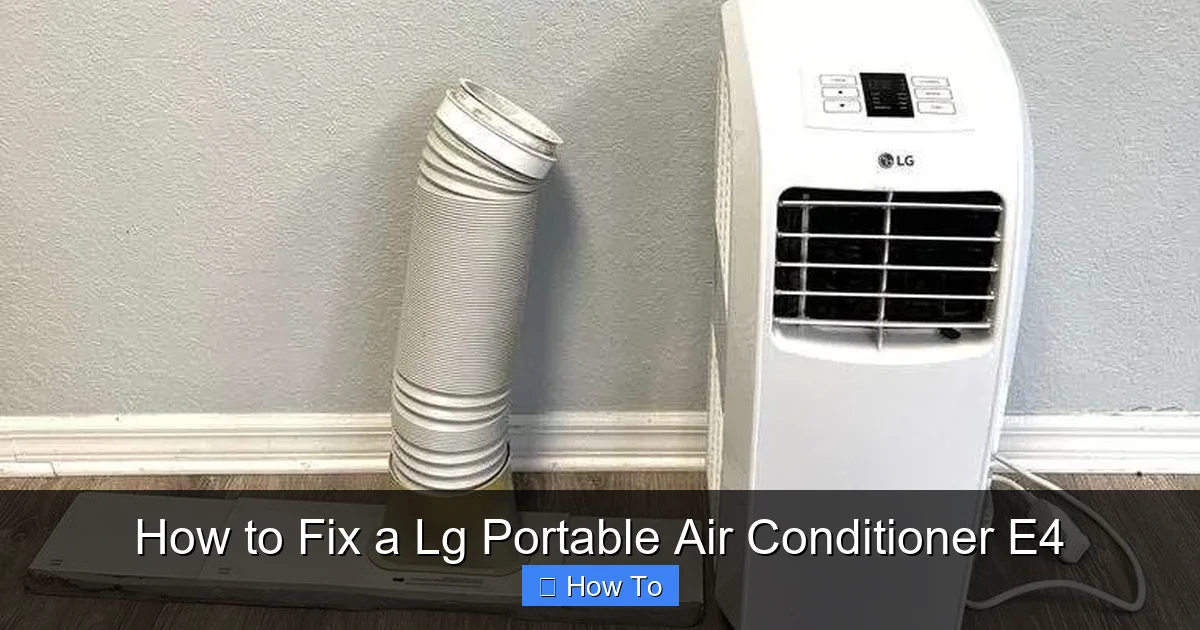
Visual guide about How to Fix a Lg Portable Air Conditioner E4
Image source: auctionology-as.s3.amazonaws.com
Sometimes, the E4 error isn’t just about a full tank. It can also appear if the drainage hose is clogged, the float switch is stuck, or the unit isn’t level. Even a dirty air filter can reduce airflow and increase condensation, leading to faster tank filling. Understanding the root cause helps you fix the problem quickly and avoid repeat errors.
Step-by-Step Guide to Fixing the E4 Error
Step 1: Turn Off and Unplug the Unit
Before doing anything, safety comes first. Turn off the air conditioner using the remote or control panel. Then, unplug it from the wall outlet. This prevents electrical hazards while you’re working on the unit. Let the AC sit for 5–10 minutes to cool down if it was running recently. Hot components can be dangerous to touch.
Step 2: Locate the Water Tank
Most LG portable air conditioners have a removable water tank at the back or bottom of the unit. Look for a panel or drawer labeled “Water Tank” or “Condensate Tank.” On some models, like the LG LP1419IVSM or LP0817WSR, the tank slides out from the rear. Refer to your user manual if you’re unsure. The manual includes a diagram showing the tank location and removal process.
Step 3: Remove and Empty the Water Tank
Gently pull the water tank straight out. Be careful—there may still be water inside. Hold it over a sink or bucket to avoid spills. Empty all the water completely. Rinse the tank with warm water to remove any residue or mold. Use a mild soap if needed, but avoid harsh chemicals that could damage the plastic. Let it air dry or wipe it with a clean cloth.
Step 4: Check the Float Switch
Inside the tank compartment, you’ll see a small plastic float switch. This device detects water levels and triggers the E4 error when the tank is full. Make sure the float moves freely up and down. If it’s stuck due to dirt or debris, clean it gently with a soft brush or cloth. A jammed float can cause false E4 alerts even when the tank isn’t full.
Step 5: Inspect the Drain Hose
The drain hose carries excess water from the tank to the outside. Over time, it can get clogged with dust, mold, or mineral buildup. Locate the drain hose at the back of the unit. It’s usually a small, flexible tube. Disconnect it carefully and check for blockages. Use a pipe cleaner or compressed air to clear any debris. If the hose is cracked or brittle, consider replacing it.
Step 6: Clean the Air Filter
A dirty air filter restricts airflow, causing the evaporator coils to get too cold. This leads to excess condensation and faster tank filling. Remove the front or side panel to access the filter. Wash it with warm water and let it dry completely before reinstalling. Clean the filter every 2–4 weeks during heavy use to maintain efficiency and reduce E4 errors.
Step 7: Reinstall the Tank and Hose
Once everything is clean and dry, reinsert the water tank firmly into its slot. Reconnect the drain hose securely. Make sure all parts are properly aligned and seated. A loose tank or hose can cause leaks or sensor errors.
Step 8: Level the Unit
Place the air conditioner on a flat, level surface. If the unit is tilted, water may not drain properly, causing the tank to fill unevenly. Use a level tool to check. Adjust the feet or place shims under the base if needed. A level unit ensures the float switch works correctly and water drains as intended.
Step 9: Plug In and Power On
Plug the AC back into the outlet and turn it on. Wait a few minutes to see if the E4 error clears. If the display shows normal operation, your fix worked! Run the unit for 10–15 minutes to confirm it’s cooling properly. If the E4 code returns, move to the next troubleshooting steps.
Advanced Troubleshooting for Persistent E4 Errors
If the E4 error keeps coming back after following the steps above, there may be a deeper issue. Here’s how to dig deeper and solve stubborn problems.
Check for Internal Blockages
Sometimes, condensation doesn’t reach the tank because of blockages in the internal drainage path. Open the rear panel (if your model allows) and inspect the drip pan and drain channel. Look for mold, sludge, or debris. Clean with a mixture of water and vinegar to dissolve buildup. Use a soft brush to scrub gently. Rinse thoroughly and dry before reassembling.
Test the Float Switch with a Multimeter
If the float switch is clean but still causing issues, it might be faulty. Use a multimeter to test continuity. Set the meter to ohms (Ω) and touch the probes to the switch terminals. When the float is down (tank empty), there should be continuity (low resistance). When lifted (tank full), the circuit should open (infinite resistance). No change means the switch is broken and needs replacement.
Inspect the Condensate Pump (If Equipped)
Some LG portable ACs, especially larger models, include a condensate pump to push water out through a hose. If your unit has a pump, check if it’s running. Listen for a humming sound when the AC is on. If the pump is silent, it may be clogged or burned out. Clean the pump inlet and outlet. If it still doesn’t work, contact LG for a replacement.
Verify Proper Ventilation
Portable air conditioners need proper airflow to function efficiently. Make sure the exhaust hose is not kinked or blocked. The hose should vent directly to a window or wall opening. Avoid long, winding paths that restrict airflow. Poor ventilation increases condensation and tank filling speed.
Use Continuous Drainage
If you live in a humid climate or run the AC frequently, the tank may fill too quickly. Consider installing a continuous drain hose. This bypasses the internal tank and sends condensation directly outside. Attach the hose to the drain port and route it to a floor drain, sink, or window. This prevents E4 errors and reduces maintenance.
Preventing Future E4 Errors
An ounce of prevention is worth a pound of cure. Follow these tips to avoid the E4 error in the future.
Empty the Tank Regularly
Check the water tank every 1–2 days during heavy use. Even if the E4 code hasn’t appeared, emptying the tank prevents overflow and mold growth. Make it part of your routine, like checking the weather or watering plants.
Clean Filters Monthly
Dirty filters reduce efficiency and increase condensation. Clean or replace the air filter every month. If you have pets or allergies, do it more often. A clean filter keeps airflow strong and coils dry.
Use in Moderate Humidity
Portable ACs work best in moderate humidity. In very humid areas, consider using a dehumidifier alongside the AC. This reduces the moisture load and slows tank filling.
Install a Drain Hose
For long-term use, a continuous drain hose is the best solution. It eliminates the need to empty the tank manually. Just make sure the hose slopes downward and drains safely outside.
Keep the Unit Level
Always place the AC on a flat surface. Avoid carpets or uneven floors that can tilt the unit. A level position ensures proper drainage and accurate float switch operation.
Schedule Seasonal Maintenance
Before summer, give your AC a full checkup. Clean the filter, inspect the drain system, and test the float switch. This keeps the unit running smoothly all season.
When to Call a Professional
Most E4 errors can be fixed at home. But if the problem persists after thorough cleaning and troubleshooting, it’s time to call a technician. Possible causes include a faulty control board, damaged sensor, or refrigerant issue. These require specialized tools and expertise.
Contact LG customer support or an authorized service center. Have your model number ready—it’s usually on a label on the back or side. Describe the steps you’ve already taken. This helps the technician diagnose the issue faster.
Don’t attempt to open sealed components or handle refrigerant yourself. It’s illegal and dangerous without proper certification.
Conclusion
Fixing a LG portable air conditioner E4 error is usually straightforward. Start by emptying the water tank, cleaning the filter and drain hose, and checking the float switch. Most issues are caused by simple blockages or maintenance oversights. With regular care, you can prevent the E4 code from appearing again.
Remember, the key to reliable cooling is consistent maintenance. Clean filters, level placement, and proper drainage make a big difference. If problems continue, don’t hesitate to seek professional help. Your comfort and safety are worth it.
Now that you know how to fix the E4 error, you can enjoy cool, comfortable air all summer long—without the frustration of unexpected shutdowns.

