
This guide walks you through the process of how to close vents on LG air conditioner units, whether you’re using window, portable, or ducted models. You’ll learn when and why to adjust vents, how to do it properly, and how to avoid common mistakes.
Key Takeaways
- Understand your LG AC vent types: Different models have different vent systems—know whether you’re dealing with louvers, dampers, or ducted vents.
- Closing vents improves efficiency: Properly directing airflow by closing unused vents can enhance cooling performance and reduce energy use.
- Use the remote or manual controls: Most LG air conditioners allow you to adjust vents via the remote control or physical slats on the unit.
- Avoid blocking all vents: Never fully seal all vents, as this can cause pressure buildup and damage the system.
- Regular maintenance matters: Clean vents and check for obstructions to ensure smooth operation and airflow control.
- Know when not to close vents: In some cases, like during initial cooling or in multi-room setups, keeping vents open is better.
- Consult your user manual: Always refer to your specific LG model’s instructions for accurate guidance.
How to Close Vents on LG Air Conditioner: A Complete Step-by-Step Guide
So, you’ve got an LG air conditioner humming away in your home, keeping you cool during those sweltering summer days. But have you ever wondered if you could control where that cool air goes? Maybe you want to focus the airflow in one room and keep another a bit warmer. Or perhaps you’re trying to save energy by not cooling unused spaces. Whatever your reason, learning how to close vents on LG air conditioner units is a smart move—and it’s easier than you might think.
In this comprehensive guide, we’ll walk you through everything you need to know about adjusting or closing vents on various LG air conditioner models. Whether you own a window unit, a portable AC, a split system, or a ducted central air system, we’ve got you covered. You’ll learn the different types of vents, how to identify them, when it’s safe to close them, and step-by-step instructions for doing so. Plus, we’ll share practical tips, troubleshooting advice, and common mistakes to avoid. By the end, you’ll be a pro at managing your LG AC’s airflow like a seasoned HVAC technician.
Why Would You Want to Close Vents on an LG Air Conditioner?
Before diving into the “how,” let’s talk about the “why.” Why would anyone want to close vents on their air conditioner? Isn’t the whole point to circulate cool air throughout the space?
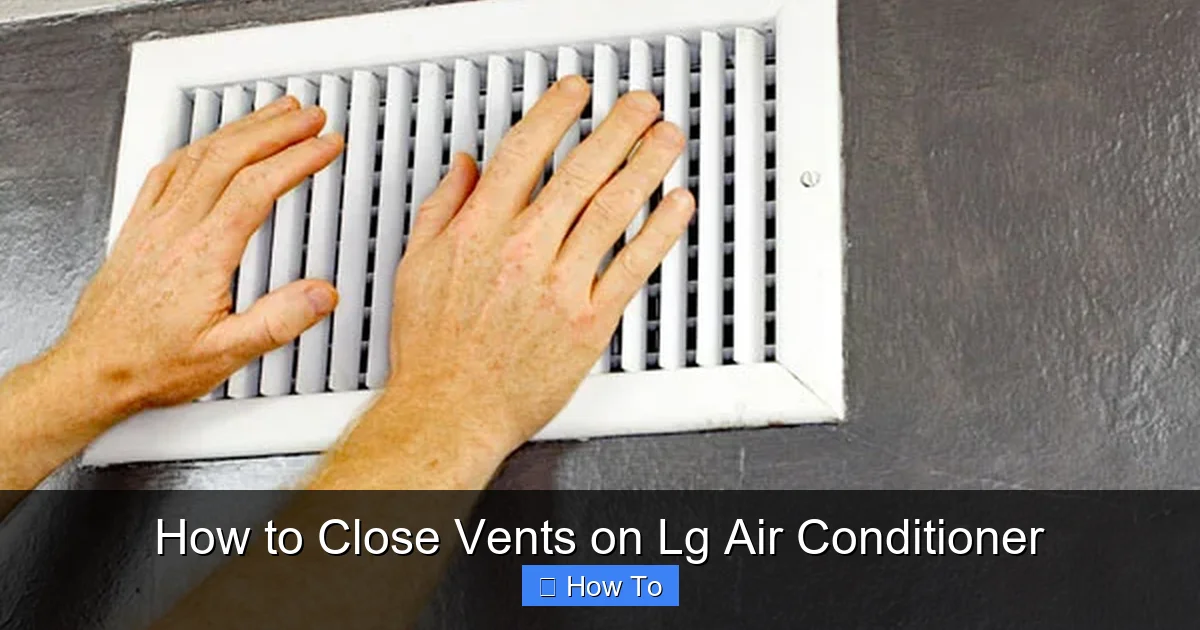
Visual guide about How to Close Vents on Lg Air Conditioner
Image source: lawescompany.com
The answer is yes—but not always everywhere. Closing vents strategically can actually improve your AC’s efficiency, comfort, and longevity. Here are a few key reasons:
- Energy Savings: If you’re cooling a single room or a specific area, closing vents in unused rooms prevents wasted energy. This reduces your electricity bill and lightens the load on your AC unit.
- Better Temperature Control: By directing airflow where it’s needed most, you can maintain more consistent temperatures in occupied spaces. No more hot spots or overcooled corners.
- Reduced Wear and Tear: Overworking your AC by trying to cool every room equally can shorten its lifespan. Closing vents helps balance the system and reduce strain.
- Improved Air Quality: In ducted systems, closing vents in rarely used rooms can help maintain better airflow and filtration in high-traffic areas.
That said, it’s important to note that closing vents isn’t always the best solution. In some cases, it can cause pressure imbalances, reduce efficiency, or even damage your system. We’ll cover those scenarios later. For now, let’s focus on how to do it safely and effectively.
Understanding LG Air Conditioner Vent Types
Not all LG air conditioners are created equal—and neither are their vent systems. Before you start adjusting anything, it’s crucial to understand what kind of vents your unit has. LG offers several types of air conditioners, each with different vent configurations:
1. Window and Portable Air Conditioners
These are the most common types for home use. Window units sit in a window frame, while portable models roll on wheels and vent hot air through a hose. Both typically have adjustable front louvers—the slatted grilles you see on the front panel.
These louvers control the direction of airflow. You can usually tilt them up, down, left, or right to aim the cool air where you want it. Some models also have a “swing” feature that automatically moves the louvers back and forth for wider coverage.
2. Split System Air Conditioners (Ductless Mini-Splits)
LG’s ductless mini-split systems consist of an outdoor compressor and one or more indoor air-handling units mounted on walls or ceilings. These units often have motorized louvers that can be controlled remotely.
The louvers open and close automatically based on settings, and many models allow you to lock them in a specific position. Some advanced systems even have zone control, letting you adjust vents in different rooms independently.
3. Ducted Central Air Systems
If you have a larger home with a central HVAC system, your LG air conditioner might be part of a ducted setup. In this case, the cool air travels through a network of ducts and exits through ceiling or floor vents in each room.
These vents usually have adjustable dampers—either manual slats or a lever that opens and closes the airflow. Some systems also include smart dampers that can be controlled via a thermostat or app.
Knowing your vent type is the first step to mastering airflow control. Once you’ve identified your system, you can follow the appropriate steps below.
How to Close Vents on LG Window and Portable Air Conditioners
If you’re using a window or portable LG air conditioner, closing or adjusting the vents is straightforward. These units rely on front louvers to direct airflow, and most allow manual or remote adjustment.
Step 1: Locate the Louvers
Look at the front panel of your unit. You’ll see a horizontal or vertical set of slats—these are the louvers. On some models, they’re fixed, but most LG units have adjustable louvers.
Step 2: Adjust Manually (If Applicable)
On older or basic models, you may need to move the louvers by hand. Gently push or pull the slats to tilt them upward, downward, or sideways. Avoid forcing them—LG louvers are designed to move smoothly.
For example, if you want to cool the area directly in front of the unit, tilt the louvers downward. If you’re sitting to the side, angle them toward you.
Step 3: Use the Remote Control (For Motorized Louvers)
Many newer LG window and portable ACs come with remote controls that let you adjust the louvers electronically. Here’s how:
- Turn on the air conditioner using the remote.
- Look for a button labeled “Swing,” “Airflow,” or “Louver.”
- Press it once to stop the automatic swinging motion (if active).
- Use the directional arrows or a dedicated “Louver Position” button to set the angle.
- Some remotes allow you to save a preferred louver position for quick access.
For instance, on the LG LP1419IVSM portable AC, you can press the “Swing” button to stop the louvers, then use the “Up/Down” arrows to fix them in place.
Step 4: Test the Airflow
After adjusting, stand in front of the unit and feel the airflow. Is it hitting the right spot? If not, make small adjustments until you’re satisfied. Remember, the goal is to direct cool air where it’s needed—not to block it entirely.
Step 5: Clean the Louvers Regularly
Dust and debris can build up on the louvers, making them stiff or unresponsive. Wipe them gently with a damp cloth every few weeks. For deeper cleaning, use a soft brush or vacuum attachment.
Pro Tip: If your portable AC has an exhaust hose, make sure it’s properly vented to the outside. A blocked hose can reduce efficiency, even if the louvers are perfectly adjusted.
How to Close Vents on LG Split System (Ductless Mini-Split) Air Conditioners
LG’s ductless mini-splits are popular for their quiet operation and zone-based cooling. These systems often have advanced louver controls, making it easy to close or redirect vents—sometimes without even touching the unit.
Step 1: Identify the Indoor Unit
Find the wall- or ceiling-mounted indoor unit. It will have a front panel with a grille and visible louvers. Some models have a sleek, modern design with hidden louvers that only appear when the unit is on.
Step 2: Use the Remote or Smart App
Most LG mini-splits come with a remote control that includes louver settings. Here’s how to use it:
- Turn on the AC and set your desired temperature.
- Press the “Mode” button until you reach “Cool” or “Fan.”
- Look for a button labeled “Swing,” “Air Direction,” or “Louver.”
- Press it to stop the automatic louver movement.
- Use the directional controls to set the louvers to your preferred angle.
- Some models allow you to save multiple positions (e.g., “Sleep Mode” with upward airflow).
If your model supports LG’s ThinQ app, you can also control the louvers from your smartphone. Download the app, connect your AC to Wi-Fi, and adjust settings remotely—perfect for coming home to a cool house.
Step 3: Manually Adjust (If Needed)
In rare cases, the remote may not work, or the louvers might be stuck. If so, you can gently adjust them by hand. Wait until the unit is off, then carefully move the louvers to the desired position. Avoid using tools or excessive force.
Step 4: Zone Control (For Multi-Head Systems)
If you have multiple indoor units (e.g., one in the living room, one in the bedroom), you can close vents in unused rooms. Simply turn off the unit in that zone or set its louvers to a closed or upward position. This prevents cool air from being wasted.
Pro Tip: In bedrooms, set the louvers to direct airflow away from the bed. Cool air blowing directly on you can cause discomfort or even health issues like muscle stiffness.
How to Close Vents on LG Ducted Central Air Systems
Ducted systems are more complex, but the principle is the same: control airflow by adjusting vents in individual rooms. These vents are usually located on ceilings or floors and have adjustable dampers.
Step 1: Locate the Room Vents
Walk through your home and find the air vents in each room. They’re typically rectangular or circular grilles with slats. Look for a lever or knob on the side—this controls the damper.
Step 2: Adjust the Damper
To close a vent:
- Find the lever or knob on the side of the vent.
- Push or pull it to close the damper. When fully closed, little to no air should come out.
- For partial closure, position the damper halfway.
Some vents have a twist knob instead of a lever. Turn it clockwise to close, counterclockwise to open.
Step 3: Balance the System
Closing too many vents can cause pressure buildup in the ducts, leading to noise, reduced efficiency, or even damage. To avoid this:
- Close no more than 20–30% of the vents at a time.
- Keep vents open in rooms with return air grilles (usually near doors or hallways).
- If your system has a smart thermostat, it may automatically adjust fan speed to compensate.
Step 4: Use Zoning (If Available)
Some LG ducted systems support zoning, where different areas of the home are controlled separately. If yours does, use the thermostat or app to turn off cooling in unused zones. This is more efficient than manually closing vents.
Pro Tip: If you’re unsure which vents to close, start with guest rooms, storage areas, or rooms that stay cool naturally. Monitor your energy bill and comfort levels over a week to see what works best.
When NOT to Close Vents on Your LG Air Conditioner
While closing vents can be helpful, it’s not always the right move. Here are situations where you should avoid it:
- During Initial Cooling: When you first turn on the AC, keep vents open to allow air to circulate and cool the system evenly.
- In Multi-Room Ducted Systems: Closing too many vents can cause pressure imbalances, leading to noise, reduced airflow, or even duct leaks.
- If You Have a Heat Pump: Some heat pumps rely on balanced airflow for both heating and cooling. Closing vents can disrupt this balance.
- In Humid Climates: Restricted airflow can reduce dehumidification, leading to mold or mildew growth.
- If the Unit is Struggling: If your AC is already working hard to cool your home, closing vents may make it worse.
When in doubt, consult your LG user manual or contact a certified technician.
Troubleshooting Common Vent Issues
Even with the best intentions, things can go wrong. Here are some common problems and how to fix them:
Louvers Won’t Move
If the louvers are stuck, try these steps:
- Turn off the AC and unplug it for 10 minutes.
- Gently clean the louvers with a soft brush.
- Check for obstructions like dust, pet hair, or debris.
- Manually move the louvers back and forth a few times.
- Plug the unit back in and test the remote.
If the problem persists, the motor may be faulty. Contact LG support or a technician.
Uneven Airflow
If some rooms are too cold and others too warm:
- Check if vents are blocked by furniture or curtains.
- Ensure dampers are properly adjusted.
- Clean air filters—dirty filters restrict airflow.
- Consider installing a zoning system for better control.
Strange Noises from Vents
Rattling or whistling sounds may indicate loose dampers or duct issues. Tighten any loose parts and inspect ducts for leaks. If noise continues, call a professional.
Maintenance Tips for Optimal Vent Performance
To keep your LG air conditioner’s vents working smoothly, follow these maintenance tips:
- Clean vents monthly: Use a vacuum or damp cloth to remove dust.
- Replace air filters every 1–3 months: Clogged filters reduce airflow and strain the system.
- Inspect ducts annually: Look for leaks, blockages, or damage.
- Schedule professional servicing: Have a technician check your system every 1–2 years.
- Keep the area around vents clear: Avoid placing furniture or objects in front of vents.
Conclusion
Learning how to close vents on LG air conditioner units is a simple yet powerful way to improve comfort, save energy, and extend the life of your system. Whether you’re using a window unit, a portable AC, a ductless mini-split, or a ducted central system, the key is to understand your vent type and adjust it wisely.
Remember: closing vents isn’t about blocking airflow—it’s about directing it where it’s needed most. Use the remote, manual controls, or dampers to fine-tune your cooling experience. And always avoid closing too many vents at once, especially in ducted systems.
With the tips and steps in this guide, you’re now equipped to take control of your LG air conditioner’s airflow like a pro. Stay cool, save money, and enjoy a more comfortable home—all summer long.

