
Is your LG air conditioner’s clean filter light blinking or staying on? This guide walks you through simple steps to reset the indicator and maintain optimal performance. Keep your unit efficient, quiet, and energy-saving with regular filter care.
Key Takeaways
- Turn off the unit before resetting: Always power down your LG air conditioner before attempting to clear the clean filter light for safety and accuracy.
- Locate the correct button: Most LG models use the “Filter” or “Clean” button on the remote or control panel to reset the indicator.
- Press and hold for 3 seconds: A quick press won’t work—hold the button for at least 3 seconds until the light turns off.
- Clean or replace the filter regularly: The light is a reminder to maintain clean filters, which improves air quality and system efficiency.
- Check your model’s manual: Some LG units have unique reset procedures—consult the user guide if standard steps don’t work.
- Schedule routine maintenance: Prevent future alerts by cleaning filters every 2–4 weeks during heavy use.
- Contact support if issues persist: If the light won’t clear after troubleshooting, there may be a sensor or electrical issue requiring professional help.
How to Clear Clean Filter Light on LG Air Conditioner
If you’ve noticed a blinking or solid “Clean Filter” light on your LG air conditioner, don’t panic—it’s actually a helpful reminder designed to keep your unit running smoothly. This indicator isn’t a sign of malfunction; instead, it’s part of LG’s smart maintenance system that alerts you when the air filter needs attention. Over time, dust, pet dander, pollen, and other airborne particles build up on the filter, reducing airflow and forcing your AC to work harder. This not only increases energy bills but can also shorten the lifespan of your unit.
The good news? Clearing the clean filter light on an LG air conditioner is simple, fast, and something you can do yourself in just a few minutes. In this comprehensive guide, we’ll walk you through every step—from understanding why the light comes on, to safely resetting it, and maintaining your AC for long-term efficiency. Whether you’re using a window unit, a split system, or a portable LG air conditioner, these instructions will help you get back to cool, clean air without calling a technician.
By the end of this guide, you’ll know exactly how to reset the filter light, when to clean or replace your filter, and how to prevent the alert from reappearing too soon. We’ll also cover troubleshooting tips for stubborn lights and answer common questions so you can keep your LG AC in peak condition year-round.
Why Does the Clean Filter Light Come On?
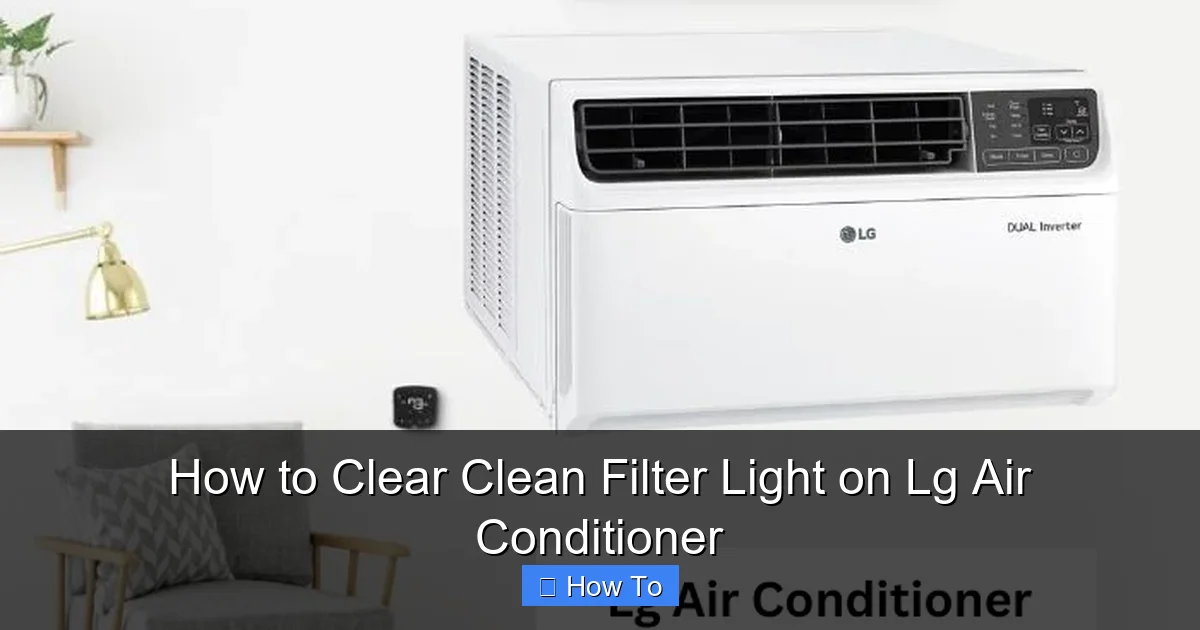
Visual guide about How to Clear Clean Filter Light on Lg Air Conditioner
Image source: smartacsolutions.com
Before diving into the reset process, it’s important to understand what the clean filter light actually means. LG air conditioners are equipped with intelligent sensors that monitor airflow and filter condition. When the system detects reduced airflow—usually due to a dirty or clogged filter—it triggers the clean filter light as a warning.
This feature serves several important purposes:
– Improves indoor air quality: A clean filter traps allergens and pollutants, keeping your home’s air fresh and healthy.
– Enhances energy efficiency: A clogged filter forces the fan and compressor to work harder, increasing electricity use by up to 15%.
– Prevents system damage: Restricted airflow can cause the evaporator coil to freeze or the motor to overheat, leading to costly repairs.
The light typically appears after 200–300 hours of operation, depending on usage and environmental factors. If you live in a dusty area, have pets, or use your AC frequently, the filter may need cleaning more often. Ignoring the light won’t immediately break your unit, but it will gradually reduce performance and increase wear and tear.
What You’ll Need
Clearing the clean filter light doesn’t require special tools or technical skills. Here’s a quick checklist of what you’ll need:
– Your LG air conditioner remote control (or access to the unit’s control panel)
– A clean, dry cloth (for wiping the filter)
– Mild soap and water (if cleaning the filter)
– A vacuum with a brush attachment (optional, for deep cleaning)
– A replacement filter (if your current one is damaged or over 6 months old)
Most of these items are household staples, so you likely already have them on hand. If you’re unsure whether your filter needs replacing, we’ll cover how to inspect it later in this guide.
Step-by-Step Guide to Clear the Clean Filter Light
Now that you understand why the light appears and what tools you need, let’s get into the actual process. Follow these steps carefully to reset the clean filter light on your LG air conditioner.
Step 1: Turn Off the Air Conditioner
Safety first! Before doing anything, make sure your LG air conditioner is completely powered off. This prevents accidental button presses and ensures the system is ready for a reset.
– If you’re using a remote, press the “Power” button to turn off the unit.
– For window or portable units with a physical power switch, flip the switch to the “Off” position.
– Wait about 30 seconds to allow the system to fully shut down.
Turning off the unit also gives the internal sensors a chance to reset, which can help ensure the clean filter light clears properly.
Step 2: Locate the Filter or Clean Button
Next, you’ll need to find the button that controls the filter reset function. On most LG air conditioners, this is either a dedicated “Filter” or “Clean” button on the remote or the unit’s control panel.
– Remote control: Look for a button labeled “Filter,” “Clean,” or sometimes “Filter Reset.” It’s often located near the temperature or fan speed controls.
– Control panel on the unit: If you don’t have a remote or it’s not working, check the front or side of the AC unit. Some models have a small button or touch-sensitive area labeled “Filter.”
If you can’t find the button, refer to your user manual or look up your model number online. LG’s website has digital manuals for nearly every unit.
Step 3: Press and Hold the Filter Button
This is the key step. Simply pressing the button once won’t reset the light—you need to hold it down for a few seconds.
– Press and hold the “Filter” or “Clean” button for at least 3 seconds.
– You should see the clean filter light blink once or turn off completely.
– On some models, the light may flash rapidly for a few seconds before going out.
If the light doesn’t turn off after holding the button, try releasing it and pressing again. Make sure you’re holding it long enough—rushing this step is a common mistake.
Step 4: Turn the Air Conditioner Back On
Once the light is off, you can safely turn your AC back on.
– Press the “Power” button on the remote or flip the power switch.
– Wait a minute or two for the system to initialize.
– Check the display panel to confirm the clean filter light is no longer illuminated.
Your unit should now operate normally, and the filter reminder will reset to begin counting hours again.
Step 5: Clean or Replace the Air Filter
Resetting the light is only half the job. To prevent the alert from returning too soon, you should clean or replace the air filter.
– Open the front panel of your LG air conditioner. Most models have a latch or clip that releases easily.
– Carefully remove the filter. It’s usually a rectangular mesh panel that slides out.
– Inspect it for dust, dirt, or damage. If it’s gray or clogged, it’s time to clean or replace it.
How to Clean the Filter
Cleaning your filter is simple and takes just a few minutes.
– Use a vacuum with a brush attachment to remove loose dust from both sides of the filter.
– For deeper cleaning, rinse the filter under lukewarm water. Avoid hot water, as it can warp the mesh.
– If the filter is very dirty, soak it in a mixture of mild soap and water for 10–15 minutes.
– Gently scrub with a soft brush if needed, then rinse thoroughly.
– Allow the filter to air dry completely—never reinstall a wet filter, as moisture can promote mold growth.
When to Replace the Filter
Even with regular cleaning, filters wear out over time. Replace your filter if:
– It’s torn, frayed, or has holes.
– It doesn’t dry completely after cleaning.
– It’s been in use for more than 6 months (or 3 months in high-dust environments).
– The clean filter light comes back on within a few days of cleaning.
LG recommends using genuine replacement filters for optimal performance. You can purchase them online or at appliance stores.
Model-Specific Instructions
While the general reset process works for most LG air conditioners, some models have unique features or button layouts. Here are a few examples:
LG Window Air Conditioners (e.g., LW8016ER)
– Use the remote’s “Filter” button.
– Press and hold for 3 seconds until the light turns off.
– If no remote, check the control panel on the unit’s front.
LG Split System Air Conditioners (e.g., LS1216D3)
– The reset function is usually on the remote.
– Some models require pressing “Filter” + “Timer” buttons simultaneously.
– Refer to the manual for dual-button resets.
LG Portable Air Conditioners (e.g., LP1419IVSM)
– Look for a “Filter” button on the unit’s control panel.
– Hold for 3 seconds to reset.
– These units often have washable filters—clean them monthly.
If your model doesn’t respond to standard steps, search “LG [your model number] filter reset” on YouTube or LG’s support site for video tutorials.
Troubleshooting: What If the Light Won’t Turn Off?
Sometimes, the clean filter light refuses to clear—even after following all the steps. Here’s what to do if you’re stuck.
Try a Hard Reset
– Turn off the AC and unplug it from the wall.
– Wait 5–10 minutes to allow the internal electronics to reset.
– Plug it back in and try the filter reset procedure again.
This often resolves glitches caused by temporary power surges or sensor errors.
Check for Obstructions
– Make sure the filter is properly seated in its slot.
– Ensure the front panel is fully closed—some units won’t reset if the panel is loose.
– Look for dust buildup around the sensor (usually near the filter housing). Use a soft brush to clean it.
Test the Remote
– Replace the remote’s batteries.
– Stand close to the unit when pressing buttons.
– If the remote isn’t working, try resetting directly on the unit’s control panel.
Contact LG Support
If none of the above steps work, there may be a hardware issue—such as a faulty sensor or wiring problem. In this case:
– Visit LG’s official support website.
– Use the live chat feature or call customer service.
– Have your model and serial number ready (found on a label inside the front panel).
LG offers free troubleshooting and may send a technician if the unit is under warranty.
Tips to Prevent the Clean Filter Light from Reappearing
Prevention is better than resetting. Follow these tips to keep your filter clean and your AC running efficiently:
Clean Filters Regularly
– During peak seasons (summer and winter), clean the filter every 2–4 weeks.
– In mild weather, monthly cleaning is usually sufficient.
– Set a calendar reminder to stay on track.
Use High-Quality Filters
– Choose filters with a MERV rating of 8–11 for balanced airflow and filtration.
– Avoid cheap, flimsy filters that tear easily.
Keep the Area Around the AC Clean
– Vacuum or dust near the unit to reduce airborne debris.
– Keep pets away from the intake vent to minimize fur buildup.
Schedule Annual Maintenance
– Have a professional inspect your AC once a year.
– They can clean internal coils, check refrigerant levels, and test sensors.
Monitor Air Quality
– Use an air quality monitor to detect high particle levels.
– Run your AC’s fan mode occasionally to circulate air even when cooling isn’t needed.
Conclusion
Clearing the clean filter light on your LG air conditioner is a quick and easy task that pays big dividends in performance, efficiency, and air quality. By following the steps in this guide—turning off the unit, holding the filter button, cleaning the filter, and maintaining a regular schedule—you’ll keep your AC running smoothly and avoid unnecessary service calls.
Remember, the clean filter light isn’t a problem—it’s a helpful reminder. Responding to it promptly ensures your unit stays healthy, your energy bills stay low, and your home stays comfortable. With a little routine care, your LG air conditioner will serve you well for years to come.
So the next time that light pops up, don’t ignore it. Grab your remote, follow these steps, and enjoy cool, clean air once again.

