
How to Reset Lg Air Conditioner After Cleaning Filter
Resetting your LG air conditioner after cleaning the filter ensures peak efficiency and prevents error codes. This guide walks you through the simple reset process, common mistakes to avoid, and maintenance tips to keep your unit running smoothly all year.
Key Takeaways
Always turn off the power before cleaning the filter to prevent electrical hazards and protect the unit’s internal components.
Reset the filter indicator light manually after cleaning to ensure accurate maintenance reminders and avoid false alerts.
Use the remote control or control panel to reset most LG AC models—no tools required for standard resets.
Check for error codes after resetting to confirm the system recognizes the clean filter and operates normally.
Clean filters every 2–4 weeks during heavy use to maintain airflow, cooling efficiency, and indoor air quality.
Refer to your user manual for model-specific instructions, especially for inverter or smart AC units with advanced features.
Schedule professional maintenance annually to complement DIY care and extend your LG air conditioner’s lifespan.
How to Reset LG Air Conditioner After Cleaning Filter: A Complete 2026 Guide
Keeping your LG air conditioner in top shape starts with regular maintenance—and one of the most important tasks is cleaning the air filter. Over time, dust, pet dander, and debris build up on the filter, reducing airflow and forcing your AC to work harder. This not only increases energy bills but can also lead to overheating or system malfunctions. That’s why cleaning the filter every few weeks is essential.
But here’s the catch: after you clean the filter, your LG air conditioner may still show a “Filter” or “Clean Filter” indicator light on the display. This light is designed to remind you when it’s time for maintenance, but it won’t automatically turn off just because you’ve cleaned the filter. To clear this reminder and ensure your system runs efficiently, you need to manually reset the filter indicator.
In this comprehensive guide, updated for 2026 models, we’ll walk you through exactly how to reset your LG air conditioner after cleaning the filter. Whether you have a window unit, split system, or a smart inverter model, we’ve got you covered. You’ll learn the correct steps, avoid common mistakes, and discover pro tips to keep your AC performing at its best all year long.
Why Resetting the Filter Indicator Matters
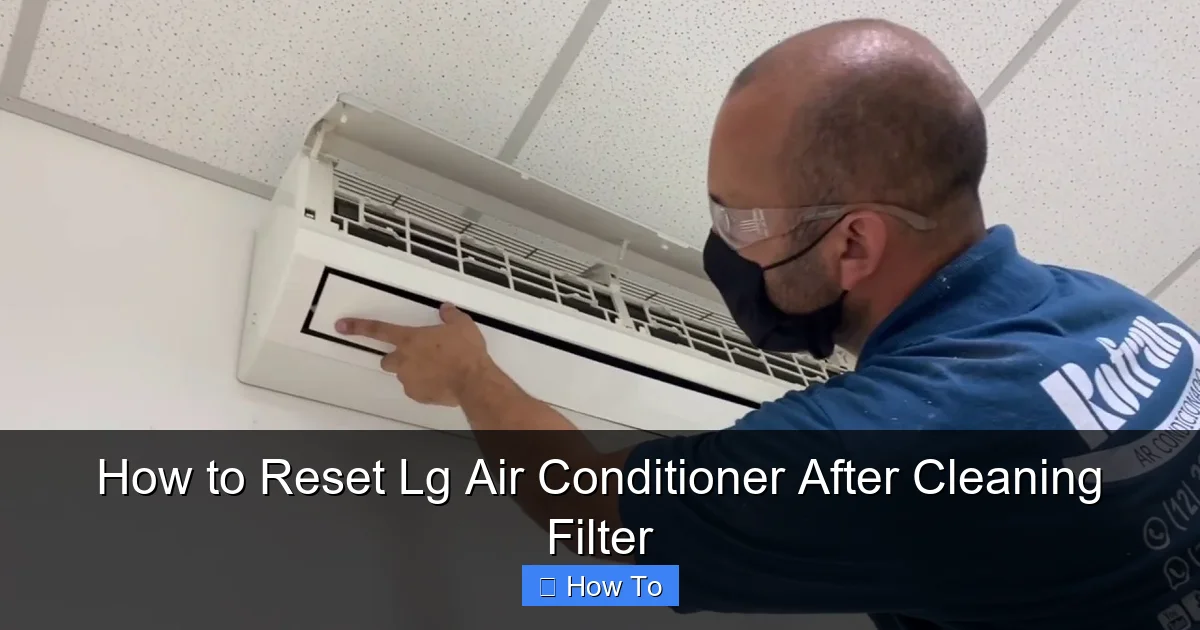 Illustration showing filter reset steps for LG AC
You might be wondering: “Do I really need to reset the filter light? It’s just a reminder, right?” The short answer is yes—resetting the indicator is important for several reasons.
First, the filter light is tied to your AC’s internal timer. LG air conditioners track how long the filter has been in use based on runtime hours. When the timer reaches a preset limit (usually around 2,000 hours of operation), the light turns on to signal that cleaning is needed. If you clean the filter but don’t reset the timer, the light will stay on—or come back on too soon—causing confusion and potentially leading you to clean the filter unnecessarily.
Second, some LG models use the filter status to optimize performance. For example, smart ACs with AI cooling may adjust fan speed or compressor output based on filter cleanliness. If the system thinks the filter is dirty, it might reduce airflow or enter a protective mode, even if the filter is actually clean.
Finally, resetting the indicator ensures your maintenance schedule stays accurate. Over time, failing to reset the light can throw off your cleaning routine, leading to clogged filters and reduced efficiency.
Following the reset also aligns with Energy Star maintenance guidelines for optimal system performance Energy Star maintenance guidelines.
Step-by-Step Guide: How to Reset LG Air Conditioner After Cleaning Filter
Resetting your LG air conditioner after cleaning the filter is a quick and easy process. The exact steps may vary slightly depending on your model, but the general method remains consistent across most LG units. Follow these steps carefully to ensure a successful reset.
Step 1: Turn Off the Air Conditioner
Before you begin, make sure your air conditioner is completely powered off. This is a critical safety step.
- Use the remote control to turn off the unit.
- Wait about 10 seconds to ensure the system has fully shut down.
- For extra safety, unplug the unit from the wall outlet or turn off the circuit breaker that powers the AC.
Why is this important? Even when the display is off, some internal components may still be energized. Turning off the power prevents accidental shocks and protects the control board from power surges when you reconnect it.
Step 2: Clean the Air Filter Thoroughly
Now that the unit is off, it’s time to clean the filter. Most LG air conditioners have a washable mesh filter located behind the front panel.
- Open the front panel by gently pulling it downward or lifting the tabs on the sides.
- Remove the filter by sliding it out of its slot.
- Rinse the filter under lukewarm water. Use a soft brush if needed to remove stubborn dust.
- Avoid using hot water, harsh chemicals, or abrasive scrubbers—these can damage the filter material.
- Let the filter air dry completely before reinstalling. Never put a wet filter back into the unit, as moisture can promote mold growth and damage internal parts.
Pro tip: If your filter is heavily soiled or has an odor, soak it in a mixture of water and mild dish soap for 10–15 minutes before rinsing.
Step 3: Reinstall the Clean Filter
Once the filter is dry, carefully slide it back into place.
- Make sure the filter is oriented correctly—most LG filters have arrows or labels indicating the proper direction.
- Ensure the filter sits flat and secure in the slot. A loose or misaligned filter can cause airflow issues or trigger error codes.
Close the front panel firmly until it clicks into place.
Step 4: Power On the Unit
Plug the unit back in or turn the circuit breaker on. Wait about 30 seconds for the system to initialize.
- Press the power button on the remote or the control panel to turn the AC back on.
- Set your desired temperature and mode (cool, fan, etc.).
At this point, the “Filter” or “Clean Filter” light may still be on. That’s normal—this is where the reset comes in.
Step 5: Reset the Filter Indicator Light
This is the key step. The method to reset the filter light depends on your LG model. Here are the most common methods used in 2026 models:
Method A: Using the Remote Control (Most Common)
- Make sure the AC is on and the remote is working.
- Press and hold the “Filter” or “Clean” button on the remote for 3–5 seconds.
- On some models, this button is labeled “Filter Reset” or has a filter icon.
- If your remote doesn’t have a dedicated filter button, try holding the “Mode” and “Fan Speed” buttons simultaneously for 5 seconds.
- You should see the filter light blink and then turn off.
- A confirmation beep or message may appear on the display.
Method B: Using the Control Panel (For Models Without Remote or Remote Issues)
- Locate the control panel on the front of the unit.
- Press and hold the “Filter” or “Reset” button (if available) for 3–5 seconds.
- If there’s no dedicated button, try pressing and holding the “Power” and “Timer” buttons together.
- The filter light should turn off after a few seconds.
Method C: For Smart or Wi-Fi Enabled Models (LG ThinQ App)
If your LG air conditioner is connected to the LG ThinQ app (available for 2026 smart models):
- Open the LG ThinQ app on your smartphone.
- Select your air conditioner from the device list.
- Tap on “Settings” or “Maintenance.”
- Look for “Filter Reset” or “Reset Filter Indicator.”
- Tap to confirm the reset.
- The app will send a signal to the unit, and the light should turn off within a minute.
Note: Ensure your AC is connected to Wi-Fi and the app is up to date for this method to work.
Step 6: Verify the Reset
After performing the reset, check the following:
- The “Filter” or “Clean Filter” light should be off.
- The unit should operate normally without error codes.
- Airflow should feel strong and consistent.
If the light remains on or the unit behaves oddly, proceed to the troubleshooting section below.
Model-Specific Reset Instructions (2026 LG AC Models)
LG offers a wide range of air conditioners, and reset procedures can vary. Here’s a quick reference for popular 2026 models:
LG Dual Inverter Window AC (Models: LW1222IVSM, LW1822IVSM)
- Use the remote: Press and hold the “Filter” button for 3 seconds.
- Alternative: Hold “Mode” + “Fan” for 5 seconds.
LG Smart Split System (Models: LS120HSV5, LS180HSV5)
- Use the remote: Press “Filter Reset” (icon with a filter and arrow).
- Or use the ThinQ app: Go to Maintenance > Reset Filter.
LG Portable AC (Models: LP1419IVSM, LP1222HSR)
- Press and hold the “Filter” button on the unit for 3 seconds.
- No remote reset option on most portable models.
LG ArtCool Mirror Series (Designer Units)
- Use the remote: Hold “Filter” for 3 seconds.
- Or press “Menu” > “Settings” > “Reset Filter.”
Always check your user manual for the most accurate instructions. LG’s official support website (lg.com) also offers model-specific guides and video tutorials. For split‑system setup steps, see the split‑system setup steps guide.
Common Mistakes to Avoid When Resetting Your LG AC
Even simple tasks can go wrong if you’re not careful. Here are some common pitfalls and how to avoid them:
1. Forgetting to Turn Off the Power
Cleaning or resetting while the unit is on can cause electrical issues or damage the control board. Always power down first.
2. Using a Wet Filter
A damp filter can lead to mold, musty odors, and even short circuits. Always let the filter dry completely.
3. Pressing the Wrong Buttons
Holding the wrong combination can trigger other functions (like timer or sleep mode). Stick to the recommended button sequence.
4. Skipping the Reset Entirely
Leaving the filter light on can confuse your maintenance schedule and affect performance. Always reset after cleaning.
5. Ignoring Error Codes
If the unit displays an error (like E1, CH24, or CL), it may indicate a deeper issue. Don’t assume the reset will fix everything—check for other problems.
Troubleshooting: What to Do If the Reset Doesn’t Work
Sometimes, the filter light won’t turn off even after a proper reset. Here’s how to diagnose and fix the issue:
Issue 1: Filter Light Stays On After Reset
- Double-check that you held the button long enough (at least 3 seconds).
- Try the reset process again, ensuring the unit is fully powered on.
- If using the app, confirm the AC is connected to Wi-Fi and the app has permission to control the device.
Issue 2: Unit Shows an Error Code
Common codes after filter cleaning include:
- CL (Clean Filter): Normal reminder—reset should fix it.
- E1 or CH24: Sensor or communication error—may require professional service.
- F1 or F2: Fan motor issue—check for obstructions or call a technician.
If error codes persist, consult your manual or contact LG support.
Issue 3: Remote Control Not Working
- Replace the remote batteries.
- Ensure there’s no obstruction between the remote and the unit.
- Try resetting the remote by removing batteries for 1 minute, then reinserting.
Issue 4: Filter Doesn’t Fit Properly After Cleaning
- Make sure the filter isn’t warped or damaged.
- Check for debris in the filter slot that might prevent proper seating.
- If the filter is old or brittle, consider replacing it (LG recommends replacement every 1–2 years).
For additional help diagnosing warm‑air issues, refer to the diagnose warm‑air issues resource.
Pro Tips for Maintaining Your LG Air Conditioner in 2026
Resetting the filter is just one part of AC care. Follow these expert tips to keep your LG unit running efficiently:
1. Clean the Filter Every 2–4 Weeks
During summer or high-use seasons, check the filter weekly. In milder months, monthly cleaning may suffice.
2. Vacuum the Exterior and Vents
Use a soft brush attachment to remove dust from the front panel, louvers, and surrounding area.
3. Check the Outdoor Unit (For Split Systems)
Ensure the condenser unit is free of leaves, dirt, and debris. Keep at least 2 feet of clearance around it.
4. Use a Programmable Thermostat or Schedule
Set your AC to run only when needed. This reduces wear and extends filter life.
5. Upgrade to a High-Efficiency Filter
Consider a washable electrostatic or HEPA filter for better air quality and longer intervals between cleanings.
6. Schedule Annual Professional Maintenance
A technician can clean coils, check refrigerant levels, and inspect electrical connections—tasks that go beyond DIY care.
A seasonal upkeep checklist can help you stay on track throughout the year.
Frequently Asked Questions
How often should I clean the LG AC filter?
Clean the filter every two to four weeks during heavy use; monthly is sufficient in lighter seasons. Regular cleaning maintains airflow and prevents the filter indicator from triggering prematurely.
Can I reset the filter indicator without a remote?
Yes. Most LG units have a control‑panel button combination (often Power + Timer or a dedicated Filter/Reset button) that clears the indicator without a remote.
What does the CL error code mean on my LG AC?
CL stands for “Clean Filter.” It is a normal reminder that the filter‑run timer has reached its limit. Resetting the filter indicator clears this code.
Is it safe to run the AC with a wet filter?
No. A wet filter can promote mold growth, cause musty odors, and risk electrical short circuits. Always allow the filter to dry completely before reinstalling.
How do I know if my LG AC filter needs replacement?
If the filter is torn, warped, or remains heavily soiled after thorough cleaning, replace it. LG suggests replacement every one to two years depending on usage.
Conclusion
Resetting your LG air conditioner after cleaning the filter is a simple but essential step in maintaining optimal performance. By following the steps in this guide—turning off the power, cleaning the filter thoroughly, reinstalling it correctly, and resetting the indicator—you’ll ensure your AC runs efficiently, saves energy, and lasts for years to come.
In 2026, LG continues to innovate with smarter, more efficient models, but the basics of maintenance remain the same. Whether you’re using a remote, control panel, or the LG ThinQ app, the reset process is designed to be user-friendly and accessible.
Don’t let a blinking filter light fool you into thinking your AC needs more cleaning than it does. Take a few minutes to reset the indicator, and you’ll enjoy cleaner air, lower bills, and peace of mind.
Remember: a well-maintained air conditioner isn’t just about comfort—it’s about health, efficiency, and longevity. So clean that filter, reset that light, and keep your cool all year long.
Book a professional tune‑up now to maximize your LG AC’s lifespan and efficiency. Explore the latest cooling tech for even greater savings.

