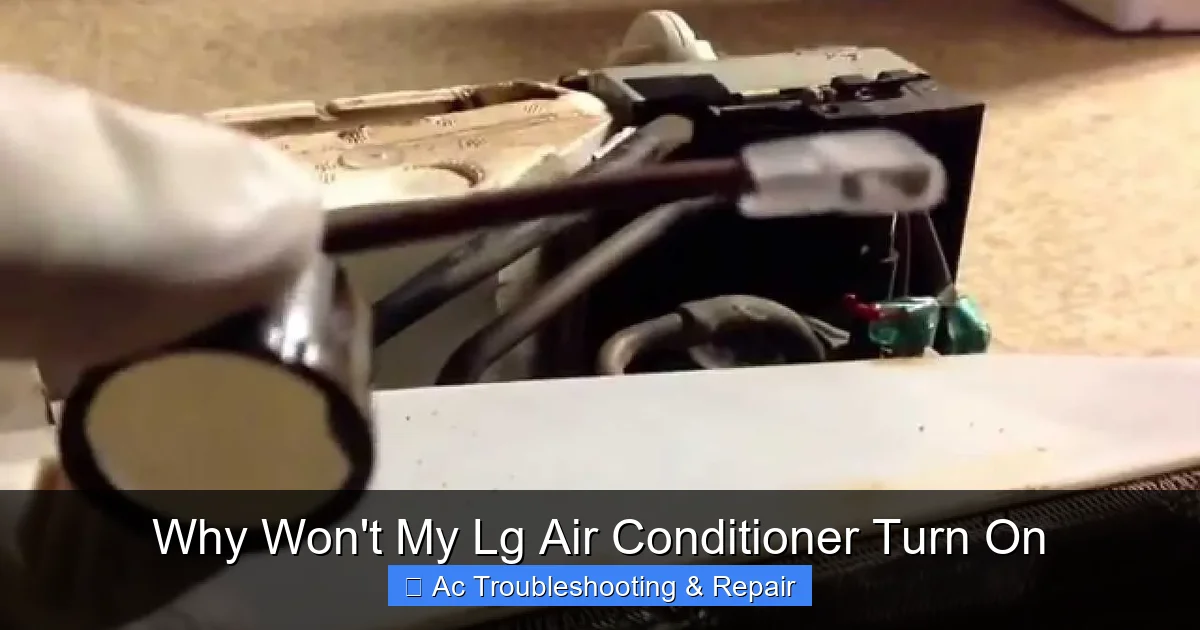
Why Won't My Lg Air Conditioner Turn On
If your LG air conditioner won’t turn on, it’s often due to power issues, thermostat settings, or internal faults. This guide walks you through step-by-step troubleshooting to identify and fix the problem—whether it’s a tripped breaker, dirty filter, or faulty remote—so you can restore cool comfort quickly and safely.
Key Takeaways
Check the power source first: Ensure the unit is plugged in, the outlet works, and the circuit breaker hasn’t tripped—many “won’t turn on” issues start here.
Inspect the thermostat and remote control: Low batteries, incorrect settings, or signal interference can prevent the AC from responding to commands.
Clean or replace the air filter: A clogged filter restricts airflow and may trigger safety shutdowns, making the unit appear unresponsive.
Look for error codes on the display: LG units show diagnostic codes (like CH 01 or CH 27) that point to specific problems like sensor faults or refrigerant issues.
Reset the unit properly: A hard reset by unplugging for 5–10 minutes can clear temporary glitches and restore functionality.
Schedule professional service if needed: If basic fixes don’t work, internal components like capacitors, PCBs, or motors may require expert repair.
Prevent future issues with regular maintenance: Clean filters monthly, clear debris around the outdoor unit, and schedule annual tune-ups.
📑 Table of Contents
- Why Won’t My LG Air Conditioner Turn On? A Complete Troubleshooting Guide
- Step 1: Verify the Power Supply
- Step 2: Examine the Thermostat and Remote Control
- Step 3: Inspect the Air Filter and Airflow
- Step 4: Look for Error Codes and Diagnostic Messages
- Step 5: Consider Internal Component Failures
- Step 6: When to Call a Professional
- Preventive Maintenance Tips
- Conclusion
- Frequently Asked Questions
Why Won’t My LG Air Conditioner Turn On? A Complete Troubleshooting Guide
You walk into your home after a long, hot day, eager to feel that refreshing blast of cool air—only to find your LG air conditioner completely unresponsive. No hum, no lights, no cool breeze. Just silence. Frustrating? Absolutely. But before you panic or call a technician, know this: many “won’t turn on” issues with LG AC units are surprisingly simple to fix.
LG air conditioners are known for their reliability, energy efficiency, and smart features. But like any complex appliance, they can occasionally run into problems—especially when it comes to startup. Whether you have a window unit, a ductless mini-split, or a central system, the reasons your LG AC won’t power on often fall into a few common categories: power supply issues, control problems, safety triggers, or internal component failures.
The good news? Most of these issues don’t require expensive repairs or specialized tools. With a little patience and the right approach, you can often get your AC back up and running in under an hour. This guide will walk you through every possible cause—from the most basic checks to more advanced diagnostics—so you can troubleshoot like a pro and avoid unnecessary service calls.
Understanding Your LG AC Model and Type
Before diving into troubleshooting, it helps to know exactly which LG system you’re working with. Window units, portable models, ductless mini-splits, and central systems each have unique power pathways, control boards, and error-code sets. Locate the model/serial tag (usually on the side of the chassis or behind the front grille) and keep the number handy—LG’s support site and your user manual use it to pull the exact wiring diagram, parts list, and firmware updates for that unit. In practice, a common mistake is applying mini-split reset steps to a window unit, which can waste time and miss the real fault.
Step 1: Verify the Power Supply
Visual guide showing the power-supply checks described in this section.
Image source: i.ytimg.com
The very first thing to check when your LG air conditioner won’t turn on is whether it’s actually receiving power. It sounds obvious, but you’d be surprised how often the culprit is as simple as a loose plug or a tripped breaker.
Is the Unit Plugged In?
Start by confirming that your AC unit is securely plugged into the wall outlet. For window units, the cord can sometimes get tugged loose, especially if the window was recently opened or closed. Give the plug a gentle wiggle—if it feels loose, push it in firmly. If it’s already snug, try unplugging it and plugging it back in to ensure a solid connection.
For ductless mini-splits or central systems, check the disconnect switch near the outdoor unit. This is a small box (often gray or white) mounted on the wall beside the condenser. Make sure the switch is in the “ON” position. If it’s off, flip it back on and wait a minute to see if the indoor unit responds.
Test the Outlet
Even if the plug looks fine, the outlet itself might be dead. To test it, plug in another device—like a lamp or phone charger—and see if it powers on. If not, the outlet may be faulty or controlled by a wall switch you didn’t notice. Try plugging your AC into a different outlet, preferably one on a different circuit.
If you’re using an extension cord or power strip, stop. LG air conditioners draw a lot of power at startup, and extension cords can overheat or fail under load. Always plug your AC directly into a dedicated wall outlet.
Check the Circuit Breaker
Your AC unit likely has its own dedicated circuit in your electrical panel. If that breaker has tripped—due to overload, a power surge, or a short—the unit won’t receive any power. Go to your breaker box and look for a switch labeled “AC,” “HVAC,” or something similar. If it’s in the “OFF” position or feels loose, flip it fully off, then back on.
⚠️ Safety Tip: If the breaker trips again immediately after resetting, do not keep flipping it. This could indicate a serious electrical fault. Turn off the breaker and call an electrician or HVAC technician.
Inspect the Fuse (For Window Units)
Some older LG window units have a built-in fuse near the power cord. If this fuse blows—often due to a power surge—the unit won’t turn on. Locate the fuse (usually behind a small panel on the side or back of the unit), remove it, and check if the filament inside is broken. If it is, replace it with an identical fuse. Never substitute with a higher-rated fuse—this can cause fire hazards.
Power Surge Protection
A quality surge protector rated for the unit’s amperage can prevent nuisance breaker trips and protect the PCB from voltage spikes. If you live in an area with frequent storms or unstable grid power, installing a whole-house surge protector or a dedicated AC surge device is a worthwhile investment. The U.S. Department of Energy recommends surge protection as part of a comprehensive maintenance plan.
Step 2: Examine the Thermostat and Remote Control
If power isn’t the issue, the next place to look is your control system. LG air conditioners rely on either a physical control panel on the unit or a wireless remote. If either isn’t working properly, your AC won’t respond to your commands.
Check Remote Control Batteries
A dead remote is one of the most overlooked causes of an unresponsive AC. If the batteries are weak or dead, the remote can’t send signals to the unit. Replace the batteries with fresh ones (usually AA or AAA), making sure they’re inserted with the correct polarity.
After replacing the batteries, point the remote directly at the AC’s sensor (usually a small window on the front panel) and press the power button. Watch for a response—like a light blinking or the unit clicking on. If nothing happens, try pressing other buttons to see if any work. If the remote is completely unresponsive, it may be damaged or out of sync.
Reset the Remote
Sometimes, the remote and AC lose synchronization. To re-pair them, turn off the AC at the unit or breaker, wait 30 seconds, then turn it back on. While the unit is powering up, press and hold the “Power” and “Mode” buttons on the remote for 5 seconds. The remote should beep or flash, indicating it’s reconnected.
Use the Manual Control Panel
Most LG units have a small control panel on the front or side with buttons for power, mode, and temperature. If the remote isn’t working, try turning on the AC using these manual buttons. If the unit responds, the problem is likely with the remote or its signal.
If the manual panel also doesn’t work, the issue may be deeper—like a faulty control board or wiring problem.
Verify Thermostat Settings
Even if the unit powers on, incorrect settings can make it seem like it’s not working. Make sure:
- The mode is set to “Cool” (not “Heat,” “Fan,” or “Auto”).
- The temperature is set lower than the current room temperature.
- The fan speed is not set to “Off” or “Sleep.”
Also, check if the “Timer” or “Sleep” function is active. These features can delay startup or reduce output, making the AC appear inactive.
LG ThinQ App and Wi-Fi Connectivity
Many newer LG models connect to the ThinQ app for remote control and diagnostics. If the app shows “offline,” verify that the unit is on the same 2.4 GHz Wi-Fi network, the router isn’t blocking IoT devices, and the AC’s Wi-Fi module hasn’t been disabled by a long power outage. Rebooting the router and then power-cycling the AC often restores the link. For step-by-step app pairing, see LG’s official support resources at lg.com.
Step 3: Inspect the Air Filter and Airflow
A dirty air filter might not seem like a reason your AC won’t turn on—but it absolutely can be. LG units are designed with safety features that prevent operation when airflow is severely restricted. This protects the compressor and motor from overheating.
Locate and Remove the Filter
The air filter is usually behind the front grille of your indoor unit. On window units, it’s often a slide-out panel on the bottom or side. On ductless mini-splits, it’s behind the front cover, which may need to be gently pried open.
Once removed, hold the filter up to a light. If you can’t see through it, it’s clogged with dust, pet hair, and debris.
Clean or Replace the Filter
For reusable filters (most LG models), rinse it under lukewarm water until the water runs clear. Let it air dry completely—never reinstall a wet filter, as it can promote mold growth.
If the filter is damaged, warped, or too dirty to clean, replace it with a new one. Use the exact model number specified in your user manual to ensure a proper fit.
Check for Blocked Vents and Obstructions
Even with a clean filter, blocked vents can restrict airflow. Make sure furniture, curtains, or rugs aren’t covering the front intake or rear exhaust of your unit. For window units, ensure the outdoor side isn’t blocked by plants, debris, or insect nests.
Also, check the outdoor condenser unit (for central or mini-split systems). Clear away leaves, grass, and dirt from the fins and fan. A blocked condenser can cause the system to overheat and shut down.
Listen for Unusual Noises
After cleaning the filter and clearing obstructions, try turning the unit on again. If it starts but makes grinding, rattling, or squealing noises, there may be a mechanical issue—like a loose fan blade or worn motor bearing. Turn it off immediately and consult a technician.
Coil Cleaning Reminder
While you have the front panel open, shine a flashlight on the indoor evaporator coil. Heavy dust buildup acts like insulation and can trigger the same safety shutdowns. A soft brush and no-rinse coil cleaner (available at hardware stores) can restore heat transfer. For a deeper seasonal clean, refer to our seasonal air conditioning maintenance tips.
Step 4: Look for Error Codes and Diagnostic Messages
Modern LG air conditioners are equipped with smart diagnostics that display error codes when something goes wrong. These codes appear on the unit’s display panel or remote control and can quickly point you to the source of the problem.
Common LG Error Codes
Here are some of the most frequent error codes and what they mean:
- CH 01: Indoor temperature sensor fault. The sensor may be loose, damaged, or disconnected.
- CH 02: Outdoor temperature sensor fault. Similar to CH 01, but for the outdoor unit.
- CH 03: Communication error between indoor and outdoor units. Could be a wiring issue or faulty PCB.
- CH 05: Indoor fan motor malfunction. The motor may be stuck, overheating, or receiving incorrect voltage.
- CH 07: Outdoor fan motor fault. The condenser fan isn’t spinning properly.
- CH 10: Power voltage issue. The unit isn’t receiving the correct voltage (too high or too low).
- CH 27: Refrigerant leak or low charge. The system detects insufficient refrigerant levels.
- CH 33: Drain pan overflow or clogged drain line. Water isn’t draining properly, triggering a safety shutoff.
If you see any of these codes, refer to your user manual for specific troubleshooting steps. Some can be resolved with a reset or sensor reseating, while others require professional repair.
Quick-Reference Error Code Table
| Code | Meaning | Typical First Step |
|---|---|---|
| CH 01 | Indoor temp sensor | Check sensor harness connection |
| CH 02 | Outdoor temp sensor | Inspect outdoor sensor wiring |
| CH 03 | Communication error | Verify control wire continuity |
| CH 05 | Indoor fan motor | Spin fan blade by hand (power off) |
| CH 07 | Outdoor fan motor | Clear debris, check capacitor |
| CH 10 | Voltage issue | Measure supply voltage at disconnect |
| CH 27 | Low refrigerant | Look for oil stains, call pro |
| CH 33 | Drain overflow | Clear condensate line with vacuum |
How to Reset the Unit
Many error codes can be cleared with a simple reset:
- Turn off the AC using the remote or manual panel.
- Unplug the unit from the wall (or turn off the breaker for central systems).
- Wait 5–10 minutes to allow capacitors to discharge and the system to fully reset.
- Plug it back in and turn it on.
If the error code returns immediately, the issue is likely hardware-related and needs expert attention.
Step 5: Consider Internal Component Failures
If you’ve checked power, controls, filters, and error codes—and your LG air conditioner still won’t turn on—the problem may lie in one of the internal components. These issues are more complex and often require professional diagnosis, but it’s helpful to understand what might be going on.
Faulty Capacitor
The capacitor stores electrical energy and helps start the compressor and fan motors. If it’s failed, the unit may hum but not start, or not respond at all. A swollen or leaking capacitor is a clear sign of failure. Replacing it requires electrical knowledge and safety precautions—best left to a technician.
Defective PCB (Printed Circuit Board)
The PCB is the “brain” of your AC, controlling all functions. If it’s damaged—due to power surges, moisture, or age—the unit won’t receive the signals it needs to operate. Symptoms include no display, unresponsive buttons, or random shutdowns. PCB replacement is complex and usually not a DIY fix.
Compressor or Motor Failure
The compressor is the heart of your AC system. If it fails, the unit won’t cool—even if it powers on. Motor failures (indoor or outdoor fan) can prevent airflow or cause the system to overheat and shut down. These are serious issues that require professional repair or replacement.
Thermal Overload Protector
This safety device cuts power to the compressor if it overheats. If it trips repeatedly, it may indicate a deeper problem like low refrigerant, dirty coils, or a failing compressor. Resetting it temporarily may work, but the root cause must be addressed.
Warranty Check Before DIY
Before opening the chassis, verify whether the unit is still under LG’s limited warranty (typically 1–5 years on parts, 10 years on compressor). Unauthorized disassembly can void coverage. The model/serial tag you noted earlier lets you check status instantly on LG’s warranty lookup page.
Step 6: When to Call a Professional
While many “won’t turn on” issues can be resolved at home, some problems are beyond the scope of DIY troubleshooting. Here’s when it’s time to call an HVAC technician:
- The unit trips the breaker repeatedly.
- You see visible damage, burning smells, or smoke.
- Error codes persist after a reset.
- The compressor or fan motor is making loud, unusual noises.
- You suspect a refrigerant leak (hissing sounds, ice buildup, reduced cooling).
- The unit is under warranty—DIY repairs could void it.
A licensed technician has the tools and expertise to safely diagnose electrical, mechanical, and refrigerant issues. They can also perform preventive maintenance to keep your LG AC running smoothly for years. If you need help finding a certified LG specialist, start with the “Find a Pro” tool on LG’s support site.
Preventive Maintenance Tips
The best way to avoid future “won’t turn on” problems is regular maintenance. Here’s a simple checklist:
- Monthly: Clean or replace the air filter.
- Seasonally: Clean the indoor and outdoor coils, check drain lines, and inspect wiring.
- Annually: Schedule a professional tune-up, including refrigerant level check, electrical inspection, and system calibration.
- Year-round: Keep the area around the outdoor unit clear of debris and vegetation.
Taking these steps not only prevents breakdowns but also improves efficiency, lowers energy bills, and extends the life of your AC.
Seasonal Startup Checklist (Spring)
- Remove any winter cover and inspect the outdoor cabinet for pest nests.
- Verify the disconnect switch is ON and the breaker is seated.
- Run the fan-only mode for 10 minutes to dry residual moisture.
- Confirm the thermostat battery is fresh and set to “Cool.”
- Schedule the annual professional tune-up before the first heat wave.
For a printable version and more detail, see our seasonal air conditioning maintenance tips.
Energy Efficiency Tips for LG AC Owners
Once the unit is running, fine-tuning settings can cut energy use without sacrificing comfort. Set the thermostat to 78 °F (26 °C) when home and raise it 4–7 °F when away. Use the “Energy Saver” or “Smart” mode so the fan cycles with the compressor. Keep blinds closed during peak sun and run ceiling fans to raise the perceived temperature. For a deeper dive on optimal schedules, see what are the best air conditioning settings for energy efficiency.
When to Consider Replacement vs. Repair
If your LG unit is over 10–12 years old, requires frequent refrigerant top-offs, or the repair estimate exceeds 50 % of a new system’s cost, replacement often makes better financial sense. Modern inverter-driven models can save 20–40 % on cooling bills. Our guide on how to choose the right air conditioner for your home walks through sizing, efficiency ratings, and feature trade-offs.
Conclusion
If your LG air conditioner won’t turn on, don’t despair. Start with the basics: check the power, test the remote, clean the filter, and look for error codes. Most issues are simple fixes that you can handle yourself. But if the problem persists or involves internal components, don’t hesitate to call a professional.
Remember, your AC is a complex machine designed to keep you comfortable—and with a little care, it will serve you well for many summers to come. Stay cool, stay informed, and never ignore the warning signs. Your comfort—and your wallet—will thank you.
Ready for more expert guides? Browse our full blog for seasonal checklists, brand-specific troubleshooting, and the latest efficiency innovations.
Frequently Asked Questions
Why won’t my LG air conditioner turn on even though it’s plugged in?
The outlet may be dead, the circuit breaker may have tripped, or the unit’s internal fuse could be blown. Test the outlet with another device and check your breaker panel. If those are fine, inspect the fuse or try a hard reset.
My LG AC remote isn’t working—could that be why it won’t turn on?
Yes! Dead batteries, signal interference, or a desynchronized remote can prevent the unit from responding. Replace the batteries, re-pair the remote, or use the manual control panel to test.
Can a dirty air filter stop my LG AC from turning on?
Absolutely. A severely clogged filter restricts airflow and can trigger safety shutdowns. Clean or replace the filter monthly to maintain proper operation and prevent overheating.
What does it mean if my LG AC shows an error code like CH 01 or CH 27?
These codes indicate specific faults—CH 01 is a sensor issue, CH 27 suggests a refrigerant problem. Refer to your manual for details, and reset the unit. If the code returns, call a technician.
How long should I wait when resetting my LG air conditioner?
Unplug the unit for at least 5–10 minutes to allow capacitors to discharge and the system to fully reset. This clears temporary glitches and often resolves startup issues.
Is it safe to keep trying to turn on my LG AC if it won’t start?
No—repeated attempts can damage the compressor or electrical components. If basic troubleshooting doesn’t work, turn it off and consult a professional to avoid costly repairs.
Why does my LG AC turn on but blow warm air?
This usually points to a refrigerant charge issue, a stuck reversing valve (on heat pumps), or a failed compressor capacitor. Our troubleshoot AC blowing warm air guide covers the diagnostic steps.
Can a power surge damage my LG air conditioner’s control board?
Yes. A lightning strike or utility switching event can fry the PCB. A dedicated surge protector or whole-house suppressor is cheap insurance. If you suspect surge damage, have a technician test the board before replacing parts.