
Title: How to Turn Off Filter Light on Lg Air Conditioner
Is your LG air conditioner’s filter light blinking and driving you crazy? This guide walks you through easy, step-by-step instructions to reset or turn off the filter light on various LG AC models in 2026. Keep your unit running efficiently and avoid unnecessary service calls with these expert tips.
Key Takeaways
Understand why the filter light turns on: It’s a maintenance reminder, not a malfunction—designed to alert you when the air filter needs cleaning or replacement.
Reset the filter light after cleaning: Most LG models require a manual reset using the remote or control panel after servicing the filter.
Use the correct reset method for your model: Window units, split systems, and smart ACs may have different procedures—always check your user manual.
Maintain filters regularly to prevent frequent alerts: Clean or replace filters every 1–3 months depending on usage and air quality.
Leverage LG ThinQ app for smart models: Use the app to monitor filter status and receive real-time alerts for proactive maintenance.
Troubleshoot persistent lights: If the light won’t turn off, check for installation errors, sensor issues, or software glitches.
Schedule professional servicing if needed: Persistent issues may indicate deeper problems like clogged ducts or faulty sensors.
How to Turn Off Filter Light on LG Air Conditioner
If you’ve noticed a blinking or solid filter light on your LG air conditioner, don’t panic—it’s not broken. In fact, it’s working exactly as designed. The filter light is a helpful reminder that your air filter needs attention. But once you’ve cleaned or replaced it, the light often stays on until you manually reset it. That’s where this guide comes in.
In this comprehensive how-to guide for 2026, we’ll walk you through everything you need to know about turning off the filter light on your LG air conditioner. Whether you have a window unit, a ductless mini-split, or a smart AC connected to the LG ThinQ app, we’ve got you covered. You’ll learn the correct reset procedures, maintenance best practices, and troubleshooting tips to keep your unit running smoothly.
By the end of this guide, you’ll be able to confidently manage your LG AC’s filter alerts, extend the life of your appliance, and enjoy cleaner, cooler air all year long.
Why Does the Filter Light Turn On?
Before we dive into how to turn off the filter light, it’s important to understand why it appears in the first place. The filter light is part of LG’s intelligent maintenance system, designed to improve indoor air quality and protect your unit from damage.
Most LG air conditioners are equipped with a built-in timer or sensor that tracks how long the air filter has been in use. Once the filter reaches a certain usage threshold—typically after 200 to 300 hours of operation—the system triggers the filter light to remind you to clean or replace it.
This isn’t a malfunction. It’s a preventive feature. A dirty filter restricts airflow, forces the compressor to work harder, and can lead to higher energy bills, reduced cooling efficiency, and even system breakdowns. In 2026, LG has refined this system further with smarter sensors and app-based notifications, especially in their ThinQ-enabled models.
So, when the filter light comes on, it’s not telling you something is wrong—it’s telling you something needs attention. And once you’ve taken care of it, you’ll need to reset the light to stop the alert.
For official guidance, see the LG support site. Understanding optimal temperature settings can also reduce filter load; learn more about optimal temperature settings.
Step-by-Step Guide to Turning Off the Filter Light
The exact steps to turn off the filter light depend on your LG air conditioner model. Below, we’ve broken down the process by type: window units, split systems, and smart ACs. Follow the instructions that match your unit.
For LG Window Air Conditioners
Window units are among the most common types of LG air conditioners. They’re simple to operate but require a specific reset sequence after filter maintenance.
Step 1: Turn Off the Unit
Before doing anything, make sure your air conditioner is turned off. Use the remote or the power button on the unit itself. This ensures safety and prevents accidental resets.
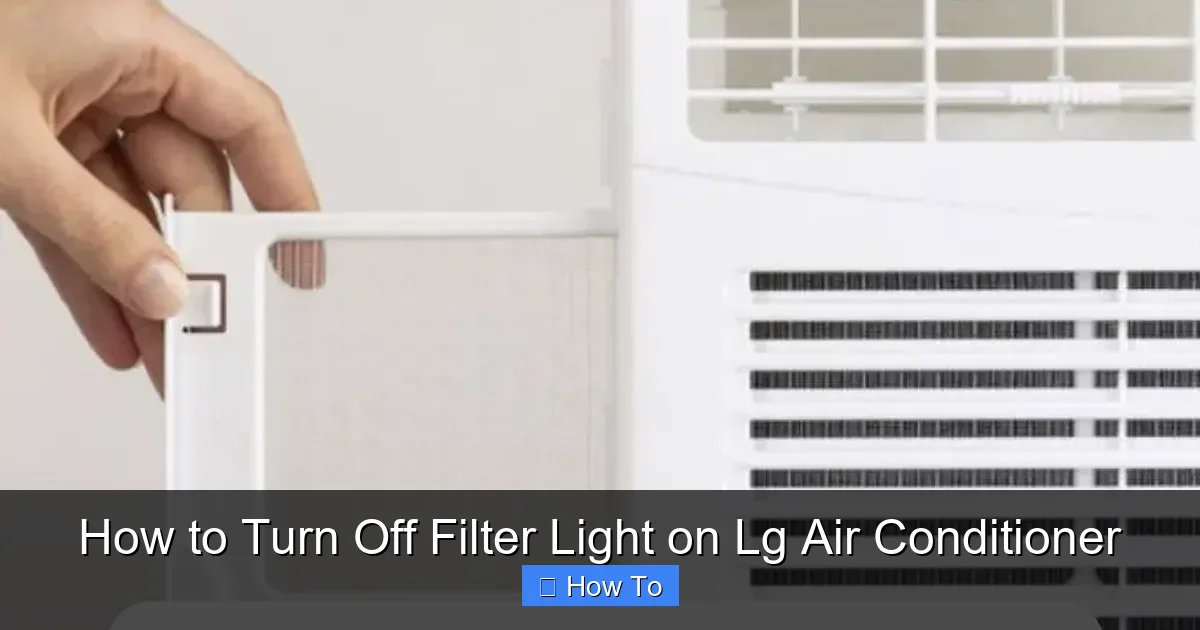
LG window air conditioner filter reset button on remote
Visual guide about How to Turn Off Filter Light on Lg Air Conditioner
Image source: smartacsolutions.com
Step 2: Locate the Filter
Open the front panel of your window AC. The air filter is usually behind a removable grille or panel. Slide or lift it out gently. If you’re unsure, refer to your user manual—most LG window units have a clearly marked filter access point.
Step 3: Clean or Replace the Filter
If the filter is washable (most LG models use reusable filters), rinse it under lukewarm water. Avoid using soap or harsh chemicals. Let it air dry completely before reinstalling. If it’s damaged or too dirty to clean, replace it with a compatible LG filter.
Step 4: Reinstall the Filter
Once the filter is dry, slide it back into place. Make sure it’s seated properly and the front panel clicks securely into position.
Step 5: Reset the Filter Light
Now comes the crucial step. On most LG window units, you can reset the filter light by pressing and holding the Filter or Reset button on the remote control for 3 to 5 seconds. Look for a button labeled “Filter,” “Reset,” or an icon that looks like a filter.
If your remote doesn’t have a dedicated filter button, try this alternative method:
Press and hold the Power button on the remote for 5 seconds.
Or, press the Mode button three times in quick succession.
The filter light should turn off, and the unit will resume normal operation.
A helpful reference for ductless mini‑split setup is the ductless mini‑split setup guide.
For LG Split System Air Conditioners
Ductless mini-split systems are popular for their efficiency and quiet operation. Resetting the filter light on these models is similar but may involve the indoor unit’s control panel.
Step 1: Power Down the System
Turn off the air conditioner using the remote. Wait about 30 seconds before proceeding.
Step 2: Access the Indoor Unit Filter
Open the front panel of the indoor unit. The filter is usually located behind a plastic grille. Gently pull the filter out. Some models have two filters—check both.
Step 3: Clean the Filter
Rinse the filter with water. Use a soft brush if needed to remove dust. Let it dry completely. Never reinstall a wet filter—this can promote mold growth.
Step 4: Reinstall the Filter
Slide the clean, dry filter back into the slot. Close the front panel securely.
Step 5: Reset the Filter Light
On most LG split systems, press and hold the Filter Reset button on the remote for 3 to 5 seconds. This button is often labeled with a filter icon or the word “Reset.”
If your remote doesn’t have a filter button, try this:
Press the Timer button and the Mode button simultaneously for 3 seconds.
Or, press the Power button five times in a row.
The filter light should go out, indicating a successful reset.
For LG Smart Air Conditioners (ThinQ-Enabled Models)
In 2026, LG’s smart air conditioners are more advanced than ever. If your unit is connected to the LG ThinQ app, you can manage filter alerts directly from your smartphone.
Step 1: Open the LG ThinQ App
Launch the app on your iOS or Android device. Make sure your AC is connected to Wi-Fi and appears in the device list.
Step 2: Select Your Air Conditioner
Tap on your AC unit from the home screen. You’ll see real-time status, temperature, and maintenance alerts.
Step 3: Check Filter Status
Navigate to the “Maintenance” or “Filter” section. The app will show whether the filter needs cleaning and how many hours it’s been in use.
Step 4: Clean the Filter
Follow the same cleaning steps as above—remove, rinse, dry, and reinstall the filter.
Step 5: Reset the Filter Light via App
After cleaning, return to the app. Tap the “Reset Filter” button. The app will send a signal to your AC to turn off the filter light. You should see a confirmation message.
Alternatively, you can reset the light using the remote:
Press and hold the Filter button for 3 seconds.
Or, press the Smart button (if available) and select “Reset Filter” from the menu.
Smart models offer the added benefit of scheduling reminders and receiving push notifications when it’s time for maintenance.
Tips for Maintaining Your LG Air Conditioner Filter
Turning off the filter light is only part of the solution. To avoid frequent alerts and keep your AC running efficiently, follow these maintenance tips.
Clean Filters Regularly
Even if the light hasn’t come on, clean your filter every 1 to 3 months. In high-pollen seasons or if you have pets, you may need to clean it monthly. A clean filter improves airflow, reduces energy consumption, and extends the life of your unit.
Use Genuine LG Filters
While third-party filters may seem cheaper, they often don’t fit properly or filter as effectively. Genuine LG filters are designed to match your model’s specifications and ensure optimal performance.
Check for Obstructions
Make sure the area around your indoor and outdoor units is clear. Blocked vents or dirty coils can mimic filter problems and trigger false alerts.
Monitor Air Quality
If you live in a dusty area or have smokers in the home, your filter will clog faster. Consider using an air purifier to reduce the load on your AC filter.
Schedule Annual Professional Maintenance
While cleaning the filter is a DIY task, have a certified technician inspect your unit once a year. They can check refrigerant levels, clean coils, and ensure all sensors are working correctly.
A seasonal upkeep checklist can keep you on track; see the seasonal upkeep checklist.
Troubleshooting: What If the Filter Light Won’t Turn Off?
Sometimes, even after cleaning and resetting, the filter light remains on. Here’s how to troubleshoot common issues.
The Filter Wasn’t Reinstalled Properly
If the filter isn’t seated correctly, the sensor may still detect a problem. Turn off the unit, remove the filter, and reinstall it carefully. Make sure the front panel clicks into place.
The Filter Is Still Dirty or Damaged
A filter that’s caked with dirt or has tears won’t function properly. Even after cleaning, it may need replacement. Inspect the filter closely—if it’s discolored or brittle, replace it.
The Reset Button Isn’t Working
If pressing the filter reset button doesn’t work, try a power cycle:
Unplug the unit for 5 minutes.
Plug it back in and try the reset again.
This can clear temporary glitches in the control board.
Sensor Malfunction
In rare cases, the filter sensor itself may be faulty. If the light stays on despite a clean filter and correct reset, contact LG customer support or a certified technician. In 2026, many LG models have self-diagnostic features that can pinpoint sensor issues.
Software Glitch in Smart Models
For ThinQ-enabled units, a software update may be needed. Open the LG ThinQ app and check for firmware updates. Installing the latest version can resolve communication errors between the app and the AC.
Incorrect Model Procedure
Not all LG models use the same reset method. If your remote doesn’t have a filter button, consult your user manual or visit LG’s official support website. You can enter your model number to find the exact reset steps.
If the unit is also blowing warm air, review the warm‑air troubleshooting steps.
When to Call a Professional
While most filter light issues are easy to fix, some situations require expert help.
Call a technician if:
The filter light comes on immediately after resetting.
You notice reduced cooling performance or strange noises.
The unit frequently overheats or shuts off unexpectedly.
You suspect a refrigerant leak or electrical issue.
In 2026, LG offers extended warranty plans and remote diagnostics for smart models, making professional support more accessible than ever.
Understanding the difference between system types can help you decide; read a quick system type comparison.
Frequently Asked Questions
How often should I clean the LG AC filter?
Clean the filter every 1–3 months, or monthly during high‑pollen seasons or if you have pets. Regular cleaning maintains airflow and prevents the filter light from triggering too often.
Can I reset the filter light without the remote?
Yes. On many models you can press a combination of buttons on the unit’s control panel (e.g., Power + Mode) or power‑cycle the unit by unplugging it for five minutes, then retry the reset.
Why does the filter light stay on after cleaning?
The filter may not be seated correctly, the sensor could be dirty, or the reset sequence wasn’t completed. Verify installation, wipe the sensor area, and repeat the exact reset steps for your model.
Does the LG ThinQ app work with all LG AC models?
Only ThinQ‑enabled (Wi‑Fi) models support the app. Check your model’s specifications or the LG website; non‑smart units rely solely on the remote or panel buttons.
When should I replace the filter instead of cleaning it?
Replace the filter if it shows tears, permanent discoloration, brittleness, or if cleaning no longer restores airflow. A damaged filter reduces efficiency and can let contaminants bypass the media.
Conclusion
Turning off the filter light on your LG air conditioner doesn’t have to be confusing. With the right steps, you can reset the alert quickly and keep your unit running efficiently. Whether you have a basic window unit or a high-tech smart AC, regular filter maintenance is key to performance and longevity.
Remember: the filter light is your friend. It’s there to help you maintain clean air and prevent costly repairs. By cleaning your filter on schedule and resetting the light correctly, you’ll enjoy cooler, healthier air all year long.
In 2026, LG continues to innovate with smarter sensors, app integration, and user-friendly designs. Take advantage of these features to stay on top of maintenance and get the most out of your air conditioner.
So the next time that filter light blinks on, don’t stress—just follow this guide, reset it with confidence, and get back to comfort.
Need help choosing a new unit? See our selection guide for new units.

