
How to Remove Lg Air Conditioner Filter
Removing your LG air conditioner filter is simple, essential, and takes just minutes. This guide walks you through the process safely and effectively, helping you maintain clean air and optimal cooling performance in 2026.
Key Takeaways
Regular filter cleaning improves air quality and system efficiency. A clean filter reduces energy use and prevents dust buildup in your home.
Most LG AC units have easily accessible front or top-mounted filters. No tools are needed—just a gentle pull or lift to remove the panel.
Always turn off the power before removing the filter. This prevents accidental startup and protects internal components.
Check your filter every 2–4 weeks during heavy use. High pollen seasons or pet households may require more frequent cleaning.
Rinse the filter with lukewarm water—never use harsh chemicals. Let it air dry completely before reinserting to avoid mold growth.
Replace filters every 6–12 months depending on usage. Clogged or damaged filters should be swapped out immediately.
Use the LG ThinQ app (2026 models) to track filter status. Smart alerts remind you when maintenance is due for hassle-free upkeep.
How to Remove LG Air Conditioner Filter: A Complete 2026 Guide
Keeping your LG air conditioner running smoothly starts with one simple task: removing and cleaning the air filter. Whether you’re using a window unit, a split system, or a smart ductless model from 2026, regular filter maintenance is non-negotiable. Not only does it keep your indoor air fresh and healthy, but it also boosts energy efficiency, extends the life of your AC, and prevents costly repairs down the line.
In this comprehensive guide, you’ll learn exactly how to remove the LG air conditioner filter—step by step—no matter which model you own. We’ll cover everything from safety precautions to troubleshooting common issues, plus tips for cleaning and reinserting the filter properly. By the end, you’ll be a pro at maintaining your LG AC like a certified technician.
Let’s get started!
Why Cleaning Your LG Air Conditioner Filter Matters
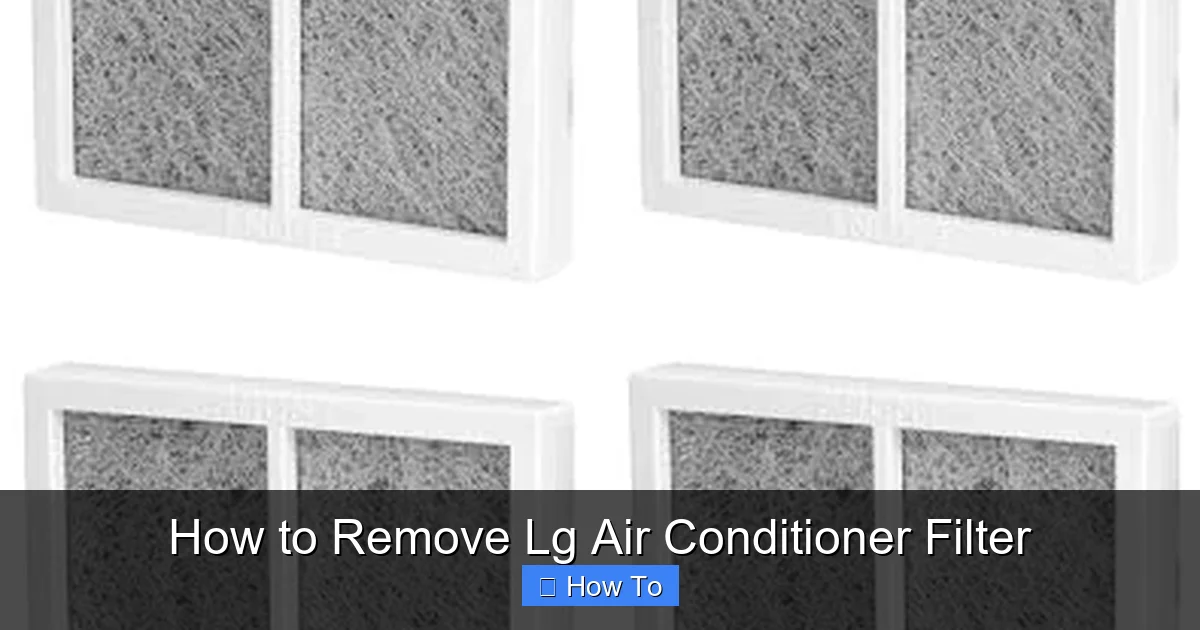
Diagram showing filter access panel on an LG window unit.
Visual guide about How to Remove Lg Air Conditioner Filter
Image source: compressorlab.com
Before diving into the removal process, it’s important to understand why this small component plays such a big role in your home’s comfort and air quality.
Air filters in LG air conditioners are designed to trap dust, pollen, pet dander, mold spores, and other airborne particles. Over time, these contaminants build up, restricting airflow and forcing your AC to work harder. This leads to higher energy bills, reduced cooling performance, and even system breakdowns.
In 2026, many LG models come equipped with advanced filtration systems—like the LG Dual Inverter Compressor with Plasmaster Ionizer and True HEPA filters—that offer superior air purification. But even the most advanced tech can’t function properly if the filter is clogged.
Cleaning your filter regularly:
- Improves indoor air quality
- Reduces allergens and odors
- Enhances cooling efficiency
- Lowers electricity consumption
- Prevents mold and bacteria growth inside the unit
According to LG’s 2026 maintenance guidelines, filters should be checked at least once a month during peak usage seasons (spring through fall). If you live in a dusty area, have pets, or suffer from allergies, consider checking it every two weeks.
Signs Your LG AC Filter Needs Attention
Beyond the monthly schedule, your LG air conditioner often signals when the filter is overdue for cleaning. Watch for these tell‑tale indicators:
- Noticeably weaker airflow from the vents
- A sudden spike in your electricity bill without a rate change
- Musty or dusty odors when the unit runs
- Increased allergy symptoms or sneezing indoors
- The LG ThinQ app (if connected) pushes a “Filter Clean” notification
If you observe any of these, inspect the filter right away. For a broader seasonal upkeep checklist, see our guide on seasonal upkeep checklist.
What You’ll Need
The great news? You don’t need a toolkit or special skills to remove an LG air conditioner filter. Here’s what you’ll need:
A clean, dry cloth or towel
Lukewarm water (for cleaning)
A soft brush or toothbrush (optional, for stubborn dirt)
A well-lit workspace (natural light or a lamp)
Your smartphone (to take a photo of the filter placement, if needed)
That’s it! No screwdrivers, no wrenches—just a few household items and about 10 minutes of your time.
Note: Some LG models use a reusable mesh filter while others rely on a disposable pleated filter. Check your owner’s manual to confirm which type you have; reusable filters can be washed repeatedly, whereas disposable ones should be replaced rather than cleaned.
Safety First: Turn Off the Power
Before touching any part of your air conditioner, safety is paramount. Even though removing the filter is a low-risk task, it’s always best to eliminate any chance of electrical shock or accidental startup.
Step 1: Turn Off the Remote or Wall Control
Start by using your LG remote or wall-mounted control panel to turn off the air conditioner. Make sure it’s completely powered down—no lights, no fan, no compressor running.
Step 2: Unplug the Unit (If Applicable)
For window units or portable ACs, unplug the power cord from the wall outlet. This ensures there’s no electrical current flowing to the unit.
For split systems or ductless mini-splits, locate the circuit breaker that controls the AC and switch it off. Most homes have a labeled breaker panel, but if you’re unsure, turn off the main breaker to be safe.
Step 3: Wait 5 Minutes
Give the system a few minutes to fully power down. This allows capacitors to discharge and ensures all internal components are at rest.
Taking these precautions may seem like overkill, but they protect both you and your expensive LG appliance. In 2026, many LG models feature smart sensors and auto-restart functions, so skipping this step could lead to unexpected behavior.
Locating the Air Filter on Your LG Air Conditioner
LG designs its air conditioners with user-friendly access in mind. Most models feature filters that are easy to reach without tools. However, the exact location depends on the type of unit you have.
Window and Portable LG Air Conditioners
For window units and portable models, the filter is typically located behind the front grille or panel. Look for a rectangular or square cover on the front face of the unit. It’s usually held in place by clips or a simple latch.
In 2026, newer LG window units like the LG Dual Inverter Window AC (Model LW1822IVSM) feature a top-mounted filter access panel for even easier removal.
Split System and Ductless Mini-Split Units
For wall-mounted indoor units (common in LG ArtCool and DualCool series), the filter is usually behind the front panel. This panel often swings open like a door or lifts upward.
Some 2026 LG models, such as the LG Dual Inverter Smart Split AC, have a magnetic front panel that detaches with a gentle tug. Others use a latch mechanism near the bottom or side.
Central Air Systems with LG Air Handlers
If you have a central HVAC system with an LG air handler, the filter may be located in a return air grille on the wall or ceiling, or inside the air handler unit itself. Check your owner’s manual for the exact location.
Pro Tip: Use the LG ThinQ App
Many 2026 LG air conditioners are compatible with the LG ThinQ app. Open the app, select your AC model, and tap “Maintenance Guide.” The app will show you a 3D diagram of your unit, highlighting the filter location and removal steps. It’s like having a technician in your pocket!
Filter Types in LG Air Conditioners
LG equips its 2026 lineup with three main filter styles, each requiring slightly different care:
- Reusable mesh filters – Found on most window, portable, and ductless units. Washable with water only; no detergent.
- Pleated disposable filters – Used in some central air handlers and high‑efficiency split systems. Replace every 6–12 months; do not wash.
- Hybrid filters with activated carbon – Featured on premium ArtCool models for odor control. The carbon layer is not washable; replace the entire cartridge per the maintenance schedule.
Using the correct cleaning method preserves the filter’s integrity and keeps your warranty intact. If you’re unsure which filter your unit uses, the LG ThinQ app’s “Maintenance Guide” identifies it automatically. When selecting a new unit, consider the filter type that matches your maintenance preferences; our overview of selecting the best unit can help.
Step-by-Step: How to Remove the LG Air Conditioner Filter
Now that you’ve located the filter and powered down the unit, it’s time to remove it. Follow these steps carefully to avoid damaging the filter or the AC housing.
Step 1: Open the Front Panel or Grille
Gently grasp the front panel or grille of your LG air conditioner. Depending on the model, you may need to:
- Pull it straight out (common in window units)
- Lift it upward (found in many split systems)
- Press a release button or latch (on newer 2026 models)
Use both hands and apply even pressure. Avoid twisting or forcing the panel—LG designs these components to open smoothly when handled correctly.
If the panel feels stuck, double-check for hidden latches or screws. Some older models may have a small screw near the bottom edge. Use a Phillips-head screwdriver to remove it, then lift the panel.
Step 2: Locate the Filter Frame
Once the panel is open, you’ll see the air filter housed in a plastic or metal frame. It’s usually white or light gray and may have a handle or tab for easy gripping.
In dual-filter systems (like the LG Dual Inverter models), you may see two filters side by side—one on the left and one on the right. Both should be removed and cleaned.
Step 3: Pull Out the Filter
Grasp the filter by its handle or edge and pull it straight out. Most LG filters slide out horizontally, but some vertical models may require a slight upward lift.
Be gentle—filters are made of delicate mesh or foam and can tear if pulled too hard. If the filter resists, wiggle it slightly side to side to loosen it from the track.
Step 4: Inspect the Filter
Hold the filter up to the light. If you can’t see through it, it’s time for a cleaning. Look for:
- Thick layers of dust or hair
- Dark spots (possible mold)
- Tears or frayed edges
A clean filter should be mostly white with only light discoloration. If it’s heavily soiled or damaged, consider replacing it.
Step 5: Take a Photo (Optional but Helpful)
Before setting the filter aside, snap a quick photo with your phone. This helps you remember the orientation when reinserting it later. Some LG filters are directional (marked with arrows), so getting it right ensures proper airflow.
Energy Savings from a Clean Filter
A clogged filter forces the compressor to run longer cycles, driving up electricity use. According to the U.S. Energy Star program, a clean filter can reduce cooling energy consumption by up to 15 % during peak season. Over a typical summer, that translates to noticeable savings on your utility bill and less wear on the inverter compressor. Pair filter maintenance with optimal temperature settings for maximum efficiency.
Cleaning the LG Air Conditioner Filter
Now that the filter is out, it’s time to clean it. Proper cleaning restores airflow and keeps your AC running efficiently.
Step 1: Shake Off Loose Debris
Take the filter outside or over a trash can and gently tap it to remove loose dust and hair. You can also use a soft brush (like a clean toothbrush) to dislodge stubborn particles.
Step 2: Rinse with Lukewarm Water
Hold the filter under a gentle stream of lukewarm water. Use your hands to lightly rub both sides, working from the clean side toward the dirty side. This helps push debris out without damaging the mesh.
Avoid hot water—it can warp or melt certain filter materials. Never use soap, detergent, or chemical cleaners. These can leave residues that reduce airflow or release harmful fumes when heated.
Step 3: Air Dry Completely
Place the filter on a clean towel in a well-ventilated area. Let it air dry for at least 2–4 hours, or until completely dry. Do not use a hair dryer, heater, or direct sunlight, as heat can damage the filter.
Never reinstall a damp filter. Moisture trapped inside the AC can lead to mold, mildew, and unpleasant odors.
Step 4: Reinstall or Replace
Once dry, you can reinsert the filter. If it’s torn, excessively dirty, or more than 12 months old, replace it with a genuine LG filter. Using third-party filters may void your warranty and reduce performance.
Troubleshooting Common Issues
Even with careful handling, you might run into a few hiccups. Here’s how to solve the most common problems when removing an LG air conditioner filter.
Problem: The Filter Won’t Come Out
If the filter is stuck, don’t force it. Check for:
- A locking tab or clip you missed
- A bent frame from previous removal
- Debris blocking the track
Gently wiggle the filter side to side while pulling. If it still won’t budge, consult your owner’s manual or contact LG support.
Problem: The Front Panel Won’t Open
Some users report that the panel feels “locked.” This is often due to a safety latch that engages when the unit is running. Make sure the AC is completely off and unplugged.
If the panel still won’t open, look for a small reset button or release lever near the hinge. On 2026 models, the LG ThinQ app may include a “Maintenance Mode” that temporarily disables safety locks.
Problem: Filter Doesn’t Fit When Reinserting
Double-check the orientation. Look for arrows or “This Side Up” labels on the filter frame. If it still doesn’t fit, compare it to the photo you took earlier.
Never trim or modify the filter to make it fit. This can damage the housing and reduce efficiency.
Problem: Filter Is Damaged or Missing
If your filter is torn, melted, or missing, stop using the AC immediately. Operating without a filter allows dust and debris to enter the evaporator coil, leading to costly repairs.
Order a replacement filter from LG’s official website or an authorized dealer. Use the model number from your AC’s label (usually found on the side or back) to ensure compatibility.
When to Call a Professional
While filter removal and cleaning are DIY‑friendly, certain situations warrant a certified technician:
- Refrigerant leaks or hissing sounds from the indoor unit
- Ice buildup on the evaporator coil despite a clean filter
- Persistent error codes on the display or in the LG ThinQ app
- Electrical issues such as tripped breakers when the AC starts
- Any service requirement that involves opening the sealed refrigerant circuit
Attempting repairs beyond filter maintenance can void the warranty and pose safety risks. For related diagnostics, see our guides on diagnosing warm air issues and outdoor unit troubleshooting.
Maintenance Schedule for 2026 LG Air Conditioners
To keep your LG AC in peak condition, follow this simple maintenance schedule:
Monthly: Check and clean the filter (more often during pollen season or if you have pets)
Every 3 Months: Wipe down the front panel and vents with a damp cloth
Every 6 Months: Inspect the outdoor unit for debris and clean the coils (if accessible)
Annually: Schedule a professional tune-up, including refrigerant check and electrical inspection
For smart 2026 models, the LG ThinQ app can send push notifications when it’s time for maintenance. Enable “Filter Reminder” in the settings to stay on track.
Final Tips for Long-Term Performance
- Always use genuine LG filters for best results and warranty compliance.
- Keep a spare filter on hand so you’re never caught off guard.
- Vacuum around the AC unit regularly to reduce dust intake.
- If you notice reduced cooling, strange noises, or musty smells, check the filter first—it’s often the culprit.
Ready to keep your LG AC running at peak efficiency? Bookmark this guide and set a monthly reminder to check your filter—your lungs and your wallet will thank you.
Conclusion
Removing and cleaning your LG air conditioner filter is one of the easiest and most effective ways to maintain your AC’s performance in 2026. With just a few minutes of effort each month, you can enjoy cleaner air, lower energy bills, and a longer-lasting appliance.
By following this guide, you’ve learned how to safely remove the filter, clean it properly, and troubleshoot common issues. Remember: a clean filter isn’t just about comfort—it’s about health, efficiency, and peace of mind.
So the next time your LG AC kicks on, you can breathe easy knowing you’ve done your part to keep it running smoothly. Stay cool, stay clean, and enjoy the fresh air!
Frequently Asked Questions
How often should I clean my LG air conditioner filter?
Clean the filter every 2–4 weeks during heavy use, or monthly during lighter seasons. Homes with pets, high pollen, or allergy sufferers should check it every two weeks.
Can I use soap or detergent to wash the filter?
No. LG recommends rinsing only with lukewarm water. Soaps leave residues that can restrict airflow and release fumes when the unit heats up.
What happens if I run my LG AC without a filter?
Operating without a filter allows dust and debris to coat the evaporator coil, reducing efficiency and potentially causing costly damage. Always reinstall a clean or new filter before turning the unit on.
How do I know which replacement filter to buy?
Locate the model number on your AC’s label (side or back) and order the exact LG part from an authorized dealer. Using third‑party filters may void the warranty.
Does the LG ThinQ app work with older LG models?
The ThinQ app supports most Wi‑Fi‑enabled LG air conditioners released from 2020 onward. Check the app’s compatibility list or your owner’s manual for confirmation.
Can a dirty filter cause the AC to blow warm air?
Yes. A severely clogged filter restricts airflow, causing the evaporator coil to freeze and the system to blow warm air. Cleaning the filter often resolves this issue.

