
Keeping your LG air conditioner filter clean is essential for efficient cooling, energy savings, and healthy indoor air. This guide walks you through the simple process of removing, cleaning, and reinserting your filter, plus offers tips to maintain peak performance year-round.
Key Takeaways
- Regular filter cleaning improves air quality: A clean filter traps dust, pollen, and allergens, ensuring fresher, healthier air in your home.
- Enhances cooling efficiency: A clogged filter restricts airflow, forcing your AC to work harder and use more energy.
- Extends appliance lifespan: Routine maintenance reduces strain on internal components, helping your LG air conditioner last longer.
- Easy and quick process: Most LG AC filters can be cleaned in under 15 minutes with basic household items.
- Frequency matters: Clean your filter every 2–4 weeks during heavy use seasons for optimal performance.
- Use proper cleaning methods: Avoid harsh chemicals or high-pressure water, which can damage the filter material.
- Check for damage: Inspect the filter during cleaning and replace it if torn, warped, or excessively worn.
How to Clean LG Air Conditioner Filter: A Complete Step-by-Step Guide
Your LG air conditioner works hard to keep your home cool and comfortable, especially during hot summer months. But like any hardworking appliance, it needs regular care to perform at its best. One of the most important—and often overlooked—maintenance tasks is cleaning the air filter. A clean filter not only improves indoor air quality but also boosts energy efficiency and helps your AC run smoothly.
In this comprehensive guide, you’ll learn exactly how to clean your LG air conditioner filter, whether you have a window unit, split system, or portable AC. We’ll walk you through each step, share practical tips, and explain why this simple task makes such a big difference. By the end, you’ll be confident in maintaining your LG AC like a pro—no tools or technical skills required.
Why Cleaning Your LG Air Conditioner Filter Matters
Before diving into the how-to, let’s talk about the “why.” Why should you bother cleaning your air conditioner filter? The answer is simple: it directly impacts your comfort, health, and wallet.
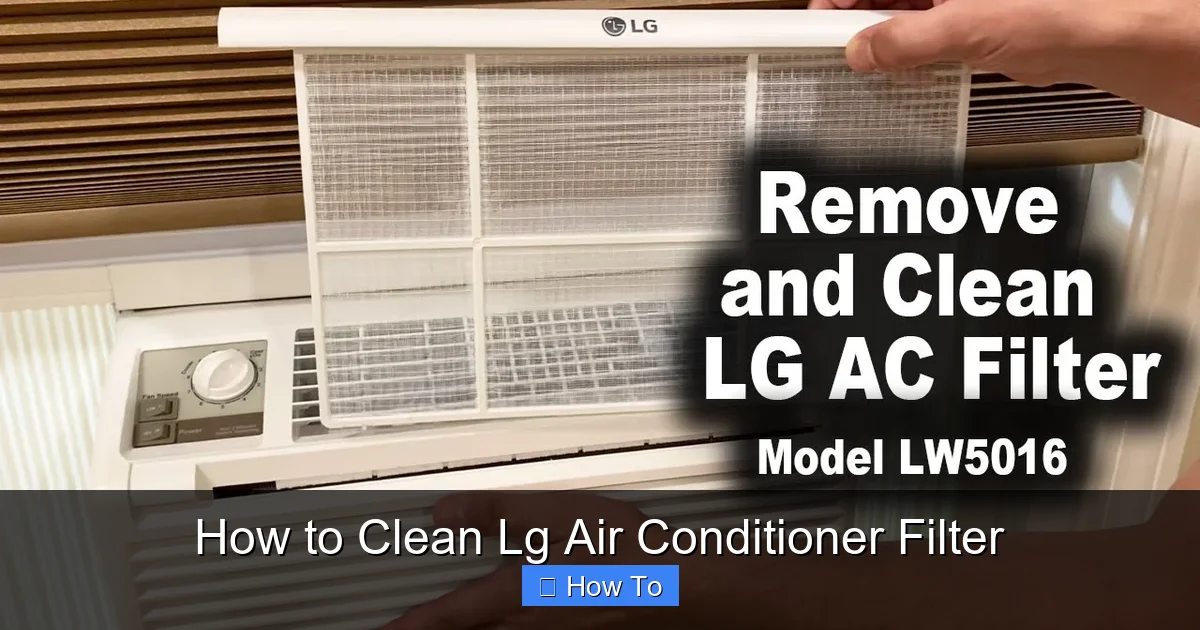
Visual guide about How to Clean Lg Air Conditioner Filter
Image source: i.ytimg.com
Over time, your LG air conditioner filter collects dust, pet dander, pollen, mold spores, and other airborne particles. While this is its job, a buildup of debris can clog the filter, reducing airflow. When airflow is restricted, your AC has to work harder to cool your space. This leads to higher energy bills, uneven cooling, and even system overheating.
Additionally, a dirty filter can’t effectively trap pollutants, which means you’re breathing in lower-quality air. For people with allergies, asthma, or respiratory sensitivities, this can trigger symptoms or worsen existing conditions.
On the flip side, a clean filter ensures:
- Better airflow and faster cooling
- Lower energy consumption (saving you money)
- Improved indoor air quality
- Reduced risk of system breakdowns
- Longer lifespan for your LG air conditioner
LG recommends cleaning the filter every two weeks during peak usage seasons. Even if you don’t use your AC heavily, a monthly check is a good rule of thumb. Think of it like changing the oil in your car—it’s a small effort that prevents big problems down the road.
What You’ll Need to Clean Your LG Air Conditioner Filter
The great news? You don’t need any special tools or cleaning products. Most of what you need is probably already in your home. Here’s a quick checklist:
- Mild dish soap or a gentle all-purpose cleaner
- Warm water
- A soft-bristled brush (like an old toothbrush)
- A clean towel or drying rack
- A vacuum cleaner with a brush attachment (optional, for pre-cleaning)
- Rubber gloves (optional, if you have sensitive skin)
Avoid using bleach, ammonia, or abrasive cleaners. These can damage the filter’s delicate mesh and reduce its effectiveness. Similarly, don’t use high-pressure water from a hose or pressure washer—this can bend or tear the filter.
If your filter is especially dirty, you might also want to have a replacement filter on hand. LG filters are widely available online and at appliance stores, and replacing a worn-out filter is just as important as cleaning a reusable one.
Step-by-Step Guide: How to Clean LG Air Conditioner Filter
Now that you understand the importance and have your supplies ready, let’s get into the actual cleaning process. The steps vary slightly depending on your LG AC model—window, split, or portable—but the core principles remain the same. We’ll cover all three types to ensure you find the right instructions for your unit.
Step 1: Turn Off and Unplug the Air Conditioner
Safety first! Before you do anything, make sure your LG air conditioner is completely powered off and unplugged from the electrical outlet. This prevents accidental startup and protects you from electrical hazards.
If you have a split system (with an indoor and outdoor unit), turn off the power at the main circuit breaker for extra safety. For window or portable units, simply unplugging the unit is sufficient.
Wait a few minutes after turning it off to let any internal components cool down, especially if the AC has been running recently.
Step 2: Locate the Air Filter
The filter is usually easy to find, but its exact location depends on your model.
For Window Units: Open the front panel of the AC. The filter is typically behind a plastic or metal grille that swings open or slides out. Some models have a latch or button to release the panel.
For Split Systems (Wall-Mounted): Look for a front panel on the indoor unit. Gently pull the bottom edge outward to open it. The filter is usually a flat, rectangular panel that slides out horizontally.
For Portable Air Conditioners: Check the back or side of the unit. Many portable LG models have a removable filter cover secured with clips or screws. Some newer models have washable filters located behind a grille on the intake side.
If you’re unsure, consult your user manual. LG often includes a diagram showing the filter location. You can also search for your model number online—LG’s support site has downloadable manuals for most units.
Step 3: Remove the Filter
Once you’ve located the filter, carefully remove it from the unit.
For most models, the filter simply slides out of a track or slot. Gently pull it straight out—don’t force it. If it feels stuck, double-check that the panel is fully open or that any clips are released.
Some filters are held in place by small tabs or screws. If yours has screws, use a screwdriver to remove them before pulling the filter out. Keep the screws in a safe place so you don’t lose them.
Handle the filter with care. Even though it’s dirty, avoid bending or crushing it. A damaged filter won’t fit properly or filter effectively.
Step 4: Vacuum Loose Debris (Optional but Recommended)
Before washing, use a vacuum cleaner with a brush attachment to remove loose dust and hair from the filter. This step helps reduce the amount of gunk you’ll need to wash off and prevents clogging your sink or drain.
Hold the filter over a trash can and gently run the vacuum over both sides. Focus on the side that faces the air intake—this is usually the dirtiest.
This pre-cleaning step is especially helpful if your filter is heavily soiled or if you haven’t cleaned it in a while.
Step 5: Wash the Filter with Mild Soap and Water
Fill a sink, bathtub, or large basin with warm water. Add a few drops of mild dish soap—avoid anything with strong fragrances or degreasers, as these can leave residues.
Submerge the filter completely and let it soak for 10–15 minutes. This helps loosen stubborn dirt and grease.
After soaking, use a soft-bristled brush (like an old toothbrush) to gently scrub both sides of the filter. Focus on areas with visible buildup, but avoid scrubbing too hard—you don’t want to tear the mesh.
Rinse the filter thoroughly under lukewarm running water. Make sure all soap residue is washed away. Soap left on the filter can attract more dust and reduce airflow.
Tip: Rinse from the clean side (the side that faces the room) to the dirty side (the side that faces the unit). This helps push debris out of the filter rather than deeper into it.
Step 6: Dry the Filter Completely
Once the filter is clean, shake off excess water and place it on a clean towel or drying rack. Let it air dry in a well-ventilated area, away from direct sunlight or heat sources.
Never reinstall a wet filter. Moisture can promote mold growth and damage your AC’s internal components. Depending on humidity and airflow, drying can take 1–3 hours.
If you’re in a hurry, you can gently pat the filter with a dry towel to speed up the process—but don’t wring or twist it.
Step 7: Reinstall the Filter
Once the filter is completely dry, it’s time to put it back.
Slide the filter back into its slot, making sure it’s oriented correctly. Most LG filters have an arrow or label indicating the direction of airflow. The arrow should point toward the unit (into the airflow).
Close the front panel or filter cover securely. If your model uses screws, reattach them. Make sure everything is snug but not over-tightened.
Step 8: Plug In and Test the Unit
Plug your air conditioner back in and turn it on. Set it to a cool temperature and let it run for 10–15 minutes.
Listen for unusual noises and check that air is flowing freely from the vents. If everything sounds and feels normal, you’re all set!
If you notice reduced airflow or strange sounds, double-check that the filter is properly installed and not damaged.
Tips for Maintaining Your LG Air Conditioner Filter
Cleaning your filter is just one part of AC maintenance. Here are some extra tips to keep your LG unit running smoothly:
- Set a cleaning reminder: Use your phone calendar or a sticky note to remind yourself to clean the filter every 2–4 weeks.
- Check the filter monthly: Even if it doesn’t look dirty, inspect it regularly. Dust buildup isn’t always visible.
- Replace when necessary: Most washable filters last 1–2 years. If yours is torn, warped, or no longer traps dust, replace it.
- Keep the area around the AC clean: Dust and debris near the unit can get sucked into the filter faster.
- Use a programmable thermostat: This helps reduce runtime and wear on the system.
- Schedule professional maintenance annually: A technician can clean coils, check refrigerant levels, and inspect electrical components.
Troubleshooting Common Filter Issues
Even with regular cleaning, you might run into a few hiccups. Here’s how to handle common problems:
Filter Won’t Slide Out Easily
If the filter is stuck, don’t force it. Check for hidden clips, screws, or a locked panel. Some models have a safety latch that must be pressed before the filter releases. Refer to your manual for model-specific instructions.
Filter Is Damaged or Torn
A damaged filter can’t do its job. If you notice holes, fraying, or warping, replace it immediately. Continuing to use a damaged filter can let debris into the unit and cause internal damage.
Airflow Is Still Weak After Cleaning
If cleaning the filter doesn’t improve airflow, the issue might be elsewhere. Check for blocked vents, dirty evaporator coils, or a malfunctioning fan. If you’re unsure, contact LG customer support or a licensed technician.
Filter Gets Dirty Too Fast
If your filter clogs within days, consider your environment. Pet owners, smokers, or people in dusty areas may need to clean the filter weekly. You might also benefit from using an air purifier to reduce airborne particles.
Water Leaking from the Unit
A dirty filter can cause ice buildup on the coils, which melts and leads to leaks. Cleaning the filter may resolve the issue. If leaks persist, have a professional inspect the drainage system.
When to Replace Your LG Air Conditioner Filter
While most LG filters are washable and reusable, they don’t last forever. Over time, the mesh can degrade, lose its shape, or become less effective at trapping particles.
Replace your filter if you notice:
- Visible tears, holes, or fraying
- Warping or bending that prevents proper fit
- Persistent odors even after cleaning
- Reduced cooling performance despite regular cleaning
- The filter is more than 1–2 years old
Replacement filters are affordable and easy to find. Search for your LG model number online or visit an appliance store. Look for genuine LG filters or high-quality compatible alternatives.
Conclusion
Cleaning your LG air conditioner filter is one of the simplest and most effective ways to keep your AC running efficiently and your home air healthy. With just a few minutes of effort every few weeks, you can save energy, improve comfort, and extend the life of your appliance.
Remember: turn off and unplug the unit, locate and remove the filter, vacuum loose debris, wash with mild soap and water, dry completely, and reinstall. Follow this routine, and your LG air conditioner will thank you with reliable, cool air all season long.
Don’t wait for problems to arise—make filter cleaning a regular part of your home maintenance routine. Your lungs, your wallet, and your AC will all be better for it.

