Why Does My Lg Window Air Conditioner Not Dehumidify
If your LG window air conditioner runs but doesn’t reduce humidity, it’s likely due to incorrect settings, dirty filters, or low refrigerant. This guide walks you through common causes and simple fixes to restore dehumidification and improve indoor comfort.
Key Takeaways
Check the thermostat setting: If set too high, the AC runs briefly and doesn’t remove enough moisture.
Clean or replace air filters: Clogged filters restrict airflow, reducing dehumidification efficiency.
Ensure proper unit sizing: An oversized AC cools quickly but doesn’t run long enough to pull moisture from the air.
Inspect the evaporator coil: A dirty or frozen coil hampers heat exchange and moisture removal.
Verify refrigerant levels: Low refrigerant reduces cooling capacity and dehumidifying performance.
Use the right mode: “Dry” or “Dehumidify” mode is designed specifically for moisture removal.
Maintain proper room ventilation: Poor airflow or high outdoor humidity can overwhelm the unit.
These key points provide a quick roadmap, but the details below will walk you through each cause and solution step by step. For more on this, see our guide on why does my air conditioner only work on.
📑 Table of Contents
- Why Does My LG Window Air Conditioner Not Dehumidify?
- Understanding How Air Conditioners Dehumidify
- Common Causes and How to Fix Them
- Maintenance Tips to Improve Dehumidification
- When to Call a Professional
- Preventing Future Dehumidification Problems
- Conclusion
Why Does My LG Window Air Conditioner Not Dehumidify?
You flip on your LG window air conditioner, expecting cool, dry air—but instead, you’re left with a room that feels sticky and uncomfortable. The temperature might be dropping, but the humidity? Still high. You’re not alone. Many homeowners face this frustrating issue: their AC runs, but it’s not pulling moisture out of the air like it should.
Air conditioners don’t just cool—they also dehumidify. As warm, humid air passes over the cold evaporator coils, moisture condenses and drips away, leaving the air drier. But when that process breaks down, you’re left with a clammy, muggy indoor environment. This problem isn’t just uncomfortable—it can lead to mold growth, musty odors, and even damage to furniture and walls. For more on this, see our guide on why does my rv air conditioner freeze up.
So why isn’t your LG window air conditioner dehumidifying? The answer often lies in a combination of settings, maintenance, and environmental factors. The good news? Most causes are fixable with a little troubleshooting. In this guide, we’ll walk you through the most common reasons your LG AC isn’t removing humidity and show you how to get it working properly again.
Understanding How Air Conditioners Dehumidify
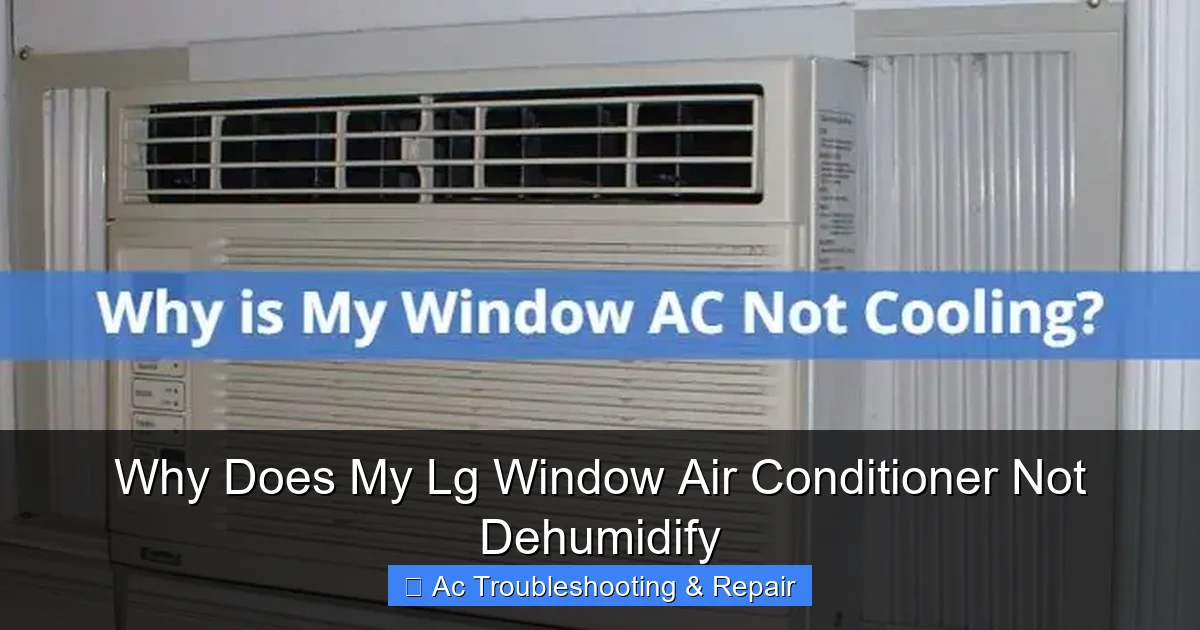
Diagram showing common causes of poor dehumidification in LG window air conditioners.
Image source: pickhvac.com
Before diving into fixes, it helps to understand how your LG window air conditioner removes moisture from the air. It’s not magic—it’s physics. For more on this, see our guide on air conditioner not blowing hard.
When your AC runs, it pulls warm, humid indoor air over a set of cold evaporator coils. These coils are filled with refrigerant, which absorbs heat from the air. As the air cools, its ability to hold moisture decreases. The excess water vapor condenses into liquid droplets on the coils, much like dew forms on a cold drink can. This water then drips into a drain pan and exits the unit, usually through a hose or directly out the back.
This process is most effective when the AC runs for longer cycles. The longer the unit operates, the more air it processes, and the more moisture it removes. That’s why short, frequent cooling bursts—common with oversized units or incorrect settings—can leave humidity levels high. For more on this, see our guide on air conditioner running but not cooling.
Your LG window air conditioner is designed to balance cooling and dehumidification. However, several factors can disrupt this balance. For example, if the evaporator coil is dirty or frozen, it can’t absorb heat efficiently, which means less condensation and less dehumidification. Similarly, if the unit is too large for the room, it cools the space too quickly and shuts off before removing enough moisture.
Understanding this cycle helps you see why simply turning on the AC isn’t always enough. Dehumidification depends on proper operation, maintenance, and environmental conditions. In the next sections, we’ll explore the most common culprits behind poor dehumidification and how to address them. For more on this, see our guide on air conditioner not working.
LG window air conditioners often include a dedicated Dry mode and smart sensors that adjust fan speed for optimal moisture removal. Understanding these model-specific features can help you maximize dehumidification. For example, LG’s Dual Inverter compressors modulate capacity to run longer at lower speeds, which enhances latent heat removal without overcooling. Some models also offer a “Dehumidification Only” mode that runs the compressor without active cooling, ideal for mild but humid days. If your unit has Wi-Fi connectivity via the LG ThinQ app, you can monitor humidity levels and adjust modes remotely — a handy way to maintain comfort when you’re away.
Common Causes and How to Fix Them
Now that you know how dehumidification works, let’s look at the most frequent reasons your LG window air conditioner isn’t pulling moisture from the air—and what you can do about it.
Incorrect Thermostat Settings
One of the simplest yet most overlooked issues is the thermostat setting. If your AC is set to a temperature that’s too high, it may cool the room quickly and shut off before it has a chance to remove significant moisture.
For example, if you set the thermostat to 78°F on a hot, humid day, the unit might reach that temperature in just 10–15 minutes. But dehumidification happens gradually over longer run times. Short cycles mean less air passes over the evaporator coils, resulting in minimal condensation.
Solution: Lower the thermostat by a few degrees—try 74°F or 75°F—to encourage longer cooling cycles. This gives the unit more time to pull moisture from the air. You can also use the “Dry” or “Dehumidify” mode if your LG model has it. This mode prioritizes moisture removal over rapid cooling, running the fan at a lower speed to maximize condensation.
Dirty or Clogged Air Filters
Air filters are essential for maintaining airflow and protecting internal components. But when they’re clogged with dust, pet hair, or debris, they restrict the amount of air passing over the evaporator coils. Less airflow means less moisture is removed from the air.
Imagine trying to drink through a straw that’s half-blocked—it’s harder to get the liquid out. The same principle applies here. A dirty filter acts like a bottleneck, reducing the AC’s ability to dehumidify.
Solution: Check your air filter at least once a month during peak usage. If it looks gray or dusty, clean it (if reusable) or replace it (if disposable). Most LG window units have a front-access filter that slides out easily. Rinse reusable filters with warm water and let them dry completely before reinstalling.
Frozen or Dirty Evaporator Coils
The evaporator coil is where the magic happens—it’s where heat is absorbed and moisture condenses. But if the coil is dirty or frozen, it can’t do its job properly.
Dirt buildup insulates the coil, reducing its ability to absorb heat. Meanwhile, ice formation blocks airflow entirely. A frozen coil often results from restricted airflow (like a dirty filter) or low refrigerant levels.
You might notice reduced airflow from the vents, or the unit might shut off unexpectedly. In severe cases, you’ll see visible ice on the front or back of the unit.
Solution: Turn off the AC and let the ice melt completely—this can take several hours. Once thawed, inspect the coil for dirt. Use a soft brush or a coil cleaner spray (available at hardware stores) to gently remove debris. Avoid using sharp tools that could damage the delicate fins.
Oversized Air Conditioner
It might seem counterintuitive, but a window AC that’s too big for your room can actually make humidity worse. An oversized unit cools the space rapidly—sometimes in just 10–15 minutes—and then shuts off. This short cycle doesn’t allow enough time for moisture to condense and drain away.
Think of it like taking a quick shower: you might feel cooler, but you’re still damp. The same thing happens with your air. The temperature drops, but the humidity remains high.
Solution: Check if your LG unit is the right size for your room. A general rule of thumb is 20 BTUs per square foot. For example, a 100-square-foot room needs about 2,000 BTUs. If your unit is significantly larger, consider using a smaller one or supplementing with a standalone dehumidifier.
Low Refrigerant Levels
Refrigerant is the lifeblood of your air conditioner. It absorbs heat from indoor air and releases it outside. If the refrigerant level is low—due to a leak or improper installation—the system can’t cool effectively, which directly impacts dehumidification.
Low refrigerant often causes the evaporator coil to freeze, as the pressure drops and the coil gets too cold. It can also lead to warm air blowing from the vents, even when the unit is running.
Solution: Refrigerant issues require professional attention. Unlike other fixes, you can’t safely recharge the system yourself. Contact an HVAC technician to inspect for leaks, repair them, and recharge the refrigerant to the correct level.
Improper Installation or Ventilation
Even a perfectly functioning LG window air conditioner can struggle to dehumidify if it’s not installed correctly. Gaps around the unit allow humid outdoor air to seep in, counteracting the dehumidification process. Poor ventilation inside the room—like closed doors or blocked vents—can also trap moisture.
Additionally, if the unit isn’t level, the condensate drain might not work properly, causing water to pool inside instead of draining out.
Solution: Ensure the AC is installed snugly in the window with foam seals or weatherstripping to block outside air. Check that the unit is slightly tilted backward (about 1/4 inch) to allow proper drainage. Keep interior doors open when possible to promote airflow, and avoid blocking vents with furniture or curtains.
LG-Specific Features That Affect Dehumidification
LG window air conditioners often include a dedicated Dry mode and smart sensors that adjust fan speed for optimal moisture removal. Understanding these model-specific features can help you maximize dehumidification. For example, LG’s Dual Inverter compressors modulate capacity to run longer at lower speeds, which enhances latent heat removal without overcooling. Some models also offer a “Dehumidification Only” mode that runs the compressor without active cooling, ideal for mild but humid days. If your unit has Wi-Fi connectivity via the LG ThinQ app, you can monitor humidity levels and adjust modes remotely — a handy way to maintain comfort when you’re away. In practice, using Dry mode when the temperature is comfortable but humidity is high can reduce runtime on the compressor while still wringing moisture from the air. A common mistake is leaving the unit in Cool mode at a high setpoint; switching to Dry mode often yields better results with less energy. For more on how inverter technology changes the dehumidification game, see our overview of latest cooling technology.
Maintenance Tips to Improve Dehumidification
Regular maintenance is key to keeping your LG window air conditioner dehumidifying efficiently. A little effort now can prevent bigger problems later—and keep your home feeling fresh and comfortable.
Clean the Air Filter Monthly
As mentioned earlier, a clean filter is essential for good airflow and dehumidification. Make it a habit to check and clean the filter every month during the cooling season. If you have pets or live in a dusty area, you may need to do it more often.
Simply slide out the filter, rinse it under warm water, and let it air dry. Reusable filters can last for years with proper care.
Inspect and Clean the Evaporator and Condenser Coils
Over time, both the indoor (evaporator) and outdoor (condenser) coils can collect dirt and debris. The evaporator coil affects dehumidification, while the condenser coil impacts overall cooling efficiency.
Use a soft brush or a coil cleaner spray to gently clean both coils. For the condenser coil (on the back of the unit), you may need to remove the rear panel. Be careful not to bend the delicate fins.
Check the Drain Pan and Drainage System
The drain pan collects condensed water and directs it outside. If the pan is cracked or the drain is clogged, water can back up and even leak into your home.
Inspect the drain pan for cracks or algae growth. Clean it with a mixture of water and vinegar to prevent clogs. Make sure the drain hose (if present) is clear and unobstructed.
Keep the Area Around the Unit Clear
Ensure there’s at least 12–18 inches of clearance around the front and sides of the unit. This allows proper airflow and prevents the AC from overworking.
Also, keep the outdoor side of the unit (the part facing outside) free of leaves, dirt, and debris. A blocked condenser coil can reduce efficiency and increase humidity levels.
Schedule Annual Professional Maintenance
While DIY maintenance helps, it’s wise to have a professional inspect your LG window air conditioner once a year. They can check refrigerant levels, test electrical components, and ensure everything is working optimally.
This is especially important if you notice reduced performance, strange noises, or frequent cycling.
Energy Efficiency and Dehumidification Balance
There’s a natural tension between energy efficiency and dehumidification. ENERGY STAR recommends setting your thermostat to 78°F when you’re home, but that higher setpoint shortens run cycles and limits moisture removal. For better dehumidification, you may need to set the thermostat a few degrees lower — say 74°F — during the most humid parts of the day. A programmable thermostat or the LG ThinQ scheduler can automate this: run a lower setpoint for a few hours in the morning and evening when humidity peaks, then revert to 78°F for savings. In practice, the energy penalty is modest because the compressor runs at a lower, steadier load rather than cycling hard. For a deeper dive, review energy-efficient temperature settings that balance comfort and cost. Pairing this with a seasonal maintenance checklist ensures the system delivers its rated latent capacity.
When to Call a Professional
Most dehumidification issues can be resolved with simple fixes like cleaning filters or adjusting settings. But sometimes, the problem is more serious and requires expert help.
Persistent Ice Buildup
If your evaporator coil keeps freezing—even after cleaning the filter and ensuring proper airflow—it could indicate a refrigerant leak or a faulty component like the thermostat or fan motor. These issues are beyond the scope of DIY repair and should be handled by a licensed technician.
Warm Air Blowing from Vents
If your LG window air conditioner is running but blowing warm or lukewarm air, it’s likely a refrigerant issue or a compressor problem. Both require professional diagnosis and repair.
Strange Noises or Odors
Unusual sounds—like grinding, clicking, or hissing—or musty smells could signal electrical problems, mold growth, or refrigerant leaks. Don’t ignore these signs. Turn off the unit and call a technician.
Frequent Cycling or Failure to Turn On
If the unit turns on and off rapidly (short cycling) or won’t start at all, there may be an electrical issue, a faulty capacitor, or a problem with the control board. These components should only be serviced by a qualified professional.
Water Leaks Inside the Home
While some condensation is normal, water leaking into your room could mean a cracked drain pan, clogged drain, or improper installation. A technician can assess the issue and make necessary repairs.
Preventing Future Dehumidification Problems
The best way to avoid dehumidification issues is to stay proactive. A few simple habits can keep your LG window air conditioner running smoothly all season long.
Use a Programmable Thermostat or Timer
If your LG model supports it, use a programmable thermostat or timer to maintain consistent temperatures. This helps avoid short cycling and ensures longer run times for better dehumidification.
Supplement with a Standalone Dehumidifier
In extremely humid climates or large rooms, your window AC might struggle to keep up. A standalone dehumidifier can help reduce moisture levels, taking some of the load off your AC.
Monitor Indoor Humidity Levels
Use a hygrometer (a small, inexpensive device) to check indoor humidity. Ideal levels are between 30% and 50%. If it’s consistently higher, your AC may need maintenance or a size adjustment.
Seal Windows and Doors
Prevent humid outdoor air from entering your home by sealing gaps around windows and doors. Use weatherstripping or caulk to close leaks, especially during peak humidity months.
Run Ceiling Fans
Ceiling fans don’t remove moisture, but they improve air circulation, making the room feel cooler and helping the AC work more efficiently. This can indirectly support better dehumidification.
When to Consider Upgrading Your LG Window AC
If your unit is more than 10 years old, requires frequent refrigerant top-offs, or lacks an inverter compressor, it may be time to upgrade. Modern LG window units with Dual Inverter technology achieve higher CEER ratings and maintain longer, steadier run cycles — the key to effective dehumidification. When selecting the proper unit size, use the 20 BTU/sq ft rule but also check the manufacturer’s rated pints-per-day dehumidification capacity; some models publish this spec explicitly. Newer models feature variable-speed compressors that adjust output in small increments, avoiding the on/off cycling that cripples moisture removal. Proper installation steps are critical: even a high-efficiency unit will underperform if gaps allow humid infiltration or if the tilt prevents drainage. If repair costs approach 50% of a new unit’s price, replacement usually pays off in lower energy bills and better comfort within a few seasons.
Conclusion
If your LG window air conditioner isn’t dehumidifying, don’t panic—most issues are fixable with a little troubleshooting. Start by checking the thermostat setting, cleaning the air filter, and ensuring the unit is the right size for your space. Inspect the evaporator coil for dirt or ice, and verify proper installation and drainage.
Regular maintenance—like monthly filter cleaning and annual professional checkups—can prevent many problems before they start. And if you’re dealing with refrigerant leaks, electrical issues, or persistent ice buildup, don’t hesitate to call a qualified technician.
Remember, dehumidification is just as important as cooling. A comfortable home isn’t just about temperature—it’s about how the air feels. By addressing the root causes of poor moisture removal, you can enjoy a cooler, drier, and more comfortable living space all summer long.
With the right care and attention, your LG window air conditioner can keep your home feeling fresh and humidity-free, season after season.
For more ways to optimize your cooling system, check out our recommendations for energy-efficient temperature settings and seasonal maintenance checklist.
Frequently Asked Questions
Why is my LG window AC running but not removing humidity?
Your AC may be set too high, have a dirty filter, or be oversized for the room. Short cooling cycles don’t allow enough time for moisture to condense and drain.
Can a dirty filter prevent dehumidification?
Yes. A clogged filter restricts airflow over the evaporator coil, reducing the unit’s ability to pull moisture from the air.
Should I use “Cool” or “Dry” mode for dehumidification?
Use “Dry” or “Dehumidify” mode if available. It runs the fan slower and prioritizes moisture removal over rapid cooling.
How often should I clean my LG window AC filter?
Clean or replace the filter every month during peak usage, or more often if you have pets or live in a dusty area.
Can an oversized AC cause high humidity?
Yes. An oversized unit cools the room too quickly and shuts off before removing enough moisture, leaving humidity levels high.
Is it normal for my window AC to drip water?
Yes, some dripping is normal as condensed moisture drains away. But if water leaks inside your home, check the drain pan and installation.
Does LG’s Dry mode cool the room?
Dry mode focuses on moisture removal and runs the compressor at reduced capacity, so it provides minimal cooling. It’s best used when the temperature is already comfortable but humidity is high.
Can I run a dehumidifier and window AC together?
Yes, running a standalone dehumidifier alongside your window AC can be effective in very humid conditions, reducing the latent load on the AC and improving overall comfort.
How do I know if my LG window AC is low on refrigerant?
Signs include ice buildup on the evaporator coil, warm air from the vents despite the compressor running, and longer cooling cycles without reaching the set temperature. A professional must confirm with pressure gauges.
What is the ideal runtime for dehumidification?
Aim for cycles of at least 15–20 minutes. Shorter cycles don’t allow enough air to pass over the coil for meaningful condensation. If cycles are consistently shorter, the unit may be oversized.
Are there any LG error codes related to dehumidification?
Some LG models display error codes like CH05 (communication error) or CH38 (refrigerant pressure low) that can indirectly affect dehumidification. Consult your owner’s manual or the LG ThinQ app for model-specific codes.