
Keeping your Panasonic air conditioner filter clean is essential for optimal performance, energy savings, and healthier indoor air. Regular replacement prevents dust buildup, reduces strain on the system, and ensures long-term efficiency. This guide walks you through everything you need to know about replacing your Panasonic air conditioner filter, from identifying the right model to troubleshooting common issues.
Key Takeaways
- Understanding panasonic air conditioner filter replacement: Provides essential knowledge
Quick Answers to Common Questions
How often should I replace my Panasonic AC filter?
Replace or clean your Panasonic air conditioner filter every 1 to 3 months during peak usage. Homes with pets, smokers, or allergy sufferers may need it more frequently—sometimes every 2 weeks.
Can I reuse my Panasonic AC filter instead of buying a new one?
Yes, if it’s a washable mesh filter. Rinse it under lukewarm water, let it air dry completely, and reinstall. Disposable pleated filters should not be reused—they lose effectiveness after cleaning.
What happens if I don’t replace the AC filter?
A clogged filter restricts airflow, forcing your AC to work harder. This increases energy bills, reduces cooling efficiency, and can lead to costly repairs like compressor failure or frozen coils.
Are all Panasonic AC filters interchangeable?
No. Filters vary by model and series. Always check your unit’s model number and refer to Panasonic’s official filter compatibility chart before purchasing a replacement.
Do I need a professional to replace the filter?
No. Filter replacement is a simple DIY task for all Panasonic AC models. Just remember to turn off the power first and handle the filter gently to avoid damage.
📑 Table of Contents
- Why Panasonic Air Conditioner Filter Replacement Matters
- Understanding Your Panasonic Air Conditioner Filter
- When Should You Replace Your Panasonic AC Filter?
- Step-by-Step Guide: How to Replace Your Panasonic AC Filter
- Troubleshooting Common Filter Issues
- Where to Buy Genuine Panasonic AC Filters
- Advanced Filter Options for Better Air Quality
- Environmental and Cost Benefits of Regular Replacement
- Conclusion: Keep Your Panasonic AC Running Like New
Why Panasonic Air Conditioner Filter Replacement Matters
Your Panasonic air conditioner isn’t just cooling the room—it’s actively filtering the air as it runs. Over time, the filter inside traps dust, pollen, pet dander, and other airborne particles. But when that filter gets clogged, your AC works harder than it should, sucking in more air to compensate for reduced airflow. That extra effort means higher energy bills, louder operation, and even potential damage to internal components like the compressor or fan motor.
Think of the air filter like the lungs of your AC. Just like your own lungs need fresh air to function well, your unit needs a clean filter to breathe properly. Neglecting this simple task can lead to poor indoor air quality, musty smells, and even mold growth in extreme cases. On the flip side, regular replacement keeps your home cool, quiet, and healthy—while saving money in the long run.
Panasonic designs their air conditioners with efficiency and reliability in mind, but even the best appliances require routine care. The good news? Replacing the filter is one of the easiest maintenance tasks you can do yourself. In this guide, we’ll walk you through every step, from identifying your filter type to troubleshooting common issues—so you can keep your Panasonic AC running smoothly all season long.
Understanding Your Panasonic Air Conditioner Filter
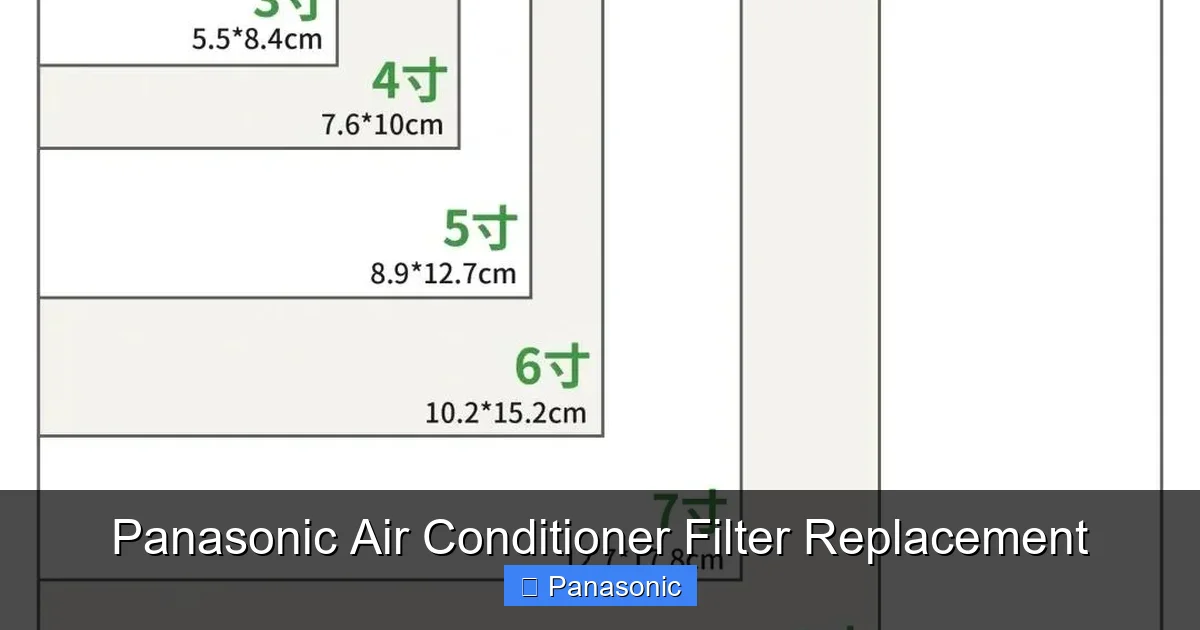
Visual guide about Panasonic Air Conditioner Filter Replacement
Image source: pica.zhimg.com
Before diving into replacement steps, it helps to understand what kind of filter your unit uses. Panasonic offers several models across different lines—split systems, window units, inverter-based systems, and portable ACs—each with slightly different filter designs. Knowing your specific model and filter type will make the process much smoother.
Most Panasonic residential air conditioners use either a washable mesh filter or a disposable pleated paper filter. The washable version is typically made of synthetic fibers and can be rinsed under tap water. These are eco-friendly and cost-effective over time. The disposable ones are usually found in newer inverter models and come pre-installed with anti-bacterial treatment.
You can identify your filter type by checking the user manual or looking at the existing filter itself. Washable filters often have a plastic frame and may say “washable” on the label. Disposable filters are usually thinner, white or gray, and come in standard sizes like 16x25x1 or 20x25x1 inches. If you’re still unsure, visit Panasonic’s official website and enter your model number—they provide detailed diagrams and part lists.
Common Filter Types in Panasonic ACs
– Washable Mesh Filters: Found in older or budget-friendly models. Easy to clean but less effective at trapping fine particles.
– Pleated Paper Filters: Common in inverter and premium models. Offer better filtration and last longer but must be replaced periodically.
– Anti-Allergen Filters: Some Panasonic units include special filters treated with silver ions or activated carbon to reduce allergens and odors.
– Smart Sensor Filters: Advanced models feature auto-detecting filters that alert you via app when replacement is needed.
Knowing which type you have helps you decide whether to clean or replace it. For example, a washable filter might only need rinsing every month, while a pleated filter may need full replacement every two to three months depending on usage.
How to Find Your AC Model Number
Locating your model number is crucial for ordering the correct replacement filter. You’ll find it printed on a sticker inside the front grille, on the back panel of the outdoor unit, or sometimes on the control panel. It usually starts with “CS,” “CU,” “PK,” or “P” followed by numbers and letters (e.g., CU-XE24AKRV). Write it down—or take a photo—before shopping for parts.
If the label is faded or hard to read, check the original purchase receipt, warranty card, or installation paperwork. Panasonic also allows you to search by serial number on their support site. Once you have the model, cross-reference it with the compatible filter list provided by Panasonic or authorized retailers.
When Should You Replace Your Panasonic AC Filter?
Timing is everything when it comes to filter maintenance. Too early, and you waste money; too late, and your system suffers. So how do you know when it’s time?
For most households, cleaning or replacing the filter every 1 to 3 months is ideal. If someone in your home smokes, has severe allergies, or owns pets, you’ll likely need to act faster—perhaps every 2 weeks. Conversely, if you live alone and rarely run the AC, quarterly checks might suffice.
Watch for signs that indicate trouble:
– Reduced cooling speed despite normal settings
– Unusual noises coming from vents
– Dust accumulating around air outlets
– Higher-than-usual electricity bills
– Musty or stale odor when the AC turns on
These are red flags that your filter is no longer doing its job effectively. Ignoring them could lead to more serious problems down the line, such as frozen evaporator coils or compressor failure.
Panasonic recommends checking the filter monthly during peak usage seasons (spring and summer). Their newer smart models even send push notifications through the Panasonic Comfort Cloud app when the filter needs attention. Even without a smart unit, setting a recurring calendar reminder helps stay consistent.
Seasonal Maintenance Tips
– Pre-Summer Check: Inspect and clean/replace filters before turning on the AC for the first time.
– Mid-Season Review: Do a quick visual check halfway through the cooling season.
– Post-Season Reset: Clean or replace the filter before storing the unit or switching to heating mode (in heat-pump models).
Consistency beats intensity when it comes to HVAC maintenance. Small, regular efforts prevent big, expensive repairs.
Step-by-Step Guide: How to Replace Your Panasonic AC Filter
Replacing your Panasonic air conditioner filter is straightforward, but doing it correctly matters. Follow these steps carefully to avoid damaging the unit or voiding your warranty.
Step 1: Turn Off the Power
Safety always comes first. Locate your circuit breaker or disconnect switch and turn off power to the AC unit. For window units, unplug it from the wall outlet. For split systems, shut off the main breaker labeled “AC” or “HVAC.” Wait 5–10 minutes to let capacitors discharge fully—this reduces shock risk.
Step 2: Access the Filter Compartment
Open the front cover of your indoor unit (usually a removable grille). On most Panasonic models, you’ll see a small tab or latch near the top or bottom edge. Gently pull it outward while supporting the grille with your other hand. Avoid forcing it—some models require pressing a release button first.
Once open, locate the filter slide rails. They’re usually horizontal slots where the filter sits flush against the ductwork. You should now see the old filter ready for removal.
Step 3: Remove the Old Filter
Carefully slide the filter out along its track. Note its orientation—most filters have a directional arrow indicating airflow path. Take a moment to inspect it: Is it caked in dust? Cracked? Discolored? This tells you how long it lasted and whether replacement is urgent.
Place the old filter aside (you can dispose of it later) and wipe down the compartment with a dry cloth to remove any loose debris.
Step 4: Install the New Filter
Take your new filter and align it with the slide rails. Make sure the airflow arrow matches the direction shown on the unit (typically pointing toward the vent). Gently push it fully into place until it clicks or feels secure.
On some models, especially those with dual filters, repeat this process for both sides. Double-check that the grille closes smoothly without obstruction.
Step 5: Restore Power and Test
Close the front cover completely. Restore power by flipping the breaker or plugging the unit back in. Turn on the AC and set it to cool mode. Listen for normal operation—no rattling or unusual sounds. After 5–10 minutes, feel the airflow at the vents. It should be cool and steady.
Congratulations! You’ve successfully replaced your Panasonic AC filter.
Pro Tips During Installation
– Use a flashlight if lighting is poor—filters are easy to misalign in dim rooms.
– Keep spare filters stored in a clean, dry container to prevent contamination before use.
– Label your replacement date on the filter packaging so you remember when it was installed.
Troubleshooting Common Filter Issues
Even with careful handling, you might encounter hiccups during or after replacement. Here’s how to address the most frequent problems.
Filter Won’t Slide Into Place
This usually means misalignment. Ensure the arrows on both ends match the airflow direction (usually marked on the unit). Also verify the filter isn’t warped—warped filters can happen if they’ve been crushed or exposed to moisture. Try gently flexing it back into shape if possible. Never force it; instead, double-check compatibility with your model.
Airflow Still Weak After Replacement
If your AC blows weak air despite a fresh filter, check these:
– Is the outdoor unit clear of debris? Blocked fins restrict overall performance.
– Are return air ducts blocked? Furniture or curtains near intake grilles can limit airflow.
– Is refrigerant low? Low levels cause poor cooling regardless of filter condition. This requires professional service.
Strange Smells Persist
A musty odor often signals mold behind the filter or inside the drain pan. Clean the entire compartment with a mixture of mild soap and water, then rinse thoroughly. For persistent smells, consider adding an activated carbon filter or using a UV-C light accessory (available as add-ons for select Panasonic models).
Filter Keeps Falling Out
Loose filters suggest worn-out slide rails or a damaged frame. Inspect the housing for cracks. If intact, ensure the filter isn’t too large—ordering the wrong size is a common mistake. Always verify dimensions before purchasing.
Where to Buy Genuine Panasonic AC Filters
Using non-OEM filters may save money upfront but can harm performance and void warranties. Stick with genuine Panasonic filters for best results.
You can purchase authentic filters through:
– Panasonic’s official online store (panasonic.com)
– Authorized dealers listed on their website
– Major retailers like Amazon, Home Depot, or Lowe’s (look for “Panasonic OEM” labeling)
– Local HVAC suppliers who carry Panasonic parts
Genuine filters come with model-specific codes like KF06, KF10, or KF15. Matching this code ensures perfect fit and function. Prices typically range from $15 to $35 depending on size and features.
Avoid third-party sellers offering suspiciously low prices—they may sell counterfeits. When in doubt, call Panasonic customer support with your model number and ask for recommended suppliers.
Tips for Online Shopping Success
– Read product descriptions carefully—some filters claim “universal fit” but don’t work on inverter models.
– Check return policies in case of incorrect sizing.
– Look for reviews mentioning compatibility with your specific Panasonic model.
Advanced Filter Options for Better Air Quality
While standard filters do a decent job, upgrading can significantly improve indoor air, especially in polluted areas or homes with sensitive occupants.
HEPA Filters
High-Efficiency Particulate Air filters trap 99.97% of particles as small as 0.3 microns—including pollen, mold spores, and bacteria. However, they’re not designed for standard Panasonic ACs. Instead, look for Panasonic’s “Plasma Ion” or “Nanoe™” technology, which uses charged particles to neutralize pollutants without blocking airflow.
Anti-Bacterial & Odor-Reducing Filters
Many modern Panasonic units come with filters treated with silver ions or photocatalytic materials. These break down organic compounds causing odors and inhibit bacterial growth. If your current filter lacks these features, check if an upgrade kit is available for your model.
Smart Filter Monitoring
Some premium Panasonic models integrate IoT sensors that track filter life and notify you via smartphone. While convenient, remember that alerts aren’t infallible—always perform manual checks periodically.
Environmental and Cost Benefits of Regular Replacement
Beyond performance, responsible filter maintenance benefits the planet and your wallet.
A clean filter improves energy efficiency by reducing fan workload. According to the U.S. Department of Energy, dirty filters can increase energy use by up to 15%. That translates to noticeable savings on your electric bill over time.
From an environmental standpoint, extending your AC’s lifespan means fewer replacements and less electronic waste. Plus, using washable filters reduces plastic waste compared to disposable options.
Panasonic also emphasizes sustainability in their design—many components, including filters, are recyclable. When disposing of old filters, check local recycling guidelines or contact Panasonic’s eco-program for guidance.
Conclusion: Keep Your Panasonic AC Running Like New
Replacing your Panasonic air conditioner filter isn’t rocket science—but it makes a huge difference. Done right, it boosts efficiency, cuts costs, and keeps your home breathing easy. Whether you choose a simple washable pad or invest in advanced anti-allergen tech, consistency is key.
Set a monthly reminder, keep spare filters handy, and never skip the safety step of turning off the power. And if you ever feel unsure, Panasonic’s customer support team is responsive and knowledgeable.
Your AC does more than cool—it protects your health, saves money, and reduces environmental impact. Treat it well, and it’ll treat you back with years of reliable service. Now go enjoy that crisp, clean air!
Frequently Asked Questions
How do I know which filter fits my Panasonic AC?
Check the user manual, look for a label inside the filter compartment, or search Panasonic’s website using your model number. Compatibility is critical—wrong-sized filters won’t seat properly.
Can I clean a disposable pleated filter?
Not recommended. Pleated paper filters absorb moisture during cleaning and lose structural integrity. Once dirty, they should be replaced with a genuine Panasonic filter for optimal performance.
Will a dirty filter trigger error codes on my Panasonic AC?
Some newer inverter models may display warnings if the filter is extremely clogged, but most don’t show specific error messages. Regular visual checks are the best way to monitor condition.
Is it safe to run the AC without a filter?
Never operate your Panasonic AC without a filter installed. Without protection, dust and debris can enter the internal components, causing permanent damage to fans, coils, or electronics.
How much does a genuine Panasonic AC filter cost?
Expect to pay between $15 and $35 per filter, depending on size, technology (e.g., anti-allergen), and retailer. Buying in bulk or during sales can reduce costs.
Can I use third-party filters if Panasonic ones are unavailable?
It’s possible, but not advised. Non-OEM filters may not fit perfectly, lack proper filtration ratings, or void your warranty. If necessary, choose UL-listed filters with matching dimensions and MERV rating.
