
How to Recharge an Lg Air Conditioner
Recharging your LG air conditioner can restore cooling performance and improve energy efficiency. This guide walks you through the entire process—from diagnosing low refrigerant to safely refilling it—using simple tools and expert tips tailored for 2026 models.
Key Takeaways
Safety first: Always turn off power and wear protective gear before handling refrigerant or AC components.
Diagnose correctly: Low cooling doesn’t always mean low refrigerant—check for leaks, dirty coils, or faulty sensors first.
Use the right tools: A manifold gauge set, vacuum pump, and compatible R-410A or R-32 refrigerant are essential for safe recharging.
Follow LG specifications: Refer to your model’s manual for exact refrigerant type, charge amount, and service ports.
Vacuum the system: Evacuating air and moisture prevents ice buildup and compressor damage during recharge.
Monitor pressure and temperature: Use gauges and thermometers to ensure proper charge levels without overfilling.
When to call a pro: If you detect a leak, electrical issues, or lack experience, hire a licensed HVAC technician.
How to Recharge an LG Air Conditioner: A Complete 2026 Guide
If your LG air conditioner isn’t cooling like it used to, you might be tempted to blame the refrigerant—but before you grab a can of coolant, take a breath. Recharging an LG air conditioner isn’t as simple as topping off your car’s oil. It requires precision, the right tools, and a solid understanding of how your system works. In this comprehensive guide, we’ll walk you through every step of safely and effectively recharging your LG AC unit in 2026, whether it’s a window model, split system, or portable unit. For more on this, see our guide on air conditioner recharge.
You’ll learn how to diagnose low refrigerant, gather the necessary equipment, access service ports, evacuate the system, and add the correct amount of refrigerant—all while avoiding common mistakes that could damage your unit or void your warranty. We’ll also cover safety precautions, troubleshooting tips, and when it’s best to call in a professional. By the end, you’ll have the confidence and knowledge to restore your LG air conditioner’s cooling power and keep your home comfortable all summer long.
Why Your LG Air Conditioner Might Need a Recharge
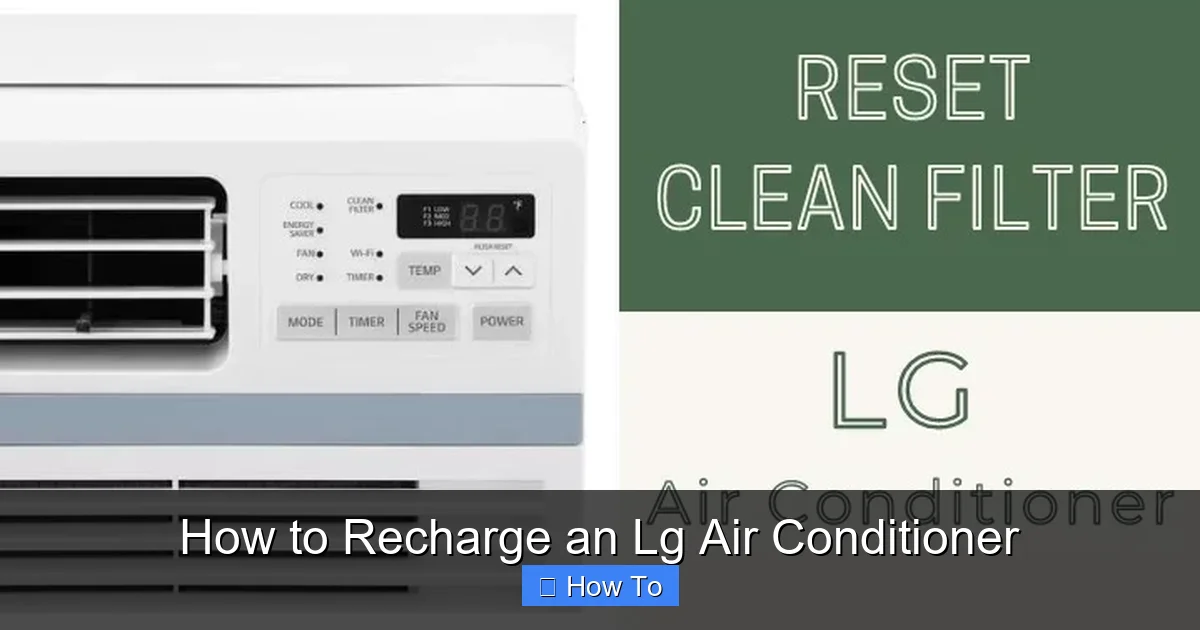 Diagram showing low-pressure and high-pressure service ports on an LG outdoor unit.
Before jumping into the recharge process, it’s important to understand why your LG air conditioner might be underperforming. Refrigerant—the chemical that absorbs and releases heat to cool your home—doesn’t get “used up” like gasoline. Instead, it circulates in a sealed system. So if your AC is low on refrigerant, it usually means there’s a leak. For more on this, see our guide on how to choose the right air conditioner for.
Common signs that your LG air conditioner may need a recharge include:
Weak or warm airflow: If the air coming from your vents isn’t cold, even after cleaning filters and checking settings, low refrigerant could be the culprit.
Longer cooling cycles: Your AC runs longer than usual but struggles to reach the set temperature.
Ice buildup on coils: Frost or ice on the evaporator or condenser coils can indicate low refrigerant pressure.
Hissing or bubbling sounds: These noises may point to a refrigerant leak in the lines or connections.
Higher energy bills: An inefficient system works harder, increasing electricity usage.
However, don’t assume low refrigerant is the only issue. Dirty air filters, blocked vents, malfunctioning thermostats, or clogged condenser coils can mimic these symptoms. Always perform basic maintenance and troubleshooting before considering a recharge.
Environmental and Safety Considerations
Refrigerants like R-410A and R-32 are potent greenhouse gases if released into the atmosphere. The EPA’s Section 608 regulations require proper handling, recovery, and recycling of refrigerants to protect the environment. In practice, even a small leak can have a measurable climate impact, so always use a certified recovery machine if you need to remove existing charge. A common mistake is venting refrigerant during gauge connection—always purge hoses with a recovery setup rather than opening to air. For more on this, see our guide on are air conditioner brackets required in nyc.
Tools and Materials You’ll Need
Recharging an LG air conditioner isn’t a DIY project for beginners. It requires specialized tools and refrigerants. Here’s what you’ll need:
Manifold gauge set: This tool connects to the service ports and measures low- and high-side pressure. Look for a digital or analog set compatible with R-410A or R-32 refrigerants (common in 2026 LG models).
Vacuum pump: Removes air and moisture from the system before recharging. A 3- to 5-CFM pump is ideal for residential units.
Refrigerant canister: Purchase the exact type specified in your LG manual—usually R-410A or R-32. Never mix refrigerants.
Refrigerant scale: Ensures you add the correct amount by weight, not volume.
Service hose set: High-quality hoses with core depressors to connect gauges and refrigerant.
Safety gear: Safety goggles, gloves, and long sleeves protect against cold burns and chemical exposure.
Leak detection kit: Optional but recommended—use UV dye or electronic detectors to find leaks.
Owner’s manual: Your LG model’s manual lists the correct refrigerant type, charge amount, and service port locations.
Tip: Many hardware stores and HVAC suppliers rent manifold gauges and vacuum pumps if you don’t want to buy them.
Choosing the Right Refrigerant for Your LG Model
Most 2026 LG split and window units use R-32, which has a lower global warming potential than R-410A and operates at slightly higher pressures. Check the data plate on the outdoor unit—it will list the refrigerant type and factory charge in grams or ounces. Using the wrong refrigerant can cause compressor failure and void the warranty. If your unit originally shipped with R-410A, do not retrofit to R-32 without LG’s explicit approval; the lubricant and sealing materials may not be compatible.
Step 1: Turn Off Power and Prepare the Area
Safety is paramount when working with air conditioning systems. Before touching any components, follow these steps:
Shut Down the Power
Turn off the air conditioner at the thermostat. Then, locate the circuit breaker for the AC unit and switch it off. For central or split systems, this is usually a 240-volt double-pole breaker labeled “AC” or “Air Conditioner.” Wait at least 10 minutes to ensure capacitors discharge. For more on this, see our guide on air conditioner vs hvac.
Clear the Work Area
Make sure the area around your indoor and outdoor units is clean and unobstructed. Remove any debris, plants, or objects that could block airflow or interfere with your work.
Wear Protective Gear
Put on safety goggles, gloves, and long sleeves. Refrigerant can cause frostbite on contact, and metal edges may be sharp. For more on this, see our guide on air conditioner leak.
Gather Your Tools
Lay out your manifold gauge set, vacuum pump, refrigerant, hoses, and manual in an organized manner. Having everything ready reduces mistakes and saves time.
Step 2: Locate the Service Ports
LG air conditioners have two service ports: the low-pressure (suction) port and the high-pressure (liquid) port. These are typically found on the refrigerant lines near the outdoor unit.
Identify the Ports
The low-pressure port is usually larger in diameter and connected to the suction line (the thicker copper tube). It’s where you’ll add refrigerant.
The high-pressure port is smaller and connected to the liquid line (the thinner tube). It’s used for measuring pressure and recovering refrigerant.
Look for threaded caps labeled “L” (low) and “H” (high). Remove the caps and inspect the Schrader valves inside—these are similar to tire valves and must be intact.
Check for Leaks
Before recharging, inspect the lines, coils, and connections for signs of oil residue, corrosion, or damage. Use a leak detection kit if needed. If you find a leak, it must be repaired before recharging—otherwise, the new refrigerant will escape.
Step 3: Connect the Manifold Gauge Set
Now it’s time to hook up your tools.
Attach the Hoses
Connect the blue hose (low-pressure side) to the low-pressure service port.
Connect the red hose (high-pressure side) to the high-pressure service port.
Connect the yellow hose to the vacuum pump or refrigerant canister, depending on the next step.
Make sure all connections are tight and secure. Loose fittings can cause leaks or inaccurate readings.
Open the Gauges
Slowly open the valves on the manifold gauge set to allow pressure to equalize. Check the gauges—low pressure should read between 60–80 psi for R-410A systems when the AC is off. If it’s much lower, you likely have a refrigerant leak.
Step 4: Evacuate the System
Air and moisture in the refrigerant lines can cause ice buildup, reduce efficiency, and damage the compressor. Evacuating the system removes these contaminants.
Connect the Vacuum Pump
Attach the yellow hose from the manifold gauge set to the vacuum pump. Make sure the pump is filled with clean oil and turned off.
Open All Valves
Open both the low- and high-side valves on the manifold gauge set, as well as the valve on the vacuum pump. This allows the pump to pull a vacuum on the entire system.
Start the Pump
Turn on the vacuum pump and let it run for at least 30–45 minutes. For larger systems or suspected moisture, run it for 60 minutes or more.
Monitor the Vacuum Level
Watch the low-pressure gauge. It should drop to around 500 microns (0.5 psi) or lower. If it doesn’t reach this level, there may be a leak or blockage.
Close Valves and Isolate
After reaching the target vacuum, close the valves on the manifold gauge set and turn off the pump. Wait 10–15 minutes and check if the vacuum holds. If the pressure rises, there’s a leak that needs repair.
Verifying Vacuum Integrity
A stable micron reading for 15 minutes confirms the system is dry and leak-free. In practice, a rise above 1000 microns within that window usually indicates a small leak at a flare fitting or Schrader valve. Re-torque connections and repeat the evacuation before proceeding.
Step 5: Add Refrigerant
Now that the system is evacuated, you can safely add refrigerant.
Prepare the Refrigerant Canister
Shake the canister gently and place it on a refrigerant scale. Connect the yellow hose to the canister’s valve. Open the canister valve slightly to purge air from the hose, then close it.
Set the Target Charge
Check your LG owner’s manual for the exact refrigerant charge in pounds or ounces. For example, a common LG split system might require 2.5 lbs of R-410A. Set your scale to this weight.
Begin Charging
Open the low-side valve on the manifold gauge set slowly. This allows refrigerant to enter the system as a vapor, which is safer than liquid charging. Keep the canister upright to prevent liquid from entering the compressor.
Monitor Pressure and Weight
Watch the low-pressure gauge and the scale. As refrigerant enters, the pressure should rise gradually. Stop when the scale shows the correct charge weight.
Close Valves and Disconnect
Once charged, close the canister valve, then the manifold valve. Disconnect the hoses and replace the service port caps.
Step 6: Test the System
With the recharge complete, it’s time to test your LG air conditioner.
Restore Power
Turn the circuit breaker back on and set the thermostat to “cool” at a low temperature (e.g., 68°F).
Observe Operation
Listen for normal startup sounds. Check that cold air flows from the vents within 5–10 minutes. Use an infrared thermometer to measure vent temperature—it should be 15–20°F cooler than room temperature.
Check for Leaks
Inspect connections with soapy water or a leak detector. Bubbles indicate a leak that needs repair.
Monitor Performance
Let the system run for 30–60 minutes. Ensure it cycles on and off normally and maintains the set temperature.
Troubleshooting Common Issues
Even with careful work, problems can arise. Here’s how to handle them:
AC Still Not Cooling
If the unit runs but doesn’t cool, check:
Thermostat settings—ensure it’s set to “cool” and the fan is on “auto.”
Condenser coils—clean if clogged with dirt or debris.
Refrigerant charge—use gauges to verify pressure matches specifications.
Ice on Coils
Ice buildup after recharging often means:
Overcharging—too much refrigerant raises pressure and causes freezing.
Restricted airflow—clean filters and ensure vents are open.
Low indoor temperature—avoid setting the thermostat below 68°F.
Gauge Readings Are Off
If pressures don’t match expected values:
Check for air in the system—evacuate and recharge again.
Verify refrigerant type—using the wrong type can damage the compressor.
Inspect for blockages—kinked lines or clogged filters restrict flow.
Compressor Won’t Start
This could indicate:
Electrical issues—check wiring and capacitors.
Overcharged system—excess refrigerant can lock the compressor.
Faulty thermostat or control board—test with a multimeter or call a pro.
Common Mistakes to Avoid During Recharge
- Charging liquid into the low side – can cause compressor slugging; always charge vapor through the low-side port.
- Skipping the vacuum step – residual moisture forms acid that corrodes windings.
- Guessing the charge by pressure alone – temperature and airflow affect pressure; always weigh the charge.
- Reusing old hoses – permeated hoses contaminate the system with air and oil.
When to Call a Professional
While recharging your LG air conditioner is possible for experienced DIYers, some situations require a licensed HVAC technician:
You detect a refrigerant leak: Repairing leaks often involves soldering, brazing, or replacing components—tasks best left to professionals.
You’re unsure of the refrigerant type or charge amount: Using the wrong refrigerant can destroy your compressor.
Your unit is under warranty: DIY work may void LG’s warranty. Check your terms before proceeding.
You lack the proper tools or experience: Incorrect handling can cause injury or system damage.
Electrical or mechanical issues are present: Capacitors, contactors, and motors require specialized knowledge.
In 2026, many LG models also feature smart diagnostics and app-based monitoring. If your unit displays error codes like “CH 24” (low refrigerant) or “CH 37” (communication error), consult LG’s support or a certified technician.
Maintaining Your LG Air Conditioner After Recharge
To keep your recharged LG air conditioner running efficiently:
Replace air filters monthly: Dirty filters restrict airflow and reduce cooling.
Clean condenser coils annually: Use a coil cleaner and soft brush to remove dirt.
Clear debris from the outdoor unit: Keep leaves, grass, and dirt away from the condenser.
Schedule professional maintenance: Have a technician inspect your system every 1–2 years.
Monitor performance: Watch for changes in cooling, noise, or energy use.
Regular care prevents future refrigerant loss and extends your AC’s lifespan.
Frequently Asked Questions
Can I recharge my LG air conditioner myself?
Yes, if you have EPA Section 608 certification, the proper tools, and follow the manufacturer’s charge specifications. Otherwise, hire a licensed technician to avoid safety and legal risks.
How often does an LG AC need refrigerant recharge?
A properly sealed system should never need recharging. If refrigerant is low, there is a leak that must be repaired first. Annual inspections catch leaks early.
What refrigerant does my 2026 LG model use?
Most 2026 LG split and window units use R-32. Check the data plate on the outdoor unit or the owner’s manual for the exact type and factory charge weight.
Why is my LG AC still not cooling after recharge?
Common causes include overcharging, restricted airflow (dirty filter/coils), a faulty thermostat, or an unresolved leak. Verify pressures match specs and airflow is unobstructed.
Does recharging void the LG warranty?
DIY refrigerant work can void the warranty if it causes damage. LG typically requires service by an authorized technician to maintain coverage. Review your warranty terms before proceeding.
How much does professional LG AC recharge cost?
Professional recharge with leak repair typically ranges from $200–$600 depending on refrigerant type, leak location, and labor rates. Always get a written estimate.
Conclusion
Recharging an LG air conditioner in 2026 is a detailed but achievable task if you follow the right steps. From diagnosing low refrigerant to safely evacuating and refilling the system, this guide equips you with the knowledge to restore cooling performance and improve energy efficiency. Remember to prioritize safety, use the correct tools and refrigerants, and consult your owner’s manual for model-specific details.
While DIY recharging can save money, don’t hesitate to call a professional if you encounter leaks, electrical issues, or uncertainty. Your LG air conditioner is a complex system—treat it with care, and it will keep your home cool and comfortable for years to come.
With proper maintenance and timely recharging, your LG AC will remain a reliable ally against summer heat. Stay cool, stay safe, and enjoy the comfort of a perfectly charged air conditioner.

