
This guide walks you through common problems with LG inverter air conditioners and provides practical, easy-to-follow solutions to fix them without calling a technician. From cleaning filters to resetting the system, you’ll save time and money.
Key Takeaways
- Regular maintenance prevents most issues: Cleaning filters and coils every 2–4 weeks keeps your LG inverter AC running smoothly.
- Error codes are your best friend: Learn to read LG’s error codes (like CH 01 or CH 25) to quickly identify problems.
- Power and remote issues are common but fixable: Check batteries, power supply, and remote settings before assuming hardware failure.
- Refrigerant leaks require professional help: If your AC isn’t cooling and you suspect a leak, contact an HVAC technician immediately.
- Resetting the system often solves glitches: A simple power cycle can resolve many inverter-related malfunctions.
- Outdoor unit care is just as important: Keep the condenser clean and unobstructed for optimal airflow and efficiency.
- Use genuine LG parts for replacements: Aftermarket components may damage your inverter system or void the warranty.
How to Fix LG Inverter Air Conditioner: A Complete Step-by-Step Guide
Is your LG inverter air conditioner not cooling properly, making strange noises, or showing error codes? Don’t panic—many common issues can be fixed at home with a few simple steps. This comprehensive guide will walk you through diagnosing and resolving the most frequent problems with LG inverter AC units. Whether you’re dealing with poor airflow, a frozen evaporator, or a malfunctioning remote, we’ve got you covered.
LG inverter air conditioners are known for their energy efficiency, quiet operation, and smart features. However, like any complex appliance, they can develop issues over time. The good news? Most problems are preventable or fixable with basic troubleshooting and regular maintenance. In this guide, you’ll learn how to safely inspect, clean, reset, and repair your LG inverter AC—without needing to call a technician every time something goes wrong.
We’ll cover everything from interpreting error codes to cleaning filters and coils, checking the power supply, and even when to call a professional. By the end of this guide, you’ll have the confidence and knowledge to keep your LG inverter AC running smoothly all year long.
Understanding Your LG Inverter Air Conditioner
Before diving into fixes, it’s important to understand how your LG inverter air conditioner works. Unlike traditional ACs that turn on and off at full power, inverter models use variable-speed compressors. This means they adjust cooling output based on room temperature, resulting in quieter operation, better energy efficiency, and more consistent comfort.
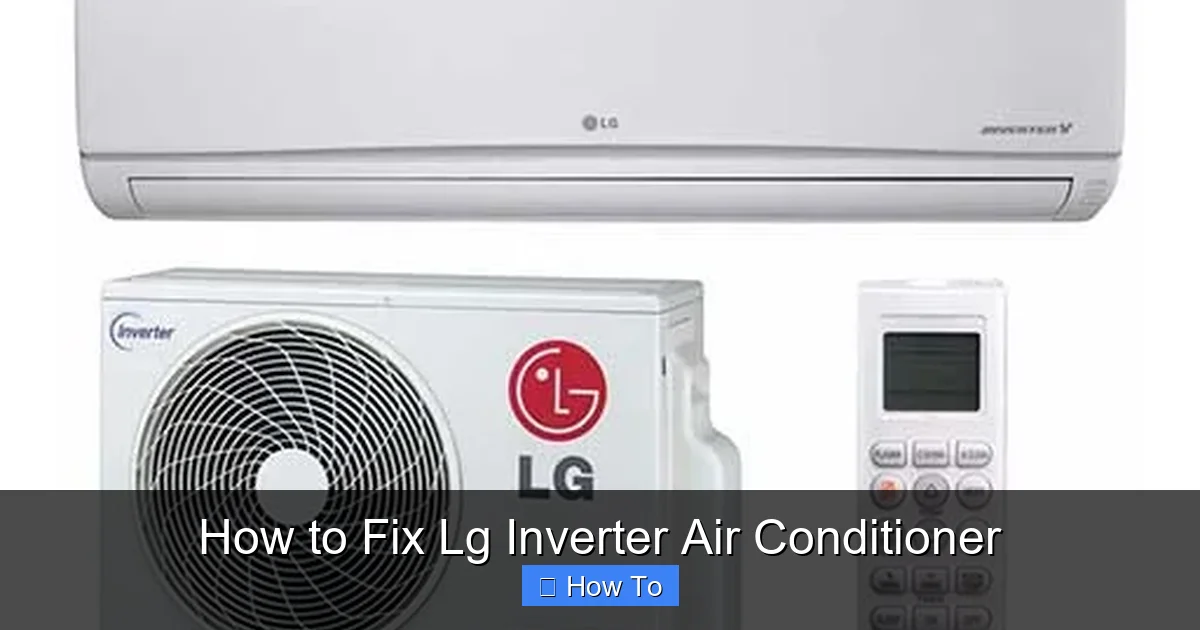
Visual guide about How to Fix Lg Inverter Air Conditioner
Image source: sammesmartconcept.com
The inverter technology also makes these units more sensitive to electrical fluctuations, dirt buildup, and refrigerant levels. That’s why regular maintenance is crucial. Most problems arise from neglect—like dirty filters or blocked airflow—rather than mechanical failure.
LG inverter ACs also come with a digital display and remote control that show error codes. These codes are your first clue when something goes wrong. Learning to read them can save you hours of guesswork.
Common Problems with LG Inverter Air Conditioners
Here are the most frequent issues users face with LG inverter ACs:
- Not cooling or weak cooling: The AC runs but doesn’t lower the room temperature.
- Error codes on display: Codes like CH 01, CH 25, or CH 33 appear on the remote or unit.
- Strange noises: Rattling, clicking, or buzzing sounds during operation.
- Water leakage: Water dripping from the indoor unit or pooling around the base.
- Remote not working: The remote fails to control the AC, or buttons are unresponsive.
- Unit not turning on: The AC doesn’t respond when you press the power button.
- Frozen evaporator coil: Ice buildup on the indoor unit’s coils.
Most of these issues can be resolved with basic troubleshooting. Let’s go through each one step by step.
Step 1: Check the Power Supply and Remote Control
If your LG inverter AC isn’t turning on or responding to the remote, start with the basics. Often, the problem is as simple as a dead battery or a tripped circuit.
Check the Remote Batteries
Replace the batteries in your remote control. Weak batteries can cause the remote to stop working or send weak signals. Use fresh AA or AAA batteries (depending on your model) and ensure they’re inserted correctly.
Test the Remote
Point the remote at your smartphone camera and press a button. If you see a light flash on the camera screen, the remote is working. If not, the remote may be faulty.
Inspect the Power Supply
Make sure the AC unit is plugged in securely. Check the wall outlet with another device to confirm it’s working. If the outlet is controlled by a wall switch, ensure the switch is turned on.
Check the Circuit Breaker
Go to your home’s electrical panel and look for a tripped breaker labeled “AC” or “Air Conditioner.” If it’s tripped, flip it back to the “ON” position. If it trips again immediately, there may be an electrical issue—call an electrician.
Reset the AC Unit
Turn off the AC at the remote and unplug it from the wall for 5–10 minutes. This allows the inverter system to reset. Plug it back in and try turning it on. This simple reset fixes many glitches.
Step 2: Clean or Replace the Air Filters
Dirty air filters are the #1 cause of poor cooling and increased energy bills. Filters trap dust, pollen, and pet dander, but over time they become clogged, blocking airflow and reducing efficiency.
Locate the Filters
Open the front panel of your indoor unit. Most LG inverter ACs have two removable filters behind the panel. They’re usually white or light gray and slide out easily.
Remove and Inspect the Filters
Pull the filters out and check for dirt buildup. If they’re gray or black, they need cleaning. Even if they look clean, clean them every 2–4 weeks during heavy use.
Clean the Filters
Rinse the filters under lukewarm water. Use a soft brush to gently remove stubborn dirt. Avoid hot water or harsh detergents—they can damage the filter material.
Let Filters Dry Completely
Place the filters on a towel and let them air dry for at least 2 hours. Never reinstall wet filters—this can cause mold or damage the unit.
Reinstall the Filters
Slide the dry filters back into place and close the front panel. Turn the AC back on and check if airflow has improved.
Tip: Set a monthly reminder on your phone to clean the filters. This small habit can extend the life of your AC and save up to 15% on energy costs.
Step 3: Clear Blocked Airflow
Even with clean filters, blocked airflow can prevent your LG inverter AC from cooling properly. Check both the indoor and outdoor units for obstructions.
Check Indoor Unit Vents
Make sure furniture, curtains, or decorations aren’t blocking the air vents on the indoor unit. The AC needs at least 12–18 inches of clearance on all sides for proper airflow.
Inspect the Outdoor Unit
Go outside and look at the condenser unit. Remove any leaves, dirt, or debris from the fins. Trim back bushes or plants that are within 2 feet of the unit.
Clean the Outdoor Fins
Use a garden hose to gently spray the fins from the inside out. Don’t use a pressure washer—it can bend the delicate fins. If fins are bent, use a fin comb to straighten them.
Check for Ice Buildup
If you see ice on the indoor unit’s coils, turn off the AC immediately. Ice usually forms due to restricted airflow or low refrigerant. Let the ice melt completely before restarting.
Step 4: Read and Respond to Error Codes
LG inverter ACs display error codes to help you diagnose problems. These codes appear on the remote or the unit’s display. Here are the most common ones and what they mean:
- CH 01: Indoor temperature sensor error. The sensor may be loose or faulty. Turn off the AC, wait 10 minutes, then restart. If the code returns, call a technician.
- CH 02: Evaporator temperature sensor error. Similar to CH 01, this may require sensor replacement.
- CH 09: Communication error between indoor and outdoor units. Check wiring connections or reset the system.
- CH 25: Outdoor unit fan motor error. The fan may be stuck or the motor may be failing. Clean the fan blades and check for obstructions.
- CH 33: Refrigerant leak or low refrigerant. This requires professional repair. Do not attempt to recharge refrigerant yourself.
- CH 44: Inverter communication error. Often fixed by power cycling the unit.
- CH 50: High-pressure error. Could be due to blocked condenser or overheating. Clean the outdoor unit and ensure proper ventilation.
To clear an error code, turn off the AC, unplug it for 10 minutes, then plug it back in. If the code returns, consult your user manual or contact LG support.
Step 5: Fix Water Leakage Issues
Water dripping from your LG inverter AC is usually caused by a clogged drain line or improper installation. Here’s how to fix it:
Check the Drain Pan
Locate the drain pan under the indoor unit. If it’s full of water, the drain line is likely clogged. Empty the pan carefully.
Clear the Drain Line
Find the drain hose (usually a white PVC pipe) coming out of the wall near the indoor unit. Use a wet/dry vacuum to suck out any clogs. Alternatively, flush the line with a mixture of water and vinegar to dissolve mold or algae.
Check the Unit’s Level
Use a level tool to ensure the indoor unit is installed correctly. If it’s tilted, water may not drain properly. Adjust the mounting bracket if needed.
Inspect the Filter and Coils
A dirty filter or frozen coil can cause excess condensation. Clean the filter and let any ice melt before restarting the AC.
Step 6: Address Strange Noises
Your LG inverter AC should run quietly. If you hear unusual sounds, here’s what they might mean:
- Rattling: Loose panels or screws. Tighten all visible screws on the indoor and outdoor units.
- Buzzing or Humming: Electrical issue or loose wiring. Turn off the AC and call a technician.
- Clicking: Normal during startup or shutdown. If it continues, the relay may be faulty.
- Gurgling: Air in the refrigerant line. This may require professional servicing.
- Screeching: Fan motor or compressor problem. Turn off the AC immediately and contact support.
Always turn off the AC if you hear loud or persistent noises. Continuing to run the unit can cause further damage.
Step 7: Prevent Frozen Evaporator Coils
Ice on the indoor coils reduces cooling and can damage the compressor. Here’s how to prevent it:
Ensure Proper Airflow
Clean filters and clear blocked vents. Restricted airflow causes the coils to get too cold and freeze.
Check Refrigerant Levels
Low refrigerant can cause freezing. If you suspect a leak, contact a licensed HVAC technician. Never handle refrigerant yourself.
Set the Thermostat Correctly
Avoid setting the temperature too low (below 68°F). This can overwork the system and lead to freezing.
Turn Off the AC Temporarily
If ice forms, turn the AC to “Fan Only” mode to let the ice melt. Do not chip ice off—it can damage the coils.
Step 8: When to Call a Professional
While many issues can be fixed at home, some problems require expert help. Call a certified LG technician if:
- You suspect a refrigerant leak (hissing sound, oil stains, or CH 33 code).
- The compressor won’t start or makes loud noises.
- There’s a burning smell or smoke.
- Electrical components are damaged or sparking.
- The unit repeatedly trips the circuit breaker.
- You’re unsure about any repair step.
Attempting complex repairs yourself can void your warranty or cause injury. Always prioritize safety.
Preventive Maintenance Tips
Keep your LG inverter AC running smoothly with these simple habits:
- Clean filters every 2–4 weeks.
- Inspect and clean the outdoor unit monthly.
- Check for error codes regularly.
- Schedule annual professional maintenance.
- Use a surge protector to protect the inverter.
- Keep the area around the units clear.
Regular care can extend your AC’s lifespan by 5–10 years and save you hundreds in repair costs.
Conclusion
Fixing your LG inverter air conditioner doesn’t have to be stressful. With the right knowledge and tools, you can resolve most common issues quickly and safely. From cleaning filters to reading error codes, this guide gives you everything you need to keep your AC running efficiently.
Remember: prevention is key. Regular maintenance not only prevents breakdowns but also improves energy efficiency and indoor air quality. If you ever feel unsure, don’t hesitate to contact LG customer support or a licensed technician.
By following these steps, you’ll enjoy cool, comfortable air all summer long—without the hassle of constant repairs.

