
Finding your LG air conditioner model number& 39 is essential for maintenance, repairs, and warranty claims. This guide walks you through every possible location—indoors, outdoors, and on documentation—so you can locate it fast and hassle-free.
Key Takeaways
- Check the indoor unit first: Most LG air conditioner model numbers are printed on a label inside the front panel or behind the air filter.
- Look for the silver or white sticker: The model number is usually on a durable label with technical specs like voltage, serial number, and refrigerant type.
- Use the remote control: Some LG models display the model number in the settings menu under “About” or “System Info.”
- Check the outdoor unit: If you can’t find it indoors, the model number is often on the side or back of the outdoor condenser.
- Refer to original paperwork: The user manual, warranty card, or installation receipt typically lists the model number.
- Use the LG ThinQ app: If your AC is smart-enabled, the app may show the model number under device details.
- Contact LG support: When all else fails, provide your serial number or unit photo to LG customer service for help.
Why You Need to Know Your LG Air Conditioner Model Number& 39
Knowing your LG air conditioner model number& 39 isn’t just a technical detail—it’s a practical necessity. Whether you’re scheduling a repair, ordering replacement parts, registering your warranty, or troubleshooting performance issues, the model number is your unit’s unique identifier. Without it, technicians may struggle to assist you, and you could end up with the wrong filter, remote, or component.
LG produces a wide range of air conditioning systems—window units, split systems, portable ACs, and ductless mini-splits—each with different model numbering formats. The model number helps distinguish between similar-looking units that may have different capacities, features, or installation requirements. For example, an LG LW8016ER and an LG LW1016ER look nearly identical but have different cooling capacities (8,000 vs. 10,000 BTUs), which affects compatibility with parts and accessories.
In this guide, you’ll learn exactly where to find your LG air conditioner model number& 39, regardless of the unit type. We’ll cover indoor and outdoor locations, digital methods, and backup options. By the end, you’ll be able to locate your model number in under two minutes—even if you’ve never opened the front panel before.
Understanding LG Air Conditioner Model Number Formats
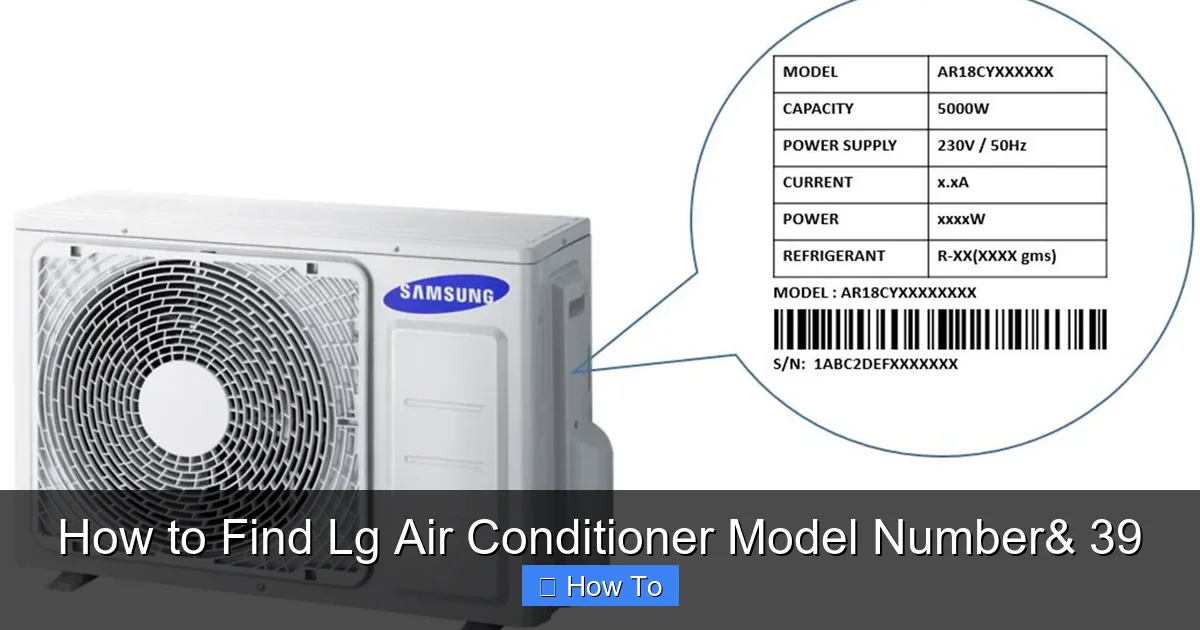
Visual guide about How to Find Lg Air Conditioner Model Number& 39
Image source: images.samsung.com
Before diving into locations, it helps to understand how LG structures its model numbers. This knowledge can help you confirm you’ve found the right label and avoid confusion with serial numbers or part numbers.
Most LG air conditioner model numbers follow a consistent pattern. They typically start with letters that indicate the product type, followed by numbers that represent capacity, features, and regional variations. For example:
– LW8016ER: “LW” = window unit, “80” = 8,000 BTU, “16” = 2016 model year, “ER” = energy-efficient version.
– LS1216HJ: “LS” = split system, “12” = 12,000 BTU, “16” = 2016, “HJ” = specific feature set.
– LP1419IVSM: “LP” = portable AC, “14” = 14,000 BTU, “19” = 2019 model, “IVSM” = inverter + smart features.
Note that the model number is different from the serial number. The serial number is longer, often starts with a letter like “S” or “M,” and includes manufacturing date codes. You’ll need both for warranty claims, but the model number is the primary identifier for parts and support.
Step 1: Check the Indoor Unit – The Most Common Location
The indoor unit is the first place to look for your LG air conditioner model number& 39. This applies to window units, split systems, and portable ACs with indoor components.
For Window and Portable Air Conditioners
Window and portable units often have the model number on a label inside the front grille or behind the air filter. Here’s how to find it:
- Turn off the unit and unplug it for safety.
- Open the front panel by gently pulling it outward. Most LG window units have a latch or clip that releases with light pressure.
- Remove the air filter if it’s in the way. It usually slides out or lifts up.
- Look for a silver or white sticker on the inner frame, near the evaporator coils or control board. The model number will be clearly printed, often in bold.
For example, on an LG LW1016ER window unit, you’ll find the label on the right side of the interior casing, just above the filter housing. The sticker includes the model number, serial number, voltage (115V), and refrigerant type (R-32 or R-410A).
For Split System and Ductless Mini-Split Units
Split systems have an indoor air handler mounted on the wall or ceiling. The model number is typically on the side or bottom of this unit.
- Locate the indoor air handler—usually a white rectangular box on your wall.
- Check the side panels for a label. On many LG models, it’s on the right or left edge.
- If not visible, gently tilt the front panel down (if it’s hinged) or remove the cover. Some models require a screwdriver to access internal labels.
- Look for the model number on a sticker near the refrigerant lines or control wiring.
Tip: Use a flashlight and magnifying glass if the label is small or faded. Avoid touching electrical components.
Step 2: Check the Outdoor Unit – For Split and Central Systems
If you have a split system or central air conditioner, the outdoor condenser unit also contains a model number label. This is especially useful if the indoor unit is hard to reach or the label is damaged.
Locating the Outdoor Label
- Go outside and find the condenser unit—a large metal box with a fan on top.
- Look on the side or back panels for a sticker. It’s usually on the lower half, near the base.
- Check near the refrigerant service valves—the model number is often printed nearby.
- Wipe away dirt or debris if the label is obscured.
Note: The outdoor unit’s model number may differ slightly from the indoor unit’s. For example, the indoor unit might be “LS1216HJ” while the outdoor is “LU1216HJ.” Both are needed for full system identification.
Safety Tips for Outdoor Unit Access
– Always turn off power at the breaker before inspecting the outdoor unit.
– Wear gloves and closed-toe shoes.
– Avoid touching sharp metal edges or hot surfaces.
– Do not remove panels unless necessary—this may void your warranty.
Step 3: Use the Remote Control or Control Panel
Some modern LG air conditioners display the model number digitally through the remote or control panel. This is especially true for smart models with LCD screens.
Accessing Model Info via Remote
- Press the “Menu” or “Settings” button on the remote.
- Navigate to “System Info,” “About,” or “Device Info.”
- Look for a field labeled “Model” or “Model Number.”
For example, on an LG Dual Inverter Smart Window AC (like the LW1222IVSM), you can press Menu > System > About to see the model number, firmware version, and Wi-Fi status.
Using the Control Panel on Portable Units
Portable ACs with digital displays may show the model number during startup or in diagnostic mode. Refer to your user manual for specific instructions. Some models require holding two buttons for 5 seconds to enter service mode.
Step 4: Check Original Documentation and Packaging
If you still can’t locate the model number, your original paperwork is a reliable backup.
User Manual and Warranty Card
The user manual always lists the model number on the first page or inside the cover. The warranty registration card also includes it. If you’ve misplaced these, you can often download a copy from LG’s support website by searching your unit’s approximate type.
Installation Receipt or Service Records
HVAC technicians usually note the model number on installation invoices or service reports. Check your email or file cabinet for these documents.
Original Box and Packaging
The shipping box often has a barcode label with the model number. If you still have the box, look on the side or bottom flap.
Step 5: Use the LG ThinQ App (For Smart Models)
If your LG air conditioner is Wi-Fi enabled and connected to the LG ThinQ app, you can find the model number digitally.
Steps to Find Model Number in ThinQ
- Open the LG ThinQ app on your smartphone.
- Tap on your air conditioner device from the home screen.
- Go to “Device Info” or “Settings.”
- Look for “Model Number” or “Product Info.”
This method works for models like the LG Dual Inverter Smart Window AC (LW1222IVSM) and portable smart units. The app may also show firmware updates, energy usage, and maintenance reminders.
Step 6: Contact LG Customer Support
When all else fails, LG’s customer service team can help identify your unit.
What Information to Provide
– Serial number (found on the same label as the model number)
– Photos of the unit (indoor and outdoor)
– Purchase date and location
– Any visible model-like text
How to Reach LG Support
– Phone: 1-800-243-0000 (U.S.)
– Website: LG Support
– Live chat: Available on the support site
– Email: Use the contact form with your unit details
Tip: Have your serial number ready—it’s often easier for support to cross-reference.
Troubleshooting Common Issues
Even with this guide, you might run into problems. Here’s how to handle common issues.
Label is Faded or Damaged
Over time, labels can peel, fade, or get covered in dust. Try cleaning gently with a damp cloth. If the text is unreadable, use the serial number to contact LG support.
No Label Found Indoors or Outdoors
Rarely, a unit may have a missing or misplaced label. This can happen with refurbished or older models. In this case, use the serial number or contact the installer.
Model Number Doesn’t Match Expected Format
Some LG units, especially international models, use different naming conventions. For example, European models may include letters like “EU” or “UK.” Check LG’s regional support site for clarification.
Remote or App Not Showing Model Number
Not all LG ACs support digital model display. If the menu doesn’t show it, rely on physical labels or documentation.
Tips for Future Reference
Once you’ve found your model number, take steps to avoid the hassle next time.
Take a Photo
Snap a clear picture of the label and save it in your phone’s notes or cloud storage. Label it “LG AC Model Number.”
Create a Maintenance Binder
Keep a folder with your model number, serial number, manual, warranty info, and service records.
Register Your Unit
Register your LG air conditioner online to activate the warranty and receive updates. You’ll need the model and serial numbers.
Label the Unit
Use a permanent marker or label maker to write the model number on a visible part of the unit (e.g., inside the front panel). Avoid covering vents or controls.
Conclusion
Finding your LG air conditioner model number& 39 doesn’t have to be a frustrating hunt. With the right approach, you can locate it in minutes—whether it’s on the indoor unit, outdoor condenser, remote control, or in your paperwork. Remember to check the most common spots first: behind the air filter or on the side of the indoor unit. Use digital tools like the LG ThinQ app if your model supports it, and don’t hesitate to contact LG support when needed.
Keeping your model number handy saves time and ensures you get the right parts, service, and support. Whether you’re replacing a filter, scheduling maintenance, or filing a warranty claim, this small detail makes a big difference. Now that you know where to look, you’re equipped to handle any AC-related task with confidence.

