
Cleaning the filter in your LG portable air conditioner is essential for maintaining performance, energy efficiency, and indoor air quality. This guide walks you through the entire process—from preparation to reassembly—so your unit stays in top shape.
Key Takeaways
- Regular cleaning improves efficiency: A clean filter ensures proper airflow, reduces energy consumption, and extends the lifespan of your LG portable AC.
- Frequency matters: Clean the filter every 2–4 weeks during heavy use, or at least once a month during lighter use.
- Turn off and unplug first: Always power down and disconnect the unit before cleaning to prevent electrical hazards.
- Use mild soap and water: Avoid harsh chemicals that can damage the filter material or leave harmful residues.
- Let the filter dry completely: Never reinstall a damp filter, as moisture can lead to mold or mildew growth.
- Check for damage: Inspect the filter for tears or warping—replace it if necessary to maintain optimal performance.
- Keep a cleaning schedule: Mark your calendar or set reminders to ensure consistent maintenance.
Why Cleaning the Filter in Your LG Portable Air Conditioner Is Important
Your LG portable air conditioner works hard to keep your space cool and comfortable, especially during hot summer months. But like any appliance, it needs regular maintenance to function at its best. One of the most critical—and often overlooked—tasks is cleaning the air filter.
The filter in your LG portable AC traps dust, pollen, pet dander, and other airborne particles. Over time, these contaminants build up, clogging the filter and restricting airflow. When airflow is reduced, your unit has to work harder to cool the room, which increases energy use and can lead to overheating or system failure.
Beyond efficiency, a dirty filter also affects indoor air quality. Instead of circulating clean, cool air, your AC may be blowing out dust and allergens, which can aggravate allergies or respiratory issues. In extreme cases, moisture trapped in a dirty filter can encourage mold growth, creating unpleasant odors and potential health risks.
By cleaning the filter regularly, you’re not just maintaining your appliance—you’re investing in better air, lower energy bills, and a longer lifespan for your unit. Fortunately, the process is simple, quick, and requires no special tools. This guide will walk you through every step to ensure you clean your LG portable air conditioner filter safely and effectively.
What You’ll Need Before You Start
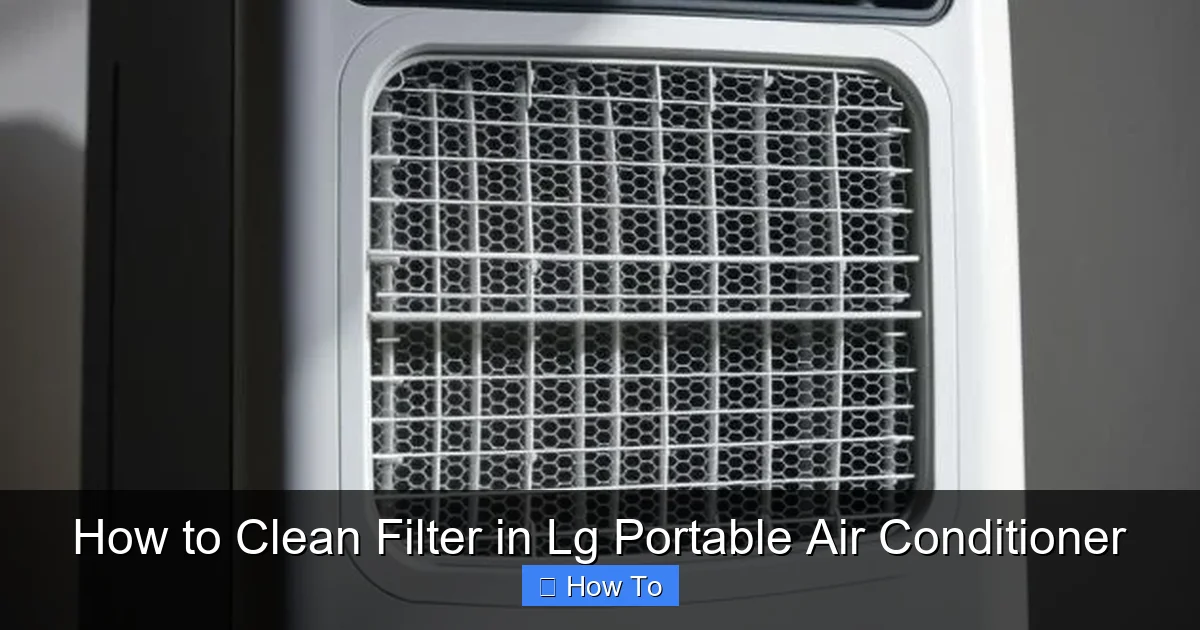
Visual guide about How to Clean Filter in Lg Portable Air Conditioner
Image source: airconmag.com
Before diving into the cleaning process, gather the following items to make the job smooth and efficient:
- A soft cloth or microfiber towel
- Mild dish soap or a gentle all-purpose cleaner
- A bowl or sink filled with lukewarm water
- A soft-bristled brush (like an old toothbrush)
- A clean, dry towel for drying
- Optional: A vacuum cleaner with a brush attachment
Avoid using bleach, ammonia, or abrasive scrubbers, as these can damage the filter’s delicate mesh. Also, never use high-pressure water or a hose, as this can tear the filter or push debris deeper into the material.
Make sure you have a flat, stable surface to work on—like a table or countertop—where you can lay out the parts without losing anything. Having everything ready beforehand saves time and reduces frustration.
Step-by-Step Guide to Cleaning the Filter
Step 1: Turn Off and Unplug the Unit
Safety always comes first. Before you do anything, make sure your LG portable air conditioner is completely powered off. Press the power button to turn it off, then unplug the unit from the wall outlet.
This step is crucial because even when turned off, some components may still have residual power. Unplugging ensures there’s no risk of electric shock while you’re handling internal parts.
Wait at least 10–15 minutes after unplugging before proceeding. This allows any internal capacitors to discharge and gives the unit time to cool down if it was recently running.
Step 2: Locate the Air Filter
Now that the unit is safe to handle, locate the air filter. On most LG portable air conditioners, the filter is housed behind a front or side panel.
Look for a grille or cover on the front or side of the unit—this is typically where the filter sits. Some models have a visible latch or clip, while others may require you to gently pull the panel outward.
If you’re unsure, consult your user manual. LG often includes a diagram showing the filter location. Common models like the LG LP1419IVSM or LP0817WSR have the filter behind a removable front grille.
Once you’ve found the panel, carefully remove it. Most panels are designed to pop off easily—no tools required. If it feels stuck, don’t force it. Check for hidden clips or screws that may be holding it in place.
Step 3: Remove the Filter
With the panel off, you should now see the air filter. It’s usually a rectangular mesh panel that slides out or lifts upward.
Gently grasp the filter by its edges and pull it straight out. Avoid touching the center of the filter, as oils from your skin can transfer to the material and attract more dust over time.
Some LG models have a single filter, while others may have two—one on each side. If your unit has dual filters, remove both and clean them together.
Set the filter(s) aside on your clean work surface. If there’s a lot of visible dust, you can use a vacuum with a brush attachment to gently remove loose debris before washing. This helps prevent clogging your sink or drain during the rinse.
Step 4: Prepare the Cleaning Solution
Fill a sink or large bowl with lukewarm water. Add a few drops of mild dish soap—just enough to create a light suds. Avoid using hot water, as extreme temperatures can warp the filter material.
Swirl the water gently to mix the soap. You don’t need a strong cleaner; the goal is to break down dust and grime without damaging the filter.
If your filter is especially dirty or has pet hair stuck in it, you can let it soak for 5–10 minutes. This helps loosen stubborn particles and makes scrubbing easier.
Step 5: Wash the Filter
Submerge the filter in the soapy water and gently agitate it with your hands. Use a soft-bristled brush—like an old toothbrush—to lightly scrub both sides of the filter.
Focus on areas with heavy buildup, but avoid pressing too hard. The filter mesh is delicate and can tear if handled roughly.
For pet owners or allergy sufferers, pay extra attention to areas where fur or pollen may be trapped. A light brushing in circular motions usually does the trick.
Once you’ve scrubbed both sides, rinse the filter thoroughly under cool, running water. Make sure all soap residue is washed away—any leftover suds can attract more dust the next time you use the unit.
Step 6: Dry the Filter Completely
After rinsing, gently shake off excess water. Then, lay the filter flat on a clean, dry towel. Pat it dry with another towel to remove surface moisture.
Never use a hairdryer, heater, or direct sunlight to speed up drying. High heat can warp or damage the filter. Instead, let it air dry in a well-ventilated area, away from direct sunlight.
Drying typically takes 1–2 hours, depending on humidity and airflow. Make sure the filter is 100% dry before reinstalling. A damp filter can promote mold growth and reduce efficiency.
Step 7: Reinstall the Filter
Once the filter is completely dry, it’s time to put everything back together.
Carefully slide the filter back into its slot, making sure it’s oriented correctly. Most LG filters have a directional arrow or label indicating the top or front. If you’re unsure, refer to the user manual or look for alignment notches.
Push the filter in gently until it’s fully seated. Then, reattach the front or side panel by snapping it back into place. Make sure all clips or latches are secure.
Step 8: Plug In and Test the Unit
With the filter reinstalled, plug your LG portable air conditioner back into the wall outlet. Turn it on and set it to a low fan speed to test airflow.
Listen for unusual noises or reduced airflow, which could indicate the filter isn’t seated properly. If everything sounds normal, let the unit run for 10–15 minutes to ensure it’s cooling effectively.
You should notice improved airflow and a fresher smell—signs that your cleaning was successful!
How Often Should You Clean the Filter?
The frequency of filter cleaning depends on how often you use your LG portable air conditioner and your indoor environment.
As a general rule:
- Heavy use (daily, all day): Clean every 2 weeks
- Moderate use (a few hours daily): Clean every 3–4 weeks
- Light use (occasional use): Clean once a month
If you have pets, live in a dusty area, or suffer from allergies, you may need to clean the filter more often—even weekly during peak seasons.
A good habit is to check the filter visually every time you empty the water tank or adjust the settings. If you see visible dust or discoloration, it’s time for a clean.
Troubleshooting Common Issues
Filter Won’t Come Out Easily
If the filter feels stuck, don’t force it. Check for hidden clips or screws that may be holding it in place. Some LG models have a small latch near the filter slot that needs to be pressed or slid.
Refer to your user manual for model-specific instructions. If the filter is warped or damaged, it may not slide out smoothly—consider replacing it.
Reduced Airflow After Cleaning
If your unit isn’t blowing air as strongly as before, double-check that the filter is fully dry and properly installed. A damp or misaligned filter can block airflow.
Also, inspect the vents and exhaust hose for obstructions. Dust buildup in these areas can also reduce performance.
Unusual Odors After Cleaning
If your AC starts emitting a musty or sour smell, it could indicate mold growth inside the unit—not just on the filter. In this case, cleaning the filter alone may not be enough.
Consider using an air conditioner cleaner spray designed for portable units, or contact LG customer support for professional cleaning advice.
Filter Appears Damaged
If you notice tears, holes, or warping in the filter, it’s time to replace it. A damaged filter can’t trap particles effectively and may allow debris to enter the internal components.
LG replacement filters are widely available online or at appliance stores. Make sure to get the correct model number for your unit.
Tips for Maintaining Your LG Portable Air Conditioner
Beyond cleaning the filter, here are a few extra tips to keep your LG portable AC in peak condition:
- Clean the exterior regularly: Wipe down the unit with a damp cloth to remove dust and fingerprints.
- Check the water tank: Empty and clean the condensate tank weekly to prevent mold and odors.
- Inspect the exhaust hose: Make sure it’s not kinked or blocked, as this can reduce efficiency.
- Store properly in winter: If you don’t use the unit year-round, clean it thoroughly and store it in a dry, covered area.
- Use a surge protector: Protect your unit from power surges by plugging it into a quality surge protector.
Conclusion
Cleaning the filter in your LG portable air conditioner is a simple yet powerful way to maintain performance, save energy, and breathe cleaner air. By following this step-by-step guide, you can keep your unit running smoothly with minimal effort.
Remember: regular maintenance isn’t just about longevity—it’s about comfort, health, and efficiency. Set a reminder, make it part of your routine, and enjoy cool, fresh air all season long.
With a little care, your LG portable AC will serve you well for years to come.

