
Changing your LG portable air conditioner from Celsius to Fahrenheit is quick and simple. This guide walks you through the exact button combinations and menu settings to switch temperature units on most LG portable AC models—no tools or technical skills required.
Key Takeaways
- Most LG portable air conditioners allow unit switching via the remote or control panel. You don’t need to reset the entire system—just follow a few button presses.
- The process varies slightly by model year and remote type. Always check your user manual or look for model-specific instructions if the standard method doesn’t work.
- Temperature unit changes apply instantly and save automatically. Once switched to Fahrenheit, your AC will display all temps in °F until you change it back.
- Remote control is usually required for the conversion. If your remote is missing or broken, you may need to replace it or use alternative methods.
- Some older LG portable ACs don’t support Fahrenheit. Verify your model’s compatibility before attempting the change.
- Factory resets won’t affect the temperature unit setting. Your preference is stored separately and remains unless manually changed.
- Consistent unit display improves comfort and usability. Switching to Fahrenheit makes it easier to set precise temps if you’re used to imperial measurements.
How to Change LG Portable Air Conditioner to Fahrenheit: A Complete Guide
If you’ve recently purchased an LG portable air conditioner or moved to a new country where Fahrenheit is the standard temperature scale, you might be wondering: How do I change my LG portable AC from Celsius to Fahrenheit? You’re not alone—this is one of the most common questions among LG portable AC users, especially those in the United States, Belize, or other regions that use the Fahrenheit scale.
The good news? It’s easier than you think. Most modern LG portable air conditioners allow you to switch between Celsius (°C) and Fahrenheit (°F) with just a few button presses—either on the remote control or directly on the unit’s control panel. No tools, no technical expertise, and no need to call customer support.
In this comprehensive guide, we’ll walk you through exactly how to change your LG portable air conditioner to Fahrenheit, step by step. We’ll cover multiple models, explain what to do if the standard method doesn’t work, and offer troubleshooting tips to ensure your AC displays temperatures the way you prefer. Whether you’re using a newer LG model with a sleek remote or an older unit with basic controls, this guide has you covered.
By the end of this article, you’ll know:
– The standard method to switch from °C to °F
– How to identify your LG portable AC model
– What to do if your remote is missing or not working
– Troubleshooting steps for common issues
– Tips to maintain your AC’s performance after changing settings
Let’s get started!
Why Change from Celsius to Fahrenheit?
Before we dive into the steps, let’s briefly discuss why you might want to make this change. Temperature scales can be confusing, especially if you’re more familiar with one system than the other.
In the United States, Fahrenheit is the standard for everyday use—weather forecasts, cooking, and home thermostats all use °F. If you’re used to thinking in terms of “72°F is comfortable” or “90°F is hot,” seeing your air conditioner display “22°C” or “32°C” can be disorienting.
Switching to Fahrenheit makes it easier to:
– Set your ideal comfort temperature quickly
– Understand how hot or cold your room is at a glance
– Match your AC settings to your thermostat or weather app
– Avoid confusion when adjusting settings during heatwaves or cold snaps
Additionally, many users find Fahrenheit offers finer gradations between temperatures, allowing for more precise climate control. For example, the difference between 72°F and 73°F is noticeable, whereas 22°C to 23°C might feel less distinct.
So, whether you’re setting up your LG portable AC for the first time or just want a more intuitive display, switching to Fahrenheit is a smart move.
What You’ll Need
The great thing about changing the temperature unit on your LG portable air conditioner is that you don’t need any special tools or equipment. Here’s what you’ll need:
- A working LG portable air conditioner – Obviously!
- The original remote control – Most methods require the remote, so make sure it has working batteries.
- A few minutes of your time – The entire process takes less than 2 minutes.
- Your user manual (optional but helpful) – If you’re unsure about your model, the manual can confirm compatibility.
If your remote is missing or not working, don’t worry—we’ll cover alternative solutions later in this guide.
Step-by-Step: How to Change LG Portable AC to Fahrenheit
Now, let’s get to the main event: changing your LG portable air conditioner from Celsius to Fahrenheit. The exact steps may vary slightly depending on your model, but the following method works for the majority of LG portable ACs manufactured in the last 10 years.
Step 1: Turn On Your Air Conditioner
First, make sure your LG portable air conditioner is plugged in and powered on. You don’t need to start cooling—just ensure the unit is receiving power and the display is active.
If your AC has a power button on the unit, press it. If it’s controlled solely by the remote, point the remote at the unit and press the power button to turn it on.
Wait a few seconds for the display to fully load. You should see the current room temperature, set temperature, and mode (e.g., Cool, Fan, Dry) on the screen.
Step 2: Locate the “Mode” or “Function” Button on the Remote
Now, grab your LG remote control. Look for a button labeled “Mode” or “Function”. This button is usually located near the top or center of the remote and may have icons like snowflakes (Cool), sun (Heat), or fan (Fan).
On some remotes, this button might be labeled “Temp Unit” or have a small °C/°F icon. If you see that, you’re in luck—it’s a direct shortcut.
If not, don’t worry. The “Mode” button is still the key.
Step 3: Press and Hold the “Mode” Button
Here’s the crucial step: Press and hold the “Mode” button for 3 to 5 seconds.
While holding the button, watch the temperature display on your AC unit. You should see the temperature unit change from °C to °F (or vice versa). For example, if it was showing “24°C,” it might switch to “75°F.”
Release the button once the unit changes.
Pro Tip: If nothing happens after 5 seconds, try pressing and holding again. Some models require a slightly longer hold (up to 7 seconds), especially if the remote signal is weak.
Step 4: Confirm the Change
After releasing the button, check the display again. The temperature should now be shown in Fahrenheit. For example:
– Instead of “22°C,” you’ll see “72°F”
– Instead of “18°C,” you’ll see “64°F”
The change is instant and permanent—your AC will continue to display temperatures in Fahrenheit until you change it back.
You can test this by adjusting the set temperature using the up/down arrows on the remote. The numbers should now increase or decrease in 1°F increments.
Step 5: Save and Enjoy
That’s it! Your LG portable air conditioner is now set to Fahrenheit. No need to save settings manually—the change is stored automatically in the unit’s memory.
You can now set your desired temperature in familiar Fahrenheit values, like 68°F for cool comfort or 78°F for energy-saving mode.
Alternative Method: Using the Control Panel (No Remote)
What if you’ve lost your remote or the batteries are dead? Can you still change the temperature unit?
In most cases, yes—but the process is a bit more limited.
Many LG portable air conditioners have basic controls directly on the unit, usually on the front or top panel. These typically include:
– Power button
– Mode button (Cool, Fan, Dry, etc.)
– Temperature up/down buttons
– Timer or fan speed buttons
However, the temperature unit toggle is almost always controlled via the remote. The onboard buttons usually don’t have a direct way to switch between °C and °F.
That said, here’s what you can try:
Method 1: Use the Onboard “Mode” Button (If Available)
Some LG models allow you to access the temperature unit setting by pressing and holding the “Mode” button on the unit itself (not the remote). This is rare, but worth a try.
Steps:
1. Turn on the AC using the power button on the unit.
2. Locate the “Mode” button on the control panel.
3. Press and hold it for 5–7 seconds.
4. Watch the display for a unit change.
If this works, great! If not, move to the next option.
Method 2: Replace or Repair the Remote
Since the remote is essential for changing the temperature unit, your best bet is to get a working remote. Here are your options:
- Buy a replacement remote – Search online for your LG model number (e.g., “LG LP1419IVSM remote”) and purchase a compatible one. Prices range from $15 to $30.
- Use a universal remote – Some universal AC remotes can be programmed to work with LG units. Check compatibility before buying.
- Contact LG Support – If your unit is under warranty, LG may provide a free replacement remote.
Once you have a working remote, follow the standard steps above to switch to Fahrenheit.
Method 3: Use the LG ThinQ App (For Smart Models)
If you have a newer LG portable air conditioner with Wi-Fi capability (like the LP1419IVSM or LP1219IVSM), you might be able to control it using the LG ThinQ app on your smartphone.
Here’s how:
1. Download the LG ThinQ app (available on iOS and Android).
2. Connect your AC to your home Wi-Fi network (follow the in-app setup guide).
3. Open the app and select your air conditioner.
4. Navigate to settings or preferences.
5. Look for a “Temperature Unit” or “Display Unit” option.
6. Switch from Celsius to Fahrenheit.
Not all smart LG portable ACs support this feature, but it’s worth checking if you have a compatible model.
Model-Specific Instructions
While the general method works for most LG portable air conditioners, some models have slight variations. Below are instructions for popular LG portable AC series.
LG LP Series (e.g., LP0817WSR, LP1217GSR, LP1419IVSM)
– Use the remote’s “Mode” button.
– Press and hold for 3–5 seconds.
– Watch for the °C to °F switch on the display.
LG LW Series (e.g., LW8016ER, LW1016ER)
– Same as LP series.
– Ensure the remote is within 20 feet and has fresh batteries.
LG Dual Inverter Models (e.g., LP1419IVSM, LP1219IVSM)
– These smart models support both remote and app control.
– Use the remote method or the LG ThinQ app.
Older LG Models (Pre-2015)
– Some older units may not support Fahrenheit at all.
– Check the user manual or look for a °F option in the display.
– If no °F appears, the unit may be Celsius-only.
Troubleshooting Common Issues
Even with clear instructions, things don’t always go smoothly. Here are some common problems and how to fix them.
Problem: Nothing Happens When I Hold the “Mode” Button
Possible Causes:
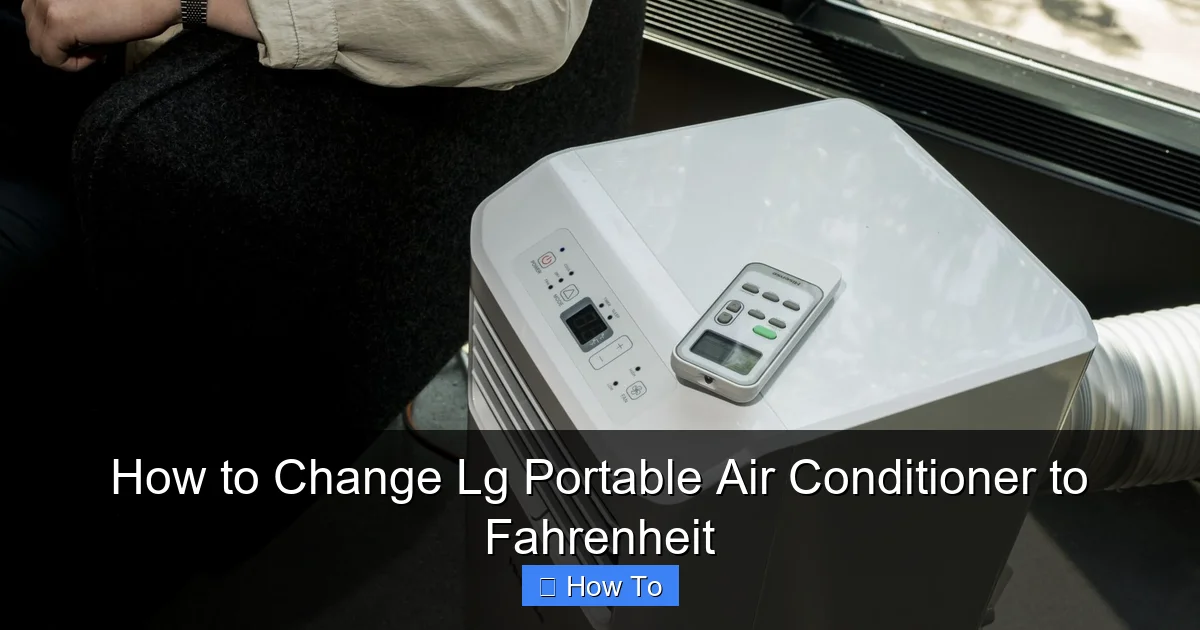
Visual guide about How to Change Lg Portable Air Conditioner to Fahrenheit
Image source: acsupportspoint.com
- The remote batteries are dead or weak.
- The remote is too far from the unit.
- The IR sensor on the AC is blocked or dirty.
- The model doesn’t support unit switching.
Solutions:
- Replace the remote batteries with fresh AAA batteries.
- Stand within 10–15 feet of the unit and point the remote directly at the sensor (usually on the front).
- Clean the IR sensor with a soft, dry cloth.
- Check your user manual or LG’s website to confirm if your model supports °F.
Problem: The Display Shows “°F” But Temperatures Look Wrong
This usually means the unit switched, but the temperature reading seems off. For example, it shows “90°F” when it should be “75°F.”
Solution: This is likely a display glitch. Try turning the AC off, unplugging it for 30 seconds, then plugging it back in. This resets the display logic. The correct Fahrenheit reading should appear after reboot.
Problem: I Can’t Find the “Mode” Button
Some LG remotes have different layouts. Look for buttons labeled:
- “Function”
- “Temp Unit”
- A button with a snowflake, sun, and fan icon (this is the mode button)
If you’re still stuck, refer to your remote’s image in the user manual or search online for “[Your Model] remote layout.”
Problem: My AC Doesn’t Have a Remote
Some budget LG portable ACs come with basic controls only. In this case:
- Check if the unit has a “°C/°F” toggle switch (very rare).
- Contact LG support to confirm if your model supports Fahrenheit.
- Consider upgrading to a model with remote control for better usability.
Tips for Maintaining Your LG Portable AC
Changing the temperature unit is just one part of keeping your LG portable air conditioner running smoothly. Here are a few tips to ensure optimal performance:
- Clean the filter monthly – A dirty filter reduces airflow and efficiency. Remove, rinse, and dry the filter regularly.
- Keep the exhaust hose clear – Make sure the hose isn’t kinked or blocked, as this can cause overheating.
- Use a surge protector – Protect your AC from power spikes, especially during storms.
- Store properly in winter – If you don’t use your AC year-round, clean it, drain any water, and store it in a dry place.
- Update firmware (for smart models) – Check the LG ThinQ app periodically for firmware updates that improve performance and features.
Conclusion
Changing your LG portable air conditioner from Celsius to Fahrenheit is a simple but important adjustment that can make a big difference in comfort and usability. With just a few seconds and the right button press, you can switch to the temperature scale you’re most familiar with—no technical skills required.
Remember:
– Use the “Mode” button on the remote and hold it for 3–5 seconds.
– Confirm the change on the display.
– If the remote isn’t working, replace the batteries or get a new remote.
– Smart models may offer app-based control via LG ThinQ.
By following this guide, you’ll enjoy a more intuitive cooling experience, whether you’re trying to beat the summer heat or just want your AC to match your thermostat. Stay cool, stay comfortable, and enjoy your LG portable air conditioner—now in Fahrenheit!

