
Changing the filter in your LG air conditioner is a simple yet essential maintenance task that ensures optimal performance and cleaner air. This guide walks you through the entire process, from identifying your model to safely replacing the filter and maintaining it long-term.
Key Takeaways
- Regular filter changes improve air quality: A clean filter traps dust, pollen, and allergens, making your indoor air healthier to breathe.
- Frequency matters: Most LG AC filters should be cleaned every 2–4 weeks and replaced every 3–6 months, depending on usage and environment.
- Turn off the power first: Always switch off the unit at the remote and unplug it before handling the filter to avoid electrical hazards.
- Know your model type: LG offers window, split, and portable ACs—each has a slightly different filter access method.
- Use genuine LG filters when possible: While third-party options exist, OEM filters ensure proper fit and performance.
- Reset the filter indicator light: After replacement, reset the reminder light (if your model has one) to keep track of future maintenance.
- Clean the area around the filter: Wipe down the filter housing and nearby components to prevent dust buildup.
Why Changing Your LG Air Conditioner Filter Matters
Your LG air conditioner does more than just cool your home—it also plays a crucial role in maintaining indoor air quality. Over time, the air filter collects dust, pet dander, mold spores, pollen, and other airborne particles. If left unchanged, a clogged filter forces your AC to work harder, reducing efficiency, increasing energy bills, and potentially leading to system malfunctions or costly repairs.
Moreover, dirty filters can circulate contaminated air back into your living space, aggravating allergies or respiratory issues. According to the EPA, indoor air can be 2–5 times more polluted than outdoor air—making regular filter maintenance not just a convenience, but a health necessity.
Fortunately, changing the filter in an LG air conditioner is one of the easiest DIY tasks you can perform. With just a few minutes every few weeks, you can extend the life of your unit, save money on energy, and breathe easier. This comprehensive guide will walk you through every step—whether you own a window unit, a split-system inverter, or a portable LG AC.
What You’ll Need Before You Start
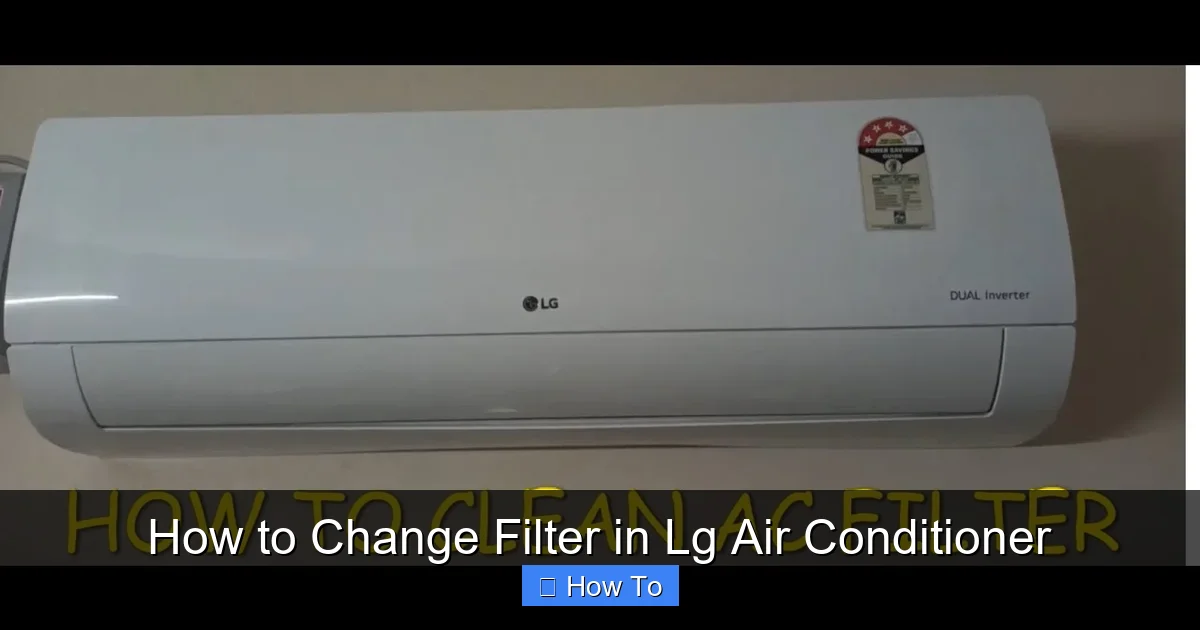
Visual guide about How to Change Filter in Lg Air Conditioner
Image source: i.ytimg.com
Before diving into the replacement process, gather these basic tools and supplies:
- A replacement filter compatible with your LG AC model (check your user manual or the old filter for part numbers)
- A soft cloth or microfiber towel
- A vacuum cleaner with a brush attachment (optional, for deep cleaning)
- Mild soap and water (if cleaning a reusable filter)
- Gloves (optional, especially if you have sensitive skin or allergies)
Pro tip: Keep a spare filter on hand so you’re never caught off guard when it’s time for a change. Many LG models use standard sizes, but always double-check compatibility—using the wrong filter can restrict airflow or fail to capture contaminants effectively.
Step 1: Identify Your LG Air Conditioner Type
LG manufactures several types of air conditioners, and the filter access method varies slightly between them. Knowing your model type ensures you follow the correct steps.
Window Air Conditioners
These are self-contained units installed in a window or wall sleeve. The filter is typically located behind a front grille or panel on the indoor side of the unit.
Split-System (Inverter) Air Conditioners
Split systems have an indoor evaporator unit mounted on the wall and an outdoor condenser. The filter is usually behind a front panel on the indoor unit. Many modern LG split units feature easy-slide or snap-open panels.
Portable Air Conditioners
Portable LG ACs are freestanding units that vent hot air through a hose. The filter is often behind a removable front or side grille.
To confirm your model type, check the label on the unit (usually on the back or side) or refer to your user manual. You can also visit LG’s official support website and enter your model number for specific instructions.
Step 2: Turn Off and Unplug the Unit
Safety first! Before touching any part of your air conditioner, make sure it’s completely powered down.
- Use the remote control to turn off the AC.
- Unplug the power cord from the wall outlet. For split systems, you may also want to switch off the circuit breaker that powers the indoor unit.
Why is this important? Even when turned off via remote, some components may still hold a charge. Unplugging eliminates the risk of electric shock, especially if you accidentally touch internal wiring while removing the filter.
Step 3: Locate and Access the Filter
Now it’s time to find the filter. The exact method depends on your AC type.
For Window and Portable LG Units
Most window and portable LG air conditioners have a front-facing grille. Look for small tabs or latches along the top or sides of the grille. Gently press or slide these to release the panel. In some models, you may need to lift the grille upward or pull it forward.
Once the grille is open, you’ll see the air filter—usually a flat, rectangular mesh panel. It may be held in place by clips or simply rest in a slot.
For Split-System LG Units
Split-system indoor units often have a sleek front panel. To access the filter:
- Locate the small indentation or handle at the bottom or side of the front panel.
- Gently pull the panel downward or outward—it should swing open on hinges.
- Some newer LG models (like the DualCool or ArtCool series) have a “Quick Open” feature: just press the panel lightly near the bottom, and it pops open.
Inside, you’ll typically find one or two filters—sometimes a washable pre-filter and a finer HEPA or carbon filter. Note their orientation before removal so you can reinstall them correctly.
Step 4: Remove the Old Filter
Once you’ve accessed the filter compartment, carefully slide out the old filter. If it’s a reusable mesh filter, inspect it for heavy dirt buildup. If it’s a disposable paper or non-woven filter, it’s likely time for a replacement.
Tip: Take a photo of how the filter sits in the housing before removing it. This helps ensure you install the new one in the correct direction—most filters have an airflow arrow indicating which way they should face (usually toward the unit).
If you’re dealing with a particularly dirty filter, consider wearing gloves to avoid direct contact with accumulated grime.
Step 5: Clean or Replace the Filter
Now comes the decision: clean or replace?
Reusable Filters
Many LG models come with washable pre-filters made of durable mesh. These can be cleaned and reused multiple times.
To clean:
- Rinse the filter under lukewarm water. Avoid hot water, as it can damage the mesh.
- If needed, use a mild soap solution and a soft brush to gently scrub away stubborn dirt.
- Rinse thoroughly to remove all soap residue.
- Let the filter air-dry completely—never reinstall a wet filter, as moisture can promote mold growth.
For deeper cleaning, you can use a vacuum with a brush attachment to remove loose dust before rinsing.
Disposable Filters
If your LG AC uses a disposable filter (often labeled as “non-washable”), it must be replaced—not cleaned. These filters are typically made of non-woven fabric or electrostatic material designed to capture fine particles.
When buying a replacement:
- Match the exact model number (e.g., “LG AC Filter 5230A20007B”).
- Check the dimensions (length × width × thickness).
- Opt for genuine LG filters when possible—they’re engineered for optimal airflow and filtration.
Third-party filters are available and often cheaper, but quality varies. Read reviews and ensure they don’t restrict airflow, which can strain your compressor.
Step 6: Install the New or Cleaned Filter
With your filter ready, it’s time to put it back.
- Align the filter correctly—match the airflow arrow (if present) to the direction of airflow (usually pointing into the unit).
- Slide the filter gently into the slot or clips. Don’t force it; if it doesn’t fit easily, double-check the orientation or size.
- Ensure the filter sits flush and secure—gaps can allow unfiltered air to bypass the system.
For split systems with multiple filters (e.g., a pre-filter and a carbon filter), reinstall them in the correct order. The coarser pre-filter usually goes first, followed by the finer filter.
Step 7: Reassemble the Unit
After the filter is in place, carefully close the front panel or grille.
- For window/portable units: Snap the grille back into place, ensuring all clips are secure.
- For split systems: Gently push the front panel until it clicks or locks into position. Avoid slamming it shut.
Give the panel a light tug to confirm it’s properly seated. A loose panel can cause rattling noises or reduce efficiency.
Step 8: Restore Power and Test
Now that everything is reassembled:
- Plug the unit back in (or turn the circuit breaker on for split systems).
- Use the remote to turn on the AC and set it to a low fan speed.
- Listen for unusual noises and check that air is flowing smoothly.
If your LG model has a filter reset indicator (common in inverter models like the LG DualCool), you’ll need to reset it so the system knows a new filter is installed.
How to Reset the Filter Indicator Light
The process varies slightly by model, but here’s the general method:
- Press and hold the “Filter” or “Clean” button on the remote for 3–5 seconds.
- Alternatively, some models require you to press “Timer” and “Fan Speed” simultaneously.
- The indicator light should turn off or change color, confirming the reset.
Refer to your user manual for model-specific instructions. If you’ve lost the manual, download it from LG’s support site using your model number.
How Often Should You Change the Filter?
There’s no one-size-fits-all answer—it depends on several factors:
- Usage frequency: If you run your AC daily, clean the filter every 2–3 weeks.
- Household factors: Homes with pets, smokers, or allergy sufferers may need more frequent changes.
- Seasonal changes: Pollen season (spring) or high dust periods (construction nearby) call for extra vigilance.
- Filter type: Washable filters last longer but still need regular cleaning; disposable ones typically last 1–3 months.
As a rule of thumb: inspect your filter every two weeks. If it looks gray or clogged, it’s time for action.
Troubleshooting Common Issues
Even with careful steps, you might run into problems. Here’s how to handle them:
Filter Won’t Slide Out Easily
Don’t force it! Check for hidden clips or screws. Some LG models have a secondary latch near the bottom of the filter frame. Consult your manual or look for online videos specific to your model.
New Filter Doesn’t Fit
Double-check the part number and dimensions. Filters may look similar but vary in thickness. If using a third-party filter, ensure it’s rated for your exact LG model.
AC Still Blows Dust After Filter Change
The filter may not be the only issue. Dust could be accumulating in the evaporator coils or ductwork. Consider scheduling a professional cleaning every 1–2 years.
Filter Light Won’t Reset
Try unplugging the unit for 10 minutes, then retry the reset procedure. If the light persists, there may be a sensor issue—contact LG support.
Reduced Airflow After Installation
Ensure the filter is installed in the correct direction and isn’t bent or folded. Also, check that the front panel is fully closed—misalignment can block airflow.
Tips for Long-Term Maintenance
Changing the filter is just one part of AC care. Follow these tips to keep your LG unit running smoothly:
- Clean the exterior: Wipe down the front panel and vents monthly with a damp cloth.
- Check the drain line: Clogged drains can cause leaks. Use a pipe cleaner or compressed air to clear blockages.
- Keep the area clear: Ensure at least 12 inches of space around the indoor unit for proper airflow.
- Schedule professional service: Have a technician inspect refrigerant levels, coils, and electrical connections annually.
- Use a programmable thermostat: Reduces runtime and wear on the system.
By combining regular filter changes with these habits, you’ll maximize efficiency, lower energy costs, and enjoy cooler, cleaner air year-round.
Conclusion
Changing the filter in your LG air conditioner is a quick, simple task that delivers big rewards. Not only does it protect your investment in your AC unit, but it also safeguards your family’s health by improving indoor air quality. With the step-by-step guidance in this article, you now have everything you need to perform this essential maintenance confidently—no matter which LG model you own.
Remember: consistency is key. Set calendar reminders, keep spare filters handy, and don’t skip the reset step if your unit has a filter indicator. Your LG air conditioner will thank you with reliable cooling, lower bills, and fewer service calls.
And if you ever feel unsure, don’t hesitate to consult your user manual or reach out to LG customer support. A little effort today prevents major headaches tomorrow. Stay cool—and breathe easy!

