
Changing the air filter in your LG air conditioner is a quick, essential maintenance task that improves air quality and system efficiency. This guide walks you through every step—from locating the filter to installing a new one—so you can keep your unit running smoothly year-round.
Key Takeaways
- Regular filter changes improve air quality: A clean filter traps dust, pollen, and allergens, ensuring healthier indoor air for you and your family.
- Frequency matters: Replace or clean your LG air conditioner filter every 1–3 months, depending on usage and environment.
- Know your model: LG offers window, split, and portable AC units—each has a slightly different filter access method.
- Turn off power first: Always switch off the unit and unplug it before handling the filter to prevent electrical hazards.
- Use the right filter: Choose genuine LG filters or compatible high-efficiency options (like MERV 8–11) for optimal performance.
- Clean vs. replace: Some LG filters are washable; others are disposable. Check your user manual to confirm.
- Maintenance boosts longevity: Routine filter changes reduce strain on your AC, lowering energy bills and extending its lifespan.
Why Changing Your LG Air Conditioner Filter Matters
Your LG air conditioner does more than cool your home—it also cleans the air you breathe. Over time, the air filter collects dust, pet dander, pollen, mold spores, and other airborne particles. When the filter gets clogged, your AC has to work harder to push air through, which increases energy consumption and can lead to overheating or system failure.
A dirty filter also reduces indoor air quality, which is especially problematic for people with allergies, asthma, or respiratory conditions. According to the EPA, indoor air can be 2–5 times more polluted than outdoor air—and a clean HVAC filter is one of the simplest ways to combat that.
Changing your LG air conditioner filter regularly is one of the easiest and most effective ways to maintain your unit’s performance. It takes just 5–10 minutes, costs very little, and can save you hundreds in repair bills down the line. Plus, it ensures your AC runs efficiently, keeping your energy bills low and your home comfortably cool.
In this guide, you’ll learn exactly how to change the air filter in your LG air conditioner—whether it’s a window unit, split system, or portable model. We’ll cover everything from identifying your filter type to troubleshooting common issues, so you can tackle this task with confidence.
What You’ll Need Before You Start
Before diving in, gather these supplies to make the process smooth and safe:
- Replacement or washable filter: Check your user manual or the existing filter for the correct size and type. LG often uses standard sizes like 14” x 20” or 16” x 25”, but confirm yours.
- Screwdriver (if needed): Some LG window units require a screwdriver to remove the front panel.
- Soft brush or vacuum cleaner: Useful for cleaning dust around the filter housing.
- Mild soap and water (for washable filters): Only if your filter is reusable.
- Microfiber cloth: For wiping down surfaces after filter removal.
- Gloves (optional): To keep your hands clean, especially if the old filter is very dirty.
Pro tip: Keep a spare filter on hand so you’re never caught without one when it’s time for a change.
Step 1: Turn Off and Unplug Your LG Air Conditioner
Safety first! Before touching any part of your AC unit, make sure it’s completely powered down.
For Window and Portable Units
Switch the unit off using the remote or control panel, then unplug it from the wall outlet. This prevents accidental startup and protects you from electrical shock.
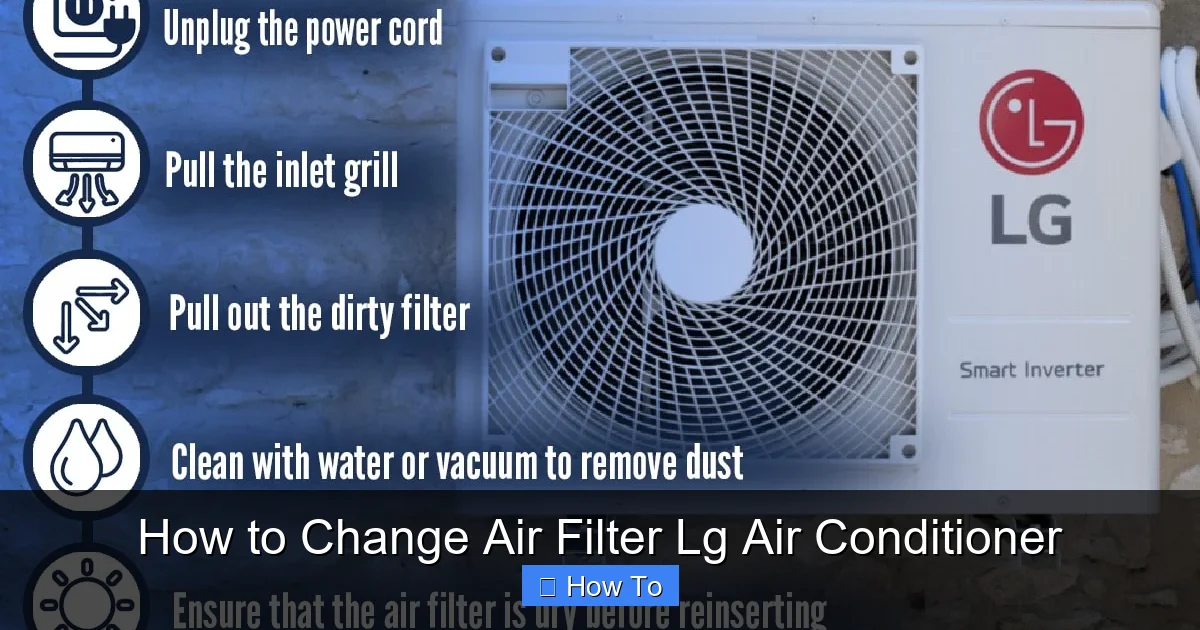
Visual guide about How to Change Air Filter Lg Air Conditioner
Image source: hvacseer.com
For Split System Units
Turn off the indoor unit using the remote, then switch off the circuit breaker that powers the AC. If you’re unsure which breaker controls your AC, turn off the main breaker for that room or consult your electrical panel diagram.
Never skip this step—even if the unit seems off, residual power can still pose a risk.
Step 2: Locate the Air Filter
The filter location varies slightly depending on your LG model. Here’s how to find it for the most common types:
Window Air Conditioners
Most LG window units have the filter behind the front grille or panel. Look for a plastic cover on the front of the unit—this is usually held in place by clips or screws. Gently pull the grille forward or remove the screws to access the filter slot.
Split System (Wall-Mounted) Units
In LG split systems, the filter is typically behind the front panel of the indoor unit. You’ll see a horizontal or vertical grille on the front. To open it, look for small tabs or hinges at the top or bottom. Gently lift or slide the panel upward—it should swing open like a door.
Portable Air Conditioners
Portable LG units often have the filter at the back or side. Check for a removable cover or grille. Some models have a slide-out tray, while others require you to unscrew a panel.
Tip: If you’re having trouble locating the filter, refer to your user manual. LG includes detailed diagrams showing filter placement for each model.
Step 3: Remove the Old Filter
Once you’ve accessed the filter compartment, carefully remove the old filter.
For Disposable Filters
Gently slide the filter out of its slot. Note the direction of the airflow arrows printed on the frame—this will help you install the new one correctly. If the filter is heavily soiled, consider wearing gloves to avoid contact with dust and debris.
For Washable Filters
Carefully lift the reusable filter out. These are usually made of foam or electrostatic material and can be cleaned and reused multiple times.
If the filter is stuck, don’t force it. Check for hidden clips or tabs that may be holding it in place. A little wiggling usually does the trick.
Step 4: Clean or Replace the Filter
Now it’s time to decide: clean or replace?
Cleaning a Washable Filter
Rinse the filter under lukewarm water. Use a mild soap if needed, but avoid harsh chemicals or scrubbing—this can damage the material. Let it air dry completely before reinstalling. Never put a wet filter back into the unit—it can promote mold growth.
Replacing a Disposable Filter
Insert the new filter into the slot, making sure the airflow arrows point toward the unit (usually inward). The filter should fit snugly without bending or forcing. If it doesn’t slide in easily, double-check the size and orientation.
Pro tip: Write the installation date on the edge of the new filter with a permanent marker. This helps you remember when to change it next.
Step 5: Reassemble the Unit
Once the new or cleaned filter is in place, it’s time to put everything back together.
For Window Units
Reattach the front grille or panel. If it was held by screws, tighten them securely but don’t over-tighten—plastic parts can crack. Make sure all clips snap into place.
For Split Systems
Close the front panel and ensure it clicks or locks into position. Some models have a small latch or button to secure the panel.
For Portable Units
Replace the side or back cover and secure any screws. Ensure no wires or hoses are pinched during reassembly.
Take a moment to wipe down the exterior with a microfiber cloth to remove any dust or fingerprints.
Step 6: Restore Power and Test the Unit
Now that everything is back in place, it’s safe to turn the power back on.
For Window and Portable Units
Plug the unit back into the wall outlet. Turn it on using the remote or control panel. Set it to a low fan speed and listen for normal operation.
For Split Systems
Turn the circuit breaker back on, then power up the indoor unit with the remote. Check that cool air is flowing and the filter indicator (if your model has one) is no longer lit.
If your LG AC has a filter reset button or indicator light, press it to reset the filter timer. This ensures the system accurately tracks your next maintenance date.
How Often Should You Change the Filter?
The frequency depends on several factors:
- Standard homes: Every 1–2 months during peak cooling season.
- Homes with pets or smokers: Every 30 days—pet hair and smoke residue clog filters faster.
- Allergy sufferers: Replace monthly to maintain high air quality.
- Off-season use: Change the filter before storing the unit for winter, and again when you restart it in spring.
Set a calendar reminder or use a smart AC controller (like LG’s ThinQ app) to get alerts when it’s time for a change.
Choosing the Right Filter for Your LG Air Conditioner
Not all filters are created equal. Here’s what to look for:
- Genuine LG filters: Best for compatibility and performance. Available on LG’s website or authorized retailers.
- MERV rating: Choose a filter with a MERV rating between 8 and 11. Higher ratings capture more particles but may restrict airflow if your unit isn’t designed for them.
- Electrostatic filters: Reusable and effective at trapping small particles. Great for allergy sufferers.
- HEPA-compatible options: Some LG models support HEPA filters for maximum filtration—check your manual first.
Avoid cheap, low-quality filters. They may fit, but they won’t protect your AC or your health as effectively.
Troubleshooting Common Issues
Even with careful maintenance, you might run into problems. Here’s how to handle them:
Filter Won’t Fit
Double-check the size. Measure the old filter (length x width x thickness) and compare it to the new one. If it’s still not fitting, confirm you have the correct model number for your LG unit.
Unit Still Blows Dust or Smells Musty
The filter may not be the only issue. Check the evaporator coils and drain pan for mold or debris. Consider a professional cleaning if the problem persists.
Filter Indicator Light Won’t Turn Off
Some LG models require a manual reset after changing the filter. Press and hold the “Filter” or “Reset” button on the remote or control panel for 3–5 seconds.
Reduced Airflow After Filter Change
This could mean the new filter is too dense (high MERV rating) for your unit. Switch to a lower MERV filter or consult LG support.
Filter Gets Dirty Too Fast
Inspect your home for excess dust sources—open windows, construction, or poor ventilation. Consider using an air purifier to reduce the load on your AC filter.
Tips for Long-Term AC Maintenance
Changing the filter is just one part of keeping your LG air conditioner in top shape. Follow these additional tips:
- Clean the exterior vents: Use a vacuum or brush to remove dust from the front and back grilles monthly.
- Check the coils: Inspect the evaporator and condenser coils annually. Dirty coils reduce efficiency.
- Clear the drain line: A clogged drain can cause leaks or mold. Flush it with vinegar or a commercial cleaner every few months.
- Schedule professional service: Have a technician inspect your unit once a year, especially before summer.
- Use a programmable thermostat: Reduces runtime and wear on the system.
Conclusion
Changing the air filter in your LG air conditioner is a simple yet powerful way to protect your investment, improve indoor air quality, and keep your home cool and comfortable. With just a few minutes of effort every month or two, you can prevent costly repairs, lower your energy bills, and breathe easier.
Remember: always turn off the power, use the right filter, and follow the steps for your specific model. Whether you have a window unit, split system, or portable AC, this routine maintenance task is well within your reach.
By making filter changes a habit, you’re not just maintaining your air conditioner—you’re taking care of your home and your health. So grab that new filter, follow this guide, and enjoy cleaner, cooler air all season long.

