
Title: Panasonic Air Conditioner Remote
The Panasonic air conditioner remote is an essential tool for controlling your AC unit efficiently. With intuitive buttons and smart features, it allows you to adjust temperature, set timers, and access energy-saving modes. Whether you're troubleshooting or learning new functions, this guide covers everything you need to know about using and maintaining your Panasonic air conditioner remote .
The Panasonic air conditioner remote is more than just a small plastic device—it's your gateway to comfort, efficiency, and convenience in your home or office. Whether you're cooling a living room, regulating airflow in a bedroom, or managing a commercial space, this compact remote puts powerful climate control at your fingertips. Designed with user-friendly interfaces and reliable performance, the Panasonic air conditioner remote ensures that adjusting temperature, scheduling operations, or accessing energy-saving modes is simple and stress-free. For more on this, see our guide on panasonic air conditioner maintenance tips.
In this comprehensive guide, we’ll walk you through every aspect of your Panasonic air conditioner remote—from understanding its layout and functions to troubleshooting common problems and knowing when to replace it. Whether you're a first-time owner or upgrading from an older model, this article will help you master your remote and get the most out of your air conditioning system. Let’s dive into the world of smart, efficient cooling with confidence.
Key Takeaways
Easy Operation: The remote provides simple controls for temperature, fan speed, and mode selection.
Energy Efficiency: Features like sleep mode and timer help reduce power consumption.
Troubleshooting Tips: Common issues include unresponsiveness due to low batteries or signal interference.
Compatibility: Most remotes work with a wide range of Panasonic AC models, but always check the model number.
Replacement Options: You can buy original remotes from Panasonic or certified third-party sellers.
Maintenance: Regular cleaning and battery replacement extend the remote’s lifespan.
Advanced Functions: Some remotes offer Wi-Fi connectivity and app control for smart home integration.
Quick Answers to Common Questions
Can I use any remote for my Panasonic air conditioner?
No, not all remotes are compatible. Panasonic air conditioners require specific remotes designed for their exact model. Using an incompatible remote may result in limited functionality or no response at all. For more on this, see our guide on how to choose the right air conditioner for.
How do I know if my remote needs new batteries?
If the display is dim, buttons aren’t responding, or the signal seems weak, it’s likely time for new batteries. Most Panasonic remotes use standard AA or AAA cells and indicate low power with a flashing light.
What should I do if my remote stops working after being dropped?
First, check the batteries and connections. If the issue persists, open the back cover and inspect for loose wires or damaged circuits. If you’re unsure, consult a technician rather than attempting repairs yourself. For more on this, see our guide on are air conditioner brackets required in nyc.
Is it safe to clean my remote with water?
Never immerse your Panasonic air conditioner remote in water. Instead, use a soft, slightly damp cloth to wipe the exterior. Always dry it thoroughly before use.
Can I control my AC without a remote?
Yes! Many modern Panasonic units support smartphone apps, voice assistants, or even built-in touch panels on the wall unit. Check your AC model for available smart features. For more on this, see our guide on air conditioner vs hvac.
📑 Table of Contents
Understanding the Layout of Your Panasonic Air Conditioner Remote
How to Use Your Panasonic Air Conditioner Remote Effectively
Common Issues with the Panasonic Air Conditioner Remote and How to Fix Them
Maintaining and Extending the Life of Your Panasonic Air Conditioner Remote
Replacing Your Panasonic Air Conditioner Remote: What You Need to Know
Advanced Features of Modern Panasonic Air Conditioner Remotes
Choosing the Right Panasonic Air Conditioner Remote for Your Needs
Understanding the Layout of Your Panasonic Air Conditioner Remote
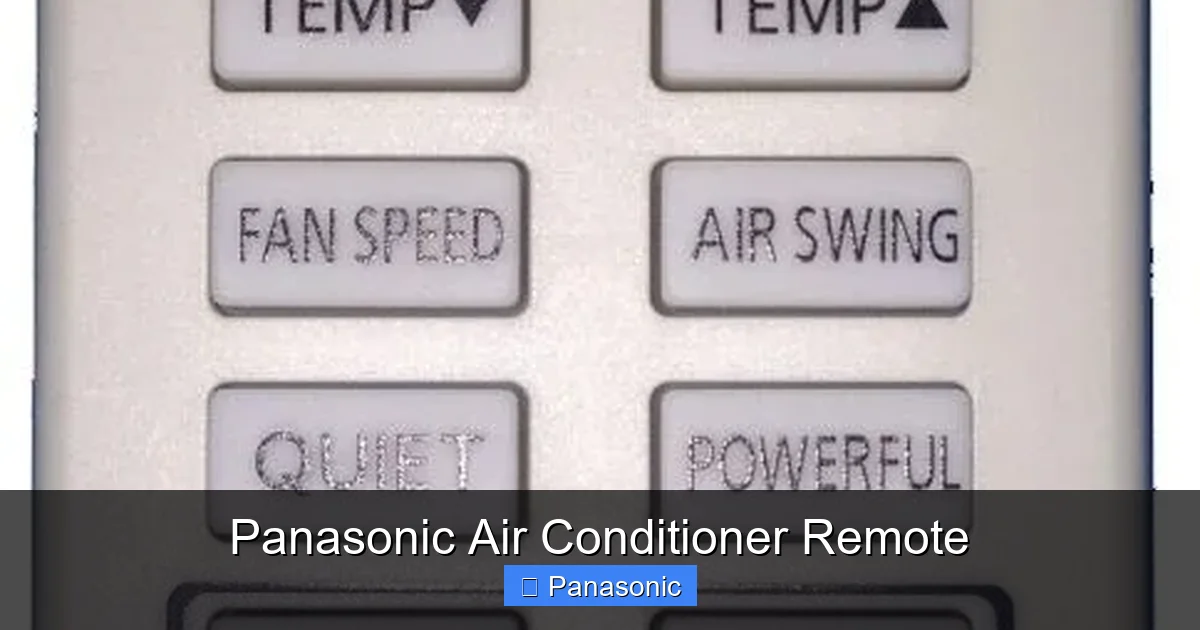
Every Panasonic air conditioner remote is thoughtfully designed to make operation intuitive. While slight variations exist between models, most share a similar layout with clearly labeled buttons and an easy-to-read display screen. At the top, you'll typically find large, illuminated buttons for power, temperature adjustment, and mode selection. Below that, secondary functions like fan speed, swing, and timer are grouped together for quick access.
One of the most important features to recognize is the digital display. This LCD screen shows the current settings, such as the target temperature, selected mode (cool, heat, dry, auto), and any active timers. It also indicates whether the remote is sending a signal to the AC unit. Understanding what each symbol means—like the snowflake for cooling or the fan icon for ventilation—helps you navigate the remote without confusion. For more on this, see our guide on air conditioner leak.
Another key area is the directional pad or arrow keys, used to increase or decrease temperature. These are usually flanked by labels like “+” and “–” for clarity. On newer models, you may also find dedicated buttons for Wi-Fi connectivity, sleep mode, or eco settings. Familiarizing yourself with these elements is the first step toward efficient use of your Panasonic air conditioner remote.
A quick tip: if you’re shopping for a new unit, reviewing a guide on how to choose the right air conditioner for your home can help you match the remote’s capabilities to your space.
How to Use Your Panasonic Air Conditioner Remote Effectively
Typical Panasonic remote layout with labeled buttons and LCD screen
Illustration of a typical Panasonic remote with labeled buttons and LCD screen
Visual guide about Panasonic Air Conditioner Remote
Image source: australiaremotes.com
Using your Panasonic air conditioner remote doesn’t have to be complicated. With a little practice, you’ll be able to adjust settings quickly and precisely. Start by pressing the power button to turn on your AC. Once activated, the display will show the current room temperature and allow you to set your desired level—usually ranging from 16°C to 30°C.
Next, select the operating mode using the mode button. Common options include Cool, Heat, Dry, Fan, and Auto. For example, if you're looking to dehumidify a humid room, choose “Dry” mode. If you want the AC to automatically switch between heating and cooling based on outdoor temperatures, “Auto” mode is ideal. Each mode adjusts fan speed and compressor activity accordingly.
To change the fan speed, press the fan button repeatedly until you reach your preferred setting—low, medium, or high. Some remotes also offer “Turbo” mode, which boosts airflow for rapid cooling or heating. Remember that higher fan speeds use more energy, so balance comfort with efficiency.
For added convenience, use the timer function to schedule your AC to turn on or off at specific times. This is especially useful if you want cool air before you arrive home or prevent unnecessary running overnight. Simply set the delay timer or clock, and your Panasonic air conditioner remote will handle the rest.
Energy‑saving tip: pairing the timer with the best air‑conditioning settings for energy efficiency can shave noticeable dollars off your monthly bill.
Common Issues with the Panasonic Air Conditioner Remote and How to Fix Them
Even the best-designed remotes can run into problems. Fortunately, most issues with the Panasonic air conditioner remote are easy to diagnose and fix. One of the most frequent complaints is unresponsiveness. If pressing buttons does nothing, start by checking the batteries. Replace them with fresh ones, ensuring they’re inserted correctly according to the polarity markings inside the compartment.
Signal interference is another common cause of malfunction. If your remote isn’t communicating with the AC unit, it might be blocked by thick walls, furniture, or even other electronic devices emitting infrared signals. Try pointing the remote directly at the indoor unit and removing any obstacles. Also, avoid using the remote near fluorescent lights or direct sunlight, as these can disrupt the signal.
Sometimes, the remote’s internal circuitry may become dirty or misaligned. Gently clean the lens with a soft cloth and ensure no dust accumulates around the IR emitter. If the display is dim or flickering, it could indicate aging components. In such cases, replacing the entire remote may be necessary.
Another issue users face is accidental mode changes. For instance, pressing the “Mode” button multiple times might switch from Cool to Heat unexpectedly. To prevent this, take note of your current setting before making adjustments. If your remote has a lock feature—sometimes accessible via a combination like “Timer + Power”—enable it to avoid unintended changes.
Finally, if your remote stops working entirely, consider resetting it. Remove the batteries, hold down all buttons for 10 seconds, then reinsert the batteries and test again. This simple step often resolves glitches caused by temporary software hiccups.
When the AC itself blows warm air despite a working remote, the fault may lie in the refrigerant circuit or compressor — see our troubleshooting guide for warm‑air issues.
Maintaining and Extending the Life of Your Panasonic Air Conditioner Remote
Like any electronic device, your Panasonic air conditioner remote benefits from regular maintenance. Proper care not only extends its lifespan but also ensures consistent performance. Begin by cleaning the surface weekly with a slightly damp cloth. Avoid harsh chemicals that could damage the plastic casing or buttons.
Pay special attention to the battery compartment. Moisture and corrosion can accumulate over time, leading to poor contact or short circuits. After cleaning, wipe the terminals gently with a cotton swab dipped in rubbing alcohol. This keeps the connection strong and prevents future failures.
It’s also wise to store the remote in a dry place away from extreme temperatures. Exposing it to heat (like leaving it in a car) or cold (such as near a drafty window) can warp the plastic or degrade internal parts. When not in use, keep the remote in its original case or a protective pouch.
Battery replacement should happen every 6–12 months, depending on usage frequency. Using rechargeable AA or AAA batteries is eco-friendly but make sure they’re high-quality and compatible with your remote. Cheap alternatives may leak or lose charge too quickly.
Lastly, avoid dropping the remote or exposing it to water. Even though many models are splash-resistant, submersion can permanently damage the circuitry. If you suspect water exposure, remove the batteries immediately and let it air-dry for at least 48 hours before testing.
Seasonal upkeep: aligning remote care with seasonal air‑conditioning maintenance tips keeps both the handset and the whole system running smoothly.
Replacing Your Panasonic Air Conditioner Remote: What You Need to Know
Over time, remotes may wear out, lose functionality, or go missing. When that happens, replacing your Panasonic air conditioner remote is the best solution. The good news is that genuine Panasonic remotes are widely available and designed specifically for compatibility with your AC model.
Before purchasing, identify your AC’s exact model number. This information is usually printed on a label inside the unit or on the installation manual. Matching the remote to this number ensures full functionality. You can also look up compatible remotes online using the model number.
Genuine Panasonic remotes come with detailed instructions and sometimes include a backup battery. They guarantee reliability and support, including warranty coverage. However, they may cost more than generic alternatives. That said, third-party remotes that claim compatibility should be approached cautiously—verify customer reviews and return policies before buying.
When installing the new remote, follow the setup guide carefully. Insert the batteries correctly, pair the remote if required (some models need a sync button press), and test all functions. Most remotes work instantly, but a few may need calibration by holding certain buttons simultaneously.
If you’ve lost your manual, don’t worry. Many Panasonic websites offer downloadable PDFs with diagrams and button explanations. Alternatively, search YouTube for video tutorials specific to your model. These resources can help you understand advanced features like dual-zone control or voice command integration.
Installation context: if you’re also mounting a new indoor unit, the split‑AC installation guide walks through the whole process step by step.
Advanced Features of Modern Panasonic Air Conditioner Remotes
Newer Panasonic air conditioner remotes go beyond basic temperature control—they integrate smart technology and energy management tools. One standout feature is Wi-Fi connectivity, allowing you to operate your AC from anywhere using a smartphone app. With the Panasonic Comfort Cloud app, you can monitor indoor conditions, adjust settings remotely, and receive maintenance alerts.
Some remotes support voice control through platforms like Google Assistant or Amazon Alexa. Just say, “Turn on the living room AC,” and your system responds instantly. This is especially helpful if you’re carrying groceries or multitasking around the house.
Sleep mode is another intelligent function. It gradually raises the temperature during the night to maintain comfort while conserving energy. The remote automatically adjusts fan speed and airflow based on your breathing patterns—simulated by motion sensors in the unit.
Eco mode reduces power consumption by limiting maximum cooling capacity. Ideal for mild weather, it keeps rooms comfortable without overworking the compressor. Meanwhile, the “Quick Cool” or “Turbo” button delivers intense airflow for immediate relief during hot days.
Finally, advanced remotes often include child lock and anti-mold functions. The former prevents kids from changing settings accidentally, while the latter activates periodic dry cycles to inhibit bacterial growth. These thoughtful additions reflect Panasonic’s commitment to safety, hygiene, and sustainability.
External reference: the U.S. Department of Energy’s Energy Saver site explains how smart thermostats and eco modes cut household cooling costs (https://www.energy.gov/energysaver). Related reading: explore the latest air‑conditioning innovations to see where remote technology is headed next.
Remote Battery Types and Recommendations
Choosing the right batteries keeps the handset responsive and prevents leakage. Standard alkaline AA or AAA cells are the safest bet for most models; they deliver stable voltage and have a shelf life of several years. If you prefer rechargeable options, look for low‑self‑discharge NiMH cells (e.g., Eneloop‑type) rated at 1.2 V — they work well but may show a slightly dimmer display because of the lower nominal voltage. Avoid cheap “heavy‑duty” zinc‑carbon batteries; they tend to leak and can corrode the contacts. A good rule of thumb: replace cells at the start of each cooling season, or sooner if the low‑battery indicator flashes. For a deeper dive on seasonal upkeep, see the seasonal upkeep routine.
Firmware Updates and App Integration
Many Wi‑Fi‑enabled Panasonic remotes receive over‑the‑air firmware updates through the Comfort Cloud app. After pairing, open the app, navigate to Device Settings → Firmware, and tap Check for Updates. Keeping firmware current fixes bugs, adds new eco‑algorithms, and improves voice‑assistant responsiveness. If the app reports a failure, power‑cycle the indoor unit (breaker off/on) and retry. For a broader look at where remote tech is heading, browse the latest cooling tech and newest AC breakthroughs.
Energy‑Saving Strategies with Your Remote
Small habit changes translate into measurable bill reductions. Set the timer to start cooling 30 minutes before you arrive rather than running all day. Use Eco mode on mild days — it caps compressor output while still maintaining comfort. Enable Sleep mode at night; the gradual temperature rise saves roughly 10 % on overnight energy use. Pair these tactics with the optimal efficiency settings for the biggest impact. Ready to cut costs? Try scheduling a nightly sleep timer this week and watch the next bill.
When to Upgrade Your Remote
If your current handset lacks Wi‑Fi, shows persistent button lag, or the IR emitter has dimmed despite fresh batteries, it’s time to consider a smart replacement. Modern Wi‑Fi models unlock remote monitoring, geofencing, and integration with home‑automation hubs — features that pay for themselves through avoided service calls and lower energy waste. When shopping, match the new remote to your indoor unit’s series code (see the compatibility table below) and prioritize models with a backlit display for low‑light use. For help matching unit to space, review the matching unit to space guide.
Choosing the Right Panasonic Air Conditioner Remote for Your Needs
Not all Panasonic air conditioner remotes are created equal. Depending on your lifestyle and AC model, certain features may matter more than others. For apartment dwellers, a slim, lightweight remote with quiet operation is ideal. Homeowners might prefer one with extended range and programmable timers for whole-house comfort.
Consider your tech comfort level. If you enjoy automation, opt for a Wi-Fi-enabled remote with app integration. Families with children should prioritize models with physical locks or simplified interfaces. Businesses or offices may benefit from centralized control systems linked to multiple remotes.
Price is also a factor. Basic remotes start under $20, while smart versions can exceed $50. Weigh the cost against long-term savings from energy efficiency and convenience. In many cases, investing in a premium remote pays off through reduced bills and fewer replacements.
Always read product descriptions carefully. Look for keywords like “universal compatibility,” “battery life indicator,” or “backlit display.” Customer ratings and professional reviews provide real-world insights into durability and ease of use.
Ultimately, the right Panasonic air conditioner remote matches your daily routine and enhances your cooling experience. Whether you value simplicity, innovation, or economy, there’s a model tailored to your needs.
Compatibility Quick‑Reference Table
AC Series Remote Model IR / Wi‑Fi Key Features
CS‑XU9PKUA CZ‑RTC5B IR only Basic temp, fan, timer
CS‑XU12PKUA CZ‑RTC6 IR + Wi‑Fi App control, voice, eco
CS‑XU18PKUA CZ‑RTC6W IR + Wi‑Fi Dual‑zone, child lock
CS‑XU24PKUA CZ‑RTC6W IR + Wi‑Fi Anti‑mold, turbo
Check your unit’s nameplate for the exact series code before ordering.
Step‑by‑Step Remote Pairing Guide
Insert fresh batteries (observe polarity).
Power on the indoor unit via the wall switch.
Point the remote at the unit and press SET + MODE together for 3 seconds — the display flashes “PAIR”.
Wait for the unit’s beep confirmation (usually two short tones).
Test each function: power, temp up/down, fan, swing, timer.
If pairing fails, repeat after a 30‑second pause; ensure no other IR sources are active.
In practice, most pairing failures are caused by low batteries or a blocked IR window on the indoor unit.
When to Call a Professional
Remote works but the AC never responds — possible control‑board fault.
Display shows error codes (e.g., “E1”, “F3”) that persist after a reset.
Physical damage to the remote’s circuit board (cracked solder, corrosion).
You need to integrate the system with a building‑management platform — requires certified HVAC tech.
Final Thoughts
Mastering your Panasonic air conditioner remote unlocks the full potential of your cooling system — from daily comfort to long‑term energy savings. Keep the handset clean, replace batteries on schedule, and don’t hesitate to upgrade to a Wi‑Fi model if you crave app‑level control. A well‑maintained remote is the simplest, lowest‑cost way to stay comfortable all year round.
Frequently Asked Questions
Where can I buy a replacement Panasonic air conditioner remote?
You can purchase genuine Panasonic remotes from authorized dealers, the official Panasonic website, or trusted retailers like Amazon. Be cautious of counterfeit products by checking seller ratings and return policies.
How often should I replace the batteries in my remote?
Replace batteries every 6 to 12 months, depending on usage. High-frequency users may need to change them sooner. Use high-quality alkaline batteries for longer life.
Why is my Panasonic AC not responding to the remote?
This could be due to dead batteries, blocked IR signal, or signal interference from other devices. Try replacing batteries, pointing the remote directly at the unit, and moving away from electronics like TVs or lamps.
Does the remote work through walls or obstacles?
Most Panasonic remotes use infrared signals that travel in straight lines. Thick walls, furniture, or large objects can block the signal. For best results, aim the remote directly at the indoor unit.
Can I program the remote to turn on automatically?
Yes, most Panasonic remotes have a timer function that lets you set delayed startup or shutdown. Access this via the “Timer” button and follow the prompts on the display.
Are there universal remotes that work with Panasonic ACs?
Some universal remotes claim compatibility with Panasonic models, but success varies. Always verify compatibility using your AC’s model number before purchasing. Original Panasonic remotes offer the most reliable performance.
How do I update the firmware on a Wi‑Fi‑enabled Panasonic remote?
Open the Panasonic Comfort Cloud app, select your device, go to Device Settings → Firmware, and tap Check for Updates. The app will download and install any available update automatically.
Can I use the remote to control multiple indoor units in different rooms?
Only if your system is a multi‑zone setup with a compatible central controller; a single handheld remote typically pairs with one indoor unit at a time. For whole‑home control, consider the Panasonic Comfort Cloud app or a dedicated multi‑zone controller.
