
How to Repair Lg Inverter Air Conditioner
Discover how to diagnose and fix common issues with your LG inverter air conditioner using simple tools and expert guidance. This guide covers troubleshooting, cleaning, part replacement, and safety tips to keep your AC running efficiently in 2026.
Key Takeaways
Safety first: Always turn off power at the circuit breaker before starting any repair to avoid electrical hazards.
Clean filters regularly: Dirty air filters are the #1 cause of poor cooling and system strain—clean them monthly.
Check error codes: Modern LG inverter ACs display error codes on the remote or indoor unit—use them to pinpoint problems.
Inspect the outdoor unit: Ensure proper airflow by clearing debris, leaves, and dust from the condenser coils and fan.
Listen for unusual sounds: Grinding, clicking, or hissing noises often indicate mechanical or refrigerant issues needing professional help.
Use genuine LG parts: For replacements, always choose OEM (original equipment manufacturer) components to maintain warranty and performance.
Schedule annual maintenance: Prevent breakdowns by having a certified technician service your unit at least once a year.
How to Repair LG Inverter Air Conditioner: A Complete 2026 Guide
Is your LG inverter air conditioner not cooling like it used to? Maybe it’s making strange noises, shutting off unexpectedly, or showing an error code you don’t understand? Don’t panic—many common issues with LG inverter ACs can be fixed at home with a little know-how and the right tools. In this comprehensive guide, we’ll walk you through everything you need to know to repair your LG inverter air conditioner safely and effectively in 2026 . For more on this, see our guide on hvac air conditioner repair.
Whether you’re dealing with a clogged filter, a frozen evaporator coil, or a faulty sensor, this step-by-step guide will help you diagnose the problem, perform basic repairs, and decide when it’s time to call a professional. We’ll also cover essential maintenance tips to keep your AC running smoothly all year long. By the end of this guide, you’ll have the confidence to tackle common issues and extend the life of your LG inverter unit—saving you time, money, and frustration.
Understanding Your LG Inverter Air Conditioner
Before diving into repairs, it’s important to understand how your LG inverter air conditioner works. Unlike traditional ACs that turn on and off at full power, inverter models use variable-speed compressors to adjust cooling output based on room temperature. This makes them more energy-efficient, quieter, and better at maintaining consistent comfort. For more on this, see our guide on inverter air conditioner tips.
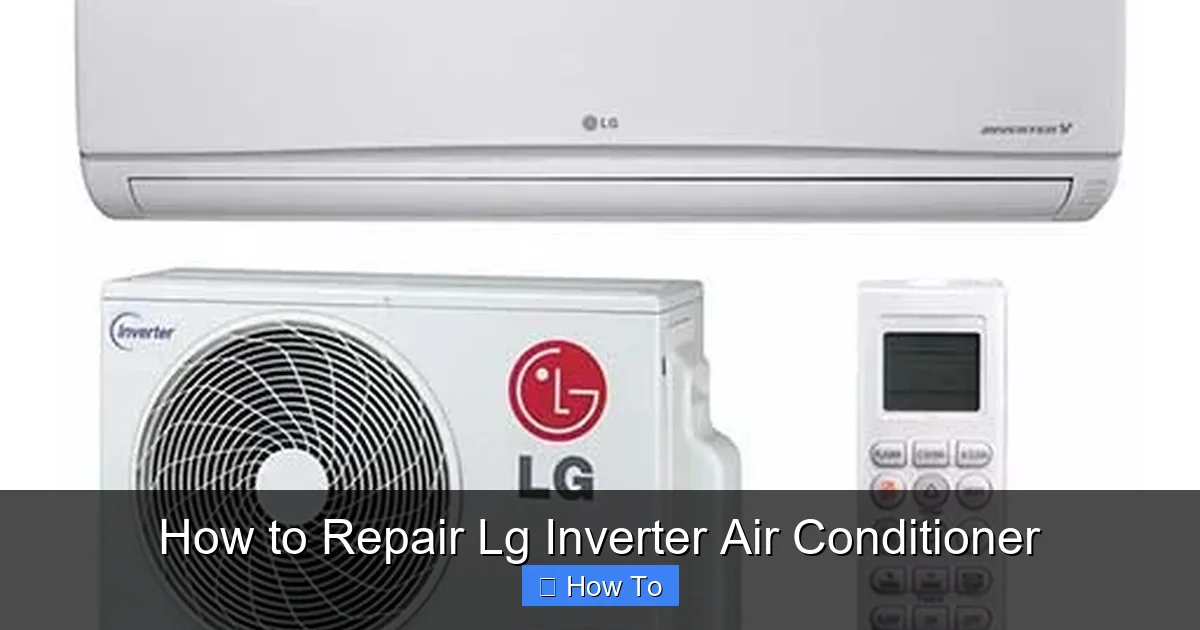
Diagram showing LG inverter AC components and common repair points
Visual guide about How to Repair Lg Inverter Air Conditioner
Image source: sammesmartconcept.com
LG inverter ACs come in split-system configurations: an indoor unit (evaporator) mounted on the wall and an outdoor unit (condenser and compressor) placed outside. They use refrigerants like R32 or R410A, which are eco-friendlier than older types. The system also includes sensors, circuit boards, fans, and a remote control with a digital display.
In 2026, LG continues to integrate smart features into its inverter models, including Wi-Fi connectivity, AI-powered cooling, and compatibility with voice assistants like Google Assistant and Alexa. These features enhance user experience but also mean more electronic components that may require troubleshooting. For more on this, see our guide on how to choose the right air conditioner for.
Key Components Overview
The main parts you’ll encounter during repair include the variable‑speed compressor, inverter PCB, indoor and outdoor fan motors, evaporator and condenser coils, temperature sensors, and the drain pump. Familiarity with each component helps you interpret error codes and decide whether a DIY fix is appropriate or a technician is needed. For a deeper look at split‑system layout, see the split‑system setup basics.
Safety Precautions Before Starting Any Repair
Working on an air conditioner involves electricity, refrigerants, and moving parts—so safety is non-negotiable. Follow these essential safety steps before beginning any repair:
Turn off the power: Locate your home’s main electrical panel and switch off the circuit breaker that powers the AC unit. Use a voltage tester to confirm the power is off.
Wear protective gear: Use insulated gloves, safety goggles, and closed-toe shoes to protect against electrical shocks and sharp edges.
Work in a dry area: Avoid repairing the unit in wet or humid conditions to reduce the risk of electric shock.
Never open refrigerant lines: Only certified HVAC technicians should handle refrigerant due to environmental and safety regulations.
Use proper tools: Have a multimeter, screwdrivers, pliers, and a fin comb on hand. Avoid using damaged or inappropriate tools.
Remember: if you’re unsure about any step, or if the issue involves refrigerant or complex electronics, it’s best to contact a licensed technician. For more on this, see our guide on are air conditioner brackets required in nyc.
Tools and Materials Checklist
- Multimeter (for voltage and continuity checks)
- Insulated screwdrivers (Phillips and flat‑head)
- Fin comb for straightening condenser fins
- No‑rinse coil cleaner and soft brush
- Genuine LG air filter (model‑specific)
- Vacuum with brush attachment
- Pipe cleaner or small drain brush
- Surge protector rated for HVAC equipment
Having these items ready reduces downtime and prevents improvised, unsafe workarounds.
Step 1: Diagnose the Problem Using Error Codes
One of the biggest advantages of LG inverter air conditioners is their built-in diagnostic system. When something goes wrong, the unit often displays an error code on the remote control or indoor unit display. These codes help you identify the issue quickly.
How to Read LG Inverter AC Error Codes
To view error codes:
Press and hold the “Check” or “Test” button on the remote for 3–5 seconds.
The indoor unit will beep and display a code (e.g., CH 01, CH 03, CH 26).
Refer to your user manual or LG’s official support website for code meanings.
Common LG Inverter AC Error Codes in 2026
CH 01: Indoor temperature sensor error. The sensor may be loose, dirty, or faulty.
CH 03: Outdoor unit communication failure. Check wiring between indoor and outdoor units.
CH 26: Refrigerant leak detected. Requires professional inspection.
CH 31: High-pressure protection activated. Often due to blocked condenser or dirty coils.
CH 44: Inverter compressor malfunction. May need capacitor or PCB replacement.
CH 51: Overcurrent protection triggered. Could indicate a short circuit or motor issue.
Once you identify the error code, you can focus your repair efforts on the specific component. Keep a notebook or take a photo of the code for reference. For more on this, see our guide on air conditioner vs hvac.
Step 2: Clean or Replace the Air Filter
A dirty air filter is the most common cause of poor cooling, increased energy bills, and system strain. LG recommends cleaning the filter every 2–4 weeks during peak usage.
How to Clean the Air Filter
Turn off the AC and unplug the indoor unit (or turn off the breaker).
Open the front panel of the indoor unit by gently pulling it downward.
Locate the filter—it’s usually a mesh screen behind the panel.
Remove the filter and shake off loose dust.
Rinse it under lukewarm water. Avoid hot water, which can warp the frame.
Let it air dry completely—do not use a hair dryer or place in direct sunlight.
Reinstall the filter and close the front panel.
When to Replace the Filter
If the filter is torn, warped, or has a strong odor even after cleaning, replace it. Use only genuine LG filters designed for your model. You can order them online or from an authorized dealer. A new filter costs around $10–$20 and takes less than 5 minutes to install.
Pro Tip: Set a monthly reminder on your phone to check the filter. Clean filters improve airflow by up to 15% and reduce energy consumption.
Filter type note: Some LG models use a washable antimicrobial filter while others require a disposable pleated filter. Check your manual to confirm which type you have; using the wrong style can restrict airflow and trigger error codes.
Step 3: Inspect and Clean the Indoor Unit
Even with clean filters, dust and debris can accumulate inside the indoor unit, especially on the evaporator coils and fan blades. This reduces efficiency and can cause freezing or overheating.
Cleaning the Evaporator Coils
Remove the front panel and filter as described above.
Use a soft brush or vacuum with a brush attachment to gently remove dust from the coils.
Spray a no-rinse coil cleaner (available at hardware stores) onto the coils. Let it foam and drip into the drain pan.
Wipe away excess cleaner with a clean cloth.
Check the drain pan for clogs. Use a pipe cleaner or small brush to clear any blockages.
Cleaning the Fan Blades
The indoor fan circulates air through the unit. Over time, it collects dust and can become unbalanced, causing noise or vibration.
Use a long-handled brush or compressed air to clean the fan blades.
Be gentle—bent blades can cause the motor to overwork.
If the fan wobbles, it may need realignment or replacement.
Warning: Do not spray water directly into the unit. Only use approved cleaners and avoid touching electrical components.
Coil cleaning frequency: In dusty environments or homes with pets, clean the evaporator coils every 3–4 months rather than once a year. This prevents buildup that leads to icing and reduced capacity.
Step 4: Check the Outdoor Unit
The outdoor unit houses the compressor, condenser coils, and fan. It’s exposed to weather, dirt, and debris, so regular inspection is crucial.
Clearing Debris and Obstructions
Turn off the power to the outdoor unit.
Remove any leaves, grass, or trash from around the unit.
Trim back plants or shrubs to maintain at least 2 feet of clearance on all sides.
Use a garden hose to gently rinse the condenser coils. Spray from the inside out to avoid bending the delicate fins.
If the fins are bent, use a fin comb to straighten them. Bent fins restrict airflow.
Inspecting the Fan and Motor
Listen for unusual noises when the unit runs. A grinding or screeching sound may indicate a worn motor bearing or loose fan blade.
Visually inspect the fan for cracks or damage.
Try spinning the fan by hand (with power off). It should turn smoothly.
If the motor is hot or smells burnt, it may need replacement.
Note: Outdoor unit repairs often require specialized tools. If you suspect a compressor or refrigerant issue, call a professional.
Seasonal protection tip: In regions with harsh winters, install a breathable cover on the outdoor unit after the cooling season ends. Remove the cover before the first warm spell to avoid moisture buildup. Pair this with a quality surge protector on the outdoor disconnect to guard the inverter board from voltage spikes.
Step 5: Troubleshoot Common Issues
Even with regular maintenance, problems can arise. Here’s how to fix the most common issues with LG inverter ACs in 2026.
AC Not Cooling Properly
Possible Causes:
Dirty filter or coils
Low refrigerant (requires professional recharge)
Thermostat set too high
Blocked airflow
Solution: Clean filters and coils, check thermostat settings, and ensure vents are unobstructed. If the problem persists, check for refrigerant leaks or compressor issues.
AC Freezing Up
Frost on the indoor coils or pipes indicates restricted airflow or low refrigerant.
Solution: Turn off the AC and let it thaw completely. Clean the filter and coils. If freezing recurs, contact a technician—low refrigerant is dangerous to handle yourself.
Strange Noises (Clicking, Hissing, Rattling)
Clicking: Normal during startup/shutdown. If constant, may indicate a faulty relay or PCB.
Hissing: Could be refrigerant leak—stop using the unit and call a pro.
Rattling: Loose panels, fan blades, or mounting brackets. Tighten screws and secure components.
Remote Control Not Working
Check the batteries first. If that doesn’t work:
Ensure the remote is pointed at the sensor on the indoor unit.
Reset the remote by removing batteries for 1 minute.
Check for obstructions or interference from other devices.
If the display is blank, the remote may need replacement.
Wi-Fi or Smart Features Not Connecting
Many 2026 LG inverter models support LG ThinQ app control. If you’re having trouble connecting:
Ensure your home Wi-Fi is stable and the AC is within range.
Restart the AC and router.
Re-register the unit in the ThinQ app.
Update the app and AC firmware if available.
Common Replacement Parts and Where to Source Them
Frequently replaced components include the indoor fan motor, outdoor fan motor, run capacitor, inverter PCB, and temperature sensors. Always purchase OEM parts from LG’s official parts portal or an authorized distributor to preserve warranty coverage. For condenser‑specific faults, the condenser fault diagnosis guide outlines typical failure modes and part numbers.
Step 6: When to Call a Professional
While many repairs are DIY-friendly, some issues require expert attention. Call a licensed HVAC technician if you encounter:
Refrigerant leaks or low refrigerant levels
Compressor failure or unusual compressor noises
Electrical faults (burning smell, tripped breakers)
Repeated error codes after troubleshooting
Water leaks inside the home (could indicate drain blockage or pan damage)
Attempting to fix these issues yourself can void your warranty, cause injury, or damage the unit further. Always prioritize safety and long-term performance.
Need a certified technician? Find a local LG‑authorized service provider to ensure repairs meet factory specifications.
Preventive Maintenance Tips for 2026
An ounce of prevention is worth a pound of cure. Follow these tips to keep your LG inverter AC in top shape:
Schedule annual servicing: Have a technician inspect refrigerant levels, electrical connections, and overall performance.
Use a surge protector: Power surges can damage the inverter board. Plug the outdoor unit into a quality surge protector.
Cover the outdoor unit in winter: Use a breathable cover to protect from snow and debris (but remove it in spring).
Monitor energy usage: A sudden spike in bills may indicate a problem. Use your utility app or smart meter to track usage.
Keep the area clean: Regularly sweep around the indoor and outdoor units to prevent dust buildup.
For a comprehensive yearly checklist, refer to the annual upkeep schedule. To optimize efficiency year‑round, review the optimal temperature settings recommended by energy experts.
Frequently Asked Questions
How often should I clean the air filter on my LG inverter AC?
Clean the filter every 2–4 weeks during heavy use; replace it if torn or odorous after washing.
What does error code CH 31 mean on an LG inverter unit?
CH 31 signals high‑pressure protection, usually caused by a dirty condenser coil or blocked airflow.
Can I recharge refrigerant myself? No. Refrigerant handling requires EPA certification; improper charging can damage the compressor and violate environmental law.
Why is my LG inverter AC making a hissing sound?
A hiss often indicates a refrigerant leak. Shut off the unit and contact a licensed technician immediately.
How do I reset the LG ThinQ Wi‑Fi connection?
Power cycle the AC and router, then re‑add the device in the ThinQ app; ensure firmware is up to date.
When should I schedule professional maintenance?
At least once per year, ideally before the cooling season, to verify refrigerant charge, electrical connections, and coil condition.
Conclusion
Repairing your LG inverter air conditioner doesn’t have to be intimidating. With the right knowledge and tools, you can tackle common issues like dirty filters, clogged coils, and error codes—saving money and extending your unit’s lifespan. Always start with safety, use the diagnostic features built into your AC, and know when to call in a professional.
In 2026, LG continues to innovate with smarter, more efficient inverter technology. By following this guide, you’ll stay ahead of problems and enjoy reliable, energy-efficient cooling all year long. Remember: regular maintenance is the key to avoiding costly repairs down the road. Stay cool, stay safe, and take control of your comfort.

