
Keeping your LG ThinQ air conditioner filter clean is essential for optimal performance, energy efficiency, and healthier air. This guide walks you through a simple, safe cleaning process to maintain your unit and extend its lifespan.
Key Takeaways
- Regular cleaning improves efficiency: A clean filter helps your LG ThinQ AC cool faster and use less energy.
- Prevents mold and odors: Dirt and moisture in the filter can lead to unpleasant smells and mold growth.
- Extends unit lifespan: Proper maintenance reduces strain on internal components, helping your AC last longer.
- Enhances air quality: A clean filter traps dust, pollen, and allergens more effectively, improving indoor air.
- Simple process, big impact: Cleaning the filter takes less than 15 minutes and requires no special tools.
- Use the LG ThinQ app for reminders: Set up maintenance alerts to never miss a cleaning cycle.
- Always power off before cleaning: Safety first—turn off the unit and unplug it to avoid electrical hazards.
How to Clean Filter on LG ThinQ Air Conditioner
Keeping your LG ThinQ air conditioner in top shape doesn’t require a technician or expensive tools. One of the simplest yet most impactful maintenance tasks you can do is cleaning the air filter. Over time, dust, pet dander, pollen, and other airborne particles build up on the filter, reducing airflow, decreasing cooling efficiency, and potentially affecting your indoor air quality. Fortunately, cleaning the filter on your LG ThinQ AC is quick, easy, and can be done by anyone—no experience needed.
In this comprehensive guide, you’ll learn exactly how to clean the filter on your LG ThinQ air conditioner, step by step. We’ll cover everything from preparation and safety to reassembly and maintenance tips. You’ll also discover how to use the LG ThinQ app to stay on top of filter care and troubleshoot common issues. By the end, you’ll have a cleaner, more efficient AC unit and a healthier home environment.
Let’s get started!
Why Cleaning the Filter Matters
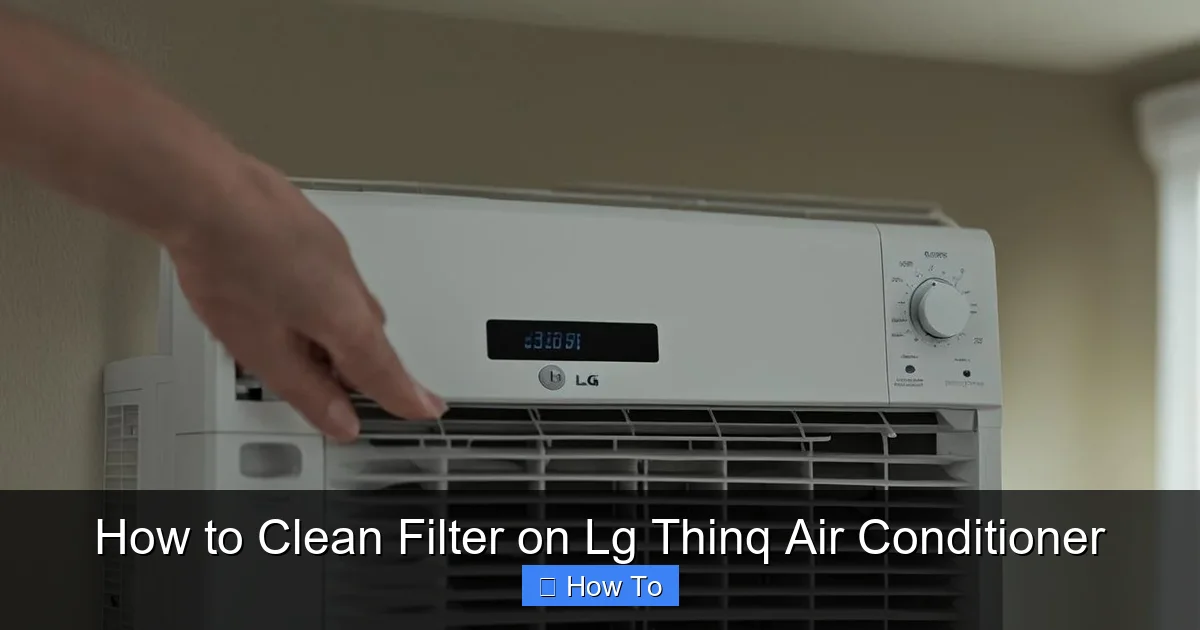
Visual guide about How to Clean Filter on Lg Thinq Air Conditioner
Image source: machineanswered.com
Before diving into the cleaning process, it’s important to understand why this small task makes such a big difference. The air filter in your LG ThinQ air conditioner plays a crucial role in the unit’s performance and your home’s air quality.
When the filter becomes clogged with dirt and debris, it restricts airflow. This means your AC has to work harder to push cool air through the system, which increases energy consumption and can lead to higher electricity bills. In extreme cases, restricted airflow may cause the evaporator coil to freeze, leading to poor cooling and potential damage to the compressor.
Beyond efficiency, a dirty filter can negatively impact your health. As air circulates through the unit, a clean filter traps allergens like dust mites, mold spores, and pet dander. When the filter is clogged, these particles can bypass the filter and re-enter your living space, aggravating allergies, asthma, and other respiratory conditions.
Regular cleaning—recommended every 2 to 4 weeks during peak usage—ensures your LG ThinQ AC runs smoothly, saves energy, and delivers cleaner, fresher air. It’s one of the easiest ways to maintain your unit and protect your investment.
Tools and Materials You’ll Need
The great news is that cleaning the filter on your LG ThinQ air conditioner requires minimal supplies. You likely already have everything you need at home.
Here’s what you’ll need:
- A soft brush (like a clean paintbrush or toothbrush)
- Mild dish soap or a gentle all-purpose cleaner
- Warm water
- A clean, dry towel or cloth
- A vacuum cleaner with a brush attachment (optional but helpful)
- Gloves (optional, for those with sensitive skin)
Avoid using harsh chemicals, bleach, or abrasive scrubbers, as these can damage the delicate filter material. Stick to mild cleaners and gentle tools to preserve the filter’s integrity.
Safety First: Preparing Your Unit
Before you begin cleaning, safety should be your top priority. Air conditioners are electrical appliances, and even though you’re only cleaning the filter, it’s essential to take precautions.
Turn Off the Power
Start by turning off your LG ThinQ air conditioner. Use the remote control to power down the unit. Then, for added safety, unplug the AC from the wall outlet. If your unit is hardwired, turn off the circuit breaker that supplies power to the air conditioner. This step prevents accidental startup during cleaning and reduces the risk of electric shock.
Allow the Unit to Cool Down
If your AC has been running recently, give it at least 15 to 20 minutes to cool down. This prevents burns from hot internal components and makes handling the unit more comfortable.
Clear the Area
Make sure the area around your air conditioner is clear of clutter, furniture, or obstacles. You’ll need space to work comfortably and safely access the front panel and filter compartment.
Locating the Air Filter
The location of the air filter varies slightly depending on your LG ThinQ model, but most units follow a similar design. The filter is typically housed behind the front panel of the indoor unit.
Identify the Front Panel
Look for the large front grille or panel on your indoor unit. This is usually located at the bottom or center of the unit and may have horizontal or vertical slats. On many LG ThinQ models, the front panel is designed to open easily for filter access.
Open the Front Panel
Gently pull the front panel outward from the bottom or side. Some models have a small latch or button you’ll need to press to release the panel. Be careful not to force it—if it doesn’t open easily, double-check your user manual for model-specific instructions.
Once the panel is open, you should see the air filter(s) inside. Some LG ThinQ units have a single filter, while others may have two (a primary and a secondary filter). Take note of how the filter is positioned so you can reinstall it correctly later.
Removing the Filter
With the front panel open, it’s time to remove the filter for cleaning.
Slide Out the Filter
Most LG ThinQ filters are designed to slide out horizontally. Gently grasp the filter by its handle or edge and pull it straight out. Avoid twisting or bending the filter, as this could damage the frame or mesh.
If your model has two filters, remove them one at a time to avoid confusion during reinstallation. Label them lightly with a piece of tape if needed (e.g., “Top” or “Bottom”).
Inspect the Filter
Before cleaning, take a moment to inspect the filter. Look for visible dirt, dust buildup, mold, or discoloration. If the filter appears torn, warped, or excessively worn, it may be time to replace it. LG recommends replacing filters every 6 to 12 months, depending on usage and air quality.
A clean filter should be white or light gray. If it’s dark gray or black, it’s definitely time for a thorough cleaning.
Cleaning the Filter
Now that the filter is out, it’s time to clean it properly. Follow these steps to remove dirt and debris without damaging the filter.
Vacuum Loose Debris (Optional)
If you have a vacuum cleaner with a brush attachment, use it to gently remove loose dust and hair from the filter. Hold the filter over a trash can and vacuum both sides. This step helps remove surface debris before washing, making the cleaning process more effective.
Rinse with Warm Water
Take the filter to a sink, bathtub, or outdoor area with a hose. Rinse it under lukewarm water. Avoid using hot water, as extreme temperatures can warp the filter material.
Hold the filter at an angle and rinse from the clean side (the side that faces inward when installed) to the dirty side. This helps push trapped debris out rather than deeper into the mesh.
Use Mild Soap for Stubborn Dirt
If the filter is heavily soiled, add a few drops of mild dish soap to a basin of warm water. Submerge the filter and let it soak for 5 to 10 minutes. Then, gently scrub both sides with a soft brush. Focus on areas with heavy buildup, but avoid scrubbing too hard—this can tear the mesh.
For filters with a carbon or antimicrobial coating, avoid soaking for too long, as this may degrade the treatment over time.
Rinse Thoroughly
After scrubbing, rinse the filter again under clean water until all soap residue is gone. Soap left on the filter can attract more dust and reduce airflow.
Shake Off Excess Water
Gently shake the filter to remove excess water. Do not wring or twist it, as this can damage the frame or mesh.
Drying the Filter
Proper drying is crucial to prevent mold and mildew growth.
Air Dry Completely
Place the filter on a clean, dry towel in a well-ventilated area away from direct sunlight. Allow it to air dry completely—this usually takes 1 to 2 hours, depending on humidity and airflow.
Do not reinstall a damp filter. Moisture trapped in the filter can promote mold growth and lead to unpleasant odors when the AC is running.
Avoid Heat Sources
Never use a hair dryer, heater, or direct sunlight to speed up drying. High heat can warp or melt the filter material, especially if it contains plastic components.
Reinstalling the Filter
Once the filter is completely dry, it’s time to put it back in the unit.
Check the Filter Orientation
Before sliding the filter back in, double-check its orientation. Most LG ThinQ filters have an arrow or label indicating the correct direction (usually pointing toward the unit or downward). Installing the filter backward can reduce efficiency and damage the unit over time.
Slide the Filter Back In
Carefully slide the filter back into its slot, following the same path you used to remove it. Make sure it sits flat and secure. If your unit has two filters, reinstall them in the correct order.
Close the Front Panel
Once the filter is in place, gently close the front panel. Make sure it clicks or locks securely. Do not force it—if it doesn’t close easily, check that the filter is properly seated.
Powering On and Testing
With the filter reinstalled, you’re ready to turn your LG ThinQ air conditioner back on.
Restore Power
Plug the unit back in or turn the circuit breaker on. Wait a few seconds for the system to reset.
Turn On the AC
Use the remote control or the LG ThinQ app to power on the unit. Set it to a comfortable temperature and fan speed.
Listen and Observe
Listen for unusual noises, such as rattling or grinding, which could indicate the filter is not installed correctly. Check that air is flowing smoothly from the vents. If airflow seems weak, double-check the filter installation.
Using the LG ThinQ App for Maintenance
One of the standout features of LG ThinQ air conditioners is the companion app, which makes maintenance easier than ever.
Download and Set Up the App
If you haven’t already, download the LG ThinQ app from the App Store (iOS) or Google Play (Android). Create an account and follow the on-screen instructions to connect your air conditioner to your home Wi-Fi network.
Enable Filter Reminders
Once connected, navigate to the “Settings” or “Maintenance” section of the app. Look for an option like “Filter Reminder” or “Clean Filter Alert.” Enable this feature to receive notifications when it’s time to clean or replace the filter.
You can usually customize the reminder frequency—set it to every 2 weeks during summer or adjust based on your usage.
Monitor Performance
The app also allows you to monitor your AC’s performance, energy usage, and air quality. Use this data to identify patterns and optimize your cleaning schedule.
How Often Should You Clean the Filter?
The ideal cleaning frequency depends on several factors, including usage, environment, and household conditions.
General Guidelines
- Every 2 weeks: During peak cooling season (summer) or if you run the AC frequently.
- Every 4 weeks: During mild weather or if the unit is used occasionally.
- Weekly: In homes with pets, smokers, or high dust levels.
Signs It’s Time to Clean
Even if you follow a schedule, watch for these signs that your filter needs cleaning:
- Reduced airflow from vents
- Longer cooling times
- Increased energy bills
- Visible dirt on the filter
- Unpleasant odors when the AC runs
Troubleshooting Common Issues
Even with proper care, you might encounter a few hiccups. Here’s how to handle common problems.
Filter Won’t Slide Out
If the filter is stuck, don’t force it. Check for obstructions or misalignment. Some models have a small tab or clip that needs to be pressed. Refer to your user manual for model-specific instructions.
Water Leaks After Cleaning
If your AC leaks water after cleaning, the filter may not be fully dry or could be installed incorrectly. Turn off the unit, remove the filter, and let it dry completely. Reinstall it carefully, ensuring it’s seated properly.
Reduced Cooling Performance
If your AC isn’t cooling as well as before, a dirty filter is often the culprit. Clean the filter and check for other issues like blocked vents or low refrigerant (which requires a professional).
Unusual Odors
Persistent odors may indicate mold or bacteria growth inside the unit. In addition to cleaning the filter, consider scheduling a professional deep cleaning or using an air purifier.
Tips for Long-Term Maintenance
To keep your LG ThinQ air conditioner running efficiently for years, follow these best practices:
- Clean the exterior vents: Use a soft cloth or vacuum to remove dust from the outdoor unit and indoor vents.
- Check the drain line: Ensure the condensate drain is clear to prevent water buildup and mold.
- Schedule professional servicing: Have a technician inspect your unit annually, especially before summer.
- Use a programmable thermostat: Set your AC to run only when needed to reduce wear and tear.
- Keep the area around the unit clear: Allow at least 2 feet of space around the outdoor unit for proper airflow.
Conclusion
Cleaning the filter on your LG ThinQ air conditioner is a simple, essential task that pays big dividends. By removing dust and debris regularly, you improve cooling efficiency, reduce energy costs, and enjoy cleaner, healthier air in your home. With just a few minutes of effort every few weeks, you can keep your AC running smoothly and extend its lifespan.
Remember to power off the unit before cleaning, use gentle cleaning methods, and always let the filter dry completely before reinstalling. Take advantage of the LG ThinQ app to set reminders and monitor performance. And if you ever run into issues, don’t hesitate to consult your user manual or contact LG support.
A little maintenance goes a long way. Start cleaning your filter today and enjoy a cooler, more comfortable home all season long.

