
Master your Panasonic inverter split air conditioner with this comprehensive manual guide. From installation tips to energy-saving settings, you’ll learn everything needed to keep your unit running smoothly. Whether you’re a first-time user or replacing an old system, this guide ensures comfort, efficiency, and long-term reliability.
Key Takeaways
- Energy Efficiency: Panasonic inverter technology adjusts compressor speed to match cooling needs, reducing energy use by up to 60% compared to non-inverter models.
- Easy Installation: Follow step-by-step instructions for indoor and outdoor unit setup, including wall mounting, piping, and electrical connections.
- Smart Controls: Use the remote control or Panasonic smartphone app to adjust temperature, fan speed, sleep mode, and timer functions.
- Regular Maintenance: Clean filters monthly and schedule professional servicing annually to maintain airflow and prevent breakdowns.
- Troubleshooting Guide: Common issues like error codes, weak cooling, or unusual noises are covered with simple fixes and when to call a technician.
- Noise Reduction: Inverter models operate quietly—under 40 dB in sleep mode—ideal for bedrooms and quiet environments.
- Warranty & Support: Register your unit online for warranty protection and access customer support through Panasonic’s official website or hotline.
Quick Answers to Common Questions
Where can I find the manual for my Panasonic inverter split AC?
You can download the official Panasonic inverter split air conditioner manual from the Panasonic website using your model number. It’s also included in the box as a PDF on a card.
Can I install the AC myself?
Basic setup like mounting the indoor unit is doable for experienced DIYers, but refrigerant handling and electrical work should be left to professionals for safety and warranty compliance.
How often should I clean the filter?
Clean or replace the air filter every 1–2 months, especially during summer. A dirty filter reduces airflow and increases energy use.
What does the inverter technology do?
Inverter compressors adjust speed continuously instead of turning on/off, saving energy and maintaining steady temperatures with less wear.
Why is my AC making a loud noise?
Unusual sounds may stem from loose parts, debris in fans, or compressor issues. Turn off the unit and inspect. Persistent noise requires professional inspection.
📑 Table of Contents
- Introduction to Your Panasonic Inverter Split Air Conditioner
- Understanding Inverter Technology in Panasonic AC Units
- Step-by-Step Installation Guide
- Operating Your Panasonic AC: Remote Control Basics
- Maintenance Tips for Long-Term Performance
- Troubleshooting Common Issues
- Energy-Saving Strategies
- Conclusion: Master Your Panasonic Inverter Split AC
Introduction to Your Panasonic Inverter Split Air Conditioner
If you’ve just brought home a sleek, energy-efficient Panasonic inverter split air conditioner, congratulations—you’re stepping into a world of modern climate control! These units aren’t just about keeping cool; they’re smart, responsive, and designed to adapt to your lifestyle. Unlike older air conditioners that simply turn on and off, the inverter technology in Panasonic models continuously adjusts power output based on room conditions. This means consistent comfort without the constant cycling that wastes energy and creates drafts.
The Panasonic inverter split air conditioner manual is your go-to resource for unlocking the full potential of your new appliance. Whether you’re installing it yourself or fine-tuning its performance, understanding the manual ensures safety, longevity, and maximum efficiency. From wiring diagrams to maintenance schedules, every detail matters. And don’t worry—this guide breaks it all down in plain language so you can focus on what really counts: enjoying cool, quiet, and reliable comfort all year round.
Understanding Inverter Technology in Panasonic AC Units
So, what makes Panasonic inverter split air conditioners stand out? It’s all about the inverter compressor. Traditional ACs run at full speed until the set temperature is reached, then shut off. When the room warms up again, they restart—creating temperature swings and high energy bills. In contrast, inverter ACs adjust their speed in real time, maintaining a steady temperature with minimal effort. Think of it like cruise control for your home’s climate.
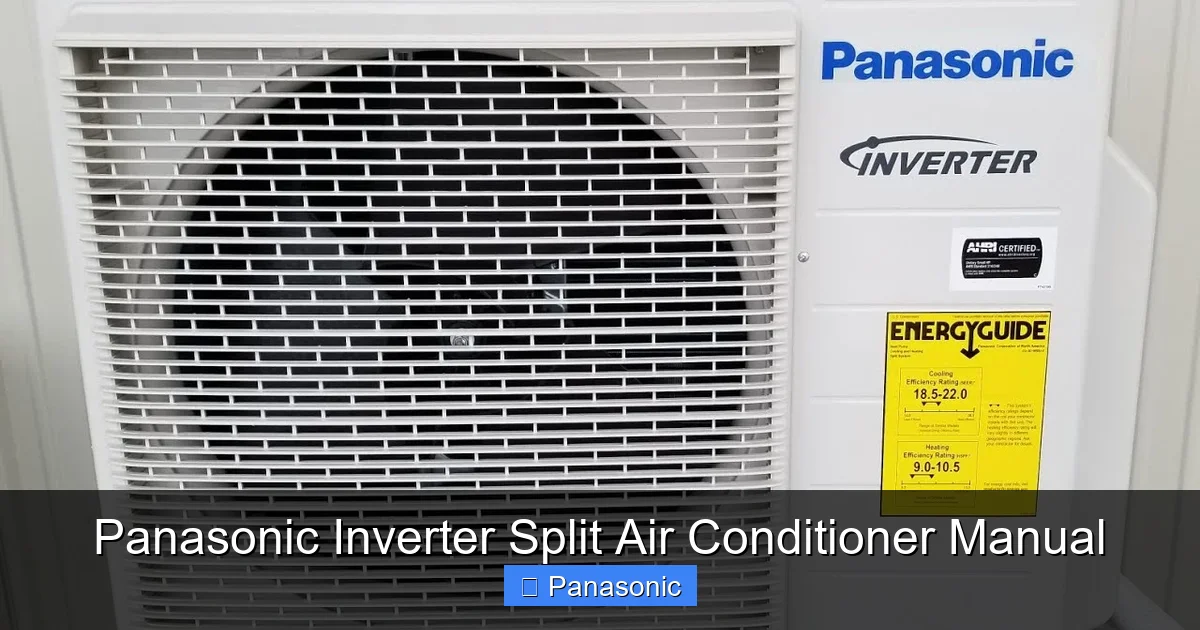
Visual guide about Panasonic Inverter Split Air Conditioner Manual
Image source: i.ytimg.com
How Inverter Compressors Work
The heart of your Panasonic AC is the DC inverter compressor. It converts alternating current (AC) from your home into direct current (DC), allowing precise motor speed control. When the room is already cool, the compressor slows down. During heat waves or heavy usage, it ramps up—without turning on and off repeatedly. This results in smoother operation, less wear and tear, and significant energy savings.
Benefits Beyond Cooling
- Reduced Energy Consumption: Up to 60% less electricity than non-inverter models.
- Faster Cooling: Reaches desired temperature quicker due to high initial power.
- Quieter Operation: Lower noise levels, especially during idle or low-speed modes.
- Longer Lifespan: Less mechanical stress means fewer repairs over time.
Step-by-Step Installation Guide
Proper installation is key to your AC’s performance and safety. While some tasks require a licensed technician (like refrigerant handling), many homeowners can handle the basics with guidance from the Panasonic inverter split air conditioner manual. Always prioritize safety—turn off power at the circuit breaker before starting.
Tools You’ll Need
- Drill and wall anchor kit
- Level (for even mounting)
- Screwdrivers (Phillips and flathead)
- Measuring tape
- Ladder (if ceiling height allows access)
- Refrigerant lines (if not pre-installed)
- Vacuum pump and manifold gauge set (for professional-grade work)
Mounting the Indoor Unit
1. Choose a spot on an interior wall away from direct sunlight, heat sources, and furniture.
2. Mark screw holes using the template provided in the manual.
3. Drill pilot holes and secure the mounting plate with anchors.
4. Attach the drain pan and ensure it slopes slightly toward the outlet.
5. Hang the indoor unit securely and connect the refrigerant line and drain hose.
Setting Up the Outdoor Unit
1. Place the outdoor unit on a stable, level surface with at least 3 feet of clearance around it for airflow.
2. Secure it to a concrete pad or wall bracket using bolts.
3. Connect the refrigerant line from the indoor unit to the outdoor unit.
4. Run the power cable and signal wire through the wall conduit.
5. Seal all penetrations to prevent water leaks and insect entry.
Electrical Connections
Follow the wiring diagram in your Panasonic inverter split air conditioner manual closely. Typically, you’ll connect:
- Live (L), Neutral (N), and Earth (E) wires from the power supply to the indoor unit.
- A separate three-core cable to the outdoor unit.
Never bypass safety features like the auto-cutoff switch. If unsure, hire a certified electrician.
Operating Your Panasonic AC: Remote Control Basics
Once installed, getting comfortable with your Panasonic inverter split air conditioner’s remote control is essential. The interface is intuitive, but knowing the buttons helps you maximize efficiency and comfort.
Essential Buttons and Functions
- Power Button: Turns the unit on/off. Press once to activate, twice for standby.
- Mode Selector: Switches between Cool, Dry, Fan, Heat (if dual-function), and Auto modes.
- Temperature Adjustment: Increases or decreases temperature in 1°C increments.
- Fan Speed: Options include High, Medium, Low, and Auto (adapts to room conditions).
- Timer: Set on/off times for automatic operation—perfect for saving energy while sleeping.
- Sleep Mode: Gradually increases temperature at night to reduce power use and prevent overcooling.
Using the Smart Features
Many Panasonic models come with Wi-Fi connectivity. Download the Panasonic Comfort Cloud app to:
- Control your AC from anywhere via smartphone.
- Receive filter replacement reminders.
- Access energy usage reports.
- Update firmware remotely.
This feature is especially useful if you travel frequently or want to pre-cool your home before arrival.
Practical Example: Setting Up Sleep Mode
Say you’re heading to bed at 11 PM. Instead of manually adjusting the thermostat, press the Sleep button. Your AC will gradually raise the temperature by 1–2°C over the next few hours. This keeps you comfortable without wasting energy when you’re asleep. Plus, it reduces nighttime humidity, helping you breathe easier.
Maintenance Tips for Long-Term Performance
Even the best appliances need care. Neglecting maintenance leads to reduced efficiency, poor air quality, and costly repairs. The Panasonic inverter split air conditioner manual emphasizes regular upkeep, but here’s how to stay ahead of issues.
Monthly Tasks: Do It Yourself
- Clean the Air Filter: Remove the front panel, slide out the filter, rinse under lukewarm water with mild detergent, and let it dry completely before reinserting. A dirty filter restricts airflow and strains the compressor.
- Check Drainage: Ensure the drain hose isn’t clogged. Pour a small amount of water into the drain pan—it should flow smoothly to the exterior.
- Inspect Vents: Make sure air intake and outlet vents aren’t blocked by curtains, furniture, or rugs.
Quarterly Deep Cleaning
Use a vacuum with a brush attachment to remove dust from the rear grille and coils. For stubborn buildup, a soft brush or specialized coil cleaner works well. Avoid spraying water directly into the unit—always turn off power first.
Annual Professional Servicing
Schedule a technician to:
- Recharge refrigerant if needed (low levels indicate a leak).
- Clean the evaporator and condenser coils.
- Test inverter board functionality.
- Calibrate sensors and check electrical connections.
This service ensures optimal performance and extends the unit’s life by 5–10 years.
Troubleshooting Common Issues
No machine is perfect. When your Panasonic inverter split air conditioner acts up, the Panasonic inverter split air conditioner manual provides clear solutions for most problems. Start with these checks before calling support.
Problem: Weak Cooling
Possible Causes:
- Dirty air filter
- Low refrigerant (professional diagnosis required)
- Blocked air vents
- Incorrect temperature setting
Solution: Clean or replace the filter. Clear obstructions. Verify the thermostat is set below room temperature. If cooling remains poor, contact a technician.
Problem: Unusual Noise
Causes:
- Loosened mounting screws
- Debris in fan blades
- Loose internal components
Solution: Tighten all screws. Turn off the unit and gently remove visible debris from fans. Never open the back cover unless qualified—electrical hazards exist.
Problem: Error Codes Displayed
Most Panasonic models show error codes on the LED display. Refer to your manual for meanings. Common codes include:
- E1: Temperature sensor issue
- E2: Communication failure between units
- E3: Overheating protection triggered
Restart the unit. If the code persists, write it down and contact Panasonic support with your model number.
Energy-Saving Strategies
Inverter ACs are efficient by design, but you can boost savings with smart habits. The Panasonic inverter split air conditioner manual highlights eco-friendly practices that reduce costs without sacrificing comfort.
Optimize Room Conditions
- Keep doors and windows closed while the AC runs.
- Use exhaust fans to remove kitchen and bathroom moisture.
- Install thermal curtains or blinds to block solar heat gain.
Smart Thermostat Settings
- Set temperature to 24–26°C for optimal balance of comfort and efficiency.
- Raise temp by 2°C when away from home—saves up to 10% per degree.
- Use the Timer function to delay cooling until you return.
Take Advantage of Eco Modes
Many Panasonic models have an Eco Mode that prioritizes energy savings over rapid cooling. It automatically adjusts fan speed and compressor activity to maintain comfort with minimal power draw. Enable it during peak sun hours or when occupancy is low.
Conclusion: Master Your Panasonic Inverter Split AC
Your Panasonic inverter split air conditioner is more than a cooling device—it’s a smart investment in comfort, health, and sustainability. By following the guidance in the Panasonic inverter split air conditioner manual, you’re not just operating a machine; you’re managing a high-tech system designed for efficiency and durability. From proper installation to daily operation and seasonal maintenance, each step contributes to longer life, lower bills, and consistent indoor climate control.
Remember, the key to success lies in understanding your unit. Read the manual—yes, really—and keep it handy for quick reference. Don’t hesitate to reach out to Panasonic support for technical questions or register your product for warranty benefits. With the right knowledge and care, your Panasonic AC will deliver years of reliable service, keeping you cool and calm no matter the weather outside.
Frequently Asked Questions
How do I reset my Panasonic inverter AC after a power outage?
After power returns, press and hold the Power and Timer buttons for 5 seconds. This resets the unit and clears temporary settings.
Is it safe to use the AC during thunderstorms?
Yes, but unplug it during severe storms to protect against power surges. Most models have built-in surge protection, but extra caution is wise.
Can I connect multiple indoor units to one outdoor unit?
Some Panasonic multi-split systems allow up to 5 indoor units per outdoor model. Check compatibility using your model numbers and consult a certified installer.
What temperature setting saves the most energy?
Setting your AC to 24–26°C balances comfort and efficiency. Every degree above 25°C can increase energy use by up to 10%.
How long does a Panasonic inverter AC typically last?
With proper maintenance, most Panasonic inverter split air conditioners last 10–15 years. Annual servicing and timely filter changes extend lifespan significantly.
Do I need to recharge refrigerant myself?
No. Refrigerant levels should only be checked and adjusted by a licensed HVAC technician. DIY recharging voids warranty and risks environmental harm.
