
Panasonic Inverter Air Conditioner Green Light Flashing
A flashing green light on your Panasonic inverter air conditioner often signals an issue with the remote control or internal system. While usually not serious, it can indicate low batteries, signal interference, or a minor error that needs attention. Most of the time, simple fixes like replacing batteries or resetting the unit resolve the problem quickly.
Key Takeaways
Green light flashing usually relates to remote control issues: The most common cause is low or dead batteries in the remote.
It can also signal system warnings: In some models, a flashing green light indicates a fault code or need for maintenance.
Resetting the AC may help: Power cycling the unit often clears temporary glitches causing the light to flash.
Check for obstructions or interference: Objects blocking the IR sensor or other electronics nearby can disrupt communication.
Refer to your user manual: Specific meanings for LED indicators vary by model—always consult official documentation.
Persistent flashing requires professional help: If the issue continues after basic troubleshooting, contact a certified technician.
Quick Answers to Common Questions
Is a flashing green light dangerous?
No, it’s rarely dangerous. It usually means the remote isn’t working properly or a minor system alert. Only call a pro if it persists after basic fixes. For more on this, see our guide on panasonic air conditioner maintenance tips.
Can I ignore the flashing light?
Only if your AC runs normally and cooling works well. If performance drops or the light keeps flashing, investigate or consult a technician.
Will changing batteries fix it every time?
Not always—sometimes interference, dirty sensors, or internal glitches are the real cause. But it’s the first thing to check! For more on this, see our guide on inverter air conditioner tips.
Does the outdoor unit affect the green light?
Indirectly—if the whole system loses power or has a fault, the indoor unit’s light may reflect that. But the light itself only monitors indoor functions.
Are all Panasonic models the same?
Nope. LED meanings differ by model and year. Always check your specific manual for accurate info.
📑 Table of Contents
- Understanding Your Panasonic Inverter Air Conditioner’s Green Light Indicator
- What Does the Green Light Mean on a Panasonic Inverter AC?
- Why Is My Panasonic Inverter AC Green Light Flashing?
- How to Troubleshoot and Fix the Flashing Green Light
- When Should You Call a Professional?
- Preventive Tips to Avoid Future Issues
- Final Thoughts: Stay Calm and Informed
Understanding Your Panasonic Inverter Air Conditioner’s Green Light Indicator
When you see that little green light blinking on your Panasonic inverter air conditioner, it’s natural to feel a bit concerned. After all, lights flashing on appliances usually mean something’s wrong—but don’t panic! In many cases, a Panasonic inverter air conditioner green light flashing isn’t a sign of major trouble. Instead, it’s often a helpful signal from your unit letting you know what needs attention. For more on this, see our guide on how to choose the right air conditioner for.
Modern Panasonic inverter air conditioners use LED indicators—like that green light—to communicate important information about performance, errors, or maintenance needs. These aren’t random blinks; they follow patterns that correspond to specific messages. Understanding what those patterns mean can save you time, money, and frustration.
In this guide, we’ll walk through everything you need to know about interpreting and resolving a flashing green light on your Panasonic inverter AC. Whether you're hearing strange beeps, noticing temperature fluctuations, or just curious about what’s going on behind the scenes, you’ll find clear answers and practical solutions below. For more on this, see our guide on are air conditioner brackets required in nyc.
What Does the Green Light Mean on a Panasonic Inverter AC?
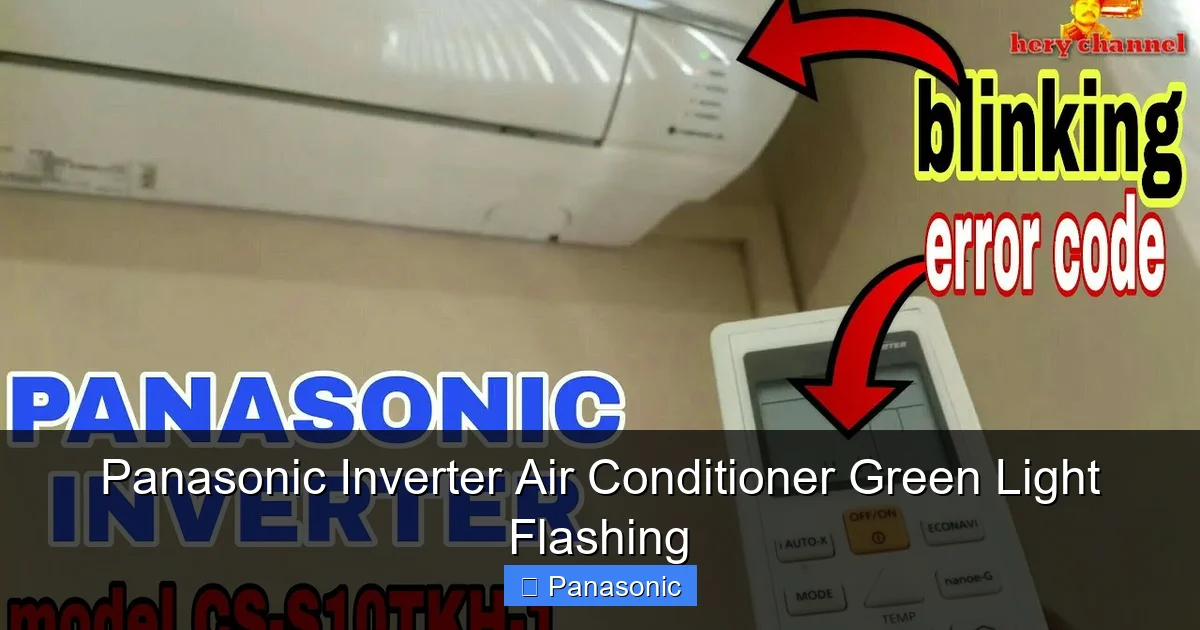
Panasonic inverter AC indoor unit with flashing green LED indicator
Visual guide about Panasonic Inverter Air Conditioner Green Light Flashing
Image source: i.ytimg.com
The meaning of the green light depends heavily on your specific Panasonic model and how long or fast the light is flashing. Unlike older split systems with single-function LEDs, modern inverter units often have multiple indicator lights (green, red, yellow) that blink in sequences to convey detailed status updates.
For example, on many Panasonic models like the CS/CU series or NS/NX series, a steady green light typically means the unit is running normally. But when it starts flashing , especially rapidly, it usually points to one of these situations:
- Remote control malfunction
- Low battery in the remote
- Signal interference or blocked IR receiver
- Minor operational error or fault code
- Need for filter cleaning or maintenance reminder
It’s important not to assume every flash is critical. Some models use short flashes as routine confirmations (e.g., “power on” or “mode change”), while longer or repeated flashes warn of potential issues. Always cross-check with your owner’s manual first—because what one model calls a “warning,” another might label as “normal operation.”
Common Patterns and Their Meanings
Let’s break down some typical flash patterns you might encounter:
1–2 rapid flashes: Often confirms a command was received—like turning the unit on via remote.
3–5 slow flashes: May indicate a filter replacement reminder (not always error-related).
Continuous rapid flashing: Strongly suggests either remote battery failure or a communication breakdown.
Long pauses between groups of flashes: Could signal a stored fault code requiring diagnostics.
If you notice any of these patterns and aren’t sure what they mean, writing them down (how many flashes, duration, timing) will help when consulting support or searching online forums. For more on this, see our guide on air conditioner vs hvac.
Why Is My Panasonic Inverter AC Green Light Flashing?
Now let’s dig into the most likely causes behind that pesky flashing green light. By far, the number one culprit is related to the remote control . Here’s why:
Your Panasonic inverter air conditioner relies on infrared (IR) signals from the remote to operate. If the remote isn’t sending signals properly—due to dead batteries, dirt on the lens, or physical damage—the AC may interpret this as confusion or an unrecognized command. To alert you, it blinks the green light as feedback.
Other common reasons include:
Remote Control Batteries Are Low or Dead
This is by far the most frequent cause of a Panasonic inverter air conditioner green light flashing . When the remote’s power drops too low, it can’t transmit signals reliably. The AC responds by flashing the green LED to tell you something’s off.
Solution: Replace the batteries immediately with fresh alkaline ones. Avoid rechargeable NiMH unless specified in your manual—they sometimes drain faster in remotes.
The IR Sensor Is Blocked or Dirty
Over time, dust, fingerprints, or even small stickers can cover the IR sensor window—usually located on the front panel near the control buttons. Even a tiny smudge blocks the signal path.
Tip: Wipe the sensor area gently with a microfiber cloth. Don’t use liquids—moisture can damage internal components.
There’s Interference From Other Electronics
Fluorescent lights, LED drivers, Wi-Fi routers, or even certain types of lamps emit electromagnetic noise that can interfere with IR signals. This causes the AC to misread commands or fail to respond.
Try this: Turn off nearby devices temporarily. If the light stops flashing, move the router, lamp, or other gadget away from the AC indoor unit.
The Unit Needs a Reset
Sometimes, electronic glitches happen inside the AC itself—especially after power surges or brief outages. A soft reset can clear these hiccups.
How to reset: Unplug the unit from the wall for at least 30 seconds, then plug it back in. Wait 2–3 minutes before testing. Many users report the green light stops flashing after this.
Decoding Panasonic Inverter AC Fault Codes
Many Panasonic inverter models store fault codes that can be read through the remote control display or via a specific button sequence on the indoor unit. If the green light flashes in a distinct pattern (e.g., two long flashes followed by three short flashes), it often corresponds to a specific error such as an indoor fan motor fault, refrigerant pressure anomaly, or communication failure between indoor and outdoor units. Consult your model’s service manual or the official Panasonic support site for a complete code list. In practice, a common mistake is assuming every flash pattern is a remote issue; some patterns point directly to hardware faults that require a technician. For authoritative code definitions, refer to Panasonic’s official air conditioner support page.
How to Troubleshoot and Fix the Flashing Green Light
Don’t worry—most cases are easy to solve without calling a technician. Follow this step-by-step checklist:
Step 1: Check the Remote Control First
Start here every time:
- Open the battery compartment.
- Remove and reinsert the batteries firmly.
- If possible, test with new batteries.
- Press any button slowly and steadily—don’t mash it.
After replacing batteries, point the remote directly at the AC’s sensor (usually a dark glass or plastic circle) and press “Power.” If nothing happens, try shining a phone camera lens at the sensor—you should see a faint pulse of light when pressing buttons. That confirms the remote is working.
Step 2: Inspect the IR Sensor and Area Around It
Look closely at the front panel where the remote signals come in. Is there dust, cobwebs, or debris? Clean it gently. Also ensure no curtains, furniture, or plants are blocking the line of sight.
Step 3: Try a Hard Reset
Unplug the entire unit—including the outdoor condenser—from the wall outlet. Leave it disconnected for 5 minutes. This resets the internal memory and clears temporary faults. Plug it back in and wait 5–10 minutes for full startup.
Step 4: Test Basic Functions Manually
Use the physical buttons on the indoor unit (if available). If the AC runs normally using manual controls but fails with the remote, the issue is definitely remote-related.
Step 5: Review Your Owner’s Manual
Search for “LED codes” or “indicator light meanings.” For instance, on Panasonic CS-EU12YKRV, a 4-flash pattern might mean “indoor fan motor error.” Knowing the exact sequence helps narrow the problem fast.
When Should You Call a Professional?
While most flashing green lights are harmless or easily fixed, there are times when you should seek expert help:
- The light keeps flashing even after replacing batteries and resetting.
- The AC won’t turn on at all.
- You hear unusual sounds (grinding, buzzing) along with the light.
- Cooling performance has dropped significantly.
- Multiple indicator lights are flashing simultaneously.
These could signal compressor issues, refrigerant leaks, electrical faults, or internal wiring problems—none of which you should attempt to fix yourself.
Also, if your model is under warranty, DIY repairs might void coverage. When in doubt, call a certified Panasonic service technician.
Preventive Tips to Avoid Future Issues
Once your AC is running smoothly, keep it that way with these habits:
Replace remote batteries annually —even if they seem fine, they degrade over time.
Keep the IR sensor clean —dust buildup is a silent killer of remote function.
Avoid placing electronics near the indoor unit —TVs, speakers, or dimmer switches can cause interference.
Schedule biannual maintenance —Panasonic recommends servicing once per year for optimal efficiency.
Store the remote safely —away from heat, moisture, and direct sunlight.
Also, consider upgrading to a universal remote compatible with Panasonic IR protocols. They’re affordable and more reliable than stock remotes. For a deeper dive into seasonal upkeep, see our seasonal air conditioning maintenance tips.
Smart Features and Connectivity Indicators
Newer Panasonic inverter models (2022 onward) often include Wi-Fi connectivity and smartphone app control. On these units, a flashing green light may also indicate a network pairing status, firmware update in progress, or loss of cloud connection. If your model supports the Panasonic Comfort Cloud app, check the app’s notification panel for specific alerts. This behavior is part of the broader trend toward air conditioning innovations that blend traditional cooling with smart home integration.
Energy Efficiency Tips for Your Panasonic Inverter AC
Inverter technology already saves energy by varying compressor speed, but you can maximize efficiency further. Set the temperature between 24–26°C (75–78°F) in cooling mode, use the “Eco” or “Auto” fan setting, and keep doors and windows sealed. Regular filter cleaning (every 2–4 weeks during heavy use) prevents airflow restriction that forces the compressor to work harder. For more detailed guidance, explore the best air conditioning settings for energy efficiency.
When to Consider Upgrading Your Panasonic Inverter AC
If your unit is over 10 years old, requires frequent repairs, or uses R-22 refrigerant (phased out globally), upgrading to a modern high-SEER inverter model can cut energy use by 30–50%. Newer units also offer quieter operation, better air filtration, and smart controls. When evaluating replacements, compare features across brands and consult a sizing guide to match capacity to your space. Our guide on how to choose the right air conditioner for your home and the roundup of the best HVAC air conditioning systems for residential use can help you make an informed decision.
Final Thoughts: Stay Calm and Informed
Seeing a flashing green light on your Panasonic inverter air conditioner doesn’t automatically mean disaster. In fact, it’s your appliance talking to you! Most instances are simple reminders or minor hiccups that vanish with basic care.
By understanding what the light means, knowing how to test common culprits like the remote, and following smart troubleshooting steps, you’ll handle 90% of cases confidently. And remember—when the issue feels beyond your comfort zone, reaching out to professionals ensures safety and longevity.
With regular maintenance and mindful usage, your Panasonic inverter AC will stay cool, quiet, and efficient for years. So next time that green light blinks? Smile, grab your manual, and take control.
Ready to optimize your cooling? Explore our seasonal maintenance checklist to keep your Panasonic inverter running efficiently.
Frequently Asked Questions
What does a flashing green light mean on my Panasonic inverter AC?
It usually indicates a remote control issue, such as low batteries or poor signal transmission. In rare cases, it may signal a maintenance reminder or minor fault—check your manual for exact meaning.
Why won’t my Panasonic AC respond to the remote when the green light flashes?
This often happens due to dead or weak remote batteries, a blocked IR sensor, or electromagnetic interference from nearby devices. Replacing batteries and cleaning the sensor usually solves it.
How do I reset my Panasonic inverter air conditioner?
Unplug both the indoor and outdoor units from the wall for at least 5 minutes. Plug them back in and wait 10 minutes before testing. This clears temporary errors and resets communication systems.
Should I replace my remote if the green light keeps flashing?
If new batteries don’t help and the AC works fine via manual controls, consider getting a replacement remote. Some older Panasonic remotes become unreliable over time due to worn-out circuits.
Can dust cause the green light to flash?
Yes—especially if dust covers the IR sensor on the indoor unit or the lens on the remote. Regular cleaning prevents signal blockage and maintains smooth operation.
What if the green light flashes along with other lights?
Multiple flashing lights usually indicate a more serious fault code (e.g., sensor failure or compressor issue). Refer to your manual or contact a technician for diagnosis.
How can I read fault codes on my Panasonic inverter AC without a remote display?
Some models allow you to enter a service mode by holding specific button combinations on the indoor unit (e.g., “Mode” + “Temp Up” for 5 seconds). The green light will then flash a code sequence. Check your service manual for the exact procedure.
Does a flashing green light affect energy consumption?
Not directly, but if the underlying cause is a sensor fault or refrigerant issue, the compressor may run inefficiently, increasing electricity use. Addressing the root cause promptly helps maintain optimal efficiency.
