
Panasonic air conditioners are known for efficiency, but sometimes their fan can be louder than expected. Common causes include dirty filters, loose components, or worn bearings. This guide explains why your Panasonic AC fan is noisy and provides simple solutions to restore quiet comfort.
Key Takeaways
- Fan noise in Panasonic ACs often stems from dust buildup or mechanical wear. Regular maintenance can prevent most issues.
- Loose fan blades or motor mounts are frequent culprits. Tightening screws or replacing parts may solve the problem.
- Dirty air filters restrict airflow and cause strain on the fan motor. Cleaning or replacing filters monthly reduces noise.
- Worn-out fan bearings or motors lead to grinding or rattling sounds. These require professional repair or part replacement.
- Improper installation or unbalanced fan wheels create vibration noise. Reinstalling or rebalancing can eliminate excess sound.
- Using eco modes or sleep timers lowers fan speed and reduces noise. These features help maintain quiet operation at night.
- Always consult a certified technician if noise persists after DIY fixes. Safety and warranty protection are worth the call.
Quick Answers to Common Questions
Is it normal for my Panasonic AC fan to make a humming sound?
Yes, a low, steady hum is typical during operation. However, if the hum is loud, intermittent, or accompanied by other noises like grinding or rattling, it may indicate a mechanical issue that needs attention.
Can a dirty filter really cause fan noise?
Absolutely. A clogged filter restricts airflow, forcing the fan motor to work harder and run faster, which increases noise and energy consumption. Cleaning or replacing the filter often resolves excessive fan sound.
How often should I clean my Panasonic AC fan?
For best results, inspect and clean the air filter every 1–2 weeks during heavy use. Once a month, vacuum the fan blades and intake grills. Annual professional servicing is recommended for internal components.
What does a grinding noise from the fan mean?
A grinding or squealing sound usually points to worn fan bearings or belts. These parts deteriorate over time and require replacement by a qualified technician to prevent further damage.
Can I fix fan noise myself or should I call a pro?
Simple fixes like cleaning filters or tightening screws can be done at home. But if you hear grinding, burning smells, or see significant vibration, contact a certified HVAC technician to avoid safety risks and potential warranty loss.
📑 Table of Contents
- The Sound of Comfort: Understanding Panasonic Air Conditioner Fan Noise
- Why Does My Panasonic Air Conditioner Fan Make Noise?
- Common Causes of Panasonic AC Fan Noise
- How to Fix Noisy Panasonic Air Conditioner Fans
- When to Call a Professional Technician
- Preventing Future Fan Noise in Your Panasonic AC
- Conclusion: Restoring Peace and Comfort
The Sound of Comfort: Understanding Panasonic Air Conditioner Fan Noise
There’s nothing like coming home to a cool, quiet room—especially during a hot summer day. But what happens when your Panasonic air conditioner kicks in and starts making more noise than it should? That familiar hum, click, or even occasional rattle can quickly turn your sanctuary into a nuisance. While some level of sound is normal, excessive fan noise from your Panasonic AC unit is often a sign that something needs attention.
Panasonic air conditioners are celebrated worldwide for their energy efficiency, smart features, and reliable performance. From inverter models with whisper-quiet operation to powerful window units, they’re built to last. Yet, even the best appliances can develop issues over time—especially when it comes to moving parts like fans. The good news? Most fan-related noises aren’t serious, and many can be fixed with simple steps.
In this comprehensive guide, we’ll explore why Panasonic air conditioner fans make noise, what types of sounds indicate trouble, and how you can restore peace and quiet to your space. Whether you’re dealing with a high-pitched whine, a vibrating hum, or a rattling shake, we’ve got practical advice to help you breathe easy again.
Why Does My Panasonic Air Conditioner Fan Make Noise?
Before diving into solutions, it’s important to understand that not all fan noise is bad. In fact, some sound is expected—after all, your AC fan is doing hard work to circulate cool air. However, if the noise has increased recently or seems unusually loud, there’s likely an underlying cause worth investigating.
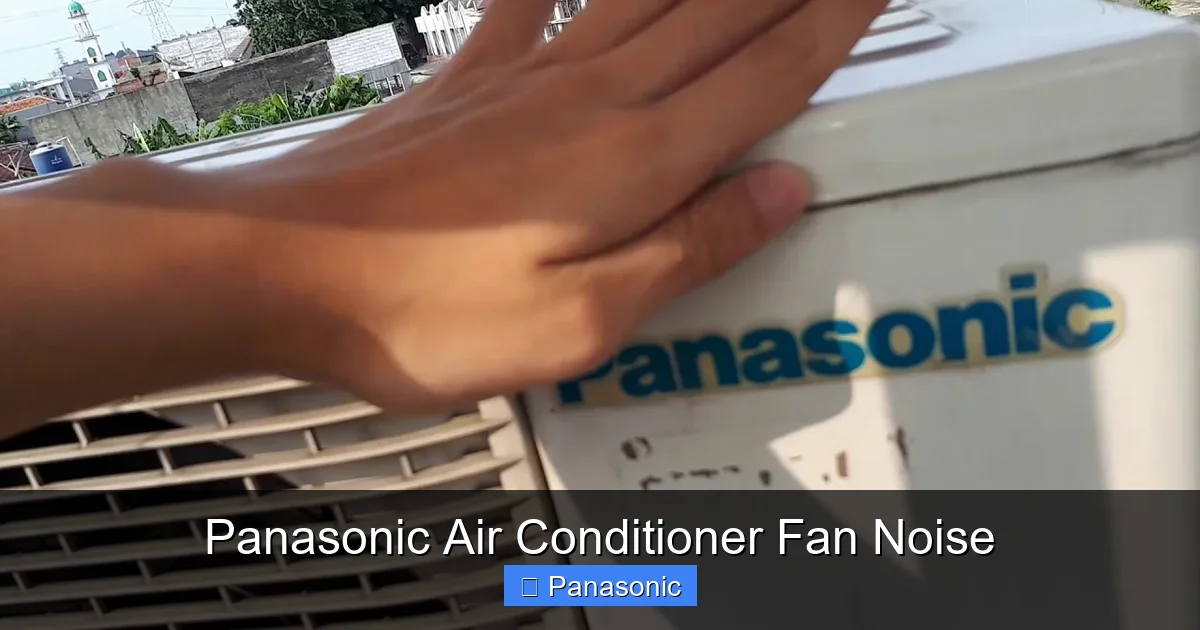
Visual guide about Panasonic Air Conditioner Fan Noise
Image source: i.ytimg.com
Normal vs. Abnormal Fan Sounds
A healthy Panasonic AC fan typically produces a low, steady hum during operation—similar to a refrigerator running in the background. You might hear a soft whoosh as air moves through the vents, but no sharp clicks, grinding, or loud bangs. If your unit sounds like a jet engine or a washing machine in spin cycle, that’s a red flag.
Common abnormal sounds include:
- Grinding or squealing: Often indicates worn fan bearings or belts.
- Rattling or shaking: Usually caused by loose screws, unsecured panels, or unbalanced blades.
- Buzzing or humming at high pitch: May point to electrical issues or motor problems.
- Thumping or clunking: Suggests mechanical misalignment or debris in the fan assembly.
The Role of Dust and Debris
Dust is one of the biggest enemies of quiet AC operation. Over time, dirt accumulates inside your unit—on fan blades, coils, and filters. When dust builds up on fan blades, it disrupts balance and creates uneven airflow, leading to vibration and noise. Similarly, clogged intake grills reduce airflow, forcing the fan motor to work harder and generate more sound.
This is especially true in homes with pets, smokers, or high pollen environments. Regular cleaning isn’t just about efficiency—it’s essential for reducing fan noise.
Common Causes of Panasonic AC Fan Noise
If your Panasonic air conditioner fan is louder than usual, don’t panic. Most issues fall into a few common categories. Let’s break them down so you know where to start looking.
1. Dirty or Clogged Air Filters
One of the simplest yet most overlooked causes of fan noise is a dirty air filter. When filters become saturated with dust, lint, or pet hair, they restrict airflow. To compensate, the fan motor runs at higher speeds, which increases both noise and energy use.
For example, if you haven’t replaced your filter in three months and notice a sudden increase in fan noise, cleaning or replacing the filter could make a dramatic difference. Panasonic recommends checking filters every 1–2 weeks during heavy use seasons.
2. Loose Screws or Unbalanced Fan Blades
Over time, vibrations from constant operation can loosen screws holding fan guards, panels, or even the fan itself. A wobbly fan blade spins unevenly, creating a rattling or buzzing sound. This is particularly common in older models or units moved frequently.
To test this, turn off the AC and gently press on the fan blades. If any feel loose or wobble noticeably, inspect the mounting screws. Use a screwdriver to tighten them—but don’t over-tighten, as stripped threads can cause new problems.
3. Worn Fan Bearings or Motor Issues
The fan motor relies on smooth, frictionless rotation to operate quietly. When bearings wear out, they produce grinding or squealing noises. In severe cases, the motor itself may degrade, leading to inconsistent speeds or complete failure.
Signs of bearing wear include:
- Persistent grinding sound even after cleaning
- Fan slowing down or stuttering
- Burning smell near the outdoor unit
These issues usually require professional diagnosis. Attempting internal repairs without experience can damage the unit or void your warranty.
4. Improper Installation or Mounting Problems
Even a brand-new Panasonic AC can be noisy if installed incorrectly. An unbalanced unit, loose mounting brackets, or misaligned fan wheels can cause excessive vibration. This is especially true with window units or portable models.
If your AC was recently installed or moved, double-check that all mounting hardware is secure and the unit sits level. Use a spirit level to ensure the base is flat, and add rubber gaskets under brackets to absorb vibration.
5. Refrigerant Imbalance or Blockages
While less common, refrigerant flow issues can indirectly affect fan performance. If the system struggles to cool efficiently due to low refrigerant or blockages in the coil, the fan may run longer or faster, increasing noise levels.
This type of issue requires a licensed technician to detect and fix safely. Never attempt to refill refrigerant yourself—it’s illegal in many regions and dangerous without proper tools.
How to Fix Noisy Panasonic Air Conditioner Fans
Now that you understand the possible causes, let’s walk through practical steps to reduce or eliminate fan noise. Start with these do-it-yourself solutions before considering professional help.
Step 1: Turn Off and Unplug the Unit
Safety first! Before inspecting or cleaning your Panasonic AC, power it down completely. For wall-mounted units, turn off the circuit breaker. For window or portable models, unplug the power cord. This prevents accidental startup and protects you from electrical hazards.
Step 2: Clean the Air Filter
Remove the filter according to your user manual (usually by sliding or lifting from below). Rinse it under lukewarm water with mild soap, then let it air dry fully before reinstalling. Avoid using heat to dry, as it can warp plastic components.
Pro tip: Keep spare filters on hand—especially if you have pets or live in dusty areas. A clean filter not only reduces noise but also improves air quality and extends motor life.
Step 3: Inspect and Tighten Components
Check all visible screws, bolts, and panel latches. Pay special attention to the fan guard, motor housing, and intake/exhaust grills. Use a flashlight to look for gaps or movement in the fan assembly.
If you find loose parts, tighten them carefully. Don’t force screws—if they won’t hold, replace the hardware with ones of the same size and thread.
Step 4: Clean Internal Fan Blades and Coils
Use a vacuum with a brush attachment to remove dust from fan blades and surrounding areas. Be gentle—don’t bend blades or insert tools into the motor housing. For coils (usually behind removable side panels), use a fin comb to straighten bent aluminum fins and a soft brush to clear debris.
Note: Some Panasonic models have sealed motors designed to resist moisture and dust. Refer to your manual before opening internal access panels.
Step 5: Lubricate Moving Parts (If Applicable)
Older Panasonic AC models may have oil ports for fan motor lubrication. If your unit is pre-2010 and still under warranty consideration, check the manual for guidance. Modern inverter models use sealed, long-life motors and generally don’t require lubrication.
Never apply oil unless specified—excess lubricant can attract dust and damage insulation.
Step 6: Rebalance the Fan Wheel
If the fan wobbles, try balancing it manually. Apply small amounts of non-conductive adhesive (like epoxy putty) evenly around the hub until rotation feels smooth. Alternatively, purchase a fan balancer kit online—they’re inexpensive and effective.
When to Call a Professional Technician
While many fan noise issues are fixable at home, certain signs indicate it’s time to call a certified HVAC technician. Ignoring persistent problems can lead to costly repairs or full system failure.
Warning Signs Requiring Expert Help
- Grinding, burning, or electrical smells: Could indicate motor burnout or wiring faults.
- Unit vibrating excessively or shaking: Might mean cracked fan blades or damaged mounts.
- Unusual odors like mold or gas: Suggest internal contamination or safety hazards.
- AC not cooling despite normal fan operation: Points to refrigerant leaks or compressor issues.
- Warranty concerns: Opening internal components may void coverage—consult a pro first.
Panasonic recommends scheduling annual maintenance checks to keep your system running smoothly and catch minor issues before they escalate. Many local service providers offer quick diagnostics and same-day appointments.
Preventing Future Fan Noise in Your Panasonic AC
The best way to avoid noisy fans is through consistent care and mindful usage. Here are proven strategies to keep your Panasonic air conditioner operating quietly year-round.
Regular Maintenance Schedule
Create a simple calendar reminder for monthly tasks:
- Vacuum intake/exhaust grills
- Inspect and clean/replace filters
- Wipe exterior panels with a damp cloth
- Check remote control batteries (low batteries can cause erratic fan behavior)
For optimal performance, schedule professional servicing once a year—ideally before peak cooling season.
Optimize Usage Settings
Modern Panasonic ACs come with eco-friendly modes designed to reduce fan speed and noise. Try using:
- ECO Mode: Adjusts temperature gradually to save energy and lower noise.
- Sleep Timer: Automatically increases fan speed during the day, then slows to whisper-quiet at night.
- Quiet Mode: Available on select inverter models; minimizes operational sound without sacrificing comfort.
These settings are especially helpful in bedrooms or offices where silence matters.
Keep the Area Around Your AC Clear
Ensure at least 12 inches of clearance around indoor vents and outdoor units. Furniture, curtains, or clutter blocking airflow forces the fan to work harder. Trim trees or shrubs near outdoor units to prevent debris buildup.
Upgrade to Quieter Models When Replacing
If your current unit is over 8–10 years old and consistently noisy, consider upgrading to a newer Panasonic inverter model. Newer designs incorporate noise-reduction technologies like aerodynamic fan blades and sound-dampening materials.
Look for models labeled “Ultra Quiet” or with decibel ratings below 40 dB—comparable to a library environment.
Conclusion: Restoring Peace and Comfort
A noisy Panasonic air conditioner fan doesn’t have to ruin your comfort. With a little knowledge and routine care, most issues can be resolved quickly and affordably. Remember, some fan sound is normal—but loud, irregular, or growing louder over time usually signals an opportunity for intervention.
Start with basic steps: clean your filter, tighten loose parts, and check for obstructions. If the problem persists, evaluate whether it’s a mechanical issue requiring professional attention. And always prioritize safety—never open internal panels unless you’re trained or confident in your abilities.
By staying proactive with maintenance and understanding how your AC works, you’ll enjoy years of quiet, efficient cooling. After all, the best air conditioners don’t just cool rooms—they create calm.
Frequently Asked Questions
Why is my Panasonic air conditioner fan so loud at night?
Nighttime noise may be due to the unit switching to a lower power mode or sleep timer kicking in, which can sometimes cause slight changes in fan speed or airflow. However, if the noise is new or disruptive, check for loose components or debris buildup.
Does fan noise affect cooling performance?
Not directly, but excessive noise often means the fan is working harder due to restricted airflow (from dirty filters or blocked vents), which can reduce overall efficiency and cooling capacity over time.
Can I use compressed air to clean my AC fan?
Use caution. Short bursts of compressed air can dislodge dust, but high pressure may bend delicate fan blades or push debris deeper into the unit. A soft-bristled brush and vacuum are safer options.
Will a noisy fan shorten my AC’s lifespan?
Possibly. Constant strain from imbalance, dirt, or mechanical wear accelerates component degradation. Addressing fan noise early helps preserve your unit’s longevity and maintains warranty eligibility.
Are all Panasonic AC models equally quiet?
No. Newer inverter models with “Quiet Mode” technology are significantly quieter than older fixed-speed units. Always check decibel ratings and customer reviews when comparing models.
How can I tell if my fan noise is from the indoor or outdoor unit?
Indoor fan noise is heard inside the room—look for rattling near vents or walls. Outdoor unit noise includes thumping, grinding, or high-pitched whines near the condenser. Identify the source before troubleshooting.
