
An LG room air conditioner not cooling can stem from dirty filters, refrigerant leaks, or thermostat issues. This guide walks you through step-by-step diagnostics, easy fixes, and when to call a pro—so you can beat the heat without stress.
Key Takeaways
- Dirty or clogged air filters restrict airflow, reducing cooling efficiency—clean or replace them monthly.
- Frozen evaporator coils often result from poor airflow or low refrigerant; turn off the unit and let it thaw before investigating further.
- Incorrect thermostat settings like “Fan Only” mode or a too-high temperature setting can make the AC seem broken.
- Refrigerant leaks require professional repair; signs include hissing sounds, ice buildup, or warm air blowing.
- Blocked condenser coils or vents prevent heat exchange—keep the exterior unit clean and unobstructed.
- Electrical issues such as tripped breakers or faulty capacitors can stop the compressor from running.
- Old or undersized units may struggle to cool effectively—consider upgrading if your AC is over 10 years old.
📑 Table of Contents
- Why Is My LG Room Air Conditioner Not Cooling? A Complete Troubleshooting Guide
- Common Causes of Cooling Problems in LG Room Air Conditioners
- Step-by-Step Troubleshooting for an LG Room Air Conditioner Not Cooling
- When to Call a Professional Technician
- Preventive Maintenance to Keep Your LG AC Cooling Efficiently
- Conclusion
Why Is My LG Room Air Conditioner Not Cooling? A Complete Troubleshooting Guide
You’re sweating through another hot afternoon, and your trusty LG room air conditioner is blowing warm air—or worse, not cooling at all. You’ve checked the power, adjusted the thermostat, and even given it a gentle nudge (we’ve all been there), but nothing seems to work. Don’t panic. An LG room air conditioner not cooling is a common issue, and in most cases, it’s fixable with some basic troubleshooting.
LG makes reliable, energy-efficient air conditioners, but like any appliance, they need regular maintenance and occasional repairs. Whether you’re dealing with weak airflow, warm air blowing, or the unit shutting off unexpectedly, the root cause often lies in one of a handful of familiar problems. The good news? Many of these issues don’t require a service call or expensive parts. With a little know-how and a few simple tools, you can often restore your AC’s cooling power in under an hour.
In this guide, we’ll walk you through the most common reasons your LG room air conditioner isn’t cooling, how to diagnose them, and what you can do to fix them—safely and effectively. We’ll cover everything from filter maintenance to refrigerant concerns, so you can get back to enjoying a cool, comfortable space without breaking a sweat.
Common Causes of Cooling Problems in LG Room Air Conditioners
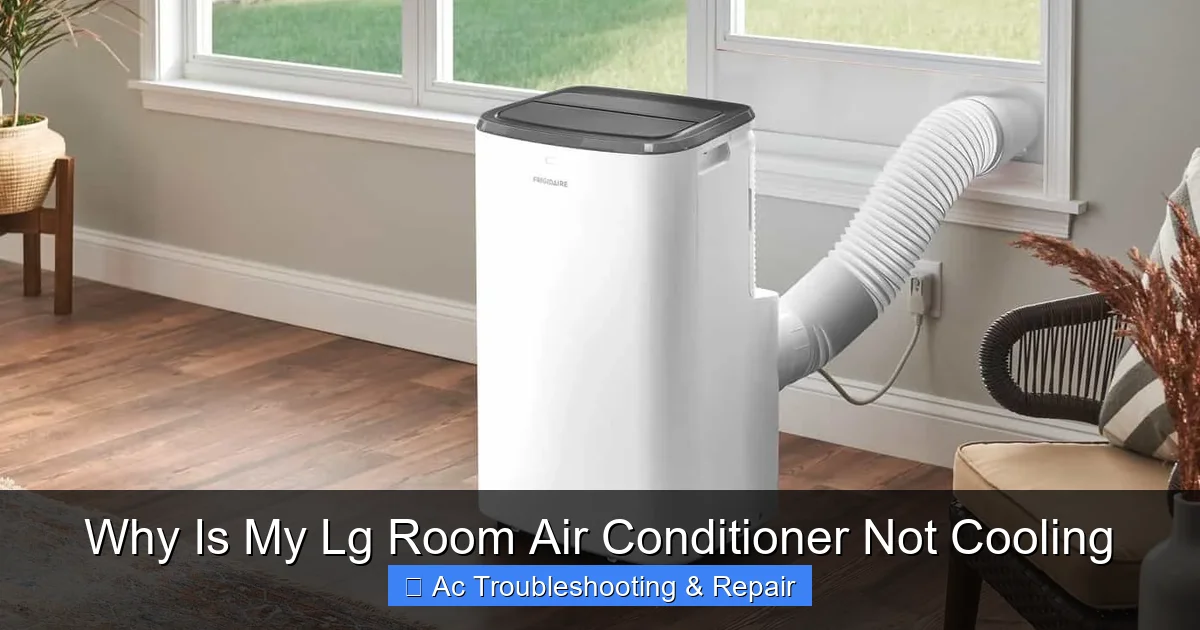
Visual guide about Why Is My Lg Room Air Conditioner Not Cooling
Image source: airconexperts.ph
When your LG room air conditioner isn’t cooling, it’s usually due to one of several underlying issues. Understanding these causes is the first step toward a solution. Let’s break down the most frequent culprits.
Dirty or Clogged Air Filters
One of the simplest yet most overlooked reasons your LG AC isn’t cooling is a dirty air filter. Over time, dust, pet dander, and debris accumulate on the filter, blocking airflow. When air can’t pass through the evaporator coil efficiently, the coil can’t absorb heat from your room, leading to poor cooling or even freezing.
For example, if you’ve been running your AC constantly during a heatwave and haven’t changed the filter in two months, it’s likely clogged. You might notice weak airflow from the vents or the unit running longer than usual without reaching the set temperature.
The fix is easy: turn off the unit, remove the front panel, and locate the filter. Most LG window and portable ACs have a washable or replaceable filter. Rinse it under warm water, let it dry completely, and reinstall. If it’s damaged or excessively dirty, replace it with a compatible LG filter. Doing this monthly during peak usage can prevent 80% of airflow-related cooling issues.
Frozen Evaporator Coils
If your LG air conditioner is running but not cooling, and you see ice or frost on the indoor unit, you likely have frozen evaporator coils. This happens when the coil gets too cold, usually due to restricted airflow (like a dirty filter) or low refrigerant levels.
Imagine your AC is working hard, but instead of cooling, it’s freezing up. The ice acts as an insulator, preventing heat transfer, so warm air blows out instead of cold. In severe cases, the unit may shut off automatically to prevent damage.
To fix this, turn off the AC and switch it to “Fan Only” mode to let the ice melt completely—this can take several hours. Once thawed, check the air filter and clean it. Also, ensure furniture or curtains aren’t blocking the vents. If the problem returns, it could indicate a refrigerant issue or a faulty defrost sensor, which requires professional attention.
Incorrect Thermostat or Mode Settings
Sometimes, the problem isn’t mechanical—it’s user error. It’s easy to accidentally change settings, especially if you’re using a remote or smart app. If your LG AC is on but not cooling, double-check the thermostat.
Make sure the mode is set to “Cool” and not “Fan,” “Heat,” or “Dry.” In “Fan Only” mode, the compressor doesn’t run, so no cooling occurs. Also, verify the temperature setting—if it’s set to 85°F on a 90°F day, the AC won’t kick on because the room isn’t “warm enough” to trigger cooling.
Another common mistake? Setting the fan speed too high. While it might seem counterintuitive, a high fan speed can reduce cooling efficiency because air moves too quickly over the coil to absorb heat properly. Try setting the fan to “Auto” or “Low” for better dehumidification and cooling.
Blocked or Dirty Condenser Coils
The condenser coil, located in the outdoor section of window or portable units, releases heat from the refrigerant into the air. If it’s covered in dirt, dust, or debris, heat can’t escape, causing the system to overwork and lose cooling power.
For window units, check the back or side grilles. If they’re clogged with leaves, lint, or grime, the AC will struggle to cool. Use a soft brush or vacuum with a brush attachment to gently clean the coils. Avoid using high-pressure water, which can bend the delicate fins.
For portable ACs, ensure the exhaust hose is properly vented and not kinked. A blocked exhaust prevents hot air from leaving the room, reducing overall efficiency.
Refrigerant Leaks or Low Refrigerant Levels
Refrigerant is the lifeblood of your air conditioner—it absorbs heat from your room and releases it outside. If levels are low due to a leak, your LG AC won’t cool effectively, even if everything else is working.
Signs of a refrigerant issue include:
– Hissing or bubbling sounds from the unit
– Ice buildup on copper lines or coils
– Warm air blowing despite the compressor running
– Higher-than-normal electricity bills
Unlike a dirty filter, refrigerant problems can’t be fixed at home. Handling refrigerant requires EPA certification and specialized tools. If you suspect a leak, turn off the unit and contact an LG-certified technician. They’ll locate the leak, repair it, and recharge the system to the correct level.
Electrical Issues and Power Problems
Your LG air conditioner needs consistent power to run the compressor and fan. If it’s not cooling, check the basics first.
Start by ensuring the unit is plugged in securely. For window units, make sure the outlet is working—test it with another device. Check your home’s circuit breaker; a tripped breaker can cut power to the AC without you realizing it.
Also, inspect the power cord for damage. Frayed wires or burn marks are serious safety hazards and can prevent the unit from functioning.
Another common electrical issue is a faulty capacitor. The capacitor helps start the compressor and fan motors. If it’s failing, the AC may hum but not start, or it might shut off after a few minutes. This requires a multimeter test and replacement by a qualified technician.
Drainage Problems in Portable or Window Units
Portable and some window ACs have internal drainage systems to remove condensation. If the drain pan is full or the drain line is clogged, the unit may shut off as a safety measure.
For portable units, check the water tank—many LG models have a “Full Tank” indicator light. If it’s on, empty the tank and restart the unit. Some models also have auto-evaporation, but in high humidity, the tank can still fill up.
For window units, look for water pooling inside the cabinet or dripping outside. A clogged drain hole can cause overflow. Use a pipe cleaner or compressed air to clear it.
Step-by-Step Troubleshooting for an LG Room Air Conditioner Not Cooling
Now that you know the common causes, let’s walk through a systematic approach to diagnosing and fixing the problem. Follow these steps in order to save time and avoid unnecessary repairs.
Step 1: Check the Power and Settings
Start simple. Is the unit plugged in? Is the outlet working? Try plugging in a lamp or phone charger to test the outlet.
Next, check the remote or control panel. Make sure the mode is set to “Cool,” the temperature is lower than the room temperature, and the fan is on “Auto” or “Low.” If you’re using a smart app, ensure it’s connected and sending the right commands.
If the unit has a display, look for error codes. LG models often show codes like “CH 01” (filter clean reminder) or “CH 03” (drainage issue). Refer to your user manual for specific meanings.
Step 2: Inspect and Clean the Air Filter
Turn off the AC and unplug it for safety. Remove the front panel and locate the air filter. Remove it and hold it up to the light—if you can’t see through it, it’s time to clean or replace it.
Washable filters can be rinsed under warm water. Let them dry completely before reinstalling. Replace disposable filters every 1–3 months, depending on usage and air quality.
After cleaning, reassemble the unit and turn it back on. Wait 15–20 minutes to see if cooling improves.
Step 3: Examine the Evaporator and Condenser Coils
Look inside the unit for ice or frost on the evaporator coil (usually behind the filter). If present, turn off the AC and let it thaw completely. Use a hairdryer on low heat to speed up the process, but avoid direct contact with plastic parts.
Once thawed, clean the filter and check for airflow obstructions. If ice returns, the issue may be low refrigerant or a faulty sensor.
Next, inspect the condenser coils (on the back or side of the unit). Use a soft brush or vacuum to remove dirt and debris. Keep the area around the unit clear—at least 12 inches of space on all sides.
Step 4: Check for Drainage Issues
For portable ACs, check the water tank. If full, empty it and restart the unit. For window units, look for water inside the cabinet or dripping from the bottom.
Locate the drain hole (usually a small opening at the base) and clear any blockages with a pipe cleaner or compressed air.
If your unit has a condensate pump, ensure it’s working and the hose is not kinked.
Step 5: Listen for Unusual Noises
Turn on the AC and listen carefully. Normal operation includes a gentle hum and airflow. Unusual sounds may indicate problems:
– **Hissing or bubbling**: Possible refrigerant leak
– **Clicking**: Could be a relay or capacitor issue
– **Grinding or screeching**: Fan motor or bearing problem
– **Loud banging**: Loose parts or compressor issue
If you hear anything unusual, turn off the unit and consult a technician.
Step 6: Test the Thermostat and Sensors
Use a separate thermometer to check the room temperature. Compare it to the AC’s display. If there’s a big difference, the thermostat sensor may be faulty.
On many LG units, the sensor is located behind the front panel or near the evaporator coil. Gently clean it with a soft cloth. Avoid moving or bending it.
If the AC still doesn’t cool, the sensor may need calibration or replacement—best left to a professional.
When to Call a Professional Technician
While many cooling issues can be resolved with DIY fixes, some problems require expert attention. Here’s when to call an LG-certified technician:
Refrigerant Leaks or Recharging
As mentioned earlier, refrigerant handling is regulated and dangerous if done incorrectly. If you suspect a leak—based on ice buildup, hissing sounds, or reduced cooling—contact a professional. They’ll use leak detectors, repair the issue, and recharge the system safely.
Compressor or Motor Failure
The compressor is the heart of your AC. If it fails, the unit won’t cool at all. Signs include:
– The unit runs but blows warm air
– Loud humming without startup
– Burning smell or smoke
Compressor repairs are complex and often costly. In some cases, replacing the unit may be more economical.
Electrical or Control Board Issues
If the AC won’t turn on, displays error codes, or behaves erratically, the control board or wiring may be faulty. These components require diagnostic tools and technical expertise to repair.
Warranty Considerations
If your LG air conditioner is still under warranty (typically 1–2 years for parts, 5–10 years for the compressor), avoid DIY repairs that could void it. Contact LG support or an authorized service center for assistance.
Preventive Maintenance to Keep Your LG AC Cooling Efficiently
An ounce of prevention is worth a pound of cure. Regular maintenance can prevent most cooling issues and extend the life of your unit.
Monthly Maintenance
– Clean or replace the air filter
– Wipe down the exterior with a damp cloth
– Check the remote batteries
Seasonal Maintenance (Before Summer)
– Deep clean the evaporator and condenser coils
– Inspect and clear the drain line
– Ensure the unit is level (for window units)
– Check seals and insulation around the window
Annual Professional Tune-Up
– Have a technician inspect refrigerant levels, electrical connections, and overall performance
– Clean internal components not accessible to users
– Calibrate sensors and test safety controls
Smart Tips for Better Cooling
– Use a programmable thermostat or LG’s smart app to optimize runtime
– Close curtains during the day to reduce heat gain
– Avoid placing heat sources (lamps, TVs) near the thermostat
– Upgrade to a higher-efficiency model if your unit is over 10 years old
Conclusion
An LG room air conditioner not cooling doesn’t have to mean a sweltering summer or a costly repair bill. In most cases, the issue stems from something simple—like a dirty filter, incorrect settings, or a blocked vent—that you can fix yourself with a little patience and care.
By following the troubleshooting steps in this guide, you can diagnose and resolve many common problems quickly and safely. Remember to check the basics first: power, settings, and airflow. Clean the filter monthly, keep the coils clear, and listen for unusual sounds.
However, if you suspect a refrigerant leak, electrical fault, or compressor issue, don’t hesitate to call a professional. Safety and proper repair are always worth the investment.
With regular maintenance and smart usage, your LG air conditioner can keep you cool and comfortable for years to come. Stay cool, stay informed, and enjoy the breeze.
Frequently Asked Questions
Why is my LG air conditioner running but not cooling?
This is often due to a dirty air filter, frozen coils, or incorrect thermostat settings. Check and clean the filter, ensure the mode is set to “Cool,” and verify the temperature is set lower than the room temperature.
Can a dirty filter really stop my AC from cooling?
Yes. A clogged filter restricts airflow, causing the evaporator coil to freeze and reducing cooling efficiency. Clean or replace the filter monthly for optimal performance.
How do I know if my LG AC has a refrigerant leak?
Signs include hissing sounds, ice buildup on coils or lines, warm air blowing, and higher energy bills. If you suspect a leak, turn off the unit and contact a certified technician.
Is it safe to thaw frozen coils with a hairdryer?
Yes, but use low heat and keep the dryer moving to avoid damaging components. Never use open flames or sharp objects to chip away ice.
Why does my portable LG AC keep shutting off?
This could be due to a full water tank, overheating, or a faulty sensor. Empty the tank, ensure proper ventilation, and check for error codes on the display.
How often should I service my LG room air conditioner?
Perform basic maintenance monthly, deep clean before each cooling season, and schedule a professional inspection once a year to ensure peak performance and longevity.