
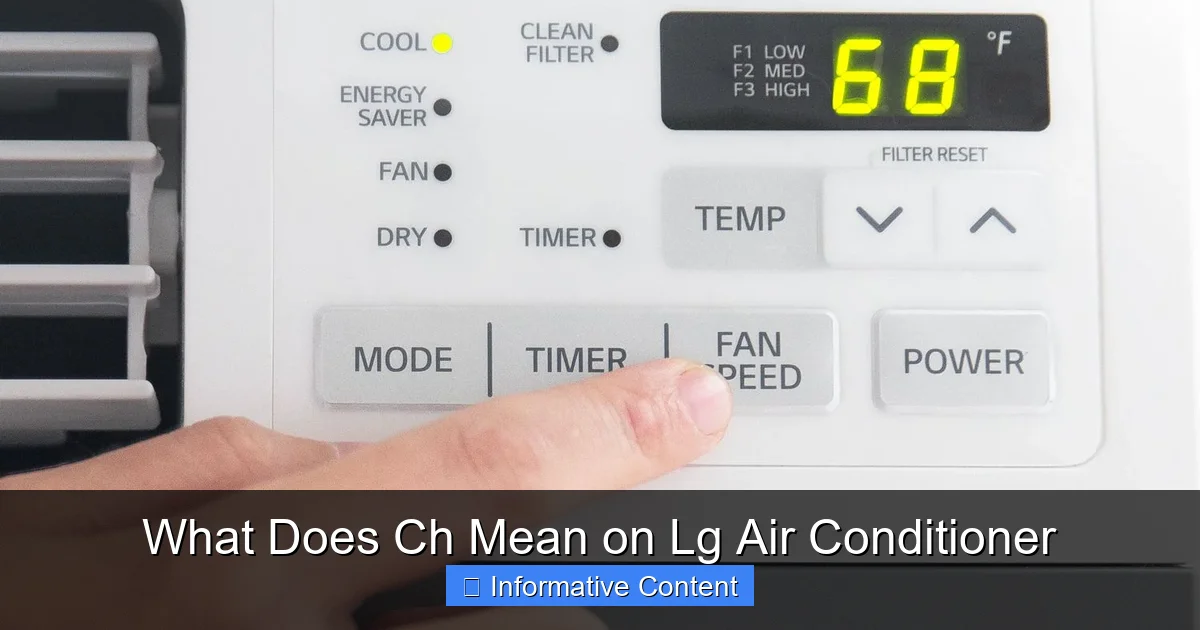
If you’ve ever seen “CH” flashing on your LG air conditioner display and wondered what it means, you’re not alone. This code typically indicates a communication error between the indoor and outdoor units, often due to wiring issues or power problems. Understanding and resolving the CH error quickly can restore cooling comfort and prevent further damage.
Key Takeaways
- CH stands for Communication Error: It signals a breakdown in data exchange between the indoor and outdoor units of your LG AC.
- Common Causes Include Wiring Faults: Loose, damaged, or improperly connected wires are frequent culprits behind the CH code.
- Power Supply Issues Can Trigger CH: Voltage fluctuations or unstable power may disrupt communication and display the error.
- Resetting the Unit May Help: A simple power cycle can sometimes clear temporary glitches causing the CH message.
- Professional Diagnosis Is Often Needed: Persistent CH errors usually require a certified technician to inspect and repair internal components.
- Regular Maintenance Prevents Errors: Cleaning filters and checking connections reduces the risk of communication failures.
- Know When to Call for Help: If the CH code returns after troubleshooting, avoid DIY fixes and contact LG support.
Quick Answers to Common Questions
What does CH mean on LG air conditioner?
CH stands for Communication Error, indicating the indoor and outdoor units can’t exchange data properly.
Can I fix the CH error myself?
Yes, in many cases. Try power cycling the unit and checking wiring connections. If the error persists, call a technician.
Is the CH code dangerous?
Not immediately, but ignoring it can lead to compressor damage or refrigerant leaks over time.
Does CH mean low refrigerant?
No. CH is a communication issue, not a refrigerant problem. Low refrigerant usually triggers different error codes.
Will resetting the breaker fix CH?
Sometimes. A power cycle clears temporary glitches, but recurring CH errors need professional diagnosis.
📑 Table of Contents
What Does CH Mean on LG Air Conditioner?
You’re relaxing at home on a hot summer day when suddenly, your LG air conditioner stops cooling. You glance at the display panel and see two letters that stop you in your tracks: “CH.” Your first thought might be, “What does CH mean on LG air conditioner?” Don’t panic—this is a common error code, and while it sounds alarming, it’s usually fixable with the right steps.
The “CH” code on an LG air conditioner stands for **Communication Error**. This means the indoor unit (the part inside your room) is unable to send or receive signals from the outdoor unit (the compressor and condenser outside). These two components must constantly communicate to regulate temperature, fan speed, and refrigerant flow. When that link breaks, the system halts operation and displays the CH error as a safety measure.
This issue isn’t unique to LG—many modern inverter air conditioners use similar error codes—but LG’s design makes diagnosing and resolving CH errors more straightforward if you know what to look for. In this guide, we’ll walk you through everything you need to understand about the CH code: what causes it, how to troubleshoot it, and when to call in a professional. Whether you’re a DIY enthusiast or just want to be informed before calling a technician, this article will give you the clarity and confidence to handle the situation.
Understanding the CH Error Code
Visual guide about What Does Ch Mean on Lg Air Conditioner
Image source: i.ytimg.com
To truly grasp what “CH” means on your LG air conditioner, it helps to understand how these systems work. Unlike older window units or basic split systems, modern LG inverter air conditioners rely on sophisticated digital communication between indoor and outdoor units. This communication happens over a dedicated wiring harness that carries power, data, and control signals.
When everything is working properly, the indoor unit sends temperature readings and user settings (like desired cooling level) to the outdoor unit. In response, the outdoor unit adjusts compressor speed and refrigerant flow accordingly. This real-time dialogue ensures efficient, quiet, and consistent cooling.
The “CH” error interrupts this conversation. Think of it like a phone call dropping mid-sentence—the two sides can’t coordinate, so the system shuts down to prevent damage. The display shows “CH” (sometimes flashing or solid) to alert you that something is blocking this vital link.
It’s important to note that “CH” is not a refrigerant leak, compressor failure, or thermostat issue—though those problems can sometimes mimic similar symptoms. Instead, it’s almost always related to electrical connectivity. That’s good news: many causes are external and fixable without replacing major components.
How LG Air Conditioners Communicate
LG uses a proprietary communication protocol over low-voltage wires (typically 4–6 wires) connecting the indoor and outdoor units. These wires carry both power and data signals. If even one wire becomes loose, corroded, or shorted, the entire communication chain breaks down.
For example, imagine the data wire develops a tiny crack due to vibration over time. The signal weakens, and the units can’t “hear” each other clearly. The system interprets this as a total failure and triggers the CH code. Similarly, moisture ingress into the connection terminals can cause corrosion, leading to intermittent or complete signal loss.
Understanding this mechanism helps explain why seemingly minor issues—like a poorly sealed outdoor junction box—can cause major operational problems. It also underscores why proper installation and periodic inspection are critical for long-term reliability.
Why the CH Code Appears Suddenly
Many users report that their LG AC was working fine yesterday, but today it shows “CH.” This sudden onset is common and usually points to an environmental or mechanical trigger rather than gradual wear.
Common sudden triggers include:
– Recent power outages or voltage spikes
– Lightning strikes near your home (which can induce surges in wiring)
– Construction work nearby causing vibrations that loosen connections
– Heavy rain or snow leading to moisture in outdoor electrical boxes
In some cases, the error appears after a routine filter cleaning if the indoor unit was reassembled incorrectly, disturbing internal wiring. Always double-check connections when servicing your unit.
Common Causes of the CH Error
Now that you know what “CH” means on LG air conditioner systems, let’s explore the most frequent reasons it appears. Identifying the root cause is the first step toward a lasting fix.
Loose or Damaged Wiring
By far the most common cause of the CH error is faulty wiring between the indoor and outdoor units. Over time, wires can become loose due to thermal expansion, vibration, or poor initial installation. Rodents chewing on cables (especially in attics or crawl spaces) can also sever critical connections.
Signs of wiring issues include:
– Frayed or chewed insulation
– Corroded terminal blocks
– Burn marks near connection points
– Intermittent operation before the CH code appears
If you’re comfortable inspecting wiring (with the power off!), check the terminal strips on both units. Ensure all screws are tight and wires are securely seated. Never attempt this if you’re unsure—electrical work can be dangerous.
Power Supply Problems
Unstable or insufficient power can disrupt communication signals. LG air conditioners require a stable voltage within a specific range (usually 208–230V for residential units). If your home experiences frequent brownouts, voltage spikes, or uses an undersized circuit breaker, the AC may struggle to maintain communication.
For instance, if your AC shares a circuit with high-draw appliances like washing machines or space heaters, voltage drops during startup can cause the CH error. Installing a dedicated circuit or a voltage stabilizer can help prevent this.
Faulty Control Boards
While less common, a malfunctioning indoor or outdoor control board can also cause the CH error. These circuit boards manage signal processing and communication protocols. If a board develops a fault—due to overheating, moisture, or component failure—it may stop transmitting data correctly.
Symptoms of a bad control board include:
– CH code appearing even with perfect wiring
– Other error codes appearing intermittently
– Unusual noises from the indoor or outdoor unit
Replacing control boards is complex and should only be done by a licensed technician. Attempting DIY repairs can void your warranty or cause further damage.
Moisture or Corrosion in Connections
Outdoor units are exposed to the elements, and even small amounts of moisture can wreak havoc on electrical connections. Rain, snow, or high humidity can seep into junction boxes if seals are worn or missing.
Corrosion builds up slowly, degrading signal quality until communication fails entirely. Regular inspection of outdoor unit terminals—especially after storms—can catch this early.
Incorrect Installation or Recent Repairs
If your LG AC was recently installed or serviced, the CH error might stem from improper reassembly. Technicians sometimes miswire terminals or forget to reconnect a data cable during maintenance.
Always ask for a post-service verification if the error appears after repairs. A quick call to the installer can save hours of troubleshooting.
How to Troubleshoot the CH Error
Before calling a technician, there are several safe and effective steps you can take to resolve the CH error yourself. Many cases are caused by temporary glitches or simple oversights that a homeowner can fix.
Step 1: Power Cycle the Unit
The simplest fix is often a full power reset. This clears temporary memory errors and reinitializes communication between units.
Here’s how:
1. Turn off the air conditioner using the remote or wall switch.
2. Locate the circuit breaker for the AC unit in your electrical panel.
3. Flip the breaker to “OFF” and wait 5–10 minutes.
4. Flip it back to “ON.”
5. Turn the AC back on and wait 10–15 minutes to see if the CH code clears.
This process resets both indoor and outdoor control boards, often resolving minor communication hiccups. If the CH code returns immediately, move to the next step.
Step 2: Inspect Wiring Connections
With the power off, carefully examine the wiring between units. Focus on:
– Terminal blocks on the indoor unit (usually behind the front panel)
– Outdoor unit junction box (often under a removable cover)
– Wire nuts or crimp connectors along the line set
Look for:
– Loose screws
– Discolored or burnt wires
– Signs of pests
– Moisture or rust
Tighten any loose connections and clean corrosion with a dry cloth. Never use water or cleaning sprays near electrical components.
Step 3: Check for Obstructions or Damage
Ensure nothing is blocking airflow or damaging the outdoor unit. Debris, overgrown plants, or ice buildup can cause operational stress that indirectly triggers communication errors.
Also, verify that the line set (the copper pipes and wires running between units) isn’t kinked, crushed, or exposed to sharp edges. Physical damage can compromise internal wiring.
Step 4: Test Voltage Stability
If you have a multimeter, check the voltage at the outdoor unit’s power input. It should read within ±10% of the rated voltage (e.g., 208–253V for a 230V unit).
Fluctuating or low voltage suggests a utility issue or undersized wiring. Contact an electrician if readings are consistently off.
Step 5: Reset the Remote or Wi-Fi Module
Some LG models use Wi-Fi or smart remotes that can interfere with communication if glitched. Try:
– Removing batteries from the remote for 1 minute
– Unplugging the Wi-Fi module (if present) for 30 seconds
– Re-pairing the remote to the unit
This won’t fix wiring issues but can resolve software-related communication bugs.
When to Call a Professional
While many CH errors can be resolved with basic troubleshooting, some situations require expert intervention. Continuing to operate the unit with a persistent CH code can lead to compressor damage or refrigerant leaks.
Signs You Need a Technician
Call a certified LG HVAC technician if:
– The CH code returns after a power cycle and wiring check
– You notice burning smells, sparks, or smoke
– The outdoor unit makes grinding or clicking noises
– Other error codes appear alongside CH
– The unit is under warranty (DIY repairs may void it)
Professionals have diagnostic tools to test communication signals, measure resistance in wiring, and identify failing components like control boards or sensors.
What to Expect During Service
A technician will typically:
1. Scan the system for error logs
2. Test voltage and continuity in all wires
3. Inspect control boards for damage
4. Check refrigerant levels (to rule out leaks)
5. Verify proper grounding and bonding
Most CH-related repairs take 1–2 hours and cost between $100–$300, depending on the issue. Always request a detailed invoice explaining the problem and solution.
Preventing Future CH Errors
An ounce of prevention is worth a pound of cure—especially with complex appliances like air conditioners. Simple maintenance habits can significantly reduce the risk of CH errors.
Schedule Annual Maintenance
Have a licensed technician service your LG AC once a year, preferably before summer. They’ll clean coils, check refrigerant, inspect wiring, and test communication signals.
Keep the Area Around Units Clear
Maintain at least 2 feet of clearance around the outdoor unit. Trim vegetation, remove debris, and ensure proper drainage to prevent moisture buildup.
Use a Surge Protector
Install a whole-house surge protector to guard against voltage spikes from lightning or grid fluctuations. This protects both your AC and other electronics.
Monitor for Early Warning Signs
Watch for subtle clues like:
– Intermittent cooling
– Unusual noises
– Flickering display lights
– Delayed startup
Addressing these early can prevent a full-blown CH error.
Conclusion
Seeing “CH” on your LG air conditioner display can be unsettling, but it’s rarely a sign of catastrophic failure. In most cases, it simply means the indoor and outdoor units aren’t talking to each other—usually due to wiring, power, or environmental issues. By understanding what CH means on LG air conditioner systems and following the troubleshooting steps outlined here, you can often restore cooling quickly and safely.
Remember: start with a power cycle, inspect connections, and don’t hesitate to call a pro if the problem persists. Regular maintenance is your best defense against future errors. With a little knowledge and care, your LG AC will keep you cool season after season.
Frequently Asked Questions
Why does my LG AC show CH after a power outage?
Power outages can cause voltage surges or resets that disrupt communication between units. A full power cycle often resolves this.
Can weather cause the CH error?
Yes. Heavy rain, snow, or lightning can damage wiring or introduce moisture into electrical connections, triggering the CH code.
How much does it cost to fix a CH error?
Costs vary from $0 (if resolved with a reset) to $300+ for professional repairs like wiring fixes or control board replacement.
Should I turn off my AC if it shows CH?
Yes. Continuing to run the unit with a communication error can cause further damage. Turn it off and troubleshoot or call a technician.
Can a dirty filter cause CH?
Rarely. While dirty filters reduce efficiency, they don’t typically cause communication errors. However, improper reassembly after cleaning might.
Is the CH error covered under LG warranty?
Most likely, if the unit is under warranty and the issue stems from manufacturing defects. DIY repairs may void coverage, so check your terms.