
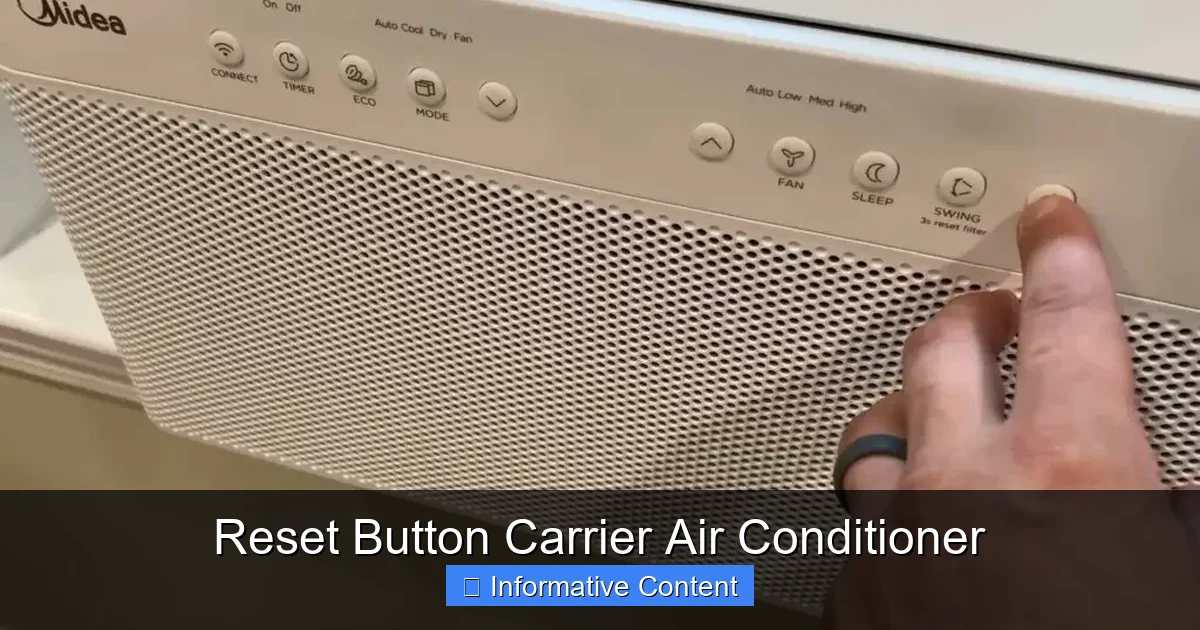
Is your Carrier air conditioner acting up? The reset button might be the simple fix you need. This guide walks you through finding, using, and understanding the reset function to restore cooling, prevent shutdowns, and keep your system running smoothly—no technician required.
Key Takeaways
- Locate the reset button: It’s usually found on the outdoor unit’s control panel or inside the air handler, often labeled “Reset” or “Test/Reset.”
- Know when to reset: Use the reset button after power outages, tripped breakers, or when the AC won’t turn on despite normal settings.
- Follow safety first: Always turn off power at the breaker before pressing the reset button to avoid electrical hazards.
- Reset doesn’t fix all problems: If the unit still doesn’t work after resetting, it may indicate a deeper issue like a faulty capacitor or refrigerant leak.
- Regular maintenance helps: Clean filters, clear debris, and schedule annual checkups to reduce the need for frequent resets.
- Understand the difference: A reset restores power and clears temporary faults, while a hard reset (power cycling) reboots the system entirely.
- Keep a log: Track when you reset your unit and any symptoms to help diagnose recurring issues with a technician.
📑 Table of Contents
What Is the Reset Button on a Carrier Air Conditioner?
If you’ve ever walked past your Carrier air conditioner and noticed a small, red or black button tucked away on the side or inside the unit, you’ve likely spotted the reset button. But what exactly does it do? And why is it there?
The reset button on a Carrier air conditioner is a built-in safety and troubleshooting feature designed to restore normal operation after certain types of system interruptions. Think of it like a “refresh” button for your AC—similar to restarting your computer when it freezes. When your air conditioner experiences a temporary fault—like a power surge, overheating, or a tripped internal safety switch—the system may shut down to protect itself. The reset button allows you to clear that fault and get your cooling back online.
Unlike a simple power cycle (turning the unit off and on), pressing the reset button often clears internal error codes and resets protective mechanisms within the system. This can resolve issues without needing to call a technician, saving you time and money.
Carrier, a trusted name in HVAC systems, designs its units with user-friendly features like this to empower homeowners. Whether you have a Carrier Infinity, Performance, or Comfort series model, most modern units include some form of reset functionality. However, the exact location and method can vary slightly depending on your model and installation setup.
Understanding how and when to use the reset button is a valuable skill for any homeowner. It’s not a magic fix for every problem, but it’s often the first step in diagnosing and resolving common AC issues. In the sections below, we’ll walk you through everything you need to know—from finding the button to knowing when it’s time to call a pro.
Where Is the Reset Button Located on a Carrier AC Unit?
Visual guide about Reset Button Carrier Air Conditioner
Image source: smartacsolutions.com
Finding the reset button on your Carrier air conditioner is the first step toward troubleshooting. But don’t worry—it’s usually not hidden in some hard-to-reach spot. Most Carrier models place the reset button in one of two common locations: the outdoor condenser unit or the indoor air handler.
Outdoor Unit (Condenser)
For split-system air conditioners—the most common type in homes—the outdoor unit houses the compressor and condenser coils. This is where you’ll often find the reset button. Look for a small, recessed button on the side or top of the metal cabinet. It’s typically red or black and may be labeled “Reset,” “Test/Reset,” or simply marked with a triangle or arrow symbol.
On many Carrier models, such as the 24ACC6 or 38MURA series, the reset button is located behind a small access panel on the side of the outdoor unit. You may need to remove a screw or two to open it. Once inside, you’ll see the control board with the reset button nearby. Some units also have a protective cover over the button to prevent accidental presses.
Indoor Unit (Air Handler or Furnace)
In some configurations, especially with packaged units or systems that combine heating and cooling, the reset button may be located indoors. This is typically inside the air handler—the indoor unit that circulates air through your ductwork. To access it, you’ll need to remove the front panel of the air handler, usually secured with screws.
Once inside, look for the control board. The reset button is often near the thermostat wiring or the blower motor. On Carrier furnaces with integrated AC systems, such as the 59SC5 or 59TP6 models, the reset button may be part of the furnace’s limit switch system and used to reset high-temperature cutoffs.
How to Identify the Button
If you’re unsure which button is the reset, here are a few visual clues:
– It’s usually small (about the size of a pencil eraser).
– It’s often recessed to prevent accidental activation.
– It may have a label like “Reset,” “RST,” or “Test.”
– On some models, it’s part of a larger switch assembly with multiple functions.
If you can’t find it, consult your owner’s manual. Carrier provides detailed diagrams for each model, and you can usually download a PDF from their website using your model number. Still stuck? Call Carrier customer support—they can walk you through locating it based on your system type.
When Should You Use the Reset Button?
Now that you know where to find it, the next question is: when should you actually press the reset button? Not every AC hiccup requires a reset, and using it unnecessarily won’t help—and could even mask a real problem.
Here are the most common scenarios when pressing the reset button is appropriate and effective:
After a Power Outage
Power outages are one of the top reasons homeowners need to reset their Carrier air conditioner. When the electricity goes out and comes back on, voltage surges can cause the AC’s internal safety systems to trip. Even if the breaker hasn’t flipped, the unit may remain in a “locked out” state until manually reset.
If your AC won’t turn on after the power returns, try pressing the reset button. This clears the fault and allows the system to restart normally. It’s a simple step that can save you from a costly service call.
When the AC Won’t Turn On
You’ve set the thermostat to “Cool,” the temperature is high, but the outdoor unit isn’t running. The indoor fan might be working, but no cool air is coming out. This could mean the compressor is locked out due to an overload or overheating.
Pressing the reset button can clear this lockout and restore operation. However, if the unit still doesn’t start after resetting, there may be a deeper issue—like a failed capacitor, low refrigerant, or a faulty contactor.
After a Tripped Breaker or GFCI
If the circuit breaker for your AC has tripped—or if you have a GFCI outlet that’s tripped—the unit won’t receive power. Even after resetting the breaker, the AC may not restart automatically. In this case, pressing the reset button on the unit itself can help reinitialize the system.
Always check the breaker first. If it trips repeatedly, don’t just keep resetting it. That’s a sign of an electrical issue that needs professional attention.
Following Overheating or High Pressure
Carrier units are equipped with high-pressure and high-temperature switches that shut down the system if it gets too hot or if refrigerant pressure becomes unsafe. This can happen if the outdoor unit is dirty, the condenser coils are blocked, or there’s a refrigerant leak.
Once you’ve cleared any debris and ensured proper airflow, pressing the reset button can restart the system. But if the problem returns quickly, it’s likely a mechanical issue that requires repair.
After a Storm or Lightning Strike
Severe weather can cause power surges that damage sensitive electronics in your AC. Even if the unit appears to be working, internal components may have been affected. Pressing the reset button can help restore communication between the thermostat and the unit.
However, if you suspect lightning damage, have a technician inspect the system. Surges can fry circuit boards, capacitors, and other parts that aren’t easily visible.
How to Safely Reset Your Carrier Air Conditioner
Resetting your Carrier air conditioner is usually straightforward, but safety should always come first. Electricity and moving parts can be dangerous, so follow these steps carefully.
Step 1: Turn Off the Power
Before touching anything, turn off the power to your air conditioner at the main electrical panel. Locate the breaker labeled “AC” or “Air Conditioner” and switch it to the “Off” position. For extra safety, also turn off the disconnect switch near the outdoor unit—this is a metal box on the wall with a pull handle or switch.
Never press the reset button while the unit is powered. Even if the AC isn’t running, capacitors inside can hold a charge and cause a shock.
Step 2: Wait 5–10 Minutes
After cutting the power, wait at least 5 to 10 minutes. This allows any residual electricity in the system to dissipate and gives the internal components time to cool down. It also ensures that the system fully resets.
This waiting period is especially important if the unit shut down due to overheating. Rushing to reset it could cause it to trip again immediately.
Step 3: Locate and Press the Reset Button
Now, find the reset button using the guidelines above. Once located, press it firmly with your finger or a small tool like a pen. You should feel a slight click. Some models require you to hold the button for 3–5 seconds.
If the button is recessed, use a non-conductive tool to avoid accidental shocks. Never use metal objects.
Step 4: Restore Power
After pressing the reset button, turn the breaker back on and flip the disconnect switch. Wait a minute or two, then set your thermostat to “Cool” and lower the temperature below the current room temperature.
The outdoor unit should start within a few minutes. Listen for the compressor to kick on and feel for cool air coming from the vents.
Step 5: Monitor the System
Keep an eye on your AC over the next hour. Does it cool properly? Does it shut off and on normally? If it runs smoothly, you’re good to go.
But if it shuts down again shortly after starting, or if it doesn’t start at all, there’s likely an underlying issue. Repeated resets are not a long-term solution.
What to Do If the Reset Button Doesn’t Work
Pressing the reset button solves many common problems, but it’s not a cure-all. If your Carrier air conditioner still won’t work after a reset, it’s time to dig deeper.
Check the Thermostat
Sometimes the issue isn’t the AC—it’s the thermostat. Make sure it’s set to “Cool” and the temperature is lower than the room temperature. Replace the batteries if it’s a battery-operated model. If you have a smart thermostat, check for software updates or Wi-Fi connectivity issues.
Inspect the Air Filter
A dirty air filter restricts airflow, causing the system to overheat and shut down. Check your filter monthly and replace it if it’s clogged with dust and debris. A clean filter improves efficiency and reduces strain on the system.
Clear Debris from the Outdoor Unit
Over time, leaves, grass, and dirt can accumulate around the outdoor condenser unit. This blocks airflow and causes the system to overheat. Turn off the power, then gently clean the area around the unit. Use a garden hose to rinse the coils—never use a pressure washer, as it can damage the fins.
Check for Ice or Frost
If you see ice or frost on the indoor coils or refrigerant lines, the system may be low on refrigerant or have a airflow problem. Turn off the AC and let the ice melt completely. Then check the filter and ensure all vents are open and unobstructed.
Listen for Unusual Noises
Strange sounds—like grinding, clicking, or buzzing—can indicate mechanical issues. A buzzing sound near the outdoor unit might mean a failing contactor. A grinding noise could signal a bad motor. These problems require professional diagnosis.
Call a Technician
If you’ve tried the reset, checked the basics, and the AC still won’t work, it’s time to call a licensed HVAC technician. They can run diagnostics, check refrigerant levels, test electrical components, and identify hidden issues.
Repeated resets can actually damage your system over time, so don’t keep pressing the button hoping it will fix itself. Persistent problems often point to worn parts, electrical faults, or refrigerant leaks—issues that only a professional can safely repair.
Preventing the Need for Frequent Resets
While the reset button is a helpful tool, you don’t want to rely on it regularly. Frequent resets are often a sign that your system is under stress. The good news? Many of these issues can be prevented with simple maintenance.
Change the Air Filter Regularly
A clean filter is the easiest way to keep your AC running smoothly. Check it every 30 days and replace it every 1–3 months, depending on usage and air quality. A dirty filter forces the system to work harder, increasing the risk of overheating and shutdowns.
Keep the Outdoor Unit Clean
Trim back bushes and plants at least 2 feet around the outdoor unit. Remove leaves, grass clippings, and debris from the top and sides. Once a year, gently clean the condenser coils with a coil cleaner and hose.
Schedule Annual Maintenance
Just like your car, your air conditioner needs regular tune-ups. A professional HVAC technician can inspect electrical connections, test capacitors, check refrigerant levels, and lubricate moving parts. Annual maintenance can extend the life of your system and prevent unexpected breakdowns.
Ensure Proper Airflow
Make sure all supply and return vents are open and unobstructed. Don’t block them with furniture, curtains, or rugs. Restricted airflow reduces efficiency and can cause the system to overheat.
Upgrade to a Smart Thermostat
Smart thermostats like the Carrier Infinity Touch or compatible models can help optimize your system’s performance. They learn your schedule, adjust temperatures automatically, and alert you to maintenance needs—like a dirty filter or system error.
Watch for Warning Signs
Pay attention to changes in performance. Is your AC taking longer to cool? Are your energy bills rising? Do you hear unusual noises? Early detection can prevent minor issues from becoming major repairs.
By taking these proactive steps, you’ll reduce the chances of needing to press the reset button—and keep your home cool and comfortable all season long.
Conclusion
The reset button on your Carrier air conditioner is a powerful but often misunderstood feature. It’s not a magic wand, but it can be a lifesaver when your AC won’t start after a power outage, overheating, or electrical fault. Knowing where to find it, when to use it, and how to do it safely puts you in control of your home’s comfort.
Remember: always turn off the power before resetting, wait a few minutes, and monitor the system afterward. If the problem persists, don’t keep pressing the button—call a professional. And most importantly, keep up with regular maintenance to prevent issues before they start.
With this guide, you’re equipped to handle common AC hiccups like a pro. Your Carrier air conditioner is built to last, and with a little care—and the occasional reset—it will keep you cool for years to come.
Frequently Asked Questions
Where is the reset button on a Carrier air conditioner?
The reset button is typically located on the outdoor condenser unit’s control panel or inside the indoor air handler. Look for a small, recessed button labeled “Reset” or “Test/Reset,” often behind an access panel.
Can I press the reset button while the AC is running?
No, always turn off the power at the breaker and disconnect switch before pressing the reset button. This prevents electrical shock and protects the system from damage.
How often can I reset my Carrier air conditioner?
You can reset it as needed after power outages or system lockouts, but frequent resets may indicate an underlying issue. If you’re resetting more than once a month, have a technician inspect the system.
Will resetting the AC fix a refrigerant leak?
No, resetting the button won’t fix a refrigerant leak. It only clears temporary faults. A leak requires professional repair and refrigerant recharge.
What if the reset button is stuck or won’t press?
A stuck button may be due to dirt, corrosion, or mechanical failure. Clean the area gently and try again. If it still won’t press, contact a technician—forcing it could cause damage.
Does every Carrier AC model have a reset button?
Most modern Carrier models include a reset function, but older or basic units may not. Check your owner’s manual or contact Carrier support to confirm your model’s features.