
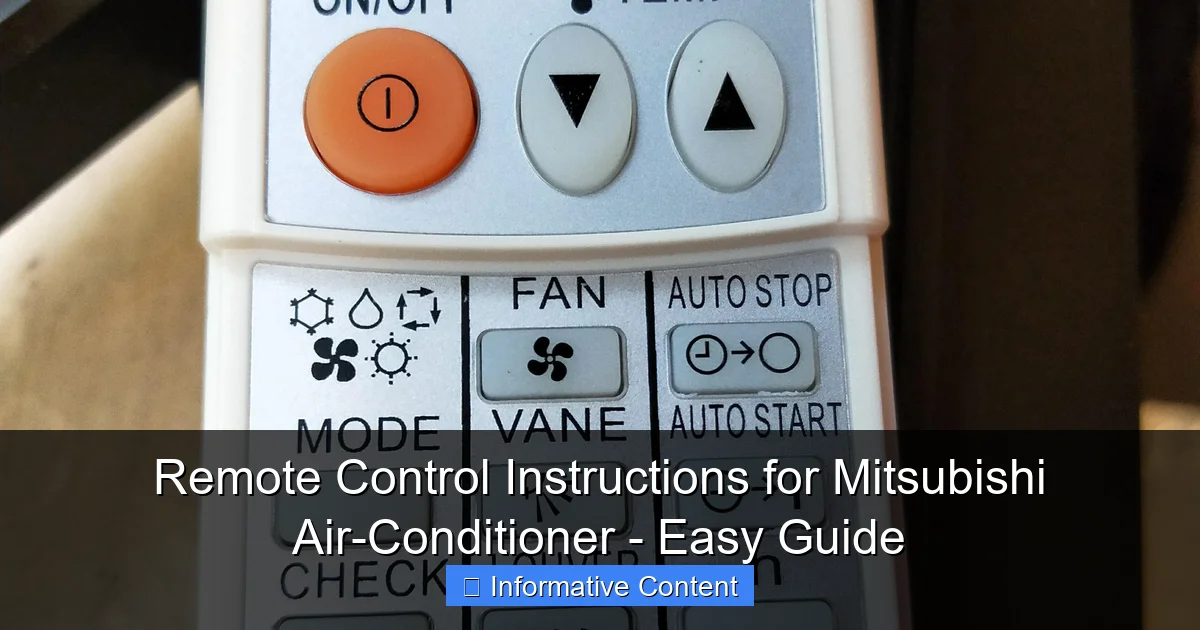
Featured image for remote control instructions for mitsubishi air-conditioner
Image source: laz-img-sg.alicdn.com
Master your Mitsubishi air-conditioner with this simple, step-by-step remote control guide designed for effortless operation and optimal comfort. From power and mode selection to adjusting temperature and fan speed, every button function is clearly explained to help you get the most out of your unit—no manual required.
Key Takeaways
- Locate the power button to turn the air conditioner on or off instantly.
- Use the mode button to switch between cooling, heating, fan, and dry settings.
- Adjust temperature with the up and down arrows for precise comfort control.
- Set the fan speed to low, medium, high, or auto for optimal airflow.
- Activate timer functions to schedule automatic start or stop times.
- Press the i-see button to enable intelligent temperature sensing and distribution.
📑 Table of Contents
- Understanding Your Mitsubishi Air-Conditioner Remote Control
- Getting Started: Remote Control Basics
- Mastering Temperature and Fan Control
- Timer and Sleep Mode: Smart Energy-Saving Tips
- Advanced Features: I-See, Powerful, and Other Smart Modes
- Troubleshooting Common Remote Control Issues
- Final Thoughts: Master Your Remote, Master Your Comfort
Understanding Your Mitsubishi Air-Conditioner Remote Control
Let’s face it—summer heat can be brutal, and the last thing you want is to struggle with your air conditioner’s remote control. If you’ve ever stared at a Mitsubishi remote, baffled by its buttons and symbols, you’re not alone. I remember the first time I tried to adjust my unit’s settings; I ended up turning on the “dry” mode by accident and spent an hour wondering why my room felt like a desert. Sound familiar?
Mitsubishi air conditioners are known for their reliability, energy efficiency, and smart features. But to get the most out of them, you need to master the remote control. Whether you’re a first-time owner or just need a refresher, this guide breaks down everything you need to know—from basic functions to advanced settings. No technical jargon, no fluff, just clear, actionable instructions. Think of it as your personal cheat sheet for staying cool (or warm) without the frustration.
Getting Started: Remote Control Basics
Button Layout and Key Functions
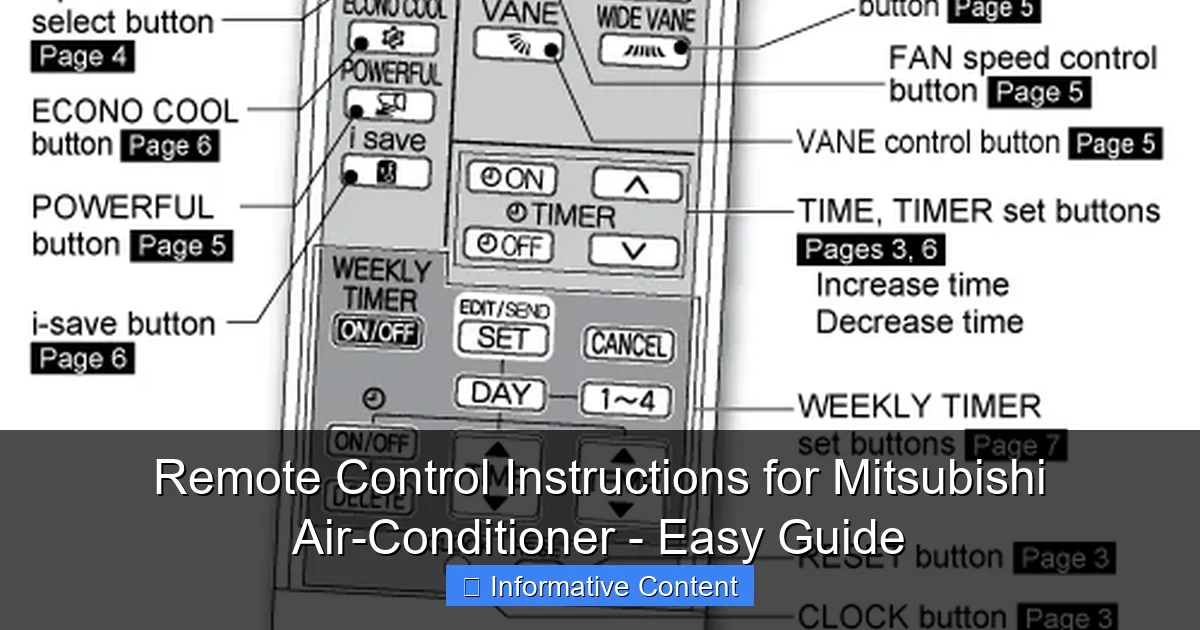
The Mitsubishi remote is designed to be intuitive, but it’s easy to get overwhelmed by the array of buttons. Here’s a quick rundown of the essentials:
Visual guide about remote control instructions for mitsubishi air-conditioner
Image source: alquilercastilloshinchables.info
- Power Button: Turns the AC on or off. Simple, right? But if your unit doesn’t respond, check the batteries first—this happens more often than you’d think.
- Mode Button: Cycles through cooling, heating, dry, fan, and auto modes. For example, press it once for cooling, twice for heating, and so on. Pro tip: In “dry” mode, the AC reduces humidity without overcooling—perfect for muggy days.
- Temperature Adjustment: Use the up/down arrows to set your desired temperature. Most models let you adjust in 1°C (1.8°F) increments.
- Fan Speed: Choose between low, medium, high, or auto. Auto adjusts fan speed based on room temperature—great for energy savings.
- Timer: Programs the AC to turn on or off automatically. Handy for pre-cooling your room before you get home.
How to Insert and Replace Batteries
Battery issues are a common culprit for unresponsive remotes. Here’s how to avoid them:
- Slide open the battery cover on the back of the remote.
- Insert two AAA batteries, matching the + and – symbols.
- Close the cover securely. If the remote still doesn’t work, try reinserting the batteries—sometimes they’re just loose.
Personal tip: I keep spare batteries in the remote’s drawer so I’m never caught off guard. Also, if your remote feels sluggish, low battery power might be the issue—replace them every 6-12 months.
Mastering Temperature and Fan Control
Setting the Ideal Temperature
Setting the right temperature isn’t just about comfort—it’s also about energy efficiency. Here’s how to do it right:
- Cooling: For summer, aim for 22-25°C (72-77°F). Lower isn’t always better; every degree below 22°C increases energy use by about 6%.
- Heating: In winter, 18-20°C (64-68°F) is ideal. Avoid cranking it up to 30°C—your wallet will thank you.
- Auto Mode: Let the AC decide the best temperature. It’s like having a smart thermostat built into your remote.
Real-world example: Last summer, I set my AC to 24°C instead of 20°C and saved roughly 15% on my electricity bill. Small changes make a big difference!
Adjusting Fan Speed for Comfort and Efficiency
Fan speed affects both comfort and noise levels. Here’s how to balance them:
- Low: Quiet but slower cooling. Great for nighttime.
- Medium: A good middle ground for most situations.
- High: Fast cooling but louder. Use it to quickly chill a hot room.
- Auto: The AC adjusts fan speed dynamically. Perfect if you’re forgetful like me.
Pro tip: If your room feels drafty, switch to “quiet” or “low” mode. For large rooms, “high” or “auto” helps circulate air evenly.
Using the Swing Function for Even Air Distribution
Most Mitsubishi remotes have a “swing” button (look for a symbol that looks like a fan with moving arrows). Press it to:
- Oscillate the air vents horizontally (side-to-side) or vertically (up-down).
- Prevent hot/cold spots in your room.
- Reduce direct airflow on your body—no more “AC face”!
To turn off swing, press the button again. Some models let you lock the vents in a fixed position—check your manual for details.
Timer and Sleep Mode: Smart Energy-Saving Tips
Programming the Timer for On/Off Schedules
The timer function is a game-changer for saving energy and convenience. Here’s how to use it:
- Press the “Timer” button once for “ON” timer (AC turns on at a set time).
- Press it again for “OFF” timer (AC turns off automatically).
- Use the up/down arrows to set the time (e.g., 2 hours from now).
- Press “Set” or “Enter” to confirm.
Example: I use the “OFF” timer every night to shut down the AC after 3 hours—no wasted energy, and I stay comfortable all night.
Sleep Mode: How It Works and When to Use It
Sleep mode gradually adjusts the temperature and fan speed to match your body’s needs at night. Here’s why it’s awesome:
- Cooling: Temperature rises slightly every hour (to mimic natural body temperature drop).
- Heating: Temperature decreases slightly to prevent overheating.
- Fan: Switches to low speed for quieter operation.
To activate sleep mode, press the “Sleep” button (often labeled with a moon symbol). It typically lasts 8 hours. Tip: Pair it with the timer for even more efficiency.
Combining Timer and Sleep Mode for Maximum Savings
For the ultimate energy-saving combo, use both features together:
- Set the “OFF” timer to turn the AC off at 2 AM.
- Enable sleep mode when you go to bed.
- Enjoy cool, quiet air until the timer kicks in—then the AC shuts off, saving energy while you sleep.
Real-world savings: A friend of mine reduced her monthly AC bill by 20% using this trick. Not bad for a few button presses!
Advanced Features: I-See, Powerful, and Other Smart Modes
I-See Sensor: Personalized Comfort with Motion Detection
Some Mitsubishi models have an “I-See” sensor (look for a button with a person icon). Here’s how it works:
- Detects human movement in the room.
- Adjusts airflow direction and temperature based on your location.
- Turns off automatically if no motion is detected for 20 minutes.
Example: If you’re sitting on the couch, the AC directs air toward you. If you leave the room, it stops blowing—saving energy.
Powerful Mode: Quick Cooling/Heating
Need instant relief from a heatwave (or a cold snap)? Press the “Powerful” button. This:
- Boosts fan speed to maximum.
- Lowers (or raises) temperature rapidly.
- Automatically turns off after 20 minutes to prevent overload.
Warning: Don’t use powerful mode continuously—it increases energy use and wear on the unit. Save it for emergencies.
Other Useful Modes: Quiet, Filter Reset, and More
- Quiet Mode: Reduces noise by lowering fan speed. Ideal for bedrooms.
- Filter Reset: After cleaning the filter, press this to reset the “clean filter” reminder.
- Auto Restart: If the power goes out, the AC resumes the last settings when power returns.
Pro tip: Check your manual for model-specific features—some remotes have hidden functions like “Econo” (energy-saving) mode.
Troubleshooting Common Remote Control Issues
Remote Not Responding? Try These Fixes
Before calling a technician, try these steps:
- Check batteries: Low power is the #1 cause of remote issues.
- Remove obstacles: The remote uses infrared—keep it pointed directly at the AC.
- Reset the remote: Remove batteries, hold the power button for 10 seconds, then reinsert batteries.
- Test the AC’s manual controls: If the unit works manually but not via remote, the problem is likely the remote (or its sensor).
Replacing the Remote: When and How
If your remote is beyond repair (e.g., water damage, broken screen), you’ll need a replacement. Here’s what to do:
- Contact Mitsubishi support: Provide your AC’s model number (found on the unit’s label).
- Buy a universal remote: Some third-party remotes work with Mitsubishi units—but check compatibility first.
- Use the Mitsubishi app: Many newer models support smartphone control via Wi-Fi.
Data Table: Troubleshooting Quick Reference
| Issue | Possible Cause | Solution |
|---|---|---|
| Remote unresponsive | Dead batteries | Replace batteries |
| AC doesn’t follow commands | Obstructed sensor | Clear path to AC |
| Timer not working | Incorrect setup | Re-program timer |
| Display dim/blank | Low battery power | Replace batteries |
| Buttons sticking | Dirt/debris | Clean with dry cloth |
Final Thoughts: Master Your Remote, Master Your Comfort
By now, you’ve probably realized that your Mitsubishi remote is more than just a power button—it’s a powerful tool for comfort, convenience, and energy savings. The key is understanding how each feature works and using them intentionally. For example, I used to leave my AC on “high” mode all day, thinking it would cool faster. Now I use the timer and sleep mode, and my bills have dropped dramatically.
Remember, every AC is different. Take time to explore your model’s specific features (check the manual for hidden gems). And if you ever feel stuck, don’t hesitate to call Mitsubishi support—they’re surprisingly helpful. With these tips, you’ll go from remote-control novice to AC pro in no time. Stay cool, stay efficient, and enjoy the comfort of knowing exactly what each button does!
Frequently Asked Questions
How do I turn on my Mitsubishi air-conditioner using the remote control?
To turn on your Mitsubishi air-conditioner, point the remote at the unit and press the Power button (usually labeled with a circle icon). Ensure the remote has working batteries and is within 25 feet of the AC unit for reliable signal transmission.
Where can I find the model-specific remote control instructions for my Mitsubishi air-conditioner?
Model-specific remote control instructions for Mitsubishi air-conditioner are included in your user manual. If misplaced, download the PDF manual from Mitsubishi’s official support website by entering your AC model number.
How do I switch between cooling and heating modes on the remote?
Press the Mode button (labeled “MODE” or with a sun/snowflake icon) to cycle through cooling, heating, fan, and dry modes. The selected mode will display on the remote screen or AC unit indicator.
Why isn’t my Mitsubishi AC remote responding?
First, check/replace the remote’s batteries. If unresponsive, clean the infrared sensor on the remote and ensure no obstructions block the signal to the AC unit. Test the remote’s functionality within 15 feet of the unit.
How do I set the timer function on my Mitsubishi air-conditioner remote?
Press the Timer button, then use the up/down arrows to set the desired time. Confirm by pressing Set. The timer allows you to schedule automatic turn-on/turn-off, saving energy and improving convenience.
What does the “i-see” or “Sensor” button do on my Mitsubishi remote?
The i-see/Sensor button activates intelligent temperature detection, where the AC adjusts airflow based on room occupancy and heat sources. This feature optimizes comfort and energy efficiency by scanning the room with infrared sensors.