
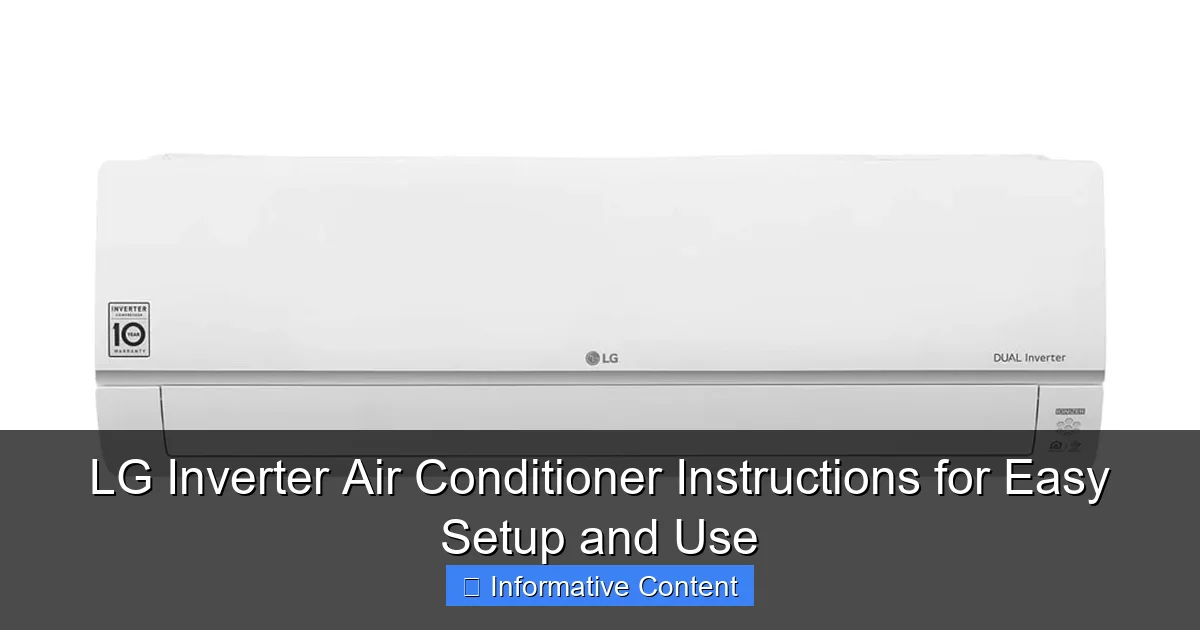
Featured image for lg inverter air conditioner instructions
Image source: gadgetronix.it
Master your LG inverter air conditioner in minutes with our clear, step-by-step instructions for seamless setup and daily use. Save energy and maximize comfort by following expert tips tailored to LG’s smart inverter technology—no guesswork needed.
Key Takeaways
- Read the manual first: Understand safety guidelines and setup steps before installation.
- Ensure proper placement: Install the unit away from heat sources and direct sunlight.
- Use the remote wisely: Adjust temperature in 1°C increments for optimal inverter efficiency.
- Clean filters monthly: Maintain airflow and cooling performance with regular filter care.
- Enable energy-saving mode: Reduce power consumption without sacrificing comfort.
- Schedule auto-off: Save energy by setting timers for unattended operation.
📑 Table of Contents
- Why Your LG Inverter Air Conditioner Deserves the Right Start
- Getting Started: Unboxing and Initial Setup
- Understanding the Remote Control and Key Features
- Daily Use and Best Practices for Efficiency
- Maintenance and Troubleshooting
- Advanced Features and Customization
- Final Thoughts: Enjoying Your LG Inverter Air Conditioner for Years
Why Your LG Inverter Air Conditioner Deserves the Right Start
Imagine coming home after a long day in the summer heat, sweat clinging to your clothes, only to find your air conditioner isn’t cooling the way it should. You’ve invested in an LG inverter air conditioner—smart, energy-efficient, and sleek—but now you’re stuck fiddling with buttons, confused by the manual, or worse, calling customer support in frustration. I’ve been there. And I get it. A great product is only as good as your ability to use it.
The good news? LG inverter air conditioners are designed for comfort and ease, but they come with a learning curve—especially if you’re new to inverter technology or just upgrading from an older model. Whether you’re setting it up for the first time, troubleshooting a quirky remote, or trying to squeeze every drop of efficiency out of your unit, clear, practical instructions make all the difference. That’s what this guide is for. We’ll walk through everything you need to know—from unboxing to daily use—so your LG inverter AC becomes a trusted part of your home, not a source of stress.
Getting Started: Unboxing and Initial Setup
Let’s begin at the beginning. You’ve got your LG inverter air conditioner delivered, and the excitement is real. But before you plug it in and hit “cool,” there are a few steps to ensure a smooth, safe, and effective setup. Think of this as laying the foundation—get it right, and the rest is a breeze.

Visual guide about lg inverter air conditioner instructions
Image source: sammesmartconcept.com
What’s in the Box?
When you open the box, you should find:
- The indoor unit (wall-mounted)
- The outdoor unit (condenser)
- Remote control with batteries
- User manual and installation guide
- Wall bracket and mounting hardware
- Drain hose and insulation materials
- Power cord (for indoor unit)
Tip: Double-check everything before calling the installer. I once had a friend who realized the remote batteries were missing *after* the technician left—awkward, but avoidable!
Choosing the Right Spot for Installation
Where you install your LG inverter air conditioner matters more than you might think. Here’s what to keep in mind:
- Indoor unit: Mount it high on the wall (ideally 7–8 feet from the floor), away from direct sunlight, heat sources (like stoves or TVs), and drafts. It should have at least 6 inches of clearance on all sides for proper airflow.
- Outdoor unit: Place it on a flat, stable surface (concrete pad or wall brackets) with good ventilation. Avoid tight corners or enclosed spaces. LG recommends at least 12 inches of clearance on all sides.
- Drainage: Ensure the outdoor unit is slightly lower than the indoor unit to allow condensation to flow out naturally. A clogged drain can lead to water leaks or mold.
<
Real-life example: My neighbor installed his AC too close to a window that gets afternoon sun. The unit had to work twice as hard, and his energy bills went up. After moving it to a shadier wall, both comfort and efficiency improved.
Professional Installation: Why It’s Worth It
While some DIYers might be tempted to install the unit themselves, I strongly recommend hiring a licensed HVAC technician. Why?
- They’ll handle refrigerant line connections safely (a critical step for inverter efficiency).
- They’ll ensure proper electrical wiring and grounding.
- They’ll test the system for leaks and performance.
- Most LG warranties require professional installation for full coverage.
Pro tip: Ask the installer to walk you through the basic controls and features. Most are happy to do a quick tutorial—it builds trust and saves you time later.
Understanding the Remote Control and Key Features
Now that your LG inverter air conditioner is installed, it’s time to meet the remote control. This little device is your command center, and once you understand its buttons, you’ll wonder how you ever lived without it.
Decoding the Remote Buttons
Here’s a quick breakdown of the most common buttons on your LG remote:
- Power: Turns the unit on/off.
- Mode: Cycles through Cool, Dry, Fan, Heat (on heat pump models), and Auto modes.
- Temp Up/Down: Adjusts the set temperature (usually 60°F to 86°F).
- Fan Speed: Lets you choose between Auto, Low, Medium, High, or Turbo.
- Swing: Activates vertical or horizontal airflow oscillation.
- Timer: Sets on/off times (great for energy savings).
- Sleep Mode: Gradually adjusts temperature to save energy while you sleep.
- Turbo/Quick Cool: Runs the fan at max speed for rapid cooling (perfect for hot days).
- Eco/Inverter Mode: Optimizes compressor speed for energy efficiency.
Note: Some models have a “Jet Cool” button—this is essentially the same as Turbo. It’s a lifesaver when you walk into a 90°F room at 5 PM.
How Inverter Technology Works (And Why It’s Better)
This is the heart of your LG inverter air conditioner. Unlike traditional ACs that turn the compressor on and off (like a light switch), inverter models adjust the compressor speed gradually. Think of it like driving a car with a smooth accelerator instead of slamming the gas pedal.
- When you turn it on, the compressor ramps up to cool the room quickly.
- Once the desired temperature is reached, it slows down to maintain it—no big temperature swings.
- This means quieter operation, longer compressor life, and up to 30–50% energy savings.
Real-world benefit: My LG inverter AC runs almost silently at night. I can barely hear it, and my sleep quality has improved dramatically compared to my old unit, which would “clunk” on and off every 20 minutes.
Smart Features: Wi-Fi and App Control
If your model has Wi-Fi (like the LG ThinQ series), you can control it from your phone or voice assistant (Google Assistant, Alexa). Here’s how to set it up:
- Download the LG ThinQ app.
- Create an account and add your device.
- Follow the in-app prompts to connect the AC to your home Wi-Fi.
- Use the app to turn it on before you get home, check energy usage, or receive filter cleaning alerts.
Tip: The app is especially useful for renters or people who forget to turn off the AC. I once left mine running while on vacation—the app notified me, and I shut it off remotely. Crisis averted.
Daily Use and Best Practices for Efficiency
Now that your LG inverter air conditioner is set up and you know the remote, let’s talk about using it wisely. Efficiency isn’t just about saving money—it’s about comfort, longevity, and reducing your carbon footprint.
Setting the Right Temperature
The ideal temperature depends on the season and your comfort:
- Summer: 72–78°F is optimal. For every degree you lower the temp, energy use can rise 6–8%. I keep mine at 74°F during the day and 72°F at night.
- Winter (heat mode): 68–72°F is cozy and efficient. Avoid setting it above 75°F—it strains the system.
Pro tip: Use the “Auto” mode. The AC will adjust fan speed and temperature based on room conditions, which is more efficient than manual settings.
Using Modes Like a Pro
Each mode has a purpose:
- Cool: Standard cooling. Best for hot days.
- Dry: Reduces humidity without overcooling. Perfect for muggy days or damp basements.
- Fan: Circulates air without cooling. Good for mild days or when you just want a breeze.
- Heat: Available on heat pump models. Warms the room efficiently (but not as powerful as electric heaters).
- Auto: The AC decides the best mode. I use this 80% of the time—it’s hassle-free.
Example: On a 85°F day with 80% humidity, I switch to “Dry” mode first. After an hour, the air feels less sticky, and I switch to “Cool” at 76°F. The result? Comfort without a sky-high bill.
Energy-Saving Tips
Even the most efficient AC can waste energy if used poorly. Here’s how to maximize savings:
- Use the timer: Set it to turn on 30 minutes before you wake up or get home. This avoids running it all day.
- Close doors and curtains: Prevent heat from entering. Blackout curtains can reduce room temperature by 10°F.
- Keep the fan on “Auto”: The AC adjusts speed based on need. Manual high-speed mode uses more energy.
- Use “Eco” or “Sleep” mode at night: These modes reduce compressor speed slightly, saving energy while you sleep.
- Seal gaps: Check windows and doors for drafts. A $5 foam seal can save $50/year in energy.
Bonus tip: If you have a ceiling fan, run it on low with the AC. It pushes cool air down, letting you set the AC 2–3°F higher without losing comfort.
Maintenance and Troubleshooting
Like any appliance, your LG inverter air conditioner needs care to stay efficient and reliable. A little maintenance goes a long way—especially since inverter compressors are more sensitive to dirt and debris.
Monthly and Seasonal Maintenance
Here’s a simple checklist:
- Clean the air filter every 2–4 weeks: Remove it, rinse with water, and let it dry. A clogged filter reduces airflow and forces the AC to work harder. I set a phone reminder every 3 weeks.
- Wipe the indoor unit: Use a damp cloth to clean the exterior. Avoid harsh chemicals.
- Check the outdoor unit: Clear leaves, dirt, and debris. Trim plants to maintain airflow.
- Inspect the drain pipe: Make sure it’s not clogged. A blocked drain can cause water leaks.
- Winter prep (if in a cold climate): Cover the outdoor unit with a breathable cover. Never use plastic—it traps moisture and promotes rust.
Note: LG’s “Filter Clean” light (if your model has one) will blink when it’s time to clean. But don’t rely on it—clean more often in dusty or pet-heavy homes.
Common Issues and Quick Fixes
Even the best ACs have hiccups. Here’s how to handle common problems:
- AC not cooling: Check if the filter is dirty, the outdoor unit is blocked, or the thermostat is set too high. Also, ensure the mode is set to “Cool.”
- Water leakage: Often caused by a clogged drain or tilted indoor unit. Clear the drain pipe or adjust the unit’s angle.
- Strange noises: Rattling could be loose panels. A humming sound might mean debris in the outdoor unit. If it’s a grinding noise, call a technician.
- Remote not working: Replace the batteries. If that doesn’t work, try resetting the AC (unplug for 1 minute, then plug back in).
- Wi-Fi connection drops: Restart your router or re-pair the AC with the app. Ensure the AC is within 30 feet of the router.
Real-life fix: My AC started dripping water last summer. I checked the drain pipe and found a clump of algae. A quick flush with vinegar solved it. Total time: 10 minutes.
Advanced Features and Customization
Your LG inverter air conditioner isn’t just a cooling machine—it’s a smart climate control system. Let’s explore the advanced features that set it apart.
Customizing Airflow with Swing and 3D Air
Most LG models have a “Swing” function that moves the louvers up and down (vertical swing) or side to side (horizontal swing). But some high-end models offer 3D Air, which combines both for even coverage.
- Use vertical swing to cool the room evenly from floor to ceiling.
- Use horizontal swing to avoid direct airflow on people (great for bedrooms).
- For large rooms, set it to “3D” mode—it’s like having multiple fans.
Tip: I disable horizontal swing in my bedroom because the air was blowing right at my face. Now I use vertical swing only—much more comfortable.
Using the Timer and Sleep Mode
These features are game-changers for energy savings:
- Timer: Set it to turn on at 5:30 PM, so the room is cool when I get home. I also set it to turn off at 6 AM to avoid overcooling.
- Sleep Mode: Gradually raises the temperature by 1–2°F every hour. This prevents chills while saving energy. I use it every night.
Pro tip: Combine Sleep Mode with the timer. For example, set the timer to turn off the AC at 5 AM, but let Sleep Mode run from 11 PM to 5 AM. It’s the best of both worlds.
Smart Diagnostics and Error Codes
LG inverter ACs are smart enough to tell you when something’s wrong. If you see an error code (like “CH 01” or “E1”), check the manual. Common codes include:
| Code | Meaning | Solution |
|---|---|---|
| CH 01 | Dirty air filter | Clean the filter |
| E1 | Communication error | Check wiring between units |
| F1 | Refrigerant leak | Call a technician immediately |
| LO | Low refrigerant | Schedule a service |
Note: Never ignore refrigerant-related codes. Low refrigerant damages the compressor and reduces efficiency.
Final Thoughts: Enjoying Your LG Inverter Air Conditioner for Years
Your LG inverter air conditioner is more than just a way to beat the heat—it’s a long-term investment in comfort, energy savings, and peace of mind. But like any investment, it pays to use it right. From choosing the perfect spot for installation to mastering the remote, from cleaning the filter monthly to leveraging smart features, every step adds up.
I’ve learned that the best way to use an inverter AC is to let it do the work. Set it to “Auto” mode, clean the filter regularly, and use the timer wisely. You’ll save money, reduce wear and tear, and enjoy a more consistent, comfortable home. And when something goes wrong? Don’t panic. Most issues have simple fixes—and LG’s support is generally responsive.
So take a deep breath, grab your remote, and enjoy the cool. Your LG inverter air conditioner is ready to keep you comfortable—year after year. And now, you’re ready to get the most out of it.
Frequently Asked Questions
How do I properly install my LG inverter air conditioner?
Follow the installation guide in your LG inverter air conditioner instructions manual, ensuring the unit is mounted securely and level. It’s recommended to have a professional installer handle the setup to avoid refrigerant leaks or electrical issues.
What is the best temperature setting for energy efficiency with an LG inverter AC?
For optimal energy efficiency, set your LG inverter air conditioner to 24–26°C (75–78°F) in cooling mode. The inverter technology adjusts compressor speed automatically, reducing power consumption while maintaining comfort.
How do I reset my LG inverter air conditioner if it stops working?
Turn off the unit using the remote, unplug it for 5 minutes, then plug it back in and power it on. This soft reset often resolves minor glitches; refer to your LG inverter air conditioner instructions for model-specific troubleshooting steps.
Can I use a regular remote with my LG inverter AC?
No, use only the remote control provided with your LG inverter air conditioner to access all features, including inverter-specific settings. Universal remotes may not support advanced functions like energy-saving mode or sleep timer.
How often should I clean the filter on my LG inverter AC?
Clean the air filter every 2 weeks during heavy use to maintain airflow and efficiency. Dirty filters can strain the inverter compressor, reducing performance and increasing energy use.
Why is my LG inverter air conditioner making a humming noise?
A low humming sound is normal due to the inverter compressor adjusting speed. However, if the noise is loud or unusual, check for loose parts or obstructions and consult your LG inverter air conditioner instructions for service guidance.