
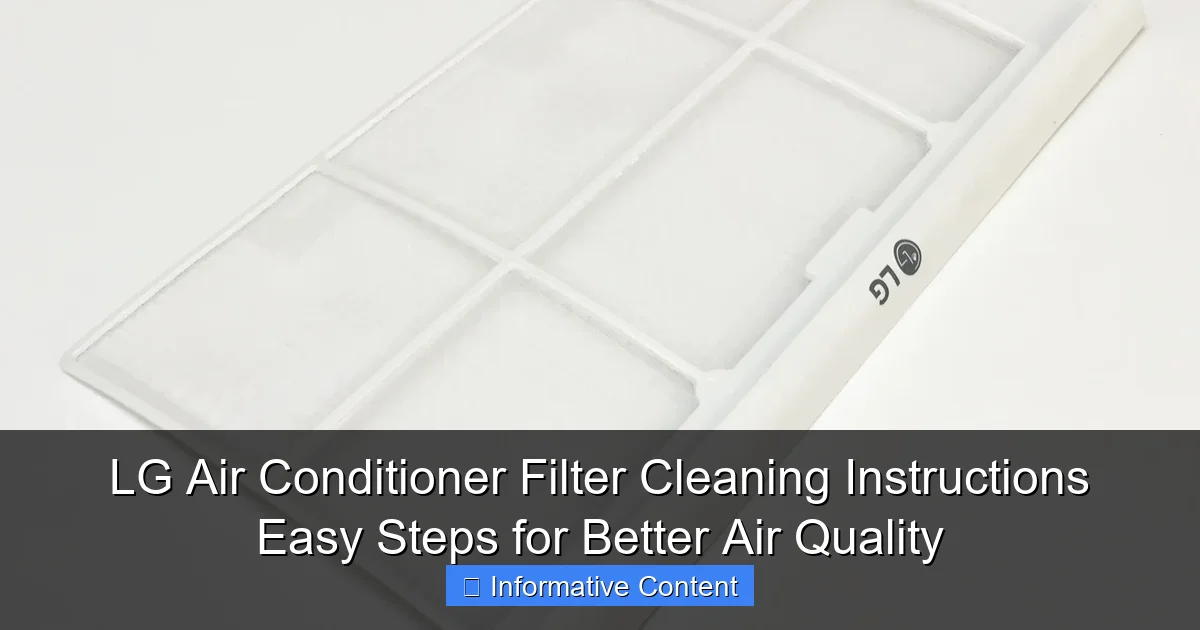
Featured image for lg air conditioner filter cleaning instructions
Image source: i5.walmartimages.com
Regularly cleaning your LG air conditioner filter is essential for optimal performance and improved indoor air quality. Follow these simple, step-by-step LG air conditioner filter cleaning instructions to remove dust, allergens, and debris—just turn off the unit, locate and remove the filter, rinse with lukewarm water, and let it dry completely before reinserting. A clean filter boosts efficiency, reduces energy costs, and ensures cleaner, healthier air in your home.
Key Takeaways
- Turn off the unit: Always power down before cleaning for safety.
- Locate filters easily: Open the front panel to access removable filters.
- Rinse with lukewarm water: Gently clean filters to avoid damage.
- Dry completely first: Air-dry filters thoroughly before reinstalling.
- Clean monthly: Maintain air quality and efficiency with regular upkeep.
- Inspect for damage: Replace worn or torn filters immediately.
📑 Table of Contents
- Why Clean Your LG Air Conditioner Filter? The Simple Habit That Makes a Big Difference
- When and Why You Should Clean Your LG Air Conditioner Filter
- Step-by-Step Guide to Cleaning Your LG Air Conditioner Filter
- Special Cases: Cleaning Different LG Air Conditioner Models
- Pro Tips and Common Mistakes to Avoid
- Data Table: LG Air Conditioner Filter Maintenance Schedule
- Final Thoughts: Small Effort, Big Payoff
Why Clean Your LG Air Conditioner Filter? The Simple Habit That Makes a Big Difference
Imagine this: it’s a sweltering summer afternoon, and you’re relying on your LG air conditioner to keep your home cool and comfortable. You press the remote, expecting that familiar blast of cool air—but instead, you get a weak, lukewarm stream. The fan is running, but something feels… off. Chances are, your air conditioner filter hasn’t been cleaned in a while. It’s a small part, but it plays a huge role in how well your AC performs and how clean the air in your home really is.
Over time, dust, pet hair, pollen, and even tiny particles of mold and bacteria build up on your LG air conditioner filter. This doesn’t just make your unit work harder—it can actually reduce airflow, spike energy bills, and lower indoor air quality. And if you’ve got allergies, asthma, or pets, a dirty filter can make things worse. The good news? Cleaning your LG air conditioner filter is one of the easiest, most cost-effective maintenance tasks you can do. With just a few minutes every few weeks, you can boost efficiency, extend your AC’s lifespan, and breathe easier. In this guide, I’ll walk you through everything you need to know—step by step—so you can keep your LG AC running like new.
When and Why You Should Clean Your LG Air Conditioner Filter
How Often Should You Clean the Filter?
There’s no one-size-fits-all answer, but here’s a simple rule: clean your LG air conditioner filter every 2–4 weeks if you use your AC regularly. That’s especially true during peak summer or winter months when your unit runs almost daily. If you have pets, live in a dusty area, or suffer from allergies, you might want to clean it even more often—say, every 1–2 weeks.
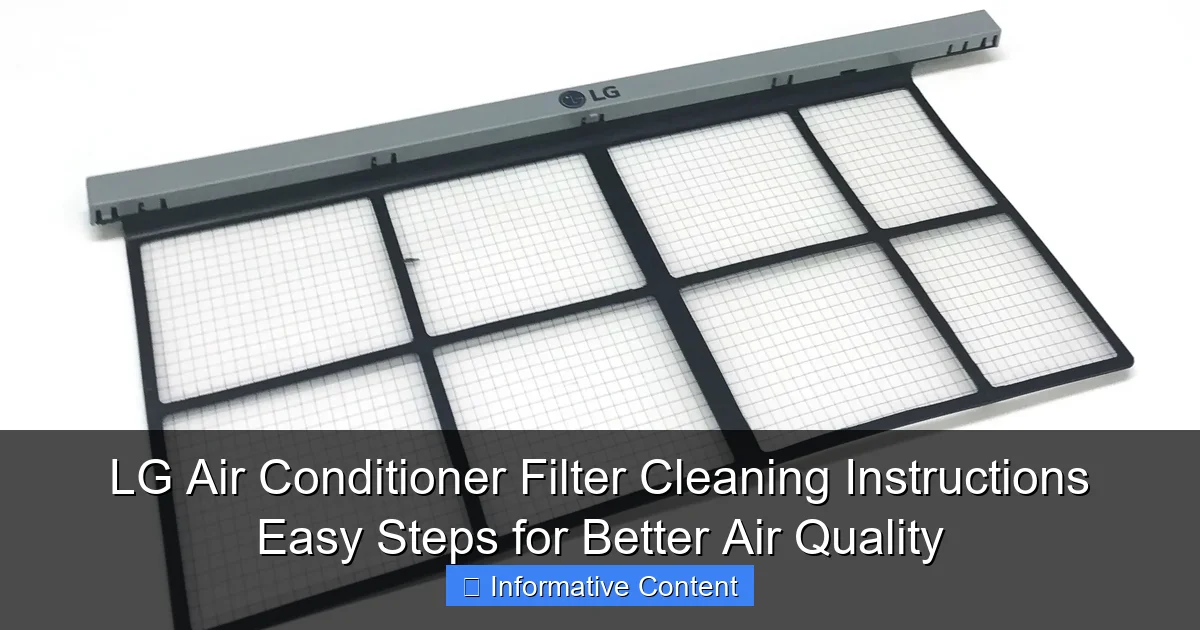
Visual guide about lg air conditioner filter cleaning instructions
Image source: i5.walmartimages.com
For light use (like occasional weekend cooling), cleaning once a month is usually enough. But don’t rely on a strict calendar. The best way to know when it’s time? Check the filter visually. If it looks gray, dusty, or clogged, it’s time to clean it—even if it’s only been a couple of weeks.
What Happens If You Don’t Clean the Filter?
It’s tempting to ignore that little filter tucked behind the front panel, but skipping cleanings has real consequences:
- Reduced airflow: A clogged filter restricts air movement, making your AC work harder to cool the room.
- Higher energy bills: When your system runs longer and less efficiently, your electricity usage goes up.
- Poor air quality: Dust, allergens, and even mold can circulate back into your home.
- Frozen coils: Restricted airflow can cause the evaporator coils to freeze, leading to costly repairs.
- Shortened lifespan: Overworked components wear out faster.
I learned this the hard way. A few summers ago, I ignored my filter for months because “it’s just a little dust.” Then my AC started making a weird noise, and the room never felt cool enough. A technician told me the filter was so clogged it had caused ice buildup on the coils. A simple cleaning could’ve saved me $150 in service calls. Lesson learned.
Signs Your Filter Needs Immediate Attention
Don’t wait for your AC to break down. Watch for these warning signs:
- Weak or uneven airflow from vents
- Unusual noises (whistling, grinding)
- Increased dust on furniture
- Musty or stale odors when the AC is on
- Higher than usual electric bill
- Ice or frost on the indoor unit
If you notice any of these, check your filter right away. It’s often the culprit.
Step-by-Step Guide to Cleaning Your LG Air Conditioner Filter
Step 1: Turn Off and Unplug the Unit
Safety first! Before you do anything, turn off your LG air conditioner using the remote or control panel. Then, unplug the unit from the wall outlet. This isn’t just a precaution—it’s essential. You don’t want to risk electric shock or accidentally turn on the fan while your hands are inside.
Pro tip: If your AC is hardwired (common in some window or ducted models), turn off the circuit breaker that powers it. Better safe than sorry.
Step 2: Locate and Remove the Front Panel
Most LG air conditioners have a front panel that snaps or slides off to reveal the filter. Here’s how to find it:
- Look for a grille or cover on the front of the indoor unit.
- Some models have a small tab or button at the top or bottom—press it to release the panel.
- Others require you to gently pull the panel forward from the top edge.
Be gentle. The plastic clips are durable but can break if forced. If it’s stuck, wiggle it slightly side to side instead of pulling straight out.
Example: On my LG Dual Inverter window unit, the front panel has two small tabs on the sides. I press them inward and pull the top edge forward. It comes off with a soft *click*. Easy!
Step 3: Remove the Air Filter
Once the front panel is off, you’ll see one or more filters—usually a primary air filter and sometimes a secondary carbon or deodorizing filter. The primary filter is the one you’ll clean most often. It’s typically white or gray, made of mesh or foam, and slides out from a frame.
- Gently pull the filter straight out. Don’t yank it.
- Note the orientation (which side faces in/out) so you can put it back the same way.
- If there’s a secondary filter, set it aside. These often need different cleaning or replacement schedules.
Some LG models have a filter indicator light that blinks when cleaning is due. If yours has one, you can use it as a reminder—but don’t rely on it alone. Visual checks are still best.
Step 4: Clean the Filter (Water or Vacuum Method)
Now for the actual cleaning. You have two options:
Option A: Rinse with Water (Most Common)
- Hold the filter under lukewarm running water. Hot water can warp the mesh.
- Use your fingers to gently rub off dust and debris. Avoid harsh scrubbing.
- For stubborn gunk, use a soft-bristled brush (like a toothbrush) or a mild soap solution (1 tsp dish soap per gallon of water).
- Rinse thoroughly until the water runs clear.
Option B: Vacuum First, Then Rinse (For Heavy Dust)
- Use a vacuum cleaner with a brush attachment to remove loose dust.
- Then rinse with water as above.
Never use bleach, abrasive cleaners, or high-pressure hoses. These can damage the filter and reduce its effectiveness.
Step 5: Dry the Filter Completely
This step is critical. A damp filter can grow mold and damage your AC.
- Shake off excess water.
- Place the filter on a clean towel or paper towel.
- Let it air dry for at least 1–2 hours in a well-ventilated area.
- Make sure it’s completely dry before reinstalling. No damp spots!
Pro tip: If you’re in a hurry, you can pat it dry with a second towel, but don’t use a hair dryer or heater. Heat can warp the frame.
Step 6: Reinstall the Filter and Front Panel
Once the filter is dry:
- Slide it back into the frame, matching the original orientation.
- Reattach the front panel by aligning the clips and gently pressing it into place.
- Give it a light tug to make sure it’s secure.
Now plug the unit back in (or turn the breaker on) and turn it on. Listen for normal fan sounds and check airflow. You should feel a noticeable difference!
Special Cases: Cleaning Different LG Air Conditioner Models
Window and Portable Units
LG’s window and portable air conditioners are among the most user-friendly when it comes to filter access. The process is similar to the general steps above, but here are a few model-specific tips:
- LG LW1216ER (Window Unit): The front panel pops off easily. The filter is a single mesh panel that slides out from the top.
- LG LP1419IVSM (Portable): The filter is behind a removable grille on the back. Use a screwdriver if needed to remove the cover.
- LG LW1517IVSM (Dual Inverter Window): Has a washable deodorizing filter alongside the main filter. This one can be rinsed but should be replaced every 6–12 months.
For portable units, also check the condensate drain pan while you’re cleaning. A dirty pan can cause odors and leaks.
Ductless Mini-Split Systems
LG’s ductless systems (like the LG Art Cool or Dual Cool models) have a slightly different setup. The indoor unit is wall-mounted, and the filter is often behind a flip-up front panel.
- Open the panel by pressing the latch or gently prying it open.
- Some models have a pre-filter (mesh) and a high-efficiency filter (pleated). Clean both.
- On higher-end models, you might find an ionizer or plasma filter. These usually need professional servicing—don’t rinse them.
Mini-split filters are often thinner and more delicate. Handle with care. If you’re unsure, check your model’s manual (or Google “LG [model number] filter cleaning”).
Smart and Inverter Models with Filter Indicators
Many newer LG ACs have filter cleaning alerts on the remote or display. These are helpful, but they’re based on usage hours, not actual dirt levels. So:
- Reset the alert after cleaning by pressing the “Filter” button on the remote (hold for 3–5 seconds).
- But still inspect the filter visually between alerts. If you have pets or allergies, clean more often.
Example: My LG Dual Inverter model blinks “Filter” after 200 hours of use. That’s about 2 weeks in summer. But with two cats, I clean it every 10 days—even if the light isn’t on yet.
Pro Tips and Common Mistakes to Avoid
Don’t Skip the Drying Step
I can’t stress this enough: never reinstall a wet filter. I once made this mistake during a heatwave and ended up with a musty smell and mold spots inside the unit. It took weeks to fix. Air drying is non-negotiable.
Use the Right Tools
- Soft brush: A toothbrush or small paintbrush works great for stubborn dust.
- Vacuum with brush attachment: For quick dust removal between deep cleanings.
- Microfiber towel: For drying without leaving lint.
Avoid steel wool, wire brushes, or anything that could tear the filter mesh.
Replace, Don’t Just Clean
Even the best filters wear out. If your LG air conditioner filter is:
- Discolored (yellow/brown)
- Torn or warped
- Still dirty after cleaning
…it’s time to replace it. LG filters are affordable (usually $10–$20) and widely available online or at appliance stores. Look for the model number on your old filter or check your AC’s manual.
Clean the Surrounding Area Too
While you’re at it:
- Wipe the front panel with a damp cloth.
- Vacuum the grille and vents.
- Check for dust buildup inside the unit (use a flashlight).
This helps prevent debris from clogging the filter again quickly.
Label Your Cleaning Schedule
Set a reminder in your phone or calendar. I use a simple “AC Filter Clean” reminder every 2 weeks. Or stick a note on the unit: “Last cleaned: [date].”
Data Table: LG Air Conditioner Filter Maintenance Schedule
| Usage Level | Recommended Cleaning Frequency | Replacement Frequency | Special Notes |
|---|---|---|---|
| Light (occasional use) | Every 4 weeks | Every 12 months | Check visually monthly |
| Moderate (daily use, no pets) | Every 2–3 weeks | Every 6–12 months | Use filter indicator as guide |
| Heavy (daily use, pets, allergies) | Every 1–2 weeks | Every 3–6 months | Clean more often if filter looks dirty |
| Commercial/Office Use | Every 1–2 weeks | Every 3–6 months | Consider professional servicing quarterly |
This table gives you a clear starting point, but always adjust based on your home’s conditions. If you see dust buildup faster, clean more often.
Final Thoughts: Small Effort, Big Payoff
Cleaning your LG air conditioner filter isn’t glamorous. It’s quick, a little messy, and easy to forget. But it’s one of those small habits that pays off in a big way. You’ll save money on energy, reduce wear and tear on your AC, and—most importantly—breathe cleaner, healthier air.
I’ve made it part of my monthly routine. Now, I look forward to that first deep breath of fresh, cool air after a cleaning. It’s like giving my home a mini detox. And honestly? It feels good to know I’m doing something simple that actually makes a difference.
So grab a towel, unplug your unit, and give your LG AC the TLC it deserves. Your lungs (and your electric bill) will thank you. And if you ever run into a tricky model or stubborn filter, don’t panic—just check your manual, watch a quick YouTube tutorial, or reach out to LG support. They’re usually helpful and happy to guide you.
Remember: a clean filter isn’t just about performance. It’s about creating a home that feels comfortable, safe, and fresh—one cool, clean breath at a time.
Frequently Asked Questions
How often should I clean my LG air conditioner filter?
For optimal performance, clean your LG air conditioner filter every 2 weeks during peak usage. Regular cleaning prevents dust buildup, improves airflow, and extends the unit’s lifespan. Always follow the LG air conditioner filter cleaning instructions for best results.
What’s the easiest way to clean an LG AC filter?
Remove the filter, gently vacuum loose debris, then rinse it under lukewarm water. Avoid harsh chemicals or scrubbing, as this can damage the mesh. Let it air dry completely before reinstalling.
Can I use soap to clean my LG air conditioner filter?
Yes, but use mild dish soap diluted in water for stubborn grime. Rinse thoroughly to remove all soap residue, as leftover suds can affect air quality. Never use abrasive cleaners or hot water, which may warp the filter.
Where is the filter located on my LG AC unit?
Most LG window or split AC units have filters behind the front panel or air intake grille. Check your model’s manual for exact placement, as some units feature removable side or top panels. The LG air conditioner filter cleaning instructions in your manual provide diagrams.
What happens if I don’t clean my LG AC filter regularly?
A dirty filter reduces cooling efficiency, increases energy consumption, and circulates allergens. Over time, it can strain the compressor and lead to costly repairs. Regular cleaning ensures cleaner air and better performance.
Can I vacuum my LG air conditioner filter instead of washing it?
Vacuuming is great for quick maintenance between washes but won’t remove all trapped particles. For a deep clean, wash the filter monthly or as needed. Always let it dry completely before reinserting to prevent mold growth.