
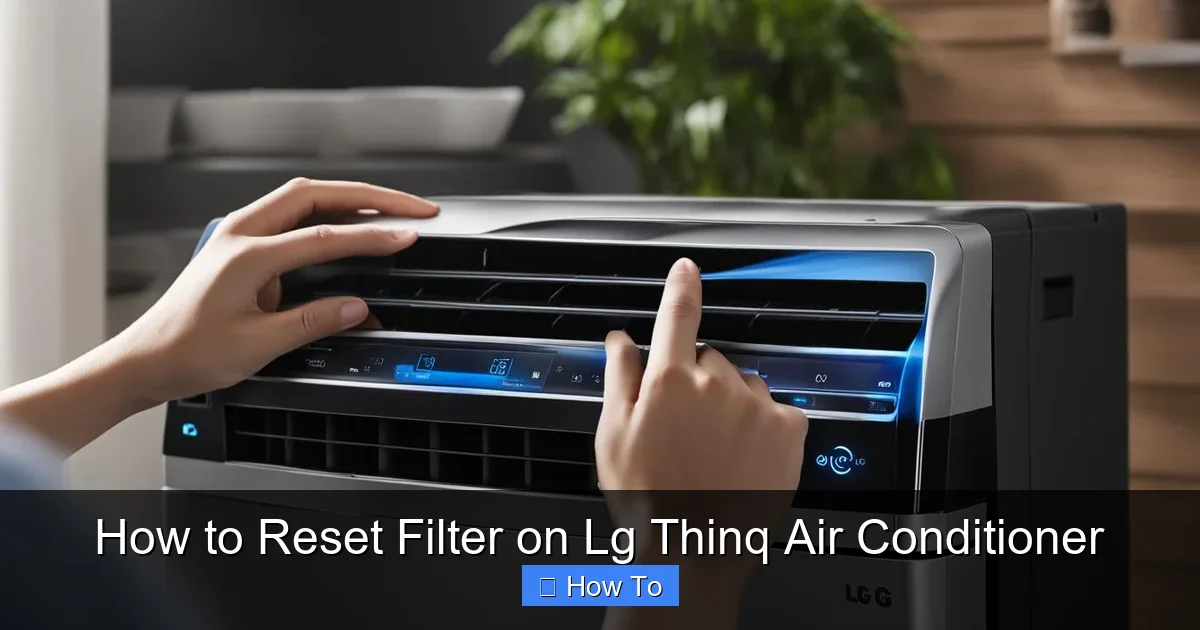
Resetting the filter on your LG ThinQ air conditioner is essential for maintaining air quality and system efficiency. This guide walks you through the process using the unit’s display, remote, or ThinQ app—ensuring your AC runs smoothly in 2026 and beyond.
Key Takeaways
- Regular filter resets improve air quality: Resetting the filter indicator ensures you’re alerted when cleaning is needed, preventing dust buildup and allergens.
- Use the LG ThinQ app for convenience: The app lets you reset the filter remotely, view maintenance history, and receive smart alerts based on usage patterns.
- Manual reset works without Wi-Fi: If your unit isn’t connected, use the remote or control panel to reset the filter light manually.
- Clean filters extend AC lifespan: A clean filter reduces strain on the compressor and fan, lowering energy use and repair risks.
- Reset after every cleaning or replacement: Always reset the indicator after servicing the filter to keep the system accurate.
- Check for firmware updates: In 2026, LG continues to enhance ThinQ features—ensure your AC has the latest software for optimal performance.
- Troubleshoot persistent alerts: If the filter light won’t turn off, check for obstructions, sensor issues, or app sync problems.
How to Reset Filter on LG ThinQ Air Conditioner
Keeping your LG ThinQ air conditioner running efficiently in 2026 means more than just setting the right temperature. One of the most overlooked yet critical maintenance tasks is resetting the filter indicator after cleaning or replacing the air filter. Over time, dust, pet dander, and pollutants accumulate in the filter, reducing airflow and forcing your AC to work harder. The LG ThinQ system is designed to monitor filter usage and alert you when it’s time for maintenance. But once you’ve cleaned or replaced the filter, you must reset the indicator—otherwise, the warning light will keep blinking, and your AC may not perform at its best.
In this comprehensive guide, you’ll learn exactly how to reset the filter on your LG ThinQ air conditioner using three different methods: the physical control panel, the remote control, and the LG ThinQ mobile app. We’ll also cover troubleshooting tips, best practices for filter maintenance, and how smart features in 2026 make this process easier than ever. Whether you’re a tech-savvy user or just getting started with smart appliances, this step-by-step walkthrough will ensure your air conditioner stays clean, efficient, and reliable all year long.
Why Resetting the Filter Matters
Visual guide about How to Reset Filter on Lg Thinq Air Conditioner
Image source: machineanswered.com
Before diving into the how-to steps, it’s important to understand why resetting the filter is so crucial. Your LG ThinQ air conditioner is equipped with a built-in filter monitoring system that tracks how long the filter has been in use. Once the system detects that the filter has reached its recommended usage limit—typically around 2,000 hours of operation—it triggers a visual alert, usually a flashing light on the unit or a notification on the ThinQ app.
If you ignore this alert and don’t reset the system after cleaning or replacing the filter, your AC will continue to operate under the assumption that the filter is dirty. This can lead to reduced airflow, increased energy consumption, and even strain on internal components like the fan and compressor. Over time, this strain can shorten the lifespan of your unit and lead to costly repairs.
Moreover, a clean filter is essential for indoor air quality. In 2026, with more people spending time indoors and growing concerns about air pollution and allergens, maintaining a clean filter isn’t just about efficiency—it’s about health. Pollen, mold spores, dust mites, and pet dander can all be trapped by a high-quality filter, but only if it’s clean and functioning properly.
Resetting the filter indicator ensures that your LG ThinQ system accurately tracks future usage and alerts you at the right time. It’s a small step that makes a big difference in performance, energy savings, and air quality.
Method 1: Reset Filter Using the Control Panel
The most direct way to reset the filter on your LG ThinQ air conditioner is through the unit’s control panel. This method works even if your AC isn’t connected to Wi-Fi or the ThinQ app, making it ideal for users who prefer manual control or are troubleshooting connectivity issues.
Step 1: Locate the Control Panel
First, find the control panel on your LG ThinQ air conditioner. Depending on your model, this may be on the front of the indoor unit or on a detachable display module. Look for a digital screen with buttons labeled “Power,” “Mode,” “Fan,” “Temp,” and “Filter” or “Reset.”
Step 2: Turn On the Unit
Make sure the air conditioner is powered on. If it’s off, press the “Power” button to turn it on. You don’t need to set a cooling or heating mode—just ensure the unit is active so the control panel is responsive.
Step 3: Press and Hold the Filter Button
Look for a button labeled “Filter” or “Filter Reset.” On some models, this may be a dedicated button; on others, it might be a combination of buttons. Press and hold the “Filter” button for 3 to 5 seconds. You should see the filter indicator light begin to blink or change color.
Step 4: Confirm the Reset
After holding the button, the filter light should turn off or return to a steady state, indicating that the reset was successful. Some models may display a message like “Filter Reset” or “Clean Filter” on the screen. If the light remains on or continues to flash, try repeating the process or check for obstructions in the filter compartment.
Step 5: Test the System
Run your air conditioner for a few minutes to ensure it’s operating normally. Check that the filter alert no longer appears and that airflow feels strong and consistent.
Pro Tip: Know Your Model
Not all LG ThinQ models have the same button layout. If you can’t find a “Filter” button, consult your user manual or visit LG’s support website. In 2026, many newer models include touch-sensitive panels or voice control via LG’s AI assistant, so the reset process may vary slightly.
Method 2: Reset Filter Using the Remote Control
If you prefer using the remote control—or if the control panel is hard to reach—you can also reset the filter using the remote that came with your LG ThinQ air conditioner. This method is especially useful for wall-mounted units or models with recessed control panels.
Step 1: Ensure Remote is Paired
Make sure your remote control is properly paired with the air conditioner. Most LG remotes sync automatically, but if the buttons aren’t responding, try replacing the batteries or re-pairing the remote using the instructions in the manual.
Step 2: Turn On the AC
Press the “Power” button on the remote to turn on the air conditioner. Wait for the unit to initialize and display the current settings.
Step 3: Access the Menu
Press the “Menu” or “Settings” button on the remote. Use the arrow keys to navigate to the “Filter” or “Maintenance” section. This may be labeled differently depending on your model—common options include “Filter Reset,” “Clean Filter,” or “Reset Indicator.”
Step 4: Select Reset Option
Highlight the “Reset Filter” option and press “OK” or “Enter.” The remote may display a confirmation message asking if you want to reset the filter timer. Select “Yes” to proceed.
Step 5: Confirm Success
The filter indicator on the unit should turn off, and the remote may display a success message. If the light remains on, try repeating the process or check if the filter is properly seated in its compartment.
Pro Tip: Use the Timer Function
Some LG ThinQ remotes include a “Filter Timer” feature that lets you set reminders for future cleanings. After resetting, consider setting a reminder for 2–3 months later to stay on top of maintenance.
Method 3: Reset Filter Using the LG ThinQ App
In 2026, the LG ThinQ app has evolved into a powerful smart home hub, offering advanced control over your air conditioner—including remote filter resets. This method is ideal for users who want convenience, automation, and real-time monitoring.
Step 1: Download and Open the LG ThinQ App
If you haven’t already, download the LG ThinQ app from the Apple App Store or Google Play Store. Open the app and log in with your LG account. If you don’t have an account, create one—it’s free and required for smart features.
Step 2: Add Your Air Conditioner
Tap the “+” icon to add a new device. Select “Air Conditioner” and follow the on-screen instructions to connect your LG ThinQ unit to your home Wi-Fi network. Make sure your phone and AC are on the same network.
Step 3: Navigate to the Filter Section
Once your AC is connected, tap on its icon in the app. Go to the “Maintenance” or “Settings” tab. Look for an option labeled “Filter Status,” “Filter Reset,” or “Clean Filter.”
Step 4: Reset the Filter
Tap “Reset Filter” and confirm your choice. The app will send a command to your air conditioner, and the filter indicator should turn off within a few seconds. You may receive a push notification confirming the reset.
Step 5: Enable Smart Alerts
Take advantage of 2026’s enhanced AI features by enabling smart filter alerts. The app can now predict when your filter needs cleaning based on usage patterns, air quality data, and even local pollen counts. Set up notifications so you’re always informed.
Pro Tip: Schedule Automatic Reminders
Use the app’s scheduling feature to set recurring reminders for filter cleaning. For example, you can set a reminder every 60 days or after 1,500 hours of use. This helps prevent missed maintenance and keeps your AC running efficiently.
Best Practices for Filter Maintenance
Resetting the filter is only one part of the equation. To get the most out of your LG ThinQ air conditioner, follow these best practices for filter care:
Clean or Replace Regularly
Most LG filters should be cleaned every 2–4 weeks during peak usage seasons (summer and winter). If you have pets, allergies, or live in a dusty area, clean the filter more frequently. Replace disposable filters every 3–6 months, or as recommended by LG.
Use Genuine LG Filters
While third-party filters may seem cheaper, they often don’t fit properly or capture particles as effectively. Genuine LG filters are designed to work with your specific model and maintain optimal airflow and air quality.
Check for Damage
Before reinstalling the filter, inspect it for tears, warping, or excessive dirt buildup. A damaged filter won’t function properly, even after a reset.
Turn Off Power Before Cleaning
For safety, always turn off the air conditioner and unplug it before removing the filter. This prevents accidental startup and protects internal components.
Reset Immediately After Cleaning
Don’t wait to reset the filter indicator. Do it right after cleaning or replacing the filter to ensure accurate tracking.
Troubleshooting Common Issues
Even with the right steps, you might encounter issues when resetting the filter. Here’s how to solve the most common problems:
Filter Light Won’t Turn Off
If the filter indicator remains on after a reset, the filter may not be properly seated. Turn off the unit, remove the filter, and reinsert it firmly. Make sure the latch or cover is fully closed. If the problem persists, the sensor may be faulty—contact LG support.
App Won’t Connect to AC
Ensure your air conditioner is connected to Wi-Fi and that the LG ThinQ app is updated to the latest version. Restart your router and the AC unit. If issues continue, try removing and re-adding the device in the app.
Remote Not Responding
Replace the remote batteries and check for obstructions between the remote and the AC. If the remote still doesn’t work, it may need to be re-paired or replaced.
Incorrect Filter Alert Timing
If the filter alert appears too soon or too late, check your usage patterns. The system bases alerts on runtime, so frequent short cycles may trigger alerts faster. Use the app to adjust sensitivity settings if available.
Firmware Update Needed
In 2026, LG regularly releases firmware updates to improve performance and fix bugs. Check for updates in the ThinQ app under “Device Settings” > “Software Update.” Installing the latest version can resolve reset issues and enhance smart features.
Conclusion
Resetting the filter on your LG ThinQ air conditioner is a simple but essential task that ensures your unit runs efficiently, saves energy, and delivers clean, healthy air. Whether you use the control panel, remote, or the advanced LG ThinQ app, the process is quick and straightforward. In 2026, smart technology makes maintenance easier than ever, with predictive alerts, remote access, and seamless integration into your smart home ecosystem.
By following this guide, you’ll not only keep your air conditioner in top condition but also extend its lifespan and improve your indoor air quality. Remember to clean or replace your filter regularly, reset the indicator each time, and take advantage of the latest LG ThinQ features. A little maintenance goes a long way—your AC (and your lungs) will thank you.