
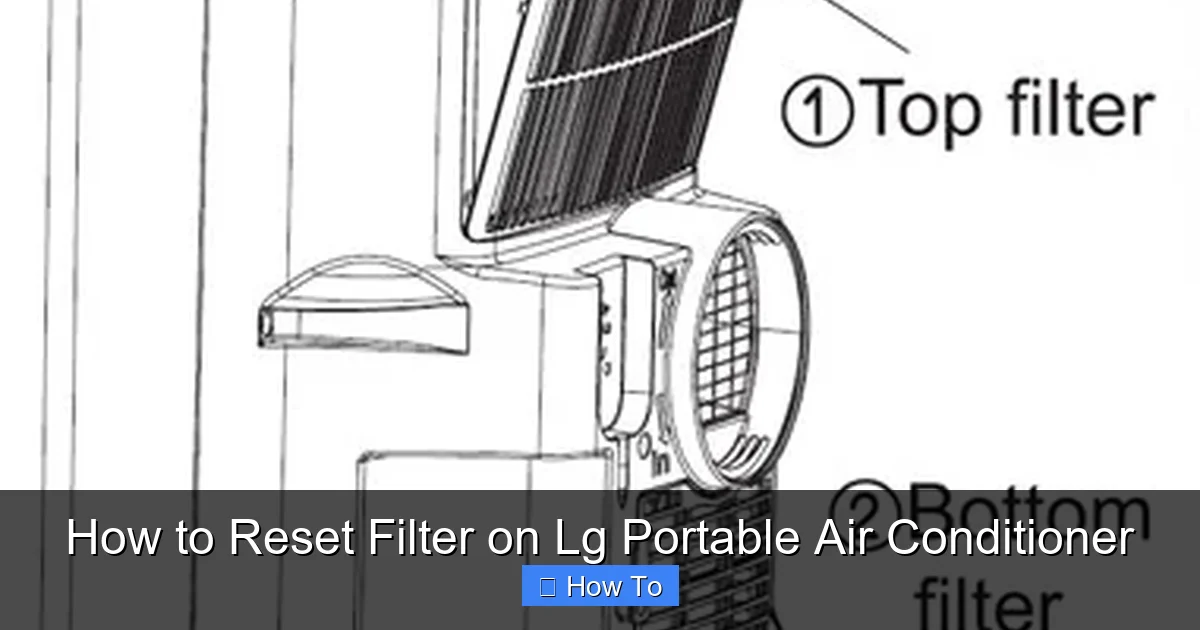
This guide walks you through the simple process of resetting the filter indicator on your LG portable air conditioner. Whether you’ve just cleaned or replaced the filter, following these steps ensures your unit runs efficiently and alerts you when maintenance is due again.
Key Takeaways
- Regular filter maintenance improves air quality: Cleaning or replacing your LG portable AC filter every 2–4 weeks prevents dust buildup and ensures cleaner, healthier air in your home.
- Resetting the filter light is essential after cleaning: Failing to reset the filter alert means you won’t know when the next cleaning is due, which can reduce efficiency and increase energy costs.
- Most LG portable AC models use a similar reset process: Whether you have an LP series, LP1419IVSM, or newer 2026 model, the reset steps are nearly identical across the lineup.
- Use the remote control or control panel: You can reset the filter indicator using either the remote or the buttons on the unit itself—no tools required.
- Check for firmware updates in 2026 models: Newer LG portable ACs may include smart features; ensure your unit’s firmware is up to date for optimal performance and accurate filter monitoring.
- Proper resetting extends appliance lifespan: Timely filter resets help maintain airflow, reduce strain on the compressor, and prevent overheating or system shutdowns.
- Keep a maintenance log: Track cleaning and reset dates to stay ahead of future maintenance and avoid forgetting when the next service is due.
How to Reset Filter on LG Portable Air Conditioner
Keeping your LG portable air conditioner in top shape isn’t just about comfort—it’s about efficiency, air quality, and longevity. One of the most important maintenance tasks is resetting the filter indicator after cleaning or replacing the filter. If you’ve recently cleaned your filter and the “Filter” or “Clean Filter” light is still on, don’t worry. This guide will walk you through the simple process of resetting the filter on your LG portable air conditioner, whether you own an older model or a sleek 2026 edition.
In this comprehensive how-to guide, you’ll learn:
– Why resetting the filter matters
– Step-by-step instructions for different LG portable AC models
– Tips for maintaining optimal performance
– Troubleshooting common issues
– How smart features in 2026 models enhance filter monitoring
By the end, you’ll be able to confidently reset your filter indicator and keep your LG portable air conditioner running smoothly all year long.
Why Resetting the Filter Is Important
Visual guide about How to Reset Filter on Lg Portable Air Conditioner
Image source: storables.com
Before diving into the steps, it’s helpful to understand why resetting the filter is such a crucial part of air conditioner maintenance. The filter in your LG portable air conditioner captures dust, pollen, pet dander, and other airborne particles. Over time, these contaminants build up, reducing airflow and forcing the unit to work harder to cool your space.
When the filter becomes clogged, your AC’s efficiency drops, energy consumption rises, and indoor air quality suffers. That’s why LG includes a filter indicator light—to remind you when it’s time to clean or replace the filter.
However, simply cleaning the filter isn’t enough. If you don’t reset the indicator, the light will remain on, and you won’t receive future alerts. This can lead to missed maintenance cycles, reduced performance, and even potential damage to the unit over time.
Resetting the filter ensures that:
– The system accurately tracks the next cleaning interval
– You maintain optimal airflow and cooling power
– Your energy bills stay low
– Your indoor air stays fresh and healthy
Think of it like resetting the oil light in your car after an oil change—it’s a small step that makes a big difference in long-term performance.
When to Reset the Filter
Knowing when to reset the filter is just as important as knowing how. LG recommends cleaning the filter every 2 to 4 weeks, depending on usage and environmental factors. If you live in a dusty area, have pets, or use your portable AC daily, you may need to clean it more frequently.
Here are some signs it’s time to clean and reset the filter:
– The “Filter” or “Clean Filter” light is illuminated
– Airflow from the vents feels weak
– The unit takes longer than usual to cool the room
– You notice dust or debris around the intake grill
– Unusual noises or reduced cooling efficiency
Once you’ve cleaned or replaced the filter, it’s time to reset the indicator. Don’t wait—reset it immediately after cleaning to ensure accurate tracking.
Tools and Preparation
The good news? Resetting the filter on your LG portable air conditioner requires no special tools. All you need is:
– Your LG portable air conditioner (powered on)
– The remote control (or access to the control panel)
– A clean, dry cloth (for wiping the filter after cleaning)
Make sure the unit is plugged in and powered on before starting. If you’ve just cleaned the filter, ensure it’s completely dry before reinserting it. A damp filter can promote mold growth and reduce efficiency.
Step-by-Step Guide to Resetting the Filter
Now, let’s get into the actual process. The steps vary slightly depending on your model, but the core method remains consistent across most LG portable air conditioners, including popular 2026 models like the LP1419IVSM, LP0821WSR, and LP1219IVSM.
Below are detailed instructions for resetting the filter using both the remote control and the control panel.
Method 1: Using the Remote Control (Most Common)
This is the easiest and most widely used method. Follow these steps:
Step 1: Power On the Unit
Make sure your LG portable air conditioner is plugged in and turned on. The display should be active, and the unit should be in any mode (Cool, Fan, Dry, etc.).
Step 2: Locate the “Filter” or “Clean Filter” Button
On most LG remote controls, there is a dedicated button labeled “Filter” or “Clean Filter.” It’s usually located near the bottom of the remote, sometimes with an icon of a filter or a checkmark.
If you can’t find it, check your remote for a button with a filter symbol (often looks like a grid or mesh). On some 2026 models, this button may be integrated into a “Menu” or “Settings” function.
Step 3: Press and Hold the Filter Button
Press and hold the “Filter” or “Clean Filter” button for 3 to 5 seconds. You should see the filter indicator light on the unit blink or turn off.
On some models, you may need to press the button twice—once to acknowledge the filter has been cleaned, and again to confirm the reset.
Step 4: Confirm the Reset
After holding the button, the “Filter” light should turn off. If it was blinking, it should stop. This confirms that the filter timer has been reset.
If the light remains on, try repeating the process. Make sure you’re holding the button long enough—some units require a full 5 seconds.
Step 5: Test the Unit
Run your air conditioner for a few minutes to ensure it’s operating normally. Check that airflow is strong and the cooling performance is consistent.
Method 2: Using the Control Panel (No Remote)
If you’ve misplaced your remote or it’s not working, you can still reset the filter using the buttons on the unit itself.
Step 1: Access the Control Panel
Locate the control panel on the top or front of your LG portable air conditioner. It typically includes buttons for Power, Mode, Fan Speed, Temperature, and Timer.
Step 2: Find the Filter Reset Option
Look for a button labeled “Filter” or a symbol resembling a filter. On some models, this function is accessed through a combination of buttons.
For example, on the LP1419IVSM, you may need to press and hold the “Fan” and “Timer” buttons simultaneously for 3 seconds.
Step 3: Press and Hold the Correct Button Combination
Refer to your user manual for the exact button combination. If you don’t have the manual, try these common sequences:
– Hold “Fan” + “Timer” for 3 seconds
– Hold “Mode” + “Power” for 5 seconds
– Press “Filter” (if available) for 3 seconds
The filter light should blink and then turn off, indicating a successful reset.
Step 4: Verify the Reset
Check the display to ensure the filter indicator is no longer lit. Run the unit briefly to confirm normal operation.
Method 3: Using the LG ThinQ App (2026 Smart Models)
If you own a 2026 LG portable air conditioner with Wi-Fi and smart capabilities, you may be able to reset the filter using the LG ThinQ app.
Step 1: Open the LG ThinQ App
Download and install the LG ThinQ app from the App Store or Google Play if you haven’t already. Create an account and connect your air conditioner to your home Wi-Fi network.
Step 2: Select Your Air Conditioner
Tap on your portable AC unit from the home screen. Make sure it’s online and responsive.
Step 3: Navigate to Maintenance Settings
Go to the “Settings” or “Maintenance” section. Look for an option like “Filter Status” or “Reset Filter.”
Step 4: Reset the Filter Indicator
Tap “Reset Filter” or “Confirm Cleaning.” The app will send a signal to the unit, and the filter light should turn off.
Step 5: Confirm on the Unit
Check the physical unit to ensure the filter light is off. The app may also display a confirmation message.
This method is especially convenient for users who prefer managing appliances from their smartphone.
Model-Specific Instructions
While the general process is similar, some LG portable air conditioner models have unique reset procedures. Below are instructions for popular models, including 2026 editions.
LG LP1419IVSM (2026 Model)
– Use the remote: Press and hold the “Filter” button for 3 seconds.
– Control panel: Press and hold “Fan” + “Timer” for 3 seconds.
– ThinQ app: Available—use the maintenance menu to reset.
LG LP0821WSR
– Remote: Press and hold “Filter” for 5 seconds.
– Control panel: No dedicated filter button—use “Mode” + “Power” for 3 seconds.
LG LP1219IVSM
– Remote: Press “Filter” twice quickly.
– Control panel: Hold “Fan” + “Timer” for 3 seconds.
Always refer to your user manual for the most accurate instructions. If you’ve lost your manual, you can download a digital copy from the LG support website using your model number.
Tips for Effective Filter Maintenance
Resetting the filter is just one part of the maintenance routine. To get the most out of your LG portable air conditioner, follow these best practices:
Clean the Filter Regularly
Remove the filter every 2–4 weeks and rinse it under lukewarm water. Use a mild detergent if needed, but avoid harsh chemicals. Let it air dry completely before reinserting.
Inspect for Damage
Check the filter for tears, warping, or excessive dirt. If it’s damaged, replace it with a genuine LG filter to ensure proper fit and performance.
Keep the Area Around the Unit Clean
Dust and debris near the intake vent can clog the filter faster. Vacuum the area around your portable AC weekly.
Use a Pre-Filter (Optional)
Some users add a washable pre-filter over the main filter to catch larger particles. This can extend the life of the main filter and reduce cleaning frequency.
Monitor Air Quality
If you have allergies or pets, consider using an air purifier alongside your AC to reduce the load on the filter.
Troubleshooting Common Issues
Even with careful maintenance, you might run into problems when resetting the filter. Here’s how to solve the most common issues.
Filter Light Won’t Turn Off
If the filter indicator remains on after resetting:
– Ensure the filter is properly seated and fully dry.
– Try resetting again using the correct button combination.
– Power cycle the unit: Unplug it for 1 minute, then plug it back in and retry.
– Check for firmware updates (especially on 2026 smart models).
Remote Control Not Working
– Replace the batteries.
– Make sure there’s no obstruction between the remote and the unit.
– Try resetting using the control panel instead.
Unit Doesn’t Respond to Reset
– Confirm the unit is powered on and not in sleep or timer mode.
– Check for error codes on the display (e.g., “E1” or “CH”) and consult the manual.
– Contact LG customer support if the issue persists.
Filter Light Comes Back On Too Soon
This could mean:
– The filter is getting dirty faster than expected (due to pets, smoking, or high dust levels).
– The sensor is malfunctioning (rare, but possible in older units).
– The reset wasn’t successful—double-check the process.
In most cases, adjusting your cleaning schedule resolves the issue.
Maintaining Your LG Portable AC in 2026
As we move through 2026, LG continues to innovate with smarter, more efficient portable air conditioners. Many new models feature:
– AI-powered climate control
– Real-time filter monitoring via sensors
– Automatic reminders through the ThinQ app
– Energy-saving modes that adjust based on usage patterns
To get the most from your 2026 LG portable AC:
– Update the firmware regularly through the ThinQ app.
– Enable smart notifications for filter maintenance.
– Use eco mode to reduce energy consumption.
– Schedule professional servicing once a year for deep cleaning and inspection.
These features not only make maintenance easier but also help you save money and reduce your environmental footprint.
Conclusion
Resetting the filter on your LG portable air conditioner is a quick and simple task that has a big impact on performance, efficiency, and air quality. Whether you’re using a remote, the control panel, or the LG ThinQ app, the process takes just a few seconds—but the benefits last for weeks.
By following the steps in this guide, you’ll ensure your unit stays clean, runs efficiently, and alerts you when it’s time for the next maintenance cycle. Remember to clean the filter regularly, reset the indicator promptly, and take advantage of smart features in newer 2026 models.
A well-maintained air conditioner doesn’t just cool your home—it protects your health, saves energy, and extends the life of your appliance. So the next time you see that filter light, don’t ignore it. Clean the filter, reset the indicator, and enjoy fresher, cooler air all season long.