
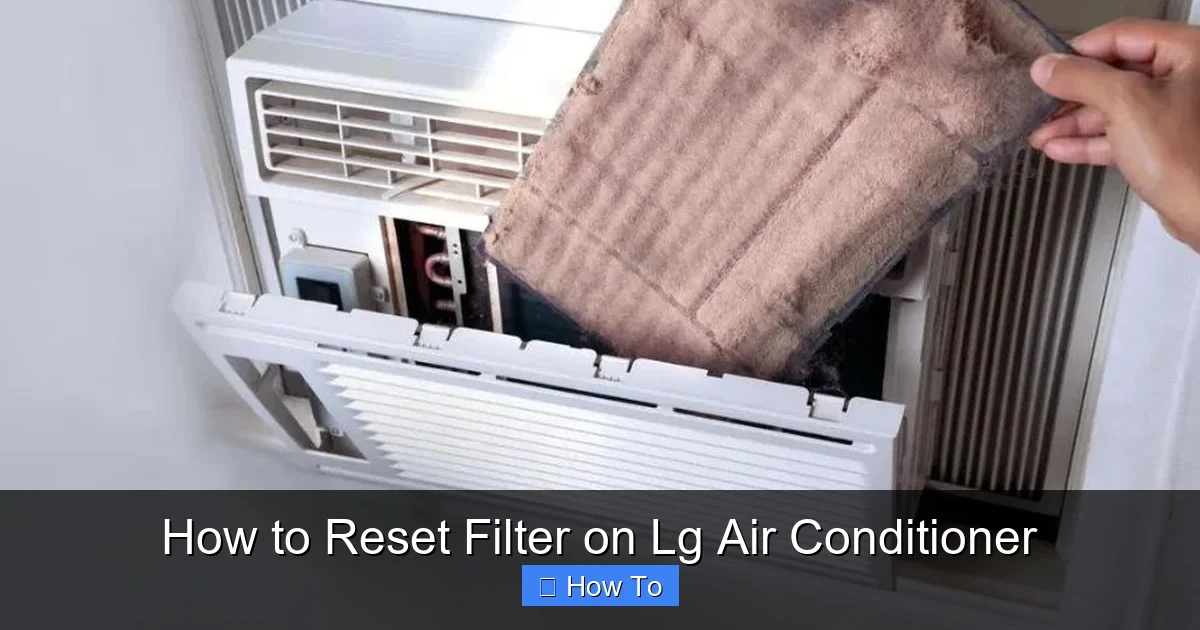
Resetting the filter on your LG air conditioner is a simple yet essential maintenance task that ensures optimal performance and cleaner air. This guide walks you through the process for various LG AC models, including window, split, and smart units, with clear instructions and troubleshooting tips.
Key Takeaways
- Regular filter resets improve air quality: Resetting the filter reminder ensures you’re alerted when it’s time to clean or replace the filter, preventing dust buildup and allergens.
- Different LG models have unique reset methods: Window, split, and smart inverter ACs may require slightly different steps—always check your model type first.
- The filter light indicates maintenance needs: When the filter indicator lights up, it’s time to clean the filter and reset the system to clear the alert.
- Resetting is quick and tool-free: Most LG air conditioners allow you to reset the filter using the remote control or control panel—no tools or technical skills needed.
- Smart ACs offer app-based resets: LG ThinQ-enabled units let you reset the filter via the LG ThinQ app, adding convenience and remote monitoring.
- Neglecting filter maintenance reduces efficiency: A dirty filter forces your AC to work harder, increasing energy use and potentially damaging the unit over time.
- Always power off before cleaning: For safety and accuracy, turn off the AC and unplug it before removing and cleaning the filter.
How to Reset Filter on LG Air Conditioner: A Complete 2026 Guide
Keeping your LG air conditioner running smoothly isn’t just about comfort—it’s about efficiency, air quality, and longevity. One of the most overlooked yet critical maintenance tasks is resetting the filter after cleaning or replacing it. In 2026, LG continues to lead the HVAC market with smart, energy-efficient units that rely on timely filter maintenance to perform at their best. Whether you own a window unit, a ductless mini-split, or a Wi-Fi-enabled smart AC, knowing how to reset the filter on your LG air conditioner ensures you get the most out of your investment.
This comprehensive guide will walk you through everything you need to know about resetting the filter on your LG air conditioner. You’ll learn why it matters, how to identify when it’s time, and step-by-step instructions tailored to different LG models. We’ll also cover troubleshooting tips, smart features, and best practices to keep your AC in peak condition year-round. By the end, you’ll be confident in maintaining your unit like a pro—no technician required.
Why Resetting the Filter Matters
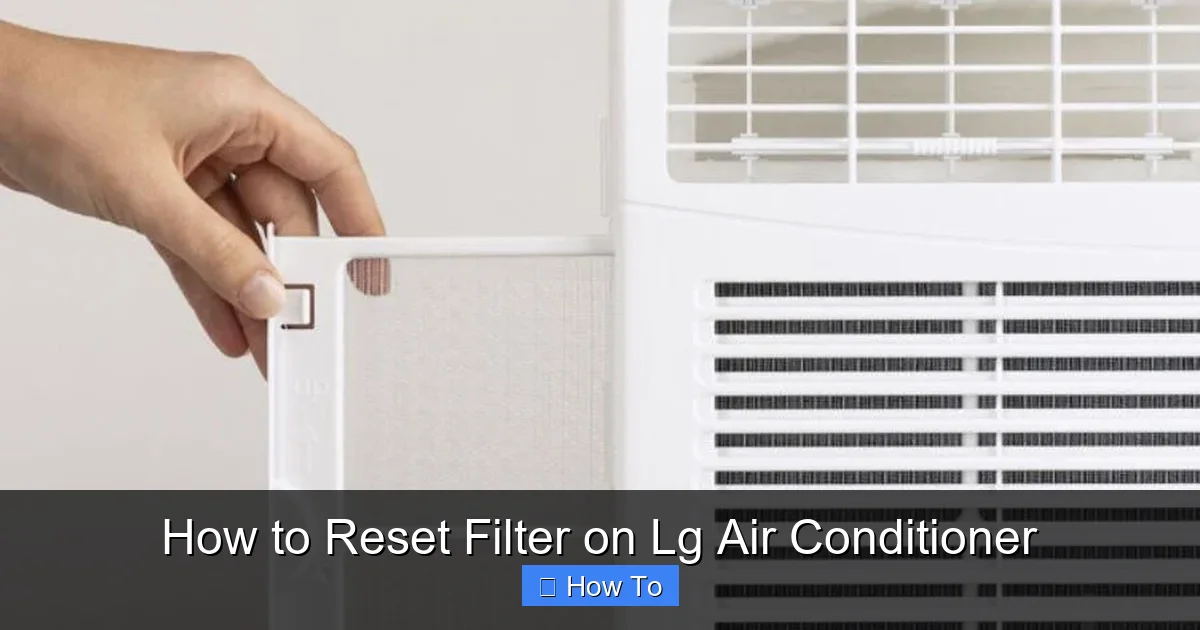
Visual guide about How to Reset Filter on Lg Air Conditioner
Image source: guideabouthvac.com
Before diving into the how-to, let’s talk about the “why.” Your LG air conditioner’s filter plays a vital role in trapping dust, pollen, pet dander, and other airborne particles. Over time, this filter becomes clogged, reducing airflow and forcing the compressor to work harder. This not only increases your energy bill but can also lead to overheating, reduced cooling capacity, and even system failure.
LG air conditioners are equipped with a filter indicator light—usually labeled “Filter” or “Clean Filter”—that alerts you when maintenance is due. Once you’ve cleaned or replaced the filter, the system needs to be reset so the timer starts fresh. If you don’t reset it, the light may stay on, or the AC might not function optimally, even with a clean filter.
In 2026, many LG models also integrate with the LG ThinQ app, allowing you to monitor filter status remotely. Resetting the filter ensures the app reflects accurate data, so you’re never caught off guard by a dirty filter during a heatwave.
When Should You Reset the Filter?
The filter reset isn’t something you do randomly—it’s tied directly to maintenance. Here’s when you should reset the filter on your LG air conditioner:
– After cleaning the reusable filter (typically every 2–4 weeks during heavy use)
– After replacing a disposable filter (follow manufacturer recommendations)
– When the filter indicator light turns on (usually yellow or red)
– After a seasonal restart (e.g., turning the AC back on after winter)
Most LG units track filter usage based on runtime hours. Once the system reaches a preset threshold (often around 250 hours of operation), the filter light activates. Resetting clears this timer and gives you a fresh cycle.
Tools and Preparation
The great news? Resetting the filter on an LG air conditioner requires no special tools. Here’s what you’ll need:
– Your LG remote control (or access to the control panel)
– A clean, dry cloth (for wiping the filter)
– A vacuum with a brush attachment (optional, for deep cleaning)
– Access to the LG ThinQ app (for smart models)
Before starting, make sure to:
– Turn off the air conditioner
– Unplug the unit (for window and portable models) or switch off the circuit breaker (for split systems)
– Allow the unit to cool down if it’s been running
Safety first! Always disconnect power before handling internal components.
Step-by-Step: How to Reset Filter on LG Window Air Conditioner
Window units are among the most common LG air conditioners in homes and apartments. Here’s how to reset the filter on a standard LG window AC:
Step 1: Turn Off and Unplug the Unit
Switch off the air conditioner using the remote or control panel. Then, unplug it from the wall outlet. This prevents accidental startup and ensures safety.
Step 2: Locate and Remove the Front Panel
Most LG window units have a front grille or panel that swings open. Gently pull the bottom edge outward until it releases. Some models may have clips or screws—check your user manual if needed.
Step 3: Remove the Air Filter
Once the panel is open, you’ll see the air filter—usually a mesh or foam panel. Slide it out carefully. If it’s reusable, inspect it for dirt and debris.
Step 4: Clean the Filter
Rinse the filter under lukewarm water. Use a mild detergent if necessary, but avoid harsh chemicals. For stubborn dirt, gently brush with a soft toothbrush. Let it air dry completely before reinstalling. Never reinstall a wet filter—it can promote mold growth.
Step 5: Reinstall the Filter and Close the Panel
Once dry, slide the filter back into place. Make sure it fits snugly and isn’t bent or folded. Close the front panel securely.
Step 6: Reset the Filter Indicator
Now for the reset:
– Plug the unit back in and turn it on.
– Press and hold the “Filter” or “Clean Filter” button on the remote control for 3–5 seconds. On some models, this button may be labeled “Reset” or have a filter icon.
– The filter light should turn off, indicating a successful reset.
If your model doesn’t have a dedicated filter button, try pressing and holding the “Mode” and “Fan Speed” buttons simultaneously for 5 seconds. Refer to your user manual for model-specific instructions.
Step-by-Step: How to Reset Filter on LG Split Air Conditioner
Ductless mini-split systems are popular for their quiet operation and zoning capabilities. Resetting the filter on an LG split AC follows a similar process but may involve the indoor unit’s control panel.
Step 1: Power Down the System
Turn off the AC using the remote. For safety, switch off the circuit breaker that powers the indoor unit.
Step 2: Open the Front Cover
Locate the front panel of the indoor unit. Most LG split units have a hinged cover that opens downward. Gently pull the bottom edge to release it.
Step 3: Remove and Clean the Filter
Slide out the air filter. LG split units often have two filters—check both. Clean them as described earlier: rinse, dry, and inspect.
Step 4: Reinstall and Close
Replace the filters and close the front cover until it clicks into place.
Step 5: Reset the Filter Light
With the system powered back on:
– Press and hold the “Filter” button on the remote for 3–5 seconds.
– Alternatively, on some models, press the “Timer” and “Sleep” buttons together for 5 seconds.
– The filter indicator on the indoor unit should turn off.
Note: Some LG split units display the filter status on the indoor unit’s LED panel. If the light remains on, try the reset again or consult your manual.
Step-by-Step: How to Reset Filter on LG Smart Air Conditioner (ThinQ Enabled)
In 2026, LG’s smart air conditioners are more advanced than ever. Models with Wi-Fi and LG ThinQ integration offer app-based control and monitoring, including filter reset functionality.
Step 1: Ensure Wi-Fi Connection
Make sure your LG AC is connected to your home Wi-Fi network and linked to the LG ThinQ app on your smartphone.
Step 2: Clean the Filter
Follow the same cleaning steps as above—remove, clean, dry, and reinstall the filter.
Step 3: Open the LG ThinQ App
Launch the app and select your air conditioner from the device list.
Step 4: Navigate to Filter Settings
Tap on “Settings” or “Maintenance.” Look for an option like “Filter Reset” or “Reset Filter Timer.”
Step 5: Confirm the Reset
Tap “Reset” and confirm when prompted. The app will send a signal to the AC, and the filter indicator should turn off.
You’ll also receive a notification confirming the reset. The app may now show a new filter usage timer, helping you track when the next cleaning is due.
Troubleshooting Common Filter Reset Issues
Even with clear instructions, you might run into problems. Here’s how to fix the most common issues:
Filter Light Won’t Turn Off
– Ensure the filter is fully dry and properly installed.
– Try the reset sequence again—sometimes it takes two attempts.
– Check if the remote has fresh batteries.
– For split units, verify the indoor unit is receiving power.
No Filter Button on Remote
Not all LG remotes have a dedicated filter button. Try these alternatives:
– Press and hold “Mode” + “Fan” for 5 seconds.
– Use the “Timer” and “Sleep” button combo.
– Consult your user manual—LG often includes reset codes for each model.
App Says Filter Needs Reset, But Light Is Off
This can happen if the app and unit aren’t synced. Try:
– Force-closing and reopening the LG ThinQ app.
– Reconnecting the AC to Wi-Fi.
– Performing a manual reset using the remote, then refreshing the app.
Filter Smells Musty After Cleaning
This indicates mold or mildew. Soak the filter in a vinegar-water solution (1:1 ratio) for 30 minutes, then rinse and dry thoroughly. Consider using an antimicrobial filter cleaner.
AC Still Runs Poorly After Reset
If performance doesn’t improve, the issue may not be the filter. Check for:
– Blocked vents or ducts
– Low refrigerant levels
– Dirty evaporator coils
– Faulty sensors
When in doubt, contact LG customer support or a certified technician.
Pro Tips for Maintaining Your LG Air Conditioner
Resetting the filter is just one part of AC care. Follow these expert tips to keep your LG unit running efficiently in 2026:
– Clean the filter every 2–4 weeks during peak seasons (summer and winter).
– Vacuum the exterior vents monthly to prevent dust buildup.
– Schedule annual professional maintenance to check refrigerant, coils, and electrical connections.
– Use a programmable thermostat or the LG ThinQ app to optimize runtime and reduce wear.
– Keep the area around the outdoor unit clear of debris, plants, and obstructions.
– Replace disposable filters as recommended—usually every 3–6 months.
Conclusion
Resetting the filter on your LG air conditioner is a small task with big rewards. It ensures your unit runs efficiently, improves indoor air quality, and extends the lifespan of your AC. Whether you’re using a basic window unit, a sleek split system, or a cutting-edge smart AC, the process is straightforward and takes just a few minutes.
By following this guide, you’ll stay ahead of maintenance, avoid costly repairs, and enjoy cooler, cleaner air all year long. Remember: a clean filter is a happy filter—and a happy filter means a happy home.
Don’t wait for the light to come on. Make filter cleaning and resetting a regular part of your home care routine. Your LG air conditioner—and your wallet—will thank you.