
Resetting the filter light on your LG portable air conditioner is a simple process that ensures your unit continues to operate efficiently. This guide walks you through every step, from locating the control panel to confirming the reset, so you can maintain optimal air quality and performance.
Key Takeaways
- Turn off the unit first: Always power down your LG portable air conditioner before attempting any reset to ensure safety and prevent electrical issues.
- Locate the filter reset button: Most LG models have a dedicated filter reset button on the control panel, often labeled “Filter” or “Reset Filter.”
- Press and hold for 3–5 seconds: A long press on the filter reset button typically clears the indicator light and resets the timer.
- Clean or replace the filter regularly: The filter light reminds you to maintain clean air flow—don’t ignore it. Clean every 2–4 weeks during heavy use.
- Check your user manual: Model-specific instructions may vary slightly, so always refer to your 2026 LG portable AC’s manual for precise guidance.
- Reset won’t work if filter is dirty: If the filter is clogged, cleaning it is required before the reset will function properly.
- Contact LG support if issues persist: If the light remains on after reset, there may be a sensor or system error needing professional help.
How to Reset Filter Light on LG Portable Air Conditioner
Keeping your LG portable air conditioner running smoothly isn’t just about cooling your space—it’s also about maintaining indoor air quality and extending the life of your unit. One of the most common maintenance reminders you’ll encounter is the filter light. This handy indicator tells you when it’s time to clean or replace the air filter, ensuring your AC operates efficiently and doesn’t overwork itself.
But what happens when you’ve already cleaned the filter, and the light is still on? That’s where resetting the filter light comes in. In this comprehensive guide, we’ll walk you through exactly how to reset the filter light on your LG portable air conditioner in 2026. Whether you’re a first-time user or a seasoned homeowner, this step-by-step tutorial will help you troubleshoot, reset, and maintain your unit like a pro.
By the end of this guide, you’ll know:
– Why the filter light turns on
– How to safely reset it on various LG portable AC models
– Tips for preventing future filter issues
– What to do if the reset doesn’t work
Let’s get started!
Why Does the Filter Light Come On?
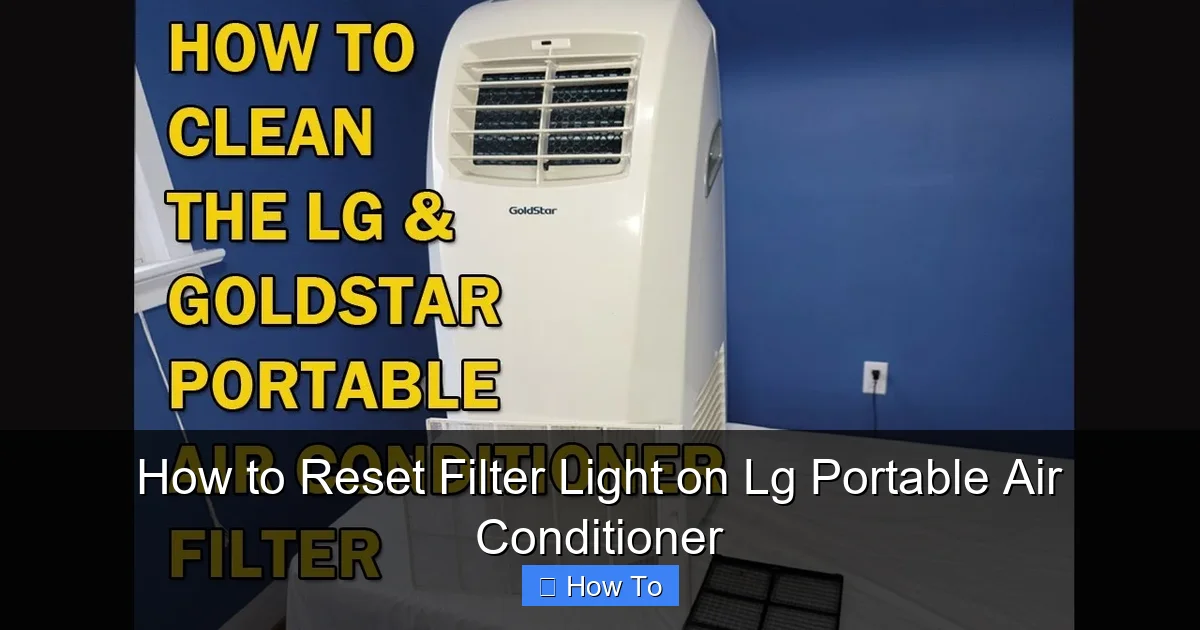
Visual guide about How to Reset Filter Light on Lg Portable Air Conditioner
Image source: i.ytimg.com
Before diving into the reset process, it’s important to understand why your LG portable air conditioner has a filter light in the first place. This feature is designed to protect both your health and your appliance.
The air filter in your portable AC captures dust, pollen, pet dander, and other airborne particles. Over time, these contaminants build up, reducing airflow and forcing the unit to work harder. This not only increases energy consumption but can also lead to overheating, reduced cooling performance, and even system failure.
The filter light acts as a built-in maintenance reminder. Most LG portable air conditioners are programmed to trigger this light after a set number of operating hours—typically between 200 and 500 hours, depending on the model. Once the timer reaches its limit, the light illuminates to signal that the filter needs attention.
In 2026, LG has continued to refine its smart sensor technology, so some newer models may even detect actual filter clogging rather than relying solely on a timer. This means the light could come on earlier if the filter becomes heavily soiled.
Ignoring the filter light can lead to:
– Poor air quality in your home
– Increased electricity bills
– Reduced cooling efficiency
– Potential damage to internal components
That’s why resetting the light isn’t just about turning off a warning—it’s about confirming that you’ve completed the necessary maintenance and that your unit is ready to operate at peak performance.
When Should You Reset the Filter Light?
You should reset the filter light only after you’ve cleaned or replaced the air filter. Simply pressing the reset button without addressing the underlying issue won’t solve the problem—and the light may come back on quickly.
Here are the key times to reset the filter light:
– After cleaning a reusable filter
– After installing a new replacement filter
– When the light remains on despite a clean filter (indicating a possible sensor issue)
It’s also a good idea to reset the light at the start of each cooling season, even if the filter appears clean. This ensures the timer starts fresh and gives you an accurate reminder for future maintenance.
Tools and Preparation
Resetting the filter light on your LG portable air conditioner requires no special tools—just a few minutes of your time and attention to detail. However, proper preparation ensures a smooth and safe process.
Before you begin:
– Turn off the air conditioner and unplug it from the power outlet. This prevents accidental activation and reduces the risk of electrical shock.
– Allow the unit to cool down if it has been running recently.
– Gather a soft cloth or brush for cleaning the filter (if needed).
– Have your user manual handy, especially if you’re unsure about your model’s specific controls.
Safety Tip: Never attempt to reset the filter light while the unit is plugged in and running. Always power down first.
Step-by-Step Guide to Resetting the Filter Light
Now that you’re prepared, let’s walk through the actual reset process. While most LG portable air conditioners follow a similar procedure, slight variations may exist depending on your model. We’ll cover the most common methods used in 2026 LG units.
Step 1: Power Off the Unit
Start by turning off your LG portable air conditioner using the power button on the control panel or remote. Then, unplug the unit from the wall outlet. This step is crucial for safety and ensures the reset process works correctly.
Why unplug? Some models require a full power cycle to register the reset. Leaving the unit plugged in might prevent the system from recognizing the new filter status.
Step 2: Locate the Control Panel
Find the control panel on your portable AC. This is usually located on the front or top of the unit and includes buttons for power, mode, temperature, fan speed, and timer.
Look for a button labeled “Filter,” “Filter Reset,” or an icon that resembles a filter (often a rectangle with wavy lines inside). On some models, this button may be combined with another function, such as the “Timer” or “Mode” button.
If you can’t find a dedicated filter button, check your user manual. Some LG models require a combination of button presses to access the reset function.
Step 3: Clean or Replace the Air Filter
Before resetting the light, make sure the air filter is clean. A dirty filter will cause the light to come back on immediately, even after a reset.
To clean the filter:
1. Open the front grille or filter cover (usually secured by clips or screws).
2. Gently remove the filter.
3. Use a soft brush or vacuum attachment to remove loose dust.
4. Rinse the filter under lukewarm water if it’s washable. Avoid using soap or harsh chemicals.
5. Let the filter air dry completely before reinstalling.
If your filter is damaged or no longer effective, replace it with a compatible LG filter. Using non-OEM filters may void your warranty and reduce performance.
Pro Tip: Mark your calendar or set a phone reminder to clean the filter every 2–4 weeks during peak usage months.
Step 4: Press the Filter Reset Button
Once the filter is clean and reinstalled, it’s time to reset the light.
Here’s how:
1. Plug the unit back into the power outlet.
2. Turn on the air conditioner using the power button.
3. Locate the filter reset button on the control panel.
4. Press and hold the button for 3 to 5 seconds.
You should see the filter light turn off or blink briefly, indicating a successful reset. On some models, the light may flash three times before turning off.
If your model doesn’t have a dedicated filter button, try this alternative method:
– Press and hold the “Timer” and “Fan Speed” buttons simultaneously for 5 seconds.
– Or press the “Mode” button three times within 10 seconds.
Refer to your user manual for model-specific instructions.
Step 5: Confirm the Reset
After pressing the reset button, observe the control panel. The filter light should be off. If it remains on, try the reset process again, ensuring you hold the button long enough.
You can also test the unit by running it for a few minutes. If the light stays off and the AC operates normally, the reset was successful.
Model-Specific Reset Instructions
While the general process is similar across LG portable air conditioners, some 2026 models have unique features or button layouts. Below are instructions for popular LG portable AC series.
LG LP Series (e.g., LP0821WSR, LP1222GMR)
– Power off and unplug the unit.
– Clean the filter and reinstall.
– Press and hold the “Filter” button for 3 seconds.
– The light should turn off.
LG LW Series (e.g., LW8023ER, LW1223ER)
– These models often use a combination reset.
– Press and hold the “Timer” and “Cool” buttons together for 5 seconds.
– The filter light will blink and then turn off.
LG Smart Portable ACs with Wi-Fi (e.g., LP1422GXR, LW1522ERSM)
– Use the LG ThinQ app to reset the filter light remotely.
– Open the app, select your AC, and tap “Maintenance.”
– Choose “Reset Filter Indicator” and confirm.
– Alternatively, use the physical button method as described above.
Smart Tip: If your unit is connected to Wi-Fi, the app may send you filter maintenance reminders, making it easier to stay on top of cleaning.
Troubleshooting Common Issues
Even with careful steps, you might encounter problems when resetting the filter light. Here’s how to handle the most common issues.
Filter Light Won’t Turn Off After Reset
If the light remains on after following the reset steps, try these solutions:
– Ensure the filter is completely dry before reinstalling. Moisture can trigger sensors.
– Check that the filter is properly seated in its slot. A misaligned filter may not be detected.
– Power cycle the unit: Unplug it for 10 minutes, then plug it back in and try the reset again.
– Consult your user manual for model-specific reset codes or sequences.
No Filter Reset Button Found
Some older or budget LG models may not have a dedicated filter button. In this case:
– Look for a hidden reset sequence (e.g., pressing multiple buttons in a specific order).
– Check the remote control—some models allow reset via the remote.
– Contact LG customer support for guidance.
Filter Light Comes On Too Frequently
If the light appears after just a few days of use, your environment may have high levels of dust, pet hair, or allergens. Consider:
– Cleaning the filter more often (weekly during peak seasons).
– Using an air purifier in conjunction with your AC.
– Checking for air leaks around windows or doors that let in dirty air.
Error Codes Appear Alongside Filter Light
Some LG portable ACs display error codes (e.g., “E1,” “CH,” “CL”) when there’s a system issue. If you see a code:
– Refer to the troubleshooting section of your manual.
– Common causes include blocked vents, low refrigerant, or sensor malfunctions.
– If the issue persists, contact LG support or a certified technician.
Tips for Maintaining Your LG Portable Air Conditioner
Resetting the filter light is just one part of keeping your AC in top shape. Follow these best practices to maximize efficiency and longevity:
Clean the Filter Regularly
Aim to clean the filter every 2–4 weeks during heavy use. In dusty environments or homes with pets, weekly cleaning may be necessary.
Inspect the Exterior and Vents
Dust and debris can accumulate on the exterior and block airflow. Wipe down the unit with a damp cloth and vacuum the intake and exhaust vents monthly.
Check the Drainage System
Portable ACs produce condensation. Ensure the drain hose or internal tank is clear and functioning properly to prevent leaks or overflow.
Use a Surge Protector
Power surges can damage electronic components. Plug your AC into a high-quality surge protector to safeguard its circuitry.
Store Properly During Off-Seasons
When not in use, clean the unit thoroughly, remove the filter, and store it in a dry, covered area. Cover the AC to prevent dust buildup.
Schedule Annual Professional Maintenance
Even with regular care, it’s wise to have a technician inspect your unit once a year. They can check refrigerant levels, clean internal components, and ensure optimal performance.
Why Regular Maintenance Matters
Investing time in maintaining your LG portable air conditioner pays off in multiple ways:
– **Energy Efficiency:** A clean filter reduces strain on the motor, lowering electricity usage.
– **Improved Air Quality:** Regular filter changes remove allergens and pollutants, benefiting your health.
– **Longer Lifespan:** Preventative care reduces wear and tear, helping your unit last 8–10 years or more.
– **Fewer Repairs:** Catching issues early prevents costly breakdowns and extends warranty coverage.
In 2026, LG continues to emphasize smart, user-friendly designs that make maintenance easier than ever. By following this guide, you’re not just resetting a light—you’re taking control of your indoor comfort and protecting your investment.
Conclusion
Resetting the filter light on your LG portable air conditioner is a quick and essential task that ensures your unit runs efficiently and delivers clean, cool air. Whether you’re using a basic model or a smart Wi-Fi-enabled unit, the process is straightforward: power off, clean the filter, press the reset button, and confirm the light is off.
By understanding why the light comes on and how to respond, you can avoid common pitfalls and keep your AC in peak condition. Remember to clean the filter regularly, follow model-specific instructions, and seek help if issues persist.
With the tips and steps in this guide, you’re well-equipped to maintain your LG portable air conditioner throughout 2026 and beyond. Stay cool, breathe easy, and enjoy the comfort of a well-maintained home.