
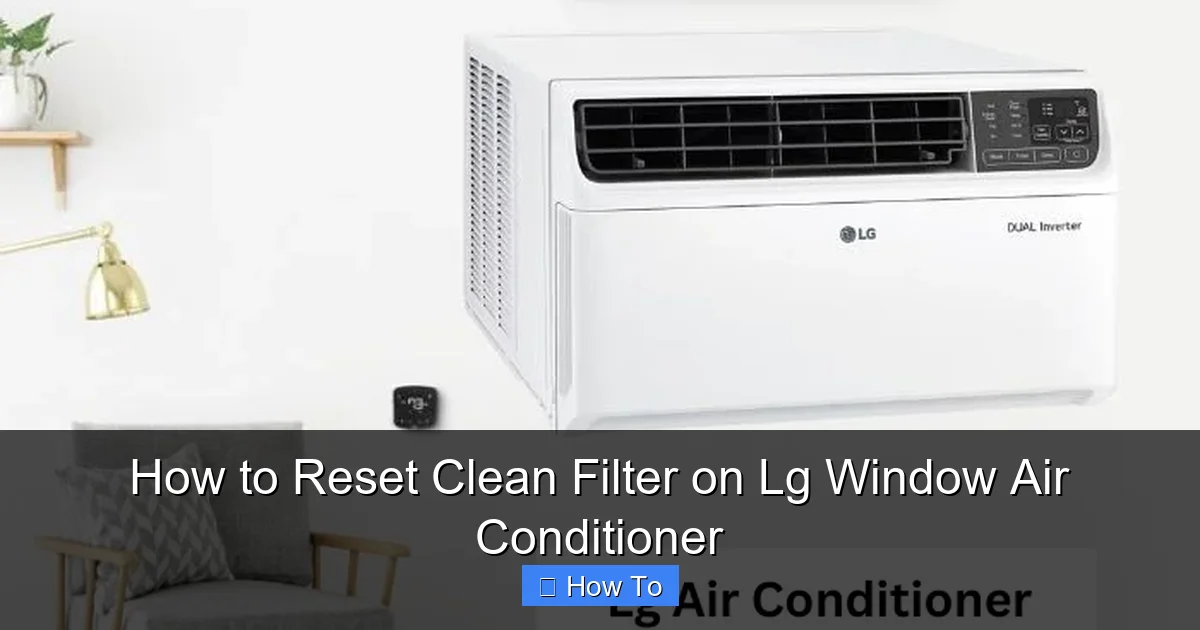
Resetting the clean filter on your LG window air conditioner is essential for maintaining optimal performance and air quality. This guide walks you through the process step by step, ensuring your unit runs efficiently in 2026 and beyond.
Key Takeaways
- Regular filter maintenance improves air quality: Cleaning and resetting the filter ensures your LG window AC removes dust, allergens, and odors effectively.
- The reset process is quick and easy: Most LG window units allow you to reset the filter indicator in under two minutes using the remote or control panel.
- Always turn off the unit before cleaning: For safety and to prevent damage, power down your air conditioner before removing or cleaning the filter.
- Use the correct cleaning method: Gently vacuum or wash the filter with mild soap and water—never use harsh chemicals or high-pressure sprays.
- Reset the indicator after every cleaning: Failing to reset the filter light can lead to reduced efficiency and inaccurate maintenance reminders.
- Check your model’s manual for specifics: While most LG window ACs follow similar steps, some 2026 models may have slight variations in the reset procedure.
- Schedule cleanings every 2–4 weeks: During peak usage seasons, frequent cleaning and resetting keep your unit running smoothly.
How to Reset Clean Filter on LG Window Air Conditioner
If you own an LG window air conditioner, you’ve likely seen the “Clean Filter” light pop up on your remote or control panel. This helpful reminder ensures your unit continues to deliver clean, cool air by prompting you to maintain the air filter. But once you’ve cleaned the filter, how do you reset the indicator so it stops blinking?
In this comprehensive 2026 guide, we’ll walk you through the entire process of resetting the clean filter on your LG window air conditioner. Whether you’re a first-time user or just need a refresher, you’ll learn everything from safety precautions to troubleshooting common issues. By the end, you’ll know exactly how to keep your LG AC running efficiently, quietly, and effectively—all while improving indoor air quality.
We’ll cover step-by-step instructions, model-specific tips, cleaning best practices, and answers to frequently asked questions. Let’s get started!
Why Resetting the Clean Filter Matters
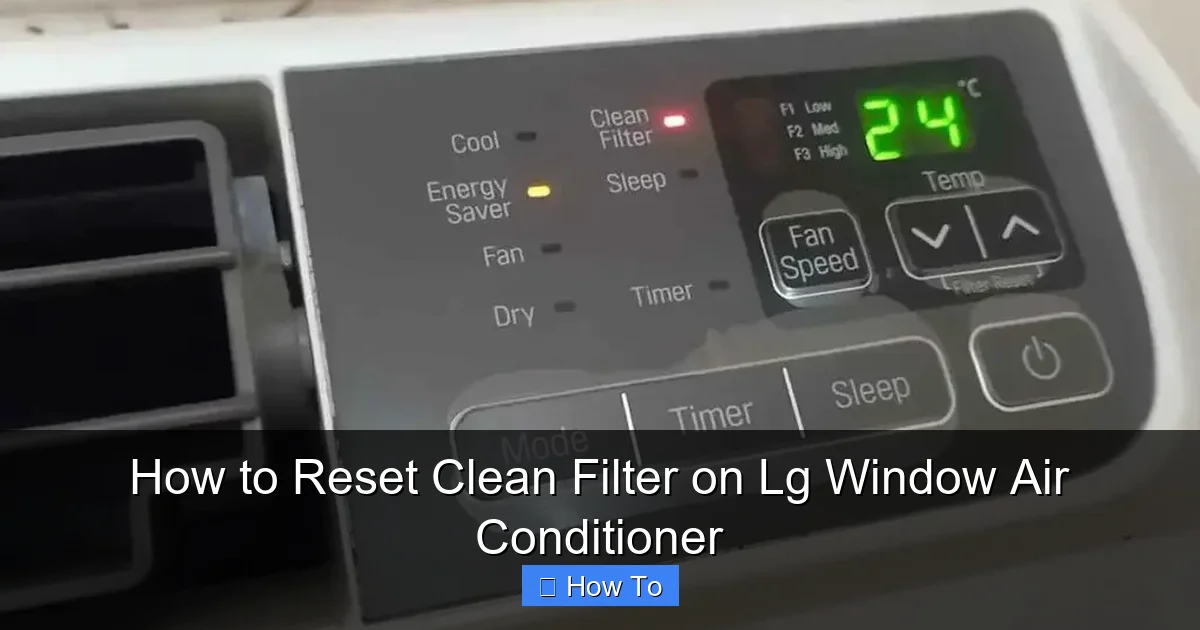
Visual guide about How to Reset Clean Filter on Lg Window Air Conditioner
Image source: smartacsolutions.com
Your LG window air conditioner is designed to keep your home cool and your air clean. The air filter plays a crucial role in this process. It traps dust, pollen, pet dander, and other airborne particles, preventing them from circulating back into your room. Over time, the filter becomes clogged, reducing airflow and forcing the unit to work harder. This not only increases energy consumption but can also lead to overheating or system failure.
The “Clean Filter” indicator is a smart feature that tracks how long the filter has been in use. Once it reaches a preset threshold—usually after 200 to 300 hours of operation—the light turns on to remind you to clean it. However, simply cleaning the filter isn’t enough. You must also reset the indicator so the system knows the filter has been maintained and can start counting usage hours again.
Failing to reset the clean filter can result in:
– Continued blinking or illumination of the filter light
– Inaccurate maintenance reminders
– Reduced cooling efficiency
– Higher electricity bills
– Potential strain on the compressor
By resetting the filter after each cleaning, you ensure your LG window AC operates at peak performance and extends its lifespan.
What You’ll Need
Before you begin, gather the following items to make the process smooth and safe:
– Your LG window air conditioner remote control (or access to the unit’s control panel)
– A soft cloth or microfiber towel
– Mild dish soap (optional, for washing the filter)
– A vacuum cleaner with a brush attachment (optional)
– A clean, dry towel
– A step stool or ladder (if your unit is installed high up)
Make sure your hands are clean and dry before handling the filter or control panel. This prevents transferring oils or moisture that could affect performance.
Step-by-Step Guide to Resetting the Clean Filter
Follow these simple steps to reset the clean filter on your LG window air conditioner. The process typically takes less than five minutes and can be done by anyone, regardless of technical skill.
Step 1: Turn Off the Air Conditioner
Safety first! Before you touch any part of your LG window AC, make sure it’s completely powered off.
– Use the remote control to turn off the unit.
– If your model has a physical power button on the unit itself, press it to ensure it’s off.
– For added safety, unplug the air conditioner from the wall outlet. This prevents accidental startup while you’re working.
Turning off the power also protects the internal electronics from potential damage during cleaning.
Step 2: Locate and Remove the Air Filter
The air filter is usually located behind the front panel of your LG window air conditioner. Here’s how to find and remove it:
– Open the front grille or panel. On most LG models, this panel swings open like a door. Look for small tabs or latches on the sides or bottom.
– Gently pull the panel toward you until it releases. Some models may have screws—if so, use a screwdriver to remove them first.
– Once the panel is open, you’ll see the air filter. It’s typically a rectangular mesh screen that slides out easily.
– Carefully pull the filter straight out. Avoid bending or forcing it, as this could damage the frame.
If you’re unsure where the filter is located, consult your user manual. LG’s 2026 models often include a filter access diagram on the inside of the front panel.
Step 3: Clean the Air Filter
Now that the filter is out, it’s time to clean it. A dirty filter reduces airflow and makes your AC work harder. Here’s how to clean it properly:
– **Option 1: Vacuum Cleaning**
Use a vacuum cleaner with a soft brush attachment to remove loose dust and debris. Gently run the brush over both sides of the filter. This method is quick and effective for light buildup.
– **Option 2: Hand Washing**
If the filter is heavily soiled, wash it with lukewarm water and a small amount of mild dish soap.
– Fill a sink or basin with water and add a few drops of soap.
– Submerge the filter and gently agitate it to loosen dirt.
– Rinse thoroughly with clean water until all soap is gone.
– Shake off excess water and place the filter on a clean towel to air dry completely.
⚠️ **Important:** Never use hot water, bleach, or harsh chemicals. These can damage the filter’s mesh and reduce its effectiveness. Also, do not wring or twist the filter—this can warp the frame.
Let the filter dry completely before reinstalling. This usually takes 30 minutes to an hour, depending on humidity. Installing a damp filter can promote mold growth and reduce air quality.
Step 4: Reinstall the Clean Filter
Once the filter is dry, it’s time to put it back:
– Slide the filter back into its original position. Make sure it fits snugly and is oriented correctly (most filters have a directional arrow indicating airflow direction).
– Close the front panel securely. If your model uses screws, reattach them.
– Ensure the panel is fully closed and latched to prevent air leaks.
A properly installed filter ensures maximum airflow and filtration efficiency.
Step 5: Reset the Clean Filter Indicator
This is the most important step—resetting the indicator so your LG AC knows the filter has been cleaned. The method varies slightly depending on your model, but here are the most common ways:
**Method 1: Using the Remote Control (Most Common)**
– Turn the air conditioner back on using the remote.
– Press and hold the “Filter” or “Clean Filter” button on the remote for 3 to 5 seconds.
– You should see the filter light blink and then turn off, indicating the reset is complete.
**Method 2: Using the Control Panel**
– If your model doesn’t have a remote or the remote isn’t working, use the buttons on the unit itself.
– Locate the “Filter” or “Reset” button (often labeled with a filter icon).
– Press and hold it for 3 to 5 seconds until the light turns off.
**Method 3: Power Cycle Reset (For Older or Glitchy Models)**
– Turn off the AC and unplug it for 10–15 seconds.
– Plug it back in and turn it on.
– The filter light may reset automatically after a few minutes of operation.
💡 **Tip:** Some 2026 LG models feature a “Smart Diagnosis” mode. If the light doesn’t reset, try pressing the “Temp Up” and “Temp Down” buttons simultaneously for 5 seconds. This often triggers a system reset.
Step 6: Test the Unit
After resetting, run your air conditioner for 10–15 minutes to ensure everything is working correctly:
– Check that cool air is flowing properly.
– Listen for unusual noises (grinding, rattling, or excessive humming).
– Confirm the filter light remains off.
If the light comes back on immediately, double-check that the filter is fully dry and properly installed.
Model-Specific Tips for 2026 LG Window ACs
LG continues to innovate its window air conditioner lineup in 2026, with new features like Wi-Fi connectivity, voice control, and enhanced filtration systems. Here are some tips based on popular 2026 models:
– **LG Dual Inverter Window AC (2026 Series):** These models often have a digital display. To reset the filter, press the “Menu” button, navigate to “Maintenance,” and select “Reset Filter.”
– **LG Smart Window AC with ThinQ App:** Use the LG ThinQ app to reset the filter remotely. Open the app, select your AC, go to “Settings,” and tap “Reset Filter Reminder.”
– **LG Energy Star Certified Models:** These units may have a “Filter Reset” button on the remote labeled with a filter icon and a clock symbol.
Always refer to your specific model’s user manual for the most accurate instructions. You can download the latest manual from LG’s official website using your model number.
How Often Should You Clean and Reset the Filter?
The frequency of cleaning depends on usage and environment:
– **High Usage (Daily, 8+ hours):** Clean every 2 weeks.
– **Moderate Usage (Daily, 4–6 hours):** Clean every 3–4 weeks.
– **Low Usage (Weekends only):** Clean every 6–8 weeks.
If you have pets, allergies, or live in a dusty area, clean the filter more often. The “Clean Filter” light is a helpful guide, but don’t wait for it to come on if you notice reduced airflow or odors.
Troubleshooting Common Issues
Even with proper care, you might encounter problems. Here’s how to fix the most common issues:
Issue 1: Filter Light Won’t Turn Off After Reset
– **Cause:** The filter may still be damp, improperly installed, or the reset wasn’t completed correctly.
– **Solution:** Ensure the filter is completely dry and reinstalled. Try the reset process again. If it persists, power cycle the unit.
Issue 2: Remote Control Isn’t Working
– **Cause:** Dead batteries, signal interference, or a faulty remote.
– **Solution:** Replace the batteries. Point the remote directly at the unit. If it still doesn’t work, use the control panel buttons instead.
Issue 3: Airflow Is Still Weak After Cleaning
– **Cause:** The evaporator coils or vents may be dirty.
– **Solution:** Clean the coils with a soft brush or coil cleaner. Check that vents aren’t blocked by furniture or curtains.
Issue 4: Unit Makes a Rattling Noise
– **Cause:** Loose filter, panel, or internal components.
– **Solution:** Turn off the unit, check that the filter and panel are secure, and inspect for loose screws.
Issue 5: Filter Light Comes Back On Too Soon
– **Cause:** High dust levels or a malfunctioning sensor.
– **Solution:** Clean the filter more frequently. If the issue continues, contact LG support—your unit may need a sensor recalibration.
Maintenance Tips for Long-Term Performance
To keep your LG window air conditioner in top shape throughout 2026 and beyond, follow these best practices:
– **Clean the exterior vents monthly** with a damp cloth to prevent dust buildup.
– **Check the drain hole** periodically to ensure it’s not clogged, which can cause water leaks.
– **Inspect the window seal** to prevent warm air from entering and cool air from escaping.
– **Schedule professional maintenance** once a year to check refrigerant levels, electrical connections, and overall performance.
– **Use a surge protector** to protect your unit from power fluctuations.
Regular care not only extends the life of your AC but also saves you money on energy bills and repairs.
Conclusion
Resetting the clean filter on your LG window air conditioner is a simple yet essential task that ensures your unit runs efficiently and delivers clean, cool air. By following the steps in this guide—turning off the unit, cleaning the filter, reinstalling it, and resetting the indicator—you’ll maintain optimal performance and indoor air quality.
Remember, consistency is key. Clean and reset your filter every 2–4 weeks, especially during peak summer months. Use the troubleshooting tips if you run into issues, and always refer to your model’s manual for specific instructions.
With proper maintenance, your LG window air conditioner will keep you comfortable all year long in 2026 and beyond. Stay cool, breathe easy, and enjoy the peace of mind that comes with a well-maintained home cooling system.