
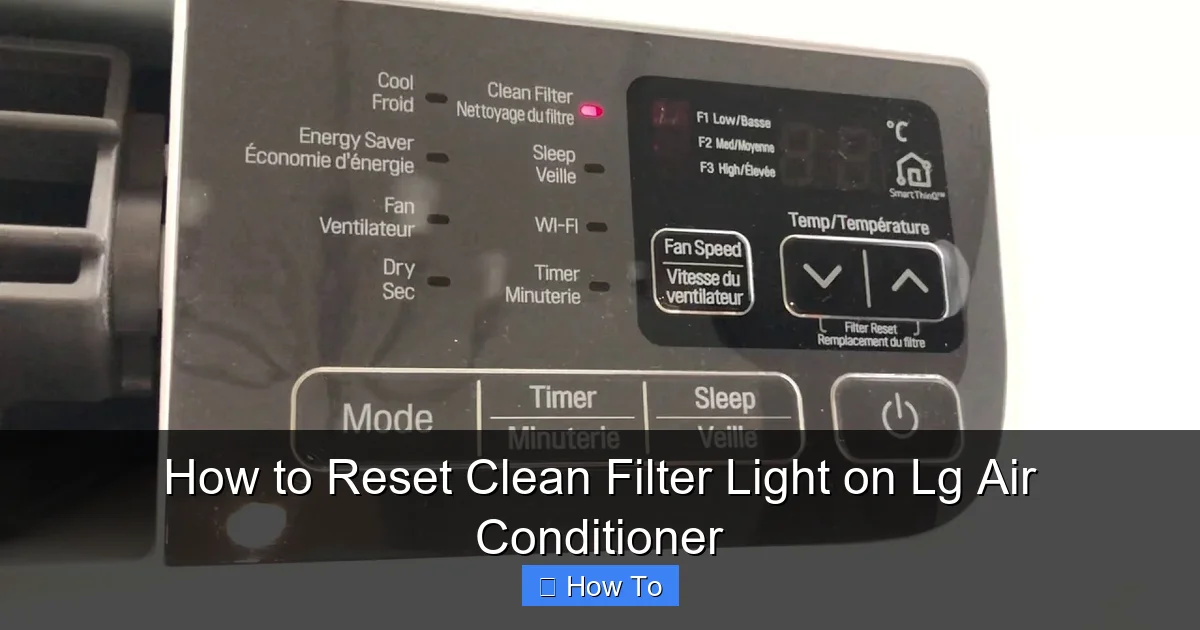
Resetting the clean filter light on your LG air conditioner is simple and essential for maintaining optimal performance. This guide walks you through the process for various LG AC models, including window, split, and portable units, ensuring your system stays clean and energy-efficient.
Key Takeaways
- Regular filter cleaning prevents the clean filter light from triggering unnecessarily. A dirty filter restricts airflow, reduces cooling efficiency, and increases energy bills.
- The reset process varies slightly by LG model type. Window, split, and portable units may have different button layouts or remote controls.
- Always power off the unit before cleaning the filter. This ensures safety and prevents accidental damage to internal components.
- Use the original LG remote or control panel to reset the light. Third-party remotes may not support all functions.
- Reset the light immediately after cleaning to reset the timer. This ensures accurate tracking of the next maintenance cycle.
- Check for firmware updates in 2026 models. Newer LG smart ACs may allow resets via the LG ThinQ app.
- Persistent lights may indicate a sensor issue. If the light won’t reset, consult LG support or a certified technician.
How to Reset Clean Filter Light on LG Air Conditioner
Keeping your LG air conditioner running smoothly isn’t just about comfort—it’s about efficiency, air quality, and longevity. One of the most common maintenance reminders you’ll encounter is the “Clean Filter” light. This helpful indicator alerts you when it’s time to clean or replace your air filter, ensuring your AC doesn’t have to work harder than necessary. But once you’ve cleaned the filter, the light might still stay on. That’s where knowing how to reset the clean filter light on your LG air conditioner becomes essential.
In this comprehensive guide, updated for 2026, we’ll walk you through everything you need to know about resetting the clean filter light on various LG air conditioner models. Whether you own a window unit, a ductless mini-split, or a portable AC, we’ve got you covered. You’ll learn the correct steps, understand why the light appears, and discover tips to keep your system in top shape. By the end, you’ll be able to reset the light confidently and keep your home cool and clean all year long.
Why Does the Clean Filter Light Turn On?
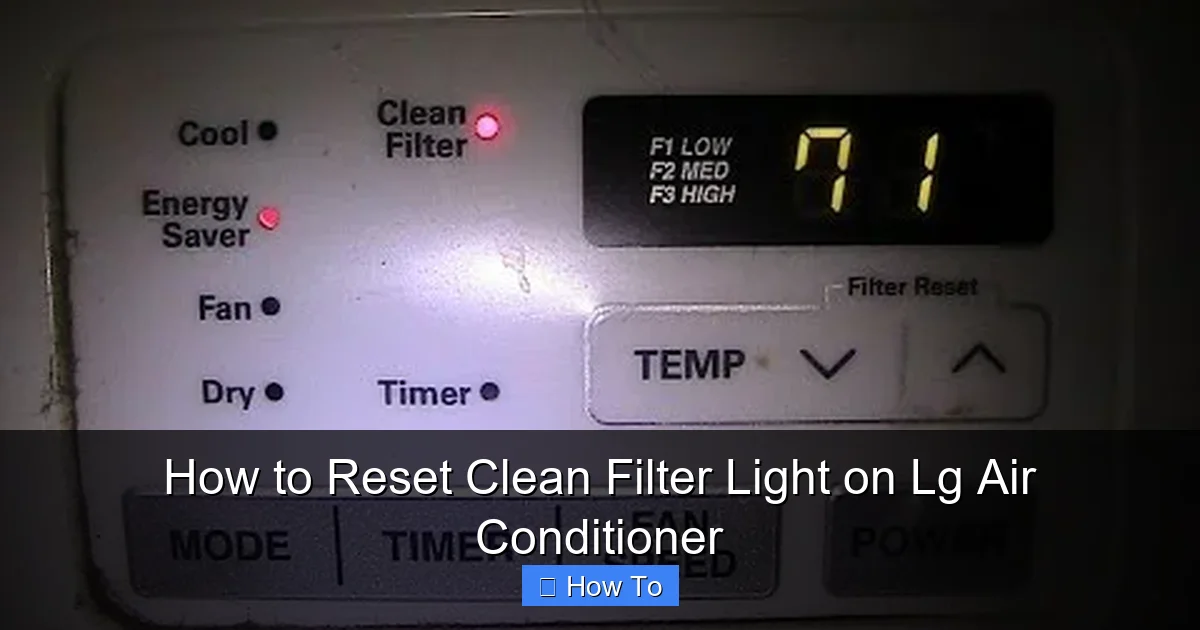
Visual guide about How to Reset Clean Filter Light on Lg Air Conditioner
Image source: i.ytimg.com
Before diving into the reset process, it’s important to understand why the clean filter light appears in the first place. LG air conditioners are equipped with intelligent sensors that monitor airflow and filter condition. Over time, dust, pet dander, pollen, and other airborne particles accumulate on the air filter. As the filter gets clogged, airflow decreases, forcing the AC to work harder to cool your space. This not only increases energy consumption but can also lead to overheating and reduced lifespan of the unit.
The clean filter light is designed to remind you to maintain your AC at regular intervals—typically every 2 to 4 weeks, depending on usage and environment. In 2026, many LG models come with enhanced smart sensors that can detect even minor reductions in airflow, making the reminder more accurate than ever.
Ignoring the clean filter light can lead to:
– Reduced cooling performance
– Higher electricity bills
– Poor indoor air quality
– Potential damage to the compressor or fan motor
So, while the light may seem like a minor annoyance, it’s actually a vital part of your AC’s health monitoring system. Resetting it promptly after cleaning ensures the timer starts fresh and your unit continues to operate efficiently.
Tools and Preparation Needed
Resetting the clean filter light doesn’t require any special tools, but a little preparation goes a long way. Here’s what you’ll need:
- Your LG remote control – Most resets are done using the original remote. Make sure it has fresh batteries.
- A clean, dry cloth – For wiping down the filter and surrounding areas.
- Mild soap and water – For cleaning reusable filters (if applicable).
- A vacuum with a brush attachment – For gently removing dust from the filter before washing.
- Access to the AC unit – Ensure you can safely reach the front panel and filter compartment.
Before starting, always turn off the air conditioner at the unit or via the remote. For added safety, unplug window or portable units from the power outlet. This prevents accidental startup and protects internal components during maintenance.
Step-by-Step Guide to Reset the Clean Filter Light
The exact steps to reset the clean filter light depend on your LG air conditioner model. Below, we’ve broken down the process for the most common types: window units, split systems, and portable air conditioners. Always refer to your user manual for model-specific instructions, but these general steps work for the majority of LG units in 2026.
Step 1: Turn Off the Air Conditioner
Safety first. Before doing anything, power down your AC. Use the remote to turn it off, or switch off the unit directly. For window and portable models, unplugging the power cord is recommended. This ensures no electrical current is flowing while you handle the filter or press buttons.
Step 2: Locate and Remove the Air Filter
The air filter is usually behind the front panel of the unit. On most LG models, you’ll need to:
– Open the front grille by gently pulling it outward or lifting it up.
– Slide out the filter frame.
– Carefully remove the filter.
Some newer LG models feature a “Filter Reset” button near the filter compartment, but most rely on the remote control for resetting the light.
Step 3: Clean the Filter Thoroughly
Once the filter is out, inspect it for dust and debris. If it’s a reusable mesh filter (common in LG units), follow these steps:
– Use a vacuum with a soft brush attachment to remove loose dust.
– Rinse the filter under lukewarm water. Avoid hot water, as it can damage the mesh.
– If needed, wash with mild soap and rinse thoroughly.
– Let the filter air dry completely before reinserting. Never reinstall a wet filter, as moisture can promote mold growth.
For disposable filters, replace them with a new LG-approved filter. Using non-LG filters may void your warranty and reduce efficiency.
Step 4: Reinstall the Filter
Once the filter is clean and dry, slide it back into the filter frame. Make sure it’s seated properly and the frame clicks into place. Close the front panel securely.
Step 5: Reset the Clean Filter Light
Now comes the crucial step: resetting the light. The method varies slightly by model, but here are the most common approaches:
For LG Window and Portable Air Conditioners
1. Turn the unit back on using the remote or power button.
2. Press and hold the “Filter” or “Clean Filter” button on the remote for 3 to 5 seconds. On some models, this button may be labeled “Filter Reset” or have a filter icon.
3. The clean filter light should blink and then turn off, indicating a successful reset.
If your remote doesn’t have a dedicated filter button, try this alternative:
– Press and hold the “Timer” and “Sleep” buttons simultaneously for 5 seconds.
– The display may flash, and the light should reset.
For LG Split System (Ductless Mini-Split) Air Conditioners
1. Ensure the unit is powered on.
2. On the remote, press and hold the “Filter” button (often found near the temperature controls) for 3 to 5 seconds.
3. The indoor unit may beep or flash its display, and the clean filter light should turn off.
Some 2026 LG split models feature a “Smart Diagnosis” mode. If the light persists, try:
– Pressing the “Mode” button three times quickly.
– Then press and hold “Filter” for 5 seconds.
For LG Smart Air Conditioners with ThinQ App
If your LG AC is Wi-Fi enabled and connected to the LG ThinQ app (available in 2026 models), you can reset the light remotely:
1. Open the LG ThinQ app on your smartphone.
2. Select your air conditioner from the device list.
3. Tap on “Maintenance” or “Filter Status.”
4. Choose “Reset Filter Timer” or “Confirm Filter Cleaned.”
5. The app will send a signal to the unit, and the light should turn off.
This method is especially convenient for hard-to-reach units or for users who prefer smart home integration.
Step 6: Confirm the Reset
After resetting, observe the unit for a few minutes. The clean filter light should remain off. If it turns back on immediately, there may be an issue with the sensor or the filter wasn’t properly reinstalled. Double-check the filter placement and ensure the front panel is fully closed.
Troubleshooting Common Issues
Even with careful steps, you might encounter problems when resetting the clean filter light. Here are some common issues and how to fix them:
The Light Won’t Turn Off After Reset
– Cause: The filter may still be dirty or not fully dry.
– Solution: Recheck the filter. Clean it again if necessary and ensure it’s completely dry before reinstalling.
– Cause: The filter sensor is faulty or obstructed.
– Solution: Use a soft brush or compressed air to clean around the sensor (usually near the filter slot). If the problem persists, contact LG support.
No Filter Button on the Remote
– Cause: Older or basic models may not have a dedicated filter button.
– Solution: Try the alternative method: press and hold “Timer” + “Sleep” for 5 seconds. If that doesn’t work, consult your user manual or LG’s online support portal.
Remote Not Responding
– Cause: Dead batteries or signal interference.
– Solution: Replace the remote batteries. Ensure there are no obstacles between the remote and the AC’s receiver. Test the remote from a close distance.
Smart App Reset Not Working
– Cause: Poor Wi-Fi connection or outdated app.
– Solution: Check your internet connection. Update the LG ThinQ app to the latest version. Reconnect the AC to the app if necessary.
Unit Beeps or Shows Error Code
– Cause: Internal error or sensor malfunction.
– Solution: Note the error code and refer to LG’s 2026 error code guide. Common codes like “CH 01” or “CH 02” relate to filter or sensor issues. If unresolved, schedule a service call.
Tips for Maintaining Your LG Air Conditioner
Resetting the clean filter light is just one part of AC maintenance. To keep your LG unit running efficiently in 2026 and beyond, follow these best practices:
- Clean the filter every 2–4 weeks – More often if you have pets, allergies, or live in a dusty area.
- Vacuum the exterior vents – Use a soft brush to remove dust from the front grille and outdoor unit.
- Check the drain line – Ensure it’s not clogged to prevent water leaks.
- Schedule annual professional maintenance – A technician can inspect coils, refrigerant levels, and electrical connections.
- Use the auto-clean function – Many 2026 LG models have a “Dry” or “Auto Clean” mode that reduces moisture and mold buildup.
- Keep the area around the unit clear – Allow at least 2 feet of space around window and outdoor units for proper airflow.
When to Call a Professional
While resetting the clean filter light is a DIY task, some situations require expert help:
– The light resets but comes back on within days.
– The AC isn’t cooling properly even with a clean filter.
– You notice unusual noises, leaks, or error codes.
– The unit is under warranty and needs internal repairs.
LG offers 2026 customers extended support through their Smart Diagnosis feature and certified service network. Use the LG ThinQ app to schedule a service appointment or chat with a technician online.
Conclusion
Resetting the clean filter light on your LG air conditioner is a quick and easy task that pays big dividends in performance and energy savings. By following the steps in this guide, you can keep your AC running smoothly, improve indoor air quality, and avoid unnecessary service calls. Whether you’re using a traditional remote, a smart app, or manual controls, the process is straightforward once you know what to look for.
Remember, regular maintenance is key. Clean your filter on schedule, reset the light promptly, and keep an eye on your unit’s performance. With a little care, your LG air conditioner will keep you cool and comfortable for years to come—especially in the warmer months of 2026 and beyond.
Don’t let a simple light disrupt your comfort. Take control of your AC maintenance today and enjoy cleaner air, lower bills, and peace of mind.