
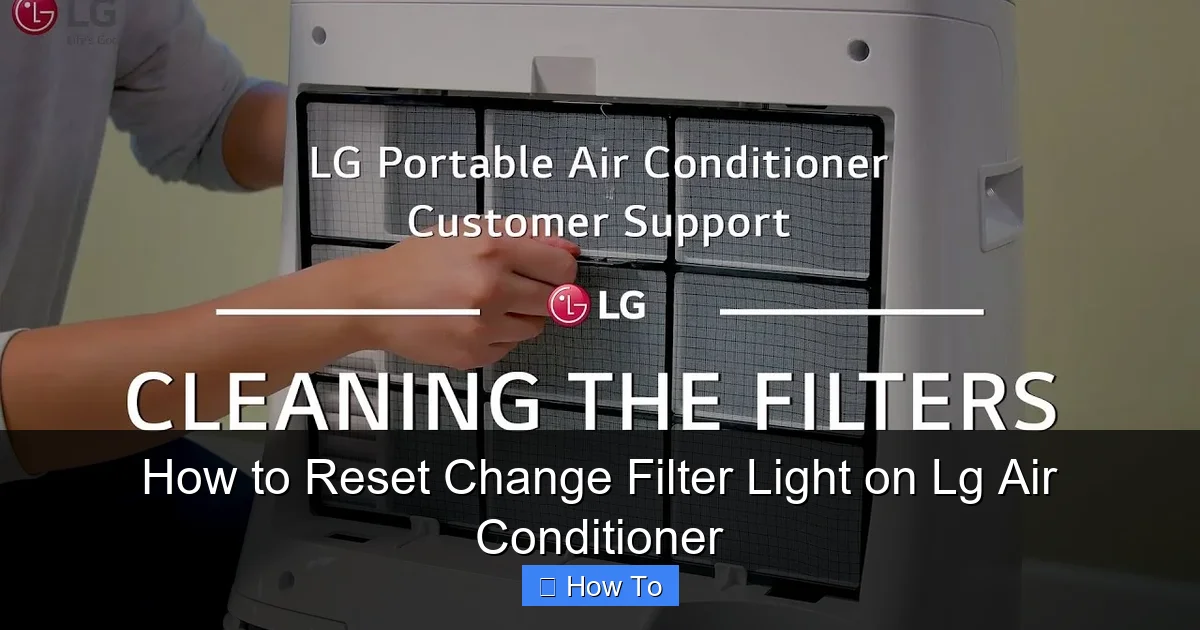
Resetting the change filter light on your LG air conditioner is simple and essential for maintaining optimal performance. This guide walks you through the process for various LG AC models, including window, split, and smart units, ensuring clean air and energy efficiency in 2026.
Key Takeaways
- Regular filter maintenance improves air quality and AC efficiency. A clean filter ensures proper airflow and reduces strain on the system.
- The change filter light indicates it’s time to clean or replace the air filter. Ignoring it can lead to higher energy bills and reduced cooling performance.
- Most LG air conditioners allow manual reset of the filter light after maintenance. This is typically done via the remote control or unit buttons.
- Smart LG models may support app-based resets through the LG ThinQ app. This feature adds convenience for tech-savvy users in 2026.
- Always power off the unit before cleaning or replacing filters. Safety first—this prevents electrical hazards and protects internal components.
- Refer to your user manual for model-specific instructions. LG designs vary, so checking the manual ensures accuracy.
- Resetting the light doesn’t replace the need for regular filter checks. Make it a habit to inspect filters monthly during peak usage seasons.
How to Reset Change Filter Light on LG Air Conditioner
Keeping your LG air conditioner in top shape isn’t just about comfort—it’s about efficiency, air quality, and longevity. One of the most common maintenance tasks is resetting the “Change Filter” light after cleaning or replacing the air filter. This small indicator plays a big role in your AC’s performance. In 2026, LG continues to innovate with smarter, more intuitive systems, but the core principle remains the same: a clean filter equals a happy air conditioner.
Whether you’re using a window unit, a ductless mini-split, or a smart inverter model, this comprehensive guide will walk you through the process of resetting the change filter light on your LG air conditioner. We’ll cover multiple models, offer troubleshooting tips, and share best practices to keep your system running smoothly all year long.
By the end of this guide, you’ll know exactly how to reset the filter light, understand why it matters, and how to maintain your LG AC like a pro.
Why the Change Filter Light Matters
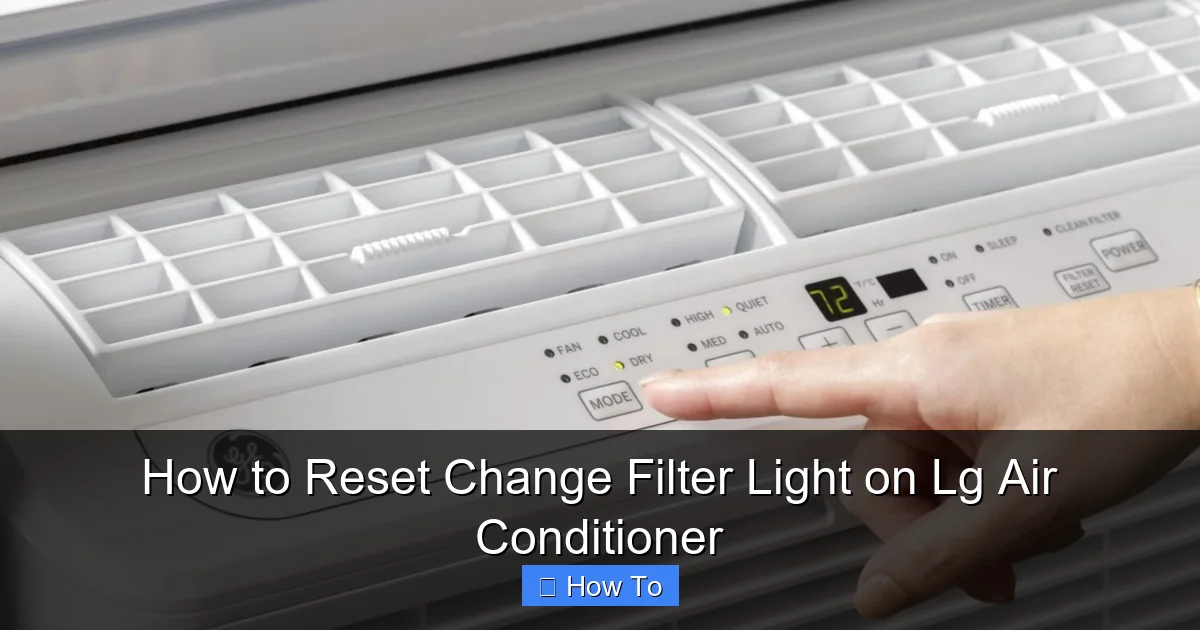
Visual guide about How to Reset Change Filter Light on Lg Air Conditioner
Image source: storables.com
The “Change Filter” light on your LG air conditioner isn’t just a nagging reminder—it’s a vital part of your unit’s health monitoring system. When this light turns on, it means the air filter has reached its capacity and is no longer effectively trapping dust, pollen, pet dander, and other airborne particles.
A clogged filter restricts airflow, forcing your AC to work harder to cool your space. This leads to higher energy consumption, increased wear on the compressor, and potentially uneven cooling. In extreme cases, it can even cause the evaporator coil to freeze, leading to costly repairs.
In 2026, LG’s advanced sensors are more accurate than ever, detecting filter buildup based on airflow resistance and usage time. Some models even track how often the unit runs and adjust the reminder accordingly. That means the light isn’t just a timer—it’s a smart diagnostic tool.
Resetting the light after maintenance ensures the system knows the filter is fresh and ready to go. It also resets the monitoring cycle, so you’ll get a timely reminder next time. Ignoring the reset might mean the light stays on unnecessarily, or worse, the system could miscalculate future maintenance needs.
When to Reset the Change Filter Light
You should reset the change filter light immediately after cleaning or replacing the air filter. This applies whether you’re doing a quick vacuum of a reusable filter or installing a brand-new disposable one.
Most LG air conditioners are designed to remind you every 2 to 3 months, depending on usage and environmental factors. If you live in a dusty area, have pets, or use your AC heavily during summer, you may need to clean the filter more frequently—sometimes as often as once a month.
The light typically appears as a yellow or red icon on the display panel or remote control. On some models, it may flash or stay solid. Either way, it’s a clear signal that maintenance is due.
Don’t wait for the light to turn on to check your filter. Proactive inspection is key. Make it a habit to look at the filter every 30 days during peak cooling seasons. If it looks dirty or clogged, clean or replace it right away—and then reset the light.
Tools and Preparation
Before you begin, gather a few basic tools and take some safety precautions. You won’t need anything fancy—just common household items.
What You’ll Need
- A clean, dry cloth or microfiber towel
- A vacuum cleaner with a brush attachment (optional)
- Replacement air filter (if using a disposable type)
- Your LG remote control (most models require it for reset)
- Access to the LG ThinQ app (for smart models)
Safety First
Always turn off the air conditioner at the unit and unplug it from the power source before removing the filter. This prevents accidental startup and protects you from electrical shock. If your unit is hardwired, turn off the circuit breaker instead.
Wait a few minutes after powering down to let any residual charge dissipate. This is especially important for inverter models, which store energy in capacitors.
Step-by-Step Guide: Resetting the Change Filter Light
The exact method to reset the change filter light varies slightly depending on your LG air conditioner model. Below, we’ll cover the most common types: window units, ductless mini-splits, and smart inverter models.
Method 1: Using the Remote Control (Most Common)
This method works for the majority of LG window and split-type air conditioners, including models like the LG LW8016ER, LW1216ER, and LS1216C.
Step 1: Turn On the Air Conditioner
Press the power button on your remote to turn on the unit. Make sure it’s in cooling or fan mode—some models won’t allow resets in off mode.
Step 2: Locate the “Filter” or “Reset” Button
On most LG remotes, there’s a dedicated “Filter” button. It’s usually labeled clearly and may have a filter icon. If your remote doesn’t have this button, look for a “Reset” or “Mode” button—some models combine functions.
Step 3: Press and Hold the Filter Button
Press and hold the “Filter” button for 3 to 5 seconds. You should see the “Change Filter” light on the unit’s display blink or turn off. On some models, a beep or confirmation message will appear.
Step 4: Confirm the Reset
Release the button and check the display. The light should be off, indicating the filter cycle has been reset. If it’s still on, repeat the process.
Example: LG LW1216ER Window Unit
After cleaning the filter, turn on the AC. Press and hold the “Filter” button on the remote for 3 seconds. The yellow filter light on the front panel will flash once and then turn off. The system is now reset and will monitor the new filter.
Method 2: Using the Unit’s Control Panel
Some LG models, especially older window units, don’t have a remote with a filter button. In these cases, you can reset the light directly on the unit.
Step 1: Access the Control Panel
Locate the control panel on the front of the air conditioner. It usually has buttons for power, mode, temperature, and fan speed.
Step 2: Press the “Mode” and “Fan” Buttons Simultaneously
On certain models, pressing and holding the “Mode” and “Fan” buttons together for 5 seconds will reset the filter light. This is common on units like the LG LW1016ER.
Step 3: Watch for Confirmation
The display may flash or the filter light may turn off. If nothing happens, try pressing the buttons again or consult your manual.
Method 3: Using the LG ThinQ App (Smart Models)
In 2026, many LG air conditioners come with Wi-Fi connectivity and support for the LG ThinQ app. This allows you to control and monitor your AC from your smartphone.
Step 1: Open the LG ThinQ App
Launch the app on your iOS or Android device. Make sure your phone is connected to the same Wi-Fi network as your air conditioner.
Step 2: Select Your Air Conditioner
Tap on your AC unit from the list of connected devices. You should see real-time status, including temperature, mode, and filter status.
Step 3: Navigate to Maintenance Settings
Look for a “Maintenance” or “Filter” section. Some models show a “Filter Reset” button directly on the home screen.
Step 4: Tap “Reset Filter”
Tap the button to reset the filter light. The app will confirm the action, and the light on the unit should turn off.
Example: LG Dual Inverter Smart Window AC
After replacing the filter, open the ThinQ app, select your AC, and tap “Reset Filter” under the Maintenance tab. The system updates instantly, and the reminder is cleared.
Model-Specific Instructions
Not all LG air conditioners are the same. Here’s how to reset the filter light on some popular 2026 models.
LG Window Air Conditioners (LW Series)
Most LW models use the remote control method. Press and hold the “Filter” button for 3 seconds. If your model lacks this button, try the “Mode + Fan” combination.
LG Ductless Mini-Split Systems (LS and LM Series)
These units often have a dedicated “Filter” button on the remote. Hold it for 3–5 seconds. Some models may require you to press “Timer” and “Filter” together.
LG Smart Inverter Window Units (with Wi-Fi)
Use the LG ThinQ app for the easiest reset. Alternatively, the remote method still works.
LG Portable Air Conditioners
Portable units like the LG LP1419IVSM usually have a “Filter” button on the unit itself. Press and hold it for 3 seconds to reset.
Troubleshooting Common Issues
Sometimes, the filter light won’t reset—even after following the steps correctly. Here’s how to fix the most common problems.
The Light Won’t Turn Off
If the “Change Filter” light remains on after resetting:
- Make sure the filter is properly installed. A loose or misaligned filter can trigger the sensor.
- Check for dust buildup around the filter housing. Clean the area with a dry cloth.
- Power cycle the unit: Turn it off, unplug it for 5 minutes, then plug it back in and try the reset again.
- Ensure the remote has fresh batteries. Weak batteries can cause unresponsive buttons.
The Remote Doesn’t Have a Filter Button
Not all remotes are created equal. If yours lacks a “Filter” button:
- Check the user manual for alternative reset methods.
- Try pressing “Mode” and “Fan” together for 5 seconds.
- Some models require you to press “Timer” and “Sleep” simultaneously.
The App Won’t Connect
If the LG ThinQ app can’t detect your AC:
- Ensure both your phone and AC are on the same Wi-Fi network.
- Restart the app and your router.
- Re-register the AC in the app if necessary.
- Update the app to the latest version from the App Store or Google Play.
The Filter Light Comes Back On Immediately
This could indicate a sensor issue or a problem with the filter itself:
- Inspect the filter for damage or excessive dirt.
- Clean the air intake vents on the unit.
- Contact LG customer support if the problem persists—there may be a faulty sensor.
Best Practices for Filter Maintenance
Resetting the light is only half the battle. To keep your LG air conditioner running efficiently, follow these best practices.
Clean or Replace Filters Regularly
– Reusable filters: Vacuum monthly, wash with mild soap and water every 2–3 months, and let dry completely before reinstalling.
– Disposable filters: Replace every 1–3 months, depending on usage.
Check Filters Monthly
Even if the light hasn’t come on, inspect the filter every 30 days. Look for dust, hair, or debris buildup.
Use High-Quality Filters
Choose filters with a MERV rating of 8–11 for optimal balance between airflow and filtration. Avoid very high MERV ratings, which can restrict airflow in residential ACs.
Keep the Area Around the Unit Clean
Dust and debris near the air intake can clog the filter faster. Vacuum the surrounding area regularly.
Schedule Professional Maintenance
Once a year, have a licensed technician inspect your AC, clean the coils, and check refrigerant levels. This extends the life of your unit and ensures peak performance.
Conclusion
Resetting the change filter light on your LG air conditioner is a quick and easy task that makes a big difference in your home’s comfort and energy efficiency. Whether you’re using a basic window unit or a smart inverter model with app control, the process is straightforward once you know the steps.
In 2026, LG continues to make home cooling smarter and more user-friendly. With features like the LG ThinQ app and advanced sensors, maintaining your AC has never been easier. But no matter how advanced the technology, the fundamentals remain the same: clean filters, timely resets, and regular checks.
By following this guide, you’ll keep your LG air conditioner running smoothly, reduce energy costs, and breathe cleaner air all year long. Don’t wait for the light to come on—stay proactive, stay informed, and enjoy the cool comfort of a well-maintained system.