
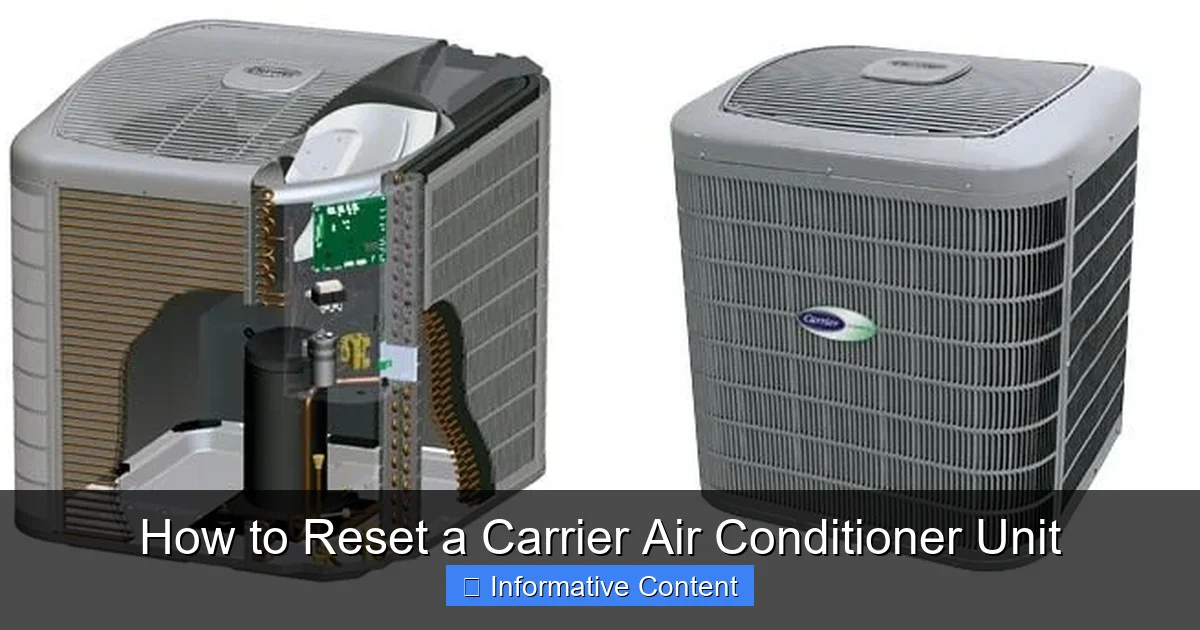
Resetting your Carrier air conditioner unit can solve many common cooling problems, from unresponsive controls to system errors. This guide walks you through simple, safe methods to reset your system and restore optimal performance.
Key Takeaways
- Power cycling is the most common reset method: Turn off the unit at the thermostat and circuit breaker for 5–10 minutes to clear temporary glitches.
- Check the reset button on the outdoor unit: Some Carrier models have a physical reset button on the compressor housing that can be pressed to restart the system.
- Thermostat settings matter: Ensure the thermostat is set to “cool” and the temperature is lower than the current room temperature before resetting.
- Regular maintenance prevents frequent resets: Clean filters, clear debris, and schedule annual servicing to reduce the need for resets.
- Reset doesn’t fix mechanical failures: If the unit still doesn’t work after a reset, there may be a refrigerant leak, capacitor issue, or electrical fault requiring professional help.
- Use the Carrier app for smart units: Wi-Fi-enabled models allow remote resets and diagnostics through the Carrier Home app.
- Document error codes: Note any flashing lights or error messages before resetting to help technicians diagnose issues later.
📑 Table of Contents
Why You Might Need to Reset Your Carrier Air Conditioner
Your Carrier air conditioner is a reliable workhorse, keeping your home cool and comfortable even during the hottest summer days. But like any complex system, it can occasionally run into issues—whether it’s refusing to turn on, blowing warm air, or displaying an error code. When this happens, one of the first and most effective troubleshooting steps is to reset the unit.
Resetting your Carrier air conditioner doesn’t mean taking it apart or calling a technician right away. In many cases, it’s as simple as turning the power off and back on—similar to restarting your computer or smartphone. This process clears temporary software glitches, resets the control board, and allows the system to restart with a clean slate. It’s a safe, non-invasive step that can resolve a surprising number of common problems without the need for costly repairs.
But why do air conditioners need resets in the first place? Modern Carrier units are equipped with advanced electronics and safety features designed to protect the compressor and other components. If the system detects an overload, overheating, or electrical irregularity, it may shut down automatically. Once the issue is resolved—like a tripped breaker or a clogged filter—the unit often needs a manual reset to resume normal operation. Additionally, power surges, brownouts, or even brief outages can confuse the system’s internal controls, making a reset necessary to get things back on track.
Common Signs Your AC Needs a Reset
How do you know when a reset might help? Look for these telltale signs:
- The unit won’t turn on: You flip the thermostat to “cool,” but nothing happens—no fan, no compressor hum, no cool air.
- Blowing warm or room-temperature air: The fan is running, but the air isn’t cold, suggesting the compressor isn’t engaging.
- Frequent cycling on and off: The system turns on for a few minutes, then shuts off abruptly, repeating the cycle.
- Error codes or flashing lights: The thermostat or outdoor unit displays a blinking pattern or error message.
- Unresponsive thermostat: Buttons don’t work, the screen is blank, or settings won’t change.
If you notice any of these symptoms, a reset is a smart first step. It’s quick, free, and often effective. However, it’s important to remember that a reset is not a cure-all. If the problem persists after a proper reset, there may be a deeper issue—like a faulty capacitor, low refrigerant, or a failing motor—that requires professional attention.
Step-by-Step Guide to Resetting Your Carrier Air Conditioner
Resetting your Carrier air conditioner is a straightforward process, but it’s important to do it correctly to avoid damage or injury. Follow these steps carefully to ensure a safe and effective reset.
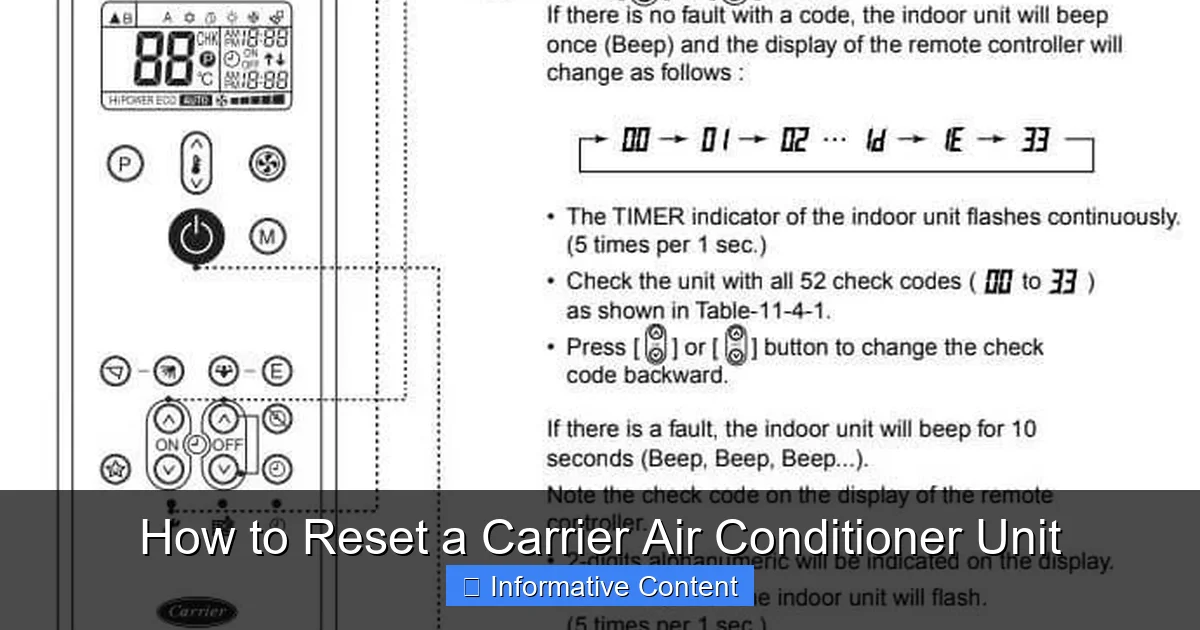
Visual guide about How to Reset a Carrier Air Conditioner Unit
Image source: i.pinimg.com
Step 1: Turn Off the Thermostat
Start by switching your thermostat to the “off” position. This ensures that the air conditioner isn’t receiving any signals to run while you’re working on it. If your thermostat has a “cool” or “auto” setting, make sure it’s fully turned off. This step prevents the system from trying to restart while you’re in the middle of the reset process.
For smart thermostats like the Carrier Infinity or Côr models, you can also use the touchscreen or mobile app to power down the system. Simply navigate to the system controls and select “off.” This is especially helpful if the thermostat is mounted high on the wall or in a hard-to-reach location.
Step 2: Locate and Turn Off the Circuit Breaker
Next, go to your home’s main electrical panel (breaker box). Look for the breaker labeled “AC,” “Air Conditioner,” or “HVAC.” It’s usually a 240-volt double-pole breaker, meaning it has two switches connected together. Turn this breaker to the “off” position.
Why is this step so important? The outdoor compressor unit runs on high voltage, and cutting power at the breaker ensures that no electricity is flowing to the system. This protects you from accidental shocks and gives the internal electronics time to fully discharge. Skipping this step could leave residual power in the system, preventing a true reset.
Step 3: Wait 5 to 10 Minutes
Once the power is off, wait at least 5 to 10 minutes before turning it back on. This waiting period allows the system’s capacitors to discharge completely and the control board to reset. Think of it like holding down the power button on a frozen computer—it gives the system time to “forget” any temporary errors or glitches.
During this time, you can also take the opportunity to inspect the outdoor unit. Check for debris like leaves, grass, or dirt blocking the condenser coils. Use a garden hose to gently rinse off any buildup—never use a pressure washer, as it can damage the fins. Also, make sure there’s at least two feet of clearance around the unit for proper airflow.
Step 4: Turn the Breaker Back On
After the waiting period, return to the breaker box and flip the AC breaker back to the “on” position. You should hear a soft click as power is restored. Don’t be alarmed if the unit doesn’t start immediately—some Carrier models have a built-in delay to protect the compressor.
Step 5: Turn the Thermostat Back On
Finally, go back to your thermostat and switch it back to “cool.” Set the temperature a few degrees below the current room temperature to prompt the system to start. Within a minute or two, you should hear the indoor fan kick on, followed by the outdoor compressor.
If everything works correctly, cool air should begin flowing through your vents within 5 to 10 minutes. If the unit still doesn’t respond, try the reset process one more time. Sometimes a second attempt is needed, especially after a power outage.
Alternative: Using the Reset Button (If Available)
Some Carrier air conditioner models—particularly older or commercial units—come equipped with a physical reset button located on the outdoor compressor housing. This button is typically red or yellow and may be labeled “Reset” or “Service.”
To use it, first turn off the thermostat and breaker as described above. Then, locate the reset button on the side or top of the outdoor unit. Press and hold it for 3 to 5 seconds, then release. Wait a few moments, then restore power and turn the thermostat back on.
Note: Not all Carrier models have this feature. If you don’t see a reset button, don’t force it—proceed with the standard power cycle method instead.
Resetting Smart Carrier Units with the App
If you own a Wi-Fi-enabled Carrier air conditioner—such as those compatible with the Carrier Home app—you may be able to reset your system remotely. This is especially convenient if you’re away from home or prefer managing your HVAC system digitally.
Using the Carrier Home App
The Carrier Home app allows you to monitor and control your air conditioner from your smartphone or tablet. To perform a reset:
- Open the Carrier Home app and log in to your account.
- Select your air conditioner from the list of connected devices.
- Tap the “Power” button to turn the system off.
- Wait 5 to 10 minutes.
- Tap “Power” again to turn the system back on.
The app essentially mimics the manual thermostat process, but with added convenience. You can also check system status, view energy usage, and receive alerts if the unit encounters an error.
Remote Diagnostics and Alerts
One of the biggest advantages of smart Carrier units is their ability to self-diagnose. If the system detects a problem—like a dirty filter or low refrigerant—it can send a notification to your phone. Some models even suggest whether a reset might resolve the issue.
For example, if the app shows a “High Pressure” error, it may recommend turning the system off for 10 minutes to allow the compressor to cool down. After the reset, the app will confirm whether the error has cleared.
Keep in mind that while the app is a powerful tool, it doesn’t replace the need to turn off the breaker for a full reset. Always use the app in conjunction with the manual steps for the best results.
When a Reset Isn’t Enough: Recognizing Deeper Issues
While resetting your Carrier air conditioner can solve many problems, it’s not a magic fix for every issue. If your unit continues to malfunction after a proper reset, it’s time to consider whether there’s a more serious underlying problem.
Persistent Warm Air
If your AC is running but still blowing warm air, a reset may not be enough. This could indicate low refrigerant levels, a clogged evaporator coil, or a malfunctioning compressor. Refrigerant leaks require a licensed technician to locate and repair, as handling refrigerant is regulated and potentially hazardous.
Strange Noises or Vibrations
Unusual sounds—like grinding, squealing, or banging—often point to mechanical issues. A failing motor, loose fan blades, or worn bearings can cause these noises. Continuing to run the unit in this state can lead to further damage, so it’s best to shut it down and call a professional.
Frequent Tripping of the Breaker
If the circuit breaker trips repeatedly after you reset it, there may be an electrical fault in the system. This could be due to a short circuit, damaged wiring, or an overloaded compressor. Electrical issues are dangerous and should be inspected by a qualified HVAC technician.
Water Leaks or Ice Buildup
Water pooling around the indoor unit or ice forming on the coils suggests a problem with drainage or airflow. A clogged condensate drain line or dirty air filter can cause these issues. While cleaning the filter and clearing the drain may help, persistent leaks or ice may require professional diagnosis.
Error Codes You Can’t Clear
Carrier units often display error codes through flashing lights on the outdoor unit or messages on the thermostat. For example, a flashing “H5” code might indicate a high-pressure switch issue. If the code returns immediately after a reset, it’s a sign that the system is detecting a real fault that needs repair.
Refer to your owner’s manual or Carrier’s online support portal to decode error messages. Many codes include troubleshooting tips, but if the problem persists, it’s time to call in an expert.
Preventing the Need for Frequent Resets
The best way to avoid resetting your Carrier air conditioner is to keep it well-maintained. Regular care not only extends the life of your system but also reduces the likelihood of unexpected shutdowns.
Change the Air Filter Monthly
A dirty air filter restricts airflow, causing the system to work harder and potentially overheat. Check your filter every month, especially during peak cooling season, and replace it when it looks clogged or discolored. Most homeowners find that a new filter every 1–3 months is sufficient, depending on usage and air quality.
Clean the Outdoor Unit
The condenser coils on the outdoor unit can collect dirt, leaves, and grass clippings over time. This buildup reduces efficiency and can trigger safety shutoffs. Once a season, turn off the power and gently rinse the coils with a garden hose. Trim any vegetation around the unit to maintain proper airflow.
Schedule Annual Professional Maintenance
Even with regular DIY care, your Carrier air conditioner benefits from a professional tune-up once a year. A technician will inspect electrical connections, test refrigerant levels, lubricate moving parts, and check for wear and tear. This preventive maintenance can catch small issues before they become big problems.
Keep the Thermostat Clean and Level
Dust and debris inside the thermostat can interfere with its sensors, leading to inaccurate readings and unnecessary cycling. Use a soft brush or compressed air to clean the interior, and make sure the thermostat is level—tilted units may misread room temperature.
Upgrade to a Smart Thermostat
Smart thermostats like the Carrier Côr or Infinity models offer advanced features like adaptive scheduling, remote access, and system alerts. They can also detect when the system is struggling and suggest maintenance or resets before problems escalate.
Conclusion
Resetting your Carrier air conditioner unit is a simple yet powerful troubleshooting tool that can resolve many common cooling issues. Whether you’re dealing with an unresponsive thermostat, warm air, or an error code, a proper reset—starting with turning off the thermostat and breaker—can often get your system back up and running.
Remember, a reset is not a substitute for regular maintenance or professional repairs. Keep your filters clean, clear debris from the outdoor unit, and schedule annual service to keep your Carrier system in top condition. And if problems persist after a reset, don’t hesitate to call a qualified HVAC technician. Your comfort—and your system’s longevity—depend on it.
By following the steps in this guide, you’ll be well-equipped to handle minor glitches and keep your home cool all summer long. Stay cool, stay informed, and enjoy the reliable performance your Carrier air conditioner is designed to deliver.
Frequently Asked Questions
How often should I reset my Carrier air conditioner?
You should only reset your Carrier air conditioner when it’s not working properly—such as not turning on, blowing warm air, or showing error codes. Frequent resets may indicate an underlying issue that needs professional attention.
Can I reset my Carrier AC without turning off the breaker?
While you can turn off the thermostat, a full reset requires cutting power at the circuit breaker. This ensures the system fully powers down and resets its internal electronics.
Will resetting my air conditioner erase my thermostat settings?
No, resetting the unit by turning off power does not erase programmed schedules or settings on most Carrier thermostats. However, a power outage or hard reset on some models may require you to re-enter time and date.
What if my Carrier AC still doesn’t work after a reset?
If the unit still doesn’t function after a proper reset, there may be a mechanical or electrical issue—such as a faulty capacitor, low refrigerant, or wiring problem. Contact a licensed HVAC technician for diagnosis and repair.
Can I reset my Carrier AC remotely using the app?
Yes, if your unit is connected to the Carrier Home app, you can turn it off and on remotely. However, for a full reset, it’s still recommended to turn off the breaker for 5–10 minutes.
Is it safe to reset my air conditioner myself?
Yes, resetting your Carrier air conditioner by turning off the thermostat and breaker is safe when done correctly. Always ensure the power is off before inspecting the outdoor unit, and never touch electrical components without proper training.