
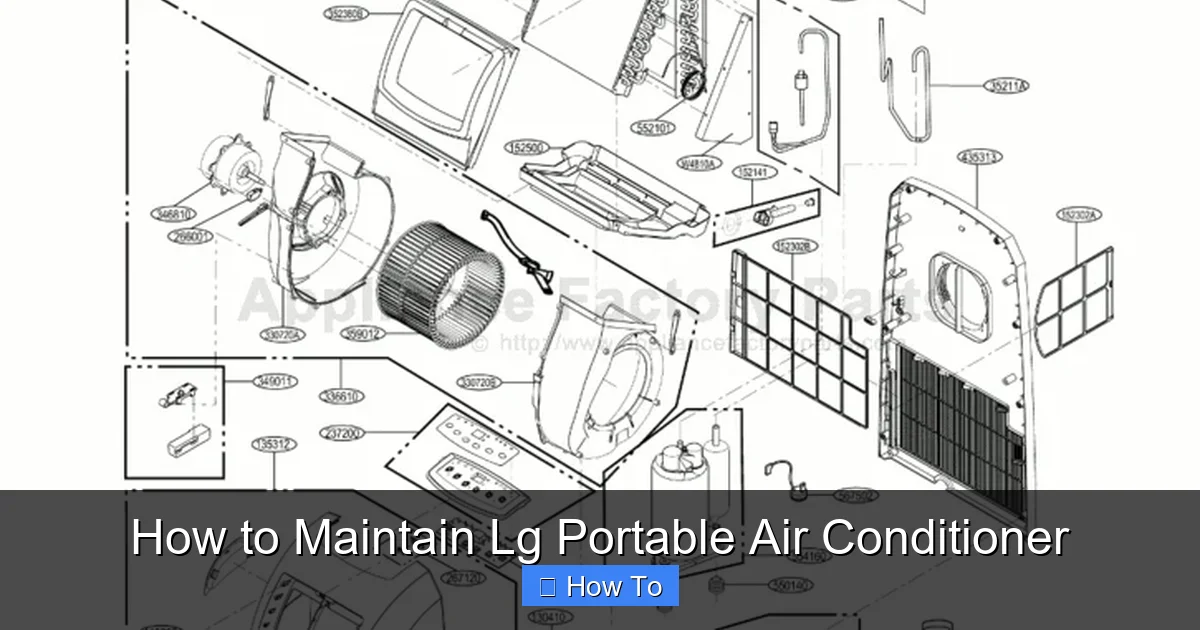
Keeping your LG portable air conditioner running smoothly requires regular maintenance. This guide walks you through essential cleaning, filter care, and troubleshooting steps to boost performance, save energy, and extend your unit’s life in 2026 and beyond.
Key Takeaways
- Clean the air filter monthly: A dirty filter reduces airflow and efficiency. Wash it gently with mild soap and let it dry completely before reinstalling.
- Drain water regularly: Most LG portable ACs have auto-evaporation, but check the water tank weekly during heavy use to prevent overflow.
- Inspect and clean vents and coils: Dust buildup on intake and exhaust vents blocks airflow. Use a soft brush or vacuum to clean them every 2–3 months.
- Store properly during off-seasons: Cover the unit, store it indoors, and remove the water tank to avoid mold and damage.
- Use the self-clean function (if available): Newer LG models in 2026 include a self-clean mode that reduces moisture and prevents mildew.
- Check for error codes: Familiarize yourself with common LG error messages like E1 or CL to fix issues quickly.
- Schedule professional servicing annually: Even with good maintenance, a technician should inspect refrigerant levels and internal components yearly.
How to Maintain LG Portable Air Conditioner: A Complete 2026 Guide
Your LG portable air conditioner is a lifesaver during hot summer days, but like any appliance, it needs regular care to keep working at its best. In 2026, LG continues to lead the market with energy-efficient, smart-enabled portable ACs packed with features like Wi-Fi connectivity, voice control, and self-cleaning modes. But even the most advanced technology won’t last long without proper maintenance.
In this guide, you’ll learn exactly how to maintain your LG portable air conditioner to ensure peak performance, lower energy bills, and a longer lifespan. Whether you’re using a basic model or a top-tier 2026 LG with AI climate control, these steps apply to all units. We’ll cover everything from monthly cleaning routines to seasonal storage tips and troubleshooting common problems. By the end, you’ll be a pro at keeping your portable AC cool, clean, and reliable.
Why Maintenance Matters for Your LG Portable AC
Portable air conditioners work hard. They pull in warm air, cool it using refrigerant, and exhaust hot air outside through a hose. All that activity creates dust, moisture, and heat—conditions that can lead to clogs, mold, and mechanical wear if left unchecked.
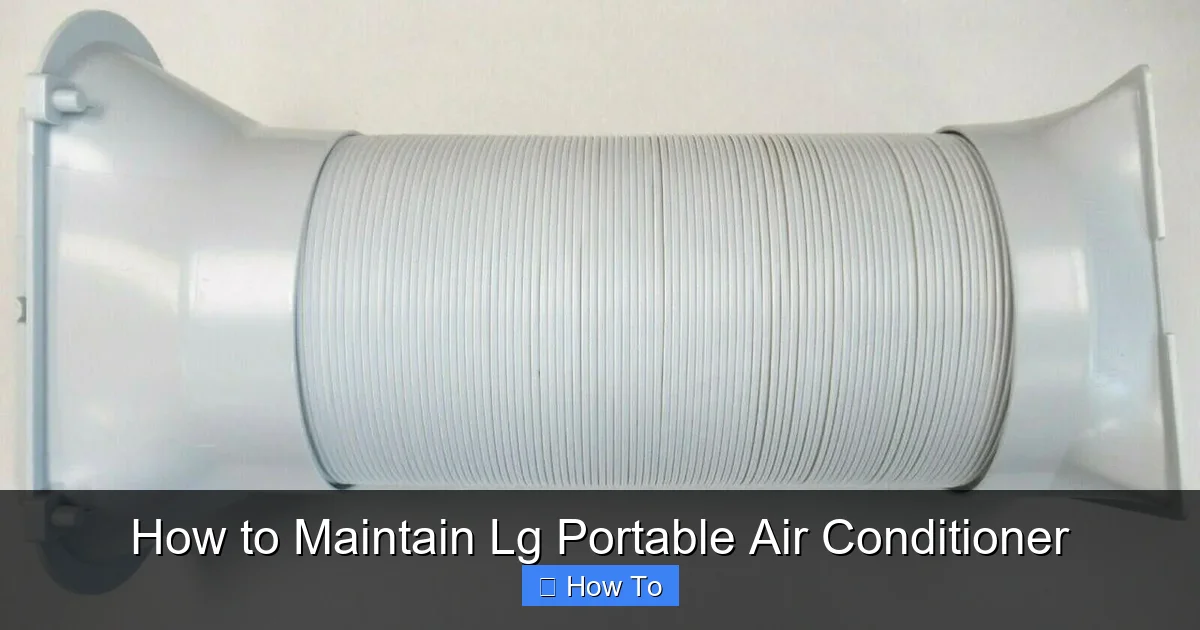
Visual guide about How to Maintain Lg Portable Air Conditioner
Image source: cdn11.bigcommerce.com
Regular maintenance does more than just keep your unit clean. It:
- Improves cooling efficiency: A clean filter and coils mean better airflow and faster cooling.
- Reduces energy consumption: A well-maintained unit uses less power, saving you money on electricity.
- Prevents breakdowns: Catching small issues early avoids costly repairs or replacements.
- Extends the lifespan: With proper care, your LG portable AC can last 8–10 years or more.
- Enhances indoor air quality: Clean filters and coils reduce allergens, dust, and mold spores.
In 2026, many LG models also include smart diagnostics that alert you when maintenance is due. But even with these features, hands-on care is essential. Let’s dive into the step-by-step process.
Step 1: Turn Off and Unplug the Unit
Before you start any maintenance, always turn off and unplug your LG portable air conditioner. This is a critical safety step. Even if the unit appears off, it may still have residual power. Unplugging ensures you won’t get shocked or damage the electronics.
Wait at least 10–15 minutes after unplugging before opening any panels. This allows internal components to cool down and capacitors to discharge. Safety first!
Step 2: Clean the Air Filter Monthly
The air filter is the first line of defense against dust, pet hair, and allergens. Over time, it gets clogged, reducing airflow and forcing the unit to work harder. LG recommends cleaning the filter at least once a month during peak usage (summer), and every 2–3 months during lighter use.
How to Remove the Filter
- Locate the filter panel on the back or side of the unit. It’s usually marked with a filter icon.
- Gently pull the panel open. Some models have a latch or sliding mechanism.
- Carefully remove the filter. Most LG portable ACs use a washable mesh filter.
How to Clean the Filter
- Rinse the filter under lukewarm water. Avoid hot water, which can warp the mesh.
- If there’s stubborn dirt, use a mild detergent or dish soap. Gently scrub with a soft brush or sponge.
- Do not use bleach or harsh chemicals—they can damage the filter material.
- Rinse thoroughly to remove all soap residue.
- Shake off excess water and let the filter air-dry completely—usually 2–4 hours. Never reinstall a wet filter, as it can cause mold or electrical issues.
Pro Tip: Use a Filter Brush for Deep Cleaning
If your filter is heavily soiled, consider using a small handheld vacuum or a soft-bristle brush to loosen dust before rinsing. For pet owners, this step is especially important—pet dander builds up fast.
Step 3: Check and Empty the Water Tank
Most LG portable air conditioners use a dual-hose or single-hose system with auto-evaporation technology. This means most of the moisture collected during cooling is expelled through the exhaust hose. However, during high humidity or heavy use, water can still accumulate in the internal tank.
Ignoring the water tank can lead to leaks, overflow, or even mold growth. In 2026, many LG models include a “Full Tank” indicator light or app notification, but it’s smart to check manually.
How to Check the Water Level
- Look for a water level window or indicator on the front or side of the unit.
- If you don’t see one, gently tilt the unit slightly (no more than 15 degrees) to check for sloshing water.
- Some models have a removable water tank at the bottom—slide it out to inspect.
How to Empty the Tank
- Place a towel or shallow pan under the tank to catch drips.
- Remove the tank by sliding it out or unscrewing the cap (depending on the model).
- Pour the water into a sink or bucket.
- Wipe the tank with a clean, damp cloth. For mold or mildew, use a 50/50 vinegar-water solution, then rinse and dry.
- Reinstall the tank securely.
Pro Tip: Use Continuous Drainage for High-Humidity Areas
If you live in a humid climate or run the AC constantly, consider attaching a continuous drain hose. This bypasses the tank entirely, sending condensation directly outside. Check your user manual for compatibility—some 2026 LG models support this feature.
Step 4: Clean the Exhaust and Intake Vents
Dust and debris can clog the intake and exhaust vents, reducing airflow and efficiency. These vents are usually located on the back and sides of the unit. Cleaning them every 2–3 months keeps your AC breathing easy.
How to Clean the Vents
- Use a soft brush attachment on your vacuum cleaner to gently remove surface dust.
- For deeper cleaning, wipe the vents with a microfiber cloth dampened with water.
- Avoid using compressed air—it can push dust further into the unit.
- Check the exhaust hose connection. Make sure it’s securely attached to the window kit and not kinked or blocked.
Pro Tip: Inspect the Window Seal
A poor seal around the window kit lets hot air back in, reducing cooling efficiency. In 2026, many LG models come with adjustable window brackets and foam seals. Check for gaps and reseal if needed. Use weather stripping or foam tape for a tighter fit.
Step 5: Clean the Evaporator and Condenser Coils
The evaporator and condenser coils are internal components that transfer heat. Over time, they collect dust and grime, which insulates the coils and reduces heat exchange. This makes your AC work harder and use more energy.
While you can’t fully clean these coils without disassembling the unit (which voids the warranty), you can do a surface clean.
How to Access and Clean the Coils
- Remove the front or side panel (refer to your user manual for instructions).
- Use a soft brush or vacuum with a brush attachment to gently remove dust from the coil fins.
- Be careful—the fins are thin and can bend easily. Avoid using metal tools.
- For light buildup, you can use a no-rinse coil cleaner spray (available at hardware stores). Spray lightly, let it sit for 5–10 minutes, then wipe with a cloth.
- Never use water directly on the coils unless the product instructions allow it.
Pro Tip: Schedule Professional Coil Cleaning
For deep cleaning, hire a certified HVAC technician once a year. They have the tools and expertise to safely clean internal components without damaging the unit.
Step 6: Use the Self-Clean Function (2026 Models)
Many 2026 LG portable air conditioners come with a built-in self-clean function. This feature runs a cycle that heats the internal components to evaporate moisture and reduce mold and bacteria growth.
How to Use Self-Clean Mode
- Turn on the unit and press the “Self Clean” or “Clean” button on the remote or control panel.
- The unit will run for 20–30 minutes, circulating warm air to dry the evaporator and drain system.
- A light or message will indicate when the cycle is complete.
- Run the fan for an additional 10 minutes to ensure everything is dry.
Pro Tip: Run Self-Clean Monthly
Even if you don’t see mold, run the self-clean function once a month during heavy use. It’s a simple way to prevent odors and maintain hygiene.
Step 7: Inspect the Power Cord and Plug
A damaged power cord is a fire hazard. Regularly inspect the cord for fraying, cracks, or burn marks. Also, check the plug for bent prongs or loose connections.
What to Look For
- Frayed or exposed wires
- Discoloration or melting near the plug
- Loose or wobbly prongs
- Buzzing or sparking when plugged in
If you notice any damage, stop using the unit immediately and contact LG support or a qualified technician. Do not attempt to repair the cord yourself.
Step 8: Store Properly During Off-Seasons
If you live in a region with cold winters, you likely won’t use your portable AC from November to March. Proper storage prevents damage and extends the unit’s life.
How to Store Your LG Portable AC
- Clean the filter, empty the water tank, and run the self-clean function (if available).
- Wipe the exterior with a damp cloth and dry thoroughly.
- Remove the exhaust hose and window kit. Clean and store them separately.
- Coil the power cord neatly—don’t wrap it tightly around the unit.
- Place the unit in a cool, dry place, like a closet or garage. Avoid attics or basements with high humidity.
- Cover the unit with a breathable cloth or plastic cover to keep dust out.
Pro Tip: Use a Storage Bag
Some 2026 LG models come with a custom storage bag. If not, purchase a universal portable AC cover. It protects against dust, moisture, and accidental bumps.
Troubleshooting Common LG Portable AC Issues
Even with regular maintenance, problems can occur. Here’s how to fix the most common issues in 2026 LG models.
Unit Won’t Turn On
- Check if it’s plugged in and the outlet is working (test with another device).
- Look for a tripped circuit breaker or blown fuse.
- Press the reset button (if your model has one).
- If the display shows an error code, refer to the manual.
Weak Cooling or Poor Airflow
- Clean the air filter—this is the #1 cause of weak airflow.
- Check if the exhaust hose is kinked or blocked.
- Ensure the room isn’t too large for the unit’s BTU rating.
- Close windows and doors to prevent hot air from entering.
Water Leaking from the Unit
- Empty the water tank—it may be full.
- Check if the drain plug is loose or missing.
- Ensure the unit is level—tilting can cause leaks.
- Inspect the exhaust hose for condensation buildup.
Unusual Noises (Rattling, Buzzing, Hissing)
- Rattling: Check for loose panels or screws. Tighten them.
- Buzzing: Could indicate a loose fan or electrical issue. Turn off and call a technician.
- Hissing: Normal during startup, but if constant, may signal a refrigerant leak. Stop use and contact LG.
Error Codes (E1, CL, CH, etc.)
- E1: Water tank full. Empty the tank and reset.
- CL: Child lock is on. Press and hold the lock button to disable.
- CH: High pressure or overheating. Turn off, wait 30 minutes, then restart.
- F1: Sensor error. Contact LG support.
For persistent issues, use the LG ThinQ app (available in 2026) to run diagnostics or schedule a service appointment.
When to Call a Professional
While most maintenance is DIY-friendly, some tasks require a certified technician. Call a professional if you notice:
- Refrigerant leaks (oily residue, hissing sounds)
- Electrical issues (sparks, burning smell)
- Compressor failure (unit runs but doesn’t cool)
- Repeated error codes after troubleshooting
- Unusual vibrations or loud grinding noises
In 2026, LG offers extended warranty plans and on-demand service through the ThinQ app. Schedule annual checkups to keep your unit in top shape.
Conclusion: Keep Your LG Portable AC Running Like New
Maintaining your LG portable air conditioner doesn’t have to be complicated. With a few simple steps—cleaning the filter, emptying the tank, checking vents, and using self-clean mode—you can keep your unit efficient, quiet, and reliable for years.
In 2026, LG continues to innovate with smarter, more efficient portable ACs. But even the best technology needs care. By following this guide, you’ll enjoy cooler air, lower bills, and peace of mind all summer long. Remember: a little maintenance today prevents big problems tomorrow.
So grab your cleaning supplies, check your calendar, and make AC care part of your monthly routine. Your future self (and your wallet) will thank you.