
Is your LG air conditioner not cooling, making strange noises, or refusing to turn on? This step-by-step guide walks you through common problems and proven fixes—from cleaning filters to checking refrigerant levels—so you can get your unit running smoothly again without calling a technician.
Key Takeaways
- Clean or replace air filters regularly: Dirty filters restrict airflow and reduce efficiency—clean them every 2–4 weeks during peak use.
- Check the thermostat settings: Ensure it’s set to “Cool” mode and the temperature is lower than the room’s current temperature.
- Inspect the outdoor unit for debris: Clear leaves, dirt, and obstructions around the condenser to maintain proper airflow.
- Reset the circuit breaker: Tripped breakers are a common cause of power issues—always check before assuming a major fault.
- Listen for unusual sounds: Rattling, buzzing, or grinding noises may indicate loose parts or motor problems needing attention.
- Schedule annual professional maintenance: Prevent breakdowns by having a certified technician inspect refrigerant levels, coils, and electrical connections yearly.
- Use the LG ThinQ app for diagnostics: Many newer LG models offer remote troubleshooting and error code alerts via the app.
How to Fix My LG Air Conditioner: A Complete DIY Troubleshooting Guide
Nothing’s worse than coming home on a hot summer day only to find your LG air conditioner isn’t working. Whether it’s blowing warm air, making weird noises, or not turning on at all, don’t panic—many common AC issues can be fixed with a few simple steps. In this comprehensive guide, you’ll learn how to diagnose and resolve the most frequent problems with LG air conditioners, from window units to split systems and portable models.
We’ll walk you through everything from basic maintenance tasks like cleaning filters to more advanced checks like inspecting refrigerant levels (safely!). You’ll also discover how to use built-in diagnostic tools, reset your unit, and know when it’s time to call a professional. By the end of this guide, you’ll have the confidence and know-how to keep your LG AC running efficiently all season long—without spending hundreds on service calls.
Step 1: Understand Your LG Air Conditioner Model
Before diving into fixes, it’s important to know what type of LG air conditioner you have. LG offers several types, including:
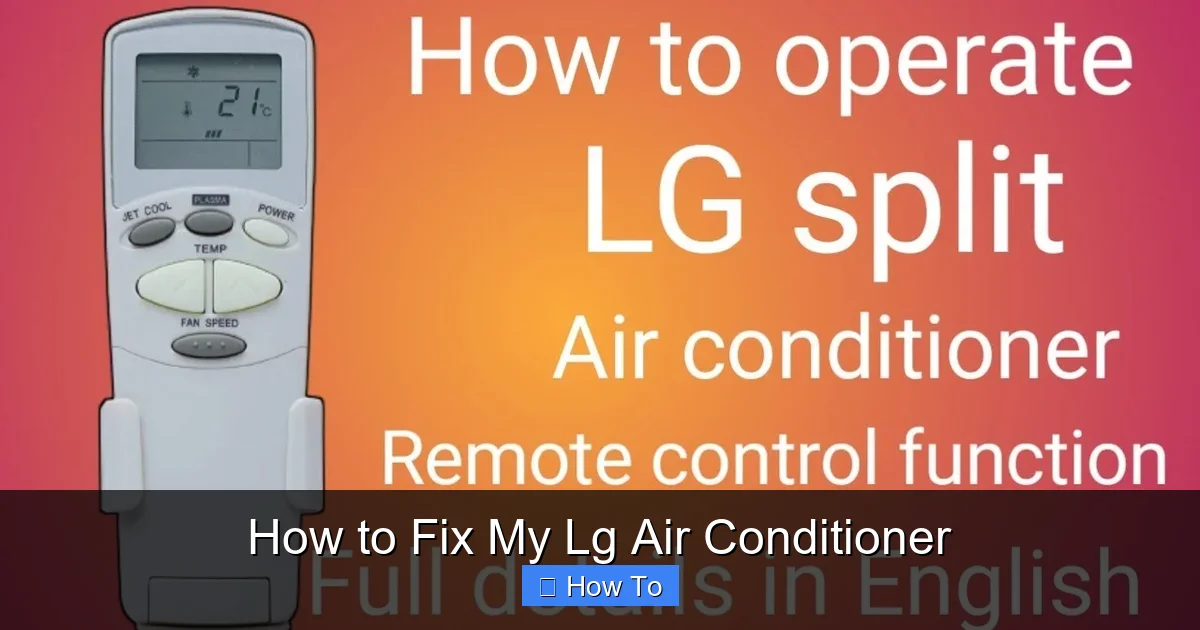
Visual guide about How to Fix My Lg Air Conditioner
Image source: i.ytimg.com
- Window units: Self-contained systems installed in windows or walls.
- Split systems (ductless mini-splits): Consist of an indoor air handler and an outdoor condenser unit.
- Portable air conditioners: Mobile units that vent hot air through a window kit.
- Central AC with LG components: Some homes use LG compressors or controls within central HVAC systems.
Check the model number—usually found on a label inside the front grille or on the back of the unit. Knowing your model helps you access the right user manual, understand error codes, and find compatible replacement parts. Most LG models also support the LG ThinQ app, which can provide real-time diagnostics and remote control.
Step 2: Perform Basic Troubleshooting
Start with these quick checks—they solve over 60% of AC problems.
Check the Power Supply
Your AC won’t work if it’s not getting power. First, make sure the unit is plugged in securely. Then, check your home’s circuit breaker panel. If the breaker for the AC has tripped (it will be in the “off” position or middle), flip it back to “on.” Wait a few minutes before testing the unit again—sometimes motors need time to reset.
Pro tip: If the breaker trips again immediately, there may be an electrical fault. Stop using the unit and call an electrician.
Verify Thermostat Settings
It sounds obvious, but many people forget to check the thermostat. Make sure:
- The mode is set to “Cool” (not “Heat,” “Fan,” or “Auto”).
- The temperature setting is lower than the current room temperature.
- The fan setting is on “Auto” (not “On”) to allow the compressor to cycle properly.
If you’re using a remote or the LG ThinQ app, ensure the batteries aren’t dead and the signal is reaching the unit.
Look for Error Codes
Most modern LG air conditioners display error codes on the front panel or remote. These codes help pinpoint the issue. Common ones include:
- CH 01: Indoor temperature sensor error.
- CH 02: Outdoor temperature sensor error.
- CH 05: Communication error between indoor and outdoor units.
- CH 09: Indoor fan motor issue.
- CH 12: Refrigerant leak or low charge.
Refer to your user manual or LG’s official support site for a full list. If you see a code, don’t ignore it—it’s your AC’s way of telling you exactly what’s wrong.
Step 3: Clean or Replace the Air Filter
A dirty air filter is the #1 cause of poor cooling and high energy bills. When the filter is clogged, airflow is restricted, forcing the system to work harder and potentially overheat.
How to Clean the Filter
- Turn off the unit and unplug it for safety.
- Open the front panel—usually by lifting it or pressing a release button.
- Remove the filter (it’s often a mesh or pleated panel).
- Rinse it under lukewarm water. For stubborn dirt, use a mild detergent.
- Let it air dry completely—never reinstall a wet filter.
- Reinsert the filter and close the panel.
How often? Clean the filter every 2–4 weeks during heavy use (summer months). In mild weather, once a month is usually enough.
If the filter is torn, warped, or more than a year old, replace it with a genuine LG filter or a compatible aftermarket option. Never run the AC without a filter—it can damage internal components.
Step 4: Clear Obstructions Around the Unit
Both indoor and outdoor units need proper airflow to function efficiently.
Indoor Unit (Air Handler)
Make sure furniture, curtains, or decorations aren’t blocking the front vents. Keep at least 2 feet of clearance around the unit. Dust buildup on the evaporator coils (inside the unit) can also reduce efficiency—use a soft brush or vacuum with a brush attachment to gently clean them.
Outdoor Unit (Condenser)
For split systems and central ACs, the outdoor unit must be free of debris. Turn off power at the breaker before inspecting. Remove:
- Leaves, grass, and dirt from the fins.
- Twigs or nests from inside the unit (use gloves and caution).
- Snow or ice in winter (never use sharp tools to chip ice).
Trim back shrubs or plants at least 2 feet away from the unit. Consider installing a protective cover during off-seasons—but only when the unit is off and dry.
Step 5: Check the Drainage System
Air conditioners remove moisture from the air, which drains away through a condensate line. If this line clogs, water can back up and cause leaks, mold, or even trigger a safety shutdown.
Signs of a Clogged Drain
- Water pooling around the indoor unit.
- Musty smell or mold growth.
- Unit shuts off unexpectedly.
How to Unclog the Drain Line
- Locate the drain line—usually a PVC pipe near the indoor unit.
- Use a wet/dry vacuum to suck out debris from the outdoor end.
- Alternatively, flush the line with a mixture of water and vinegar (1:1 ratio) to dissolve algae and slime.
- For window units, check the drain hole at the back—clear it with a pipe cleaner or compressed air.
Install a drain pan alarm if your unit is in a hard-to-see location—it alerts you to leaks before they cause damage.
Step 6: Inspect the Evaporator and Condenser Coils
The coils are essential for heat exchange. Over time, they collect dust and grime, reducing efficiency and potentially causing freezing.
Evaporator Coils (Indoor)
These are usually behind the front panel. If they’re dirty:
- Use a soft brush to remove loose dust.
- Spray with a no-rinse coil cleaner (available at hardware stores).
- Let it foam and drip into the drain pan—no rinsing needed.
Condenser Coils (Outdoor)
These are on the outside of the condenser unit. Clean them with a garden hose on a gentle setting—never use a pressure washer, as it can bend the delicate fins.
Warning: If the coils are severely corroded or damaged, they may need professional replacement.
Step 7: Address Unusual Noises
Your AC should run quietly. If you hear strange sounds, act fast—they often signal mechanical issues.
Common Noises and What They Mean
- Rattling: Loose panels, screws, or fan blades. Tighten all visible fasteners.
- Buzzing: Electrical issue—check wiring connections or call an electrician.
- Grinding: Fan motor bearing failure—replace the motor or entire fan assembly.
- Gurgling or Hissing: Possible refrigerant leak—stop using the unit and call a technician.
- Clicking (when off): Normal—some units make sounds as components cool down.
Never ignore grinding or hissing sounds—they can lead to costly compressor damage.
Step 8: Reset the Air Conditioner
Sometimes, a simple reset fixes electronic glitches.
How to Reset Your LG AC
- Turn off the unit using the remote or control panel.
- Unplug it from the wall (or turn off the breaker for split systems).
- Wait 5–10 minutes—this allows capacitors to discharge.
- Plug it back in and turn it on.
For smart models, you can also reset via the LG ThinQ app: go to device settings and select “Reset.”
Step 9: Check Refrigerant Levels (With Caution)
Low refrigerant (freon) means your AC can’t cool properly. But you should never attempt to add refrigerant yourself—it’s illegal without EPA certification and requires specialized tools.
Signs of Low Refrigerant
- AC runs but doesn’t cool.
- Ice buildup on copper lines or evaporator coil.
- Hissing or bubbling sounds.
- Higher-than-normal electric bills.
If you suspect a leak, turn off the unit and contact a licensed HVAC technician. They’ll locate the leak, repair it, and recharge the system safely.
Step 10: Use the LG ThinQ App for Smart Diagnostics
If your LG air conditioner is Wi-Fi enabled, download the LG ThinQ app (available on iOS and Android). It offers:
- Remote control of temperature and modes.
- Real-time energy usage tracking.
- Error code alerts with troubleshooting tips.
- Maintenance reminders (e.g., “Time to clean your filter!”).
- Access to customer support and service requests.
To set it up, connect your AC to your home Wi-Fi network using the app’s guided process. Once linked, you can monitor and control your unit from anywhere.
When to Call a Professional
While many issues can be fixed at home, some problems require expert help. Call a certified LG technician if:
- The unit still doesn’t cool after all troubleshooting steps.
- You suspect a refrigerant leak.
- There’s burning smell or smoke.
- The compressor won’t start (humming but not running).
- Electrical components are damaged or corroded.
- Your warranty is still active—DIY repairs may void it.
Always use an LG-authorized service provider to ensure quality repairs and warranty compliance.
Preventative Maintenance Tips
An ounce of prevention is worth a pound of cure. Follow this seasonal checklist to keep your LG AC in top shape:
Monthly
- Clean or replace the air filter.
- Check for unusual noises or odors.
Seasonally (Before Summer)
- Clean indoor and outdoor coils.
- Clear drain lines.
- Inspect electrical connections.
- Test thermostat accuracy.
Annually
- Schedule a professional tune-up.
- Check refrigerant levels.
- Calibrate sensors and controls.
Keeping a maintenance log helps track when tasks were last done and spot patterns in performance.
Conclusion
Fixing your LG air conditioner doesn’t have to be overwhelming. With the right knowledge and tools, you can resolve most common issues—from dirty filters to tripped breakers—in under an hour. Regular maintenance not only prevents breakdowns but also extends the life of your unit and saves you money on energy bills.
Remember: start simple. Check power, settings, and filters before moving to more complex fixes. Use the LG ThinQ app to stay informed, and never hesitate to call a pro when needed. By following this guide, you’ll keep your home cool, comfortable, and energy-efficient all summer long.

