
Keeping your LG air conditioner filter clean is essential for optimal performance and indoor air quality. This guide walks you through a simple, effective process to remove, clean, and reinstall your AC filter—no tools or expertise required.
Key Takeaways
- Regular cleaning improves efficiency: A clean filter helps your LG AC cool faster and use less energy.
- Clean every 2–4 weeks: Frequency depends on usage, pets, and air quality in your home.
- Turn off power first: Always switch off the unit at the remote and circuit breaker for safety.
- Use mild soap and water: Harsh chemicals can damage the filter material.
- Let it dry completely: Never reinstall a damp filter—it can cause mold or reduce airflow.
- Check for damage: Replace filters that are torn, warped, or heavily soiled.
- Maintain other parts too: Clean vents and coils periodically for best results.
How to Clean an LG Air Conditioner Filter: A Complete Step-by-Step Guide
If you own an LG air conditioner, you already know how reliable and efficient these units can be. But like any appliance, they need regular maintenance to keep running smoothly. One of the most important—and often overlooked—tasks is cleaning the air filter. A dirty filter doesn’t just reduce cooling performance; it can also increase energy bills, worsen indoor air quality, and even shorten the lifespan of your AC unit.
In this comprehensive guide, we’ll walk you through exactly how to clean an LG air conditioner filter—whether you have a window unit, a portable AC, or a split-system model. You’ll learn when to clean it, what tools you need (spoiler: probably just soap and water), and how to avoid common mistakes. By the end, you’ll be able to keep your LG AC running like new with minimal effort.
Let’s get started!
Why Cleaning Your LG Air Conditioner Filter Matters
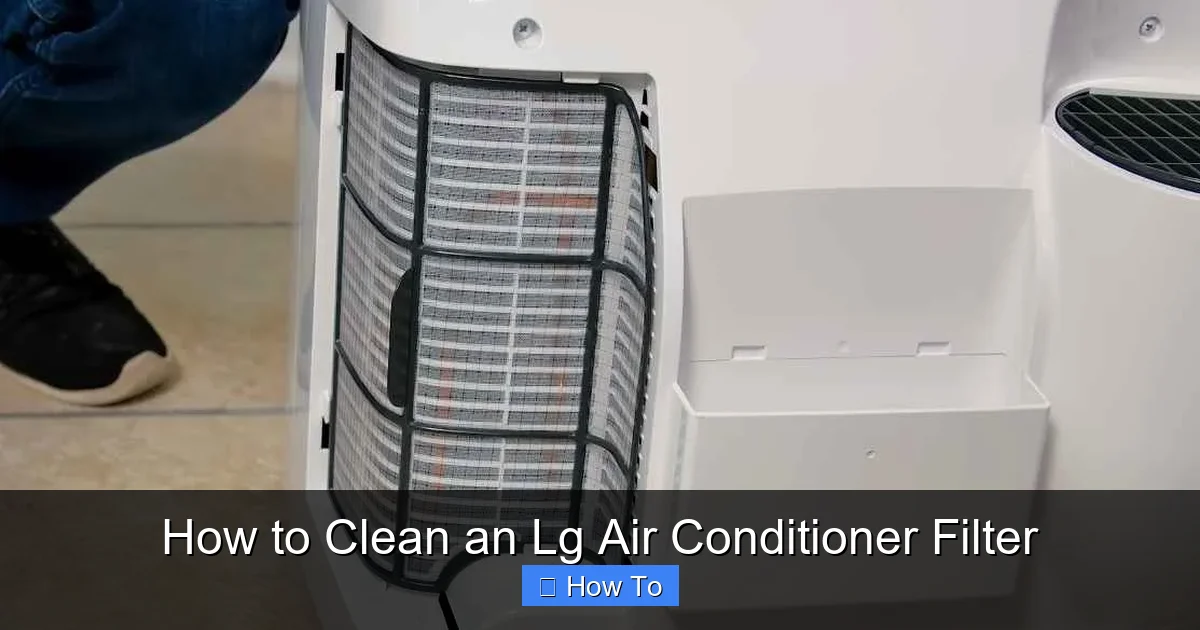
Visual guide about How to Clean an Lg Air Conditioner Filter
Image source: smartacsolutions.com
Before diving into the cleaning process, it’s helpful to understand why this simple task is so important. Your air conditioner’s filter plays a critical role in both performance and air quality.
When the filter becomes clogged with dust, pet dander, pollen, and other airborne particles, it restricts airflow. This forces your AC to work harder to circulate cool air, which leads to higher energy consumption and increased wear on internal components. Over time, this can result in costly repairs or even premature failure.
Additionally, a dirty filter can’t effectively trap pollutants. That means allergens and irritants continue circulating through your home, potentially aggravating allergies, asthma, or other respiratory conditions.
LG designs its air conditioners with user-friendly maintenance in mind, including easy-access filters that can be removed and cleaned without tools. Taking just 10–15 minutes every few weeks to clean the filter can make a big difference in how well your unit performs—and how long it lasts.
When Should You Clean Your LG Air Conditioner Filter?
There’s no one-size-fits-all answer, but here’s a good rule of thumb: **clean your LG AC filter every 2 to 4 weeks during peak usage seasons** (typically spring through fall). If you run your AC year-round or live in a dusty environment, you may need to clean it more often.
Here are some signs that it’s time to clean the filter:
– Reduced airflow from the vents
– The unit takes longer than usual to cool the room
– You notice more dust or allergens in the air
– The filter looks visibly dirty or grayish in color
Many newer LG models also include a filter indicator light on the remote or display panel. When this light turns on, it’s a clear signal that cleaning is overdue.
Pro tip: Mark your calendar or set a phone reminder to check the filter monthly. Consistency is key!
What You’ll Need to Clean Your LG Air Conditioner Filter
The great news? You probably already have everything you need at home. Here’s a quick checklist:
– Mild dish soap or a gentle household cleaner
– Warm water
– A soft brush (like an old toothbrush) or a clean cloth
– A towel or drying rack
– A vacuum cleaner with a brush attachment (optional, for pre-cleaning)
Avoid using bleach, ammonia, or abrasive scrubbers—these can damage the delicate mesh of the filter. Also, never use a hairdryer or place the filter in direct sunlight to speed up drying, as heat can warp the frame.
Step-by-Step: How to Clean an LG Window or Portable Air Conditioner Filter
Most LG window and portable AC units have a front panel that opens easily to access the filter. Follow these steps:
Step 1: Turn Off the Power
Safety first! Before touching anything, turn off your air conditioner using the remote control. Then, unplug the unit from the wall outlet. For extra safety, especially if you’re near water, consider turning off the circuit breaker that powers the AC.
This prevents accidental startup while you’re handling the filter and protects you from electrical shock.
Step 2: Locate and Remove the Front Panel
Look for the front grille or panel on your LG AC unit. On most models, it’s held in place by clips or latches—not screws. Gently press or lift the bottom edge of the panel until it pops open. Some models may have a small tab or button you need to press first.
Once the panel is open, you’ll see the air filter(s) behind it. Many LG units have two filters: a washable mesh filter and sometimes a secondary carbon or anti-bacterial filter.
Step 3: Remove the Filter(s)
Carefully slide the filter(s) out of their slot. Most LG filters are rectangular and fit snugly, so they should come out with a gentle pull. If there are two filters, note which one goes where—they’re often labeled or shaped differently.
Set the filters aside on a clean surface. If they’re extremely dirty, you can use a vacuum with a brush attachment to remove loose dust before washing.
Step 4: Wash the Filter with Soap and Water
Fill a sink or basin with lukewarm water and add a few drops of mild dish soap. Submerge the filter and let it soak for 5–10 minutes to loosen embedded dirt.
Then, use a soft brush or cloth to gently scrub both sides of the filter. Focus on areas with heavy buildup, but avoid pressing too hard—you don’t want to tear the mesh.
Rinse thoroughly under running water until all soap residue is gone. Make sure no suds remain, as they can attract more dust later.
Step 5: Dry the Filter Completely
Place the filter on a clean towel or drying rack in a well-ventilated area. Allow it to air-dry completely—this usually takes 1–2 hours, depending on humidity.
Never reinstall a damp filter. Moisture trapped inside the unit can promote mold growth and reduce efficiency.
Step 6: Reinstall the Filter and Close the Panel
Once the filter is 100% dry, slide it back into its original position. Make sure it fits securely and isn’t crooked. If you have a second filter (like a carbon filter), reinstall it according to the manufacturer’s instructions—some are not washable and should only be replaced.
Close the front panel until it clicks into place. Plug the unit back in and turn it on to test airflow.
How to Clean an LG Split-System (Ductless Mini-Split) Air Conditioner Filter
Split-system ACs—also called ductless mini-splits—have indoor units mounted high on the wall. The cleaning process is similar but requires a bit more care due to the unit’s placement.
Step 1: Power Down the Unit
As with window units, turn off the AC using the remote and unplug the indoor unit if possible. If it’s hardwired, turn off the circuit breaker.
Step 2: Open the Front Panel
Most LG split-system units have a front panel that swings open like a door. Look for small tabs or hinges at the bottom. Gently pull the bottom edge outward until the panel releases.
Some models may require you to lift the panel slightly after opening. Refer to your user manual if you’re unsure.
Step 3: Remove the Filter
The filter is usually located just behind the front panel. It may be held in place by clips or simply rest in a groove. Carefully lift it out.
Note: Some LG split systems have two filters—one on each side. Remove both if present.
Step 4: Clean and Dry the Filter
Follow the same washing and drying steps as outlined above: soak in soapy water, gently scrub, rinse, and air-dry completely.
Step 5: Reinstall and Test
Slide the dry filter(s) back into place, close the front panel securely, restore power, and test the unit.
Tip: If your split system is mounted high, use a sturdy step ladder and have someone spot you for safety.
Troubleshooting Common Issues
Even with careful cleaning, you might run into a few hiccups. Here’s how to handle them:
Filter Won’t Come Out Easily
Don’t force it! Check for hidden clips or latches. Some LG models have a small release button near the filter slot. Consult your user manual or LG’s support website for model-specific instructions.
Filter Is Damaged or Warped
If the filter is torn, cracked, or no longer fits snugly, it’s time to replace it. LG offers genuine replacement filters for most models—search by your AC’s model number on LG’s official website or authorized retailers.
Using a damaged filter reduces efficiency and can allow debris to enter the unit.
Reduced Airflow After Cleaning
Double-check that the filter is fully dry and properly seated. Also, inspect the evaporator coils (inside the unit) for dust buildup—these may need professional cleaning if heavily soiled.
Water Leaking After Reinstallation
This usually means the filter wasn’t completely dry or the drain line is clogged. Ensure the filter is bone-dry and check the drain pan and hose for blockages.
Tips for Maintaining Your LG Air Conditioner Beyond the Filter
While cleaning the filter is crucial, it’s just one part of AC maintenance. Here are a few extra tips to keep your LG unit in top shape:
– **Clean the exterior vents:** Wipe down the front grille and outer casing with a damp cloth monthly.
– **Check the outdoor unit:** Keep the condenser unit (outside) free of leaves, dirt, and debris. Trim nearby vegetation.
– **Schedule professional servicing:** Have a technician inspect and clean internal components (like coils and refrigerant levels) once a year.
– **Use a programmable thermostat:** This helps reduce runtime and strain on the system.
– **Replace non-washable filters:** Carbon or HEPA filters should be replaced every 6–12 months, depending on usage.
How Often Should You Replace the Filter?
Washable filters can last for years with proper care—but they don’t last forever. Inspect your filter each time you clean it. If it shows signs of wear (fraying edges, discoloration that won’t come out, or loss of shape), replace it.
For non-washable filters (common in some LG premium models), follow the manufacturer’s replacement schedule—usually every 6 to 12 months.
Always use genuine LG replacement filters when possible. Third-party filters may not fit correctly or meet the same performance standards.
Final Thoughts: Make Filter Cleaning a Habit
Cleaning your LG air conditioner filter is one of the simplest yet most impactful maintenance tasks you can do. It takes just minutes, costs nothing, and delivers immediate benefits: better cooling, lower energy bills, and cleaner air.
By following this guide, you’ll ensure your LG AC runs efficiently season after season. Plus, you’ll avoid costly repairs down the line and enjoy a healthier indoor environment.
So grab that sponge, set a reminder, and make filter cleaning part of your regular home care routine. Your AC—and your wallet—will thank you.

