
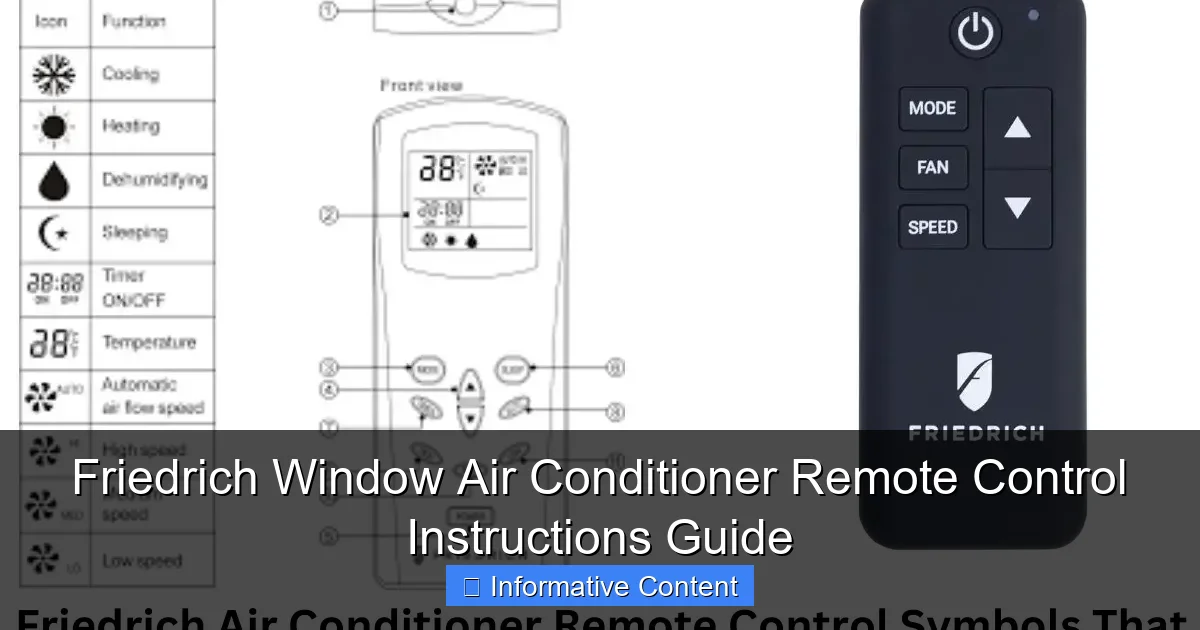
Featured image for friedrich window air conditioner remote control instructions
Image source: smartacsolutions.com
Master your Friedrich window air conditioner with ease using the intuitive remote control—this guide walks you through every function, from temperature settings to mode selection and timer programming. Quick-reference instructions help you troubleshoot common issues and maximize energy efficiency for a cooler, more comfortable space all season long.
Key Takeaways
- Power on/off easily: Use the remote’s main button to control AC power instantly.
- Adjust temperature precisely: Set exact temps with the up/down arrows for comfort.
- Select modes effortlessly: Toggle between cool, fan, or dry with one-touch mode button.
- Optimize airflow: Use swing button to direct air for even room cooling.
- Set timers remotely: Program on/off times to save energy and maintain comfort.
- Replace batteries promptly: Weak batteries cause unresponsive controls—swap them quickly.
📑 Table of Contents
- Why Your Friedrich Window Air Conditioner Remote Matters
- Understanding Your Friedrich Remote: What’s in Your Hand?
- Step-by-Step: How to Use the Friedrich Remote (With Examples)
- Programming the Timer: Your Secret to Energy Savings
- Remote Not Working? Here’s How to Fix It (Fast)
- Maximizing Efficiency: Tips to Get the Most from Your Remote
- Final Thoughts: Your Remote Is More Powerful Than You Think
Why Your Friedrich Window Air Conditioner Remote Matters
Let’s be honest—nothing feels worse than finally getting home after a long, hot day, only to realize you can’t find the remote for your Friedrich window air conditioner. You’re sweating, frustrated, and just want to cool down. Sound familiar? If so, you’re not alone. Many Friedrich window AC owners rely heavily on their remote controls for convenience, but often overlook how much they actually do beyond just turning the unit on and off.
Whether you’re a first-time Friedrich owner or someone who’s had their unit for years but never fully explored the remote’s features, this guide is for you. Think of it as a friendly chat between two people who just want to beat the heat—no tech jargon, no confusing manuals, just clear, practical advice. From basic functions to hidden features, we’ll walk through Friedrich window air conditioner remote control instructions in a way that’s easy to understand and actually helpful. And yes, we’ll even tackle the dreaded “no response” issue and how to fix it fast.
Understanding Your Friedrich Remote: What’s in Your Hand?
Before diving into the Friedrich window air conditioner remote control instructions, it helps to know what you’re working with. Not all Friedrich remotes are the same—some models come with basic buttons, while others have advanced features like timers, sleep modes, and Wi-Fi connectivity. But the core functions are usually consistent across most models.
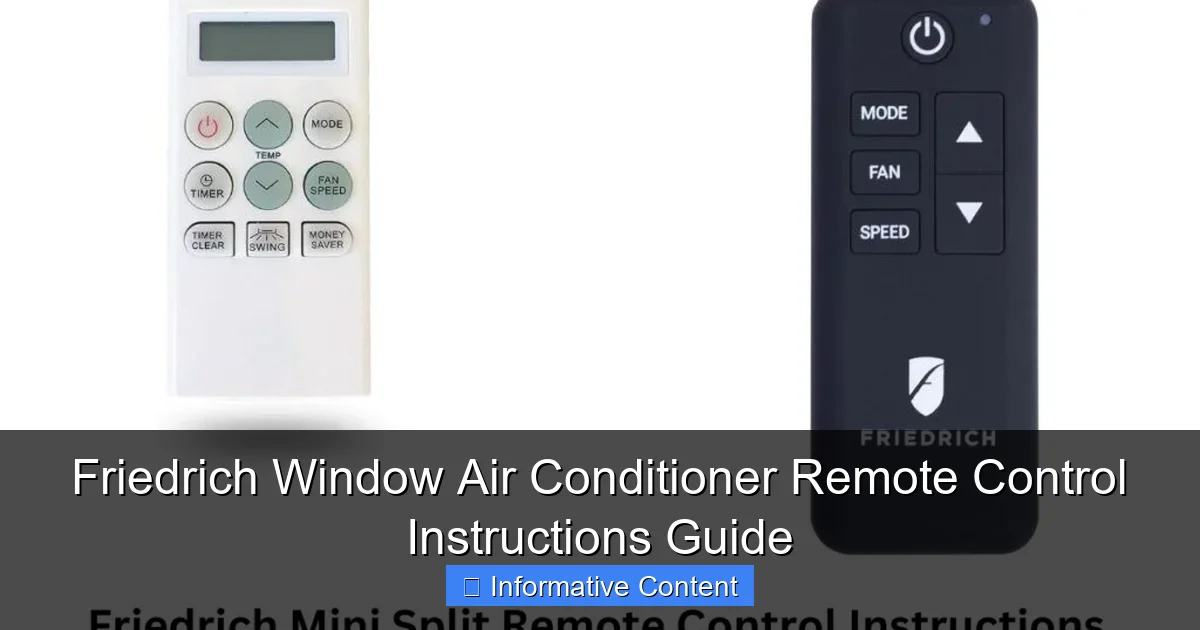
Visual guide about friedrich window air conditioner remote control instructions
Image source: smartacsolutions.com
Common Buttons and What They Do
Here’s a quick rundown of the most common buttons you’ll see on a Friedrich remote:
- Power (On/Off): The most essential button. Press it once to turn the AC on, again to turn it off. Simple, right? But did you know that holding it for 3–5 seconds can sometimes reset the remote?
- Mode: Cycles through cooling, fan-only, dehumidify, and auto (if supported). On some models, this button also activates eco or energy-saving modes.
- Fan Speed: Lets you choose between low, medium, high, or auto fan settings. Great for adjusting airflow based on room size or time of day.
- Temperature Up/Down: Adjusts your desired room temperature. Most Friedrich units let you set temps between 60°F and 86°F (16°C–30°C).
- Timer: Sets when the AC turns on or off. Perfect for scheduling cool air before you wake up or return home.
- Sleep: Gradually adjusts temperature and fan speed over time to save energy while keeping you comfortable at night.
- Swing: Controls the air louvers (if your unit has them), directing airflow up and down for better circulation.
- LED Display: Toggles the brightness of the AC’s front panel light—great for light sleepers.
Remote Variations: Kuhl, Chill, and ZoneAire Models
Friedrich makes several window AC lines, and each has slight differences in remote design:
- Friedrich Kuhl Series: These premium units often have remotes with backlit buttons, a built-in thermostat, and advanced scheduling. The Kuhl remote may also support Wi-Fi via a separate app (like Friedrich Connect).
- ZoneAire Series: These are dual-hose portable units, but some models (like the ZoneAire Elite) come with remotes very similar to the Chill series. The main difference is the inclusion of a “Dehumidify” mode.
< Friedrich Chill Series: More budget-friendly, with simpler remotes. Still includes all core functions but lacks Wi-Fi or backlighting in most cases.
Pro tip: If you’re unsure which remote you have, check the model number on the back of the remote. It usually starts with “RMT” or “RC” followed by numbers. A quick Google search of that number will tell you which AC models it’s compatible with.
Step-by-Step: How to Use the Friedrich Remote (With Examples)
Now that you know what the buttons do, let’s walk through real-life scenarios using the Friedrich window air conditioner remote control instructions. These examples will help you get the most out of your unit—no guesswork needed.
Example 1: Setting Up Your AC for a Hot Afternoon
It’s 3 PM, and the sun is blazing. You want your bedroom to be cool and comfortable when you get home at 6 PM. Here’s how to set it up:
- Press the Power button to turn the AC on.
- Press Mode until “Cool” appears on the display.
- Use Temperature Up/Down to set your desired temp (say, 72°F).
- Press Fan Speed to choose “Medium” for balanced airflow.
- Press Timer, then use the up/down arrows to set “On” at 5:30 PM and “Off” at 9:00 PM. This way, the AC starts cooling before you get home and shuts off after you’re in bed.
Bonus: If your model supports it, press Swing to activate the air louvers. This spreads cool air evenly across the room instead of blowing it straight at one wall.
Example 2: Using Sleep Mode for Better Nights
You’ve tried sleeping with the AC on, but it’s either too cold or wakes you up when it cycles on and off. Enter: Sleep Mode.
- Turn the AC on and set your starting temperature (e.g., 74°F).
- Press the Sleep button. The display will usually show a moon or bed icon.
- The AC will gradually raise the temperature by 1–2 degrees per hour (up to 4 hours) to match your body’s natural cooling at night. This reduces energy use and prevents chills.
- After 7–8 hours, the AC will either shut off or return to your original temp, depending on the model.
Note: Sleep Mode is ideal for bedrooms. It’s less useful in living rooms where you’re active and need consistent cooling.
Example 3: Dehumidifying Without Cooling
It’s humid but not hot—perfect for dehumidifying. You don’t want to freeze, just dry the air.
- Press Mode until “Dehumidify” appears.
- Set your target humidity (if your remote shows a percentage). Otherwise, just let it run.
- The AC will run the fan at a low speed and only activate the compressor when humidity is high. This saves energy and prevents overcooling.
This is a lifesaver in basements, bathrooms, or during rainy seasons when mold and musty smells start creeping in.
Example 4: Using the Remote to Troubleshoot
Sometimes the AC won’t respond. Before you panic, try this:
- Check if the remote is pointed at the AC’s sensor (usually a small window on the front panel).
- Make sure nothing is blocking the sensor (like a plant or curtain).
- Press and hold the Power button for 5 seconds. This often resets the remote’s connection.
- Replace the batteries if the remote feels sluggish or the display is dim.
Programming the Timer: Your Secret to Energy Savings
One of the most underused—but most valuable—features on your Friedrich remote is the Timer. When used correctly, it can cut your energy bill and keep your home comfortable without running the AC all day.
How the Timer Works
The timer lets you set:
- On Timer: When the AC turns on.
- Off Timer: When the AC turns off.
You can set both, just one, or even use the timer in combination with Sleep Mode.
Practical Timer Scenarios
Scenario A: Cooling Before You Wake Up
You wake up at 7 AM and want the bedroom cool. But you don’t want to leave the AC on all night.
- Set the On Timer for 6:00 AM.
- Set the Off Timer for 8:00 AM (after you’ve left).
- Set your desired temperature (70°F).
Result: You wake up to a cool room, and the AC turns off automatically, saving energy.
Scenario B: Coming Home to a Cool House
You work 9–5 and want the living room cool when you get home.
- Set the On Timer for 4:30 PM.
- Set the Off Timer for 10:00 PM.
- Use Fan Speed to “High” for the first hour, then “Medium” afterward.
Bonus: If your Friedrich model has Wi-Fi (like Kuhl+), you can use the Friedrich Connect app to adjust the timer remotely—say, if you’re coming home early.
Timer Tips to Avoid Common Mistakes
- Don’t set the timer too early: If you set the AC to turn on at 4 PM but get home at 6 PM, you’ve just wasted 2 hours of energy. Aim for 30–60 minutes before you arrive.
- Use the “Delay Off” feature: Some remotes let you set a delay after the AC turns on. For example, turn on at 6 PM, but don’t start cooling for 15 minutes (useful if you want to open windows first).
- Check time settings: Make sure the remote’s clock matches your local time. If it’s off by an hour, your timer won’t work right.
Remote Not Working? Here’s How to Fix It (Fast)
Nothing’s more frustrating than pressing buttons and seeing no response. Let’s tackle the most common remote issues with clear, step-by-step fixes.
Issue 1: No Response at All
Possible Causes:
- Dead batteries
- Remote not pointed at the sensor
- Signal interference
- AC not in remote mode
Fixes:
- Replace the batteries with fresh AA or AAA (depending on your remote). Pro tip: Use alkaline, not lithium—lithium can damage some remotes over time.
- Stand within 20 feet of the AC and point the remote directly at the front panel. Avoid angles or obstacles.
- Turn off nearby electronics that might interfere (like TVs, microwaves, or Wi-Fi routers). Test again.
- On some models, you need to hold the Power button on the AC unit itself for 5 seconds to enable remote mode. Check your manual if unsure.
Issue 2: Buttons Work, But AC Doesn’t Change
You press “Cool,” but the AC stays in “Fan” mode.
Possible Causes:
- Remote is sending signals, but the AC isn’t receiving them
- Sensor on the AC is dirty or blocked
- Software glitch
Fixes:
- Wipe the sensor (small window on the AC) with a dry cloth. Dust or grime can block infrared signals.
- Unplug the AC for 10 minutes. This resets the internal computer. Plug it back in and try again.
- Press and hold the Power button on the remote for 10 seconds. This forces a reset.
Issue 3: Remote Works, But Display Is Blank
The remote powers on, but the screen is dark or flickering.
Possible Causes:
- Low batteries
- Screen damage
- Loose internal connection
Fixes:
- Replace the batteries first—this solves 80% of blank screen issues.
- If the screen still doesn’t work, gently tap the remote on your palm. Sometimes loose connections reseat this way.
- As a last resort, contact Friedrich support. They often send replacement remotes for free under warranty.
Issue 4: Remote Works, But AC Turns On/Off Randomly
This is rare but annoying. The AC cycles on and off even when you’re not using the remote.
Possible Causes:
- Another remote is interfering (e.g., from a neighbor or another device)
- Faulty sensor
- Electrical surge damaged the receiver
Fixes:
- Unplug the AC and wait 5 minutes. Plug it back in.
- Move the AC away from other electronics. Test again.
- Contact Friedrich support. This could be a hardware issue needing repair.
Maximizing Efficiency: Tips to Get the Most from Your Remote
Your Friedrich remote isn’t just a convenience—it’s a tool to save money, reduce wear on your AC, and keep your home comfortable. Here’s how to use it like a pro.
Use the Right Mode for the Right Time
Not all modes are equal. Match the mode to your needs:
- Cool Mode: Use when you need to lower temperature fast (e.g., after a hot day).
- Fan Mode: Use when it’s cool outside but the air feels stale. Saves energy.
- Dehumidify Mode: Use when humidity is high but temperature is okay. Prevents mold.
- Auto Mode: Lets the AC choose between cooling and fan based on room temp. Great for hands-off use.
Pair the Remote with Smart Habits
Technology works best when paired with good habits:
- Close curtains during the day: Less heat means your AC doesn’t work as hard.
- Use ceiling fans with the AC: Fans circulate air, so you can set the AC 2–3 degrees higher and still feel cool.
- Clean the filter monthly: A dirty filter forces the AC to work harder, reducing efficiency.
- Use the remote’s “Eco” or “Energy Saver” mode (if available). It cycles the compressor less often, saving energy.
Keep Your Remote in Good Shape
Remotes don’t last forever, but you can extend their life:
- Store it in a cool, dry place—not on a sunny windowsill or near a heater.
- Use a remote holder or clip to avoid losing it.
- Wipe it with a damp cloth every few weeks to remove dust and grime.
- Replace batteries every 6–12 months, even if they seem fine.
Data Table: Common Friedrich Remote Features by Series
| Feature | Kuhl Series | Chill Series | ZoneAire Series |
|---|---|---|---|
| Wi-Fi/App Control | Yes (Kuhl+ models) | No | No |
| Backlit Buttons | Yes | No (except Chill+) | No |
| Sleep Mode | Yes | Yes | Yes |
| Timer (On/Off) | Yes | Yes | Yes |
| Dehumidify Mode | Yes | Yes | Yes |
| Swing Control | Yes | Yes (on select models) | No |
| Battery Type | 2x AA | 2x AAA | 2x AAA |
Final Thoughts: Your Remote Is More Powerful Than You Think
When you first unboxed your Friedrich window air conditioner, the remote probably felt like a simple accessory—a tool you’d use once in a while. But as we’ve seen, the Friedrich window air conditioner remote control instructions go far beyond “on” and “off.” With the right know-how, your remote becomes a smart thermostat, energy manager, and comfort coordinator—all in one small, handheld device.
From setting timers that save money to using Sleep Mode for better rest, the features are there to help you. And when things go wrong (and they will, because let’s face it, tech isn’t perfect), you now have the tools to troubleshoot fast—no phone call to support needed.
So the next time you reach for that little black remote, remember: it’s not just a button pusher. It’s your partner in comfort. Treat it well, learn its quirks, and use it wisely. Your back, your wallet, and your summer self will thank you.
Frequently Asked Questions
How do I pair the remote with my Friedrich window air conditioner?
To pair the remote, ensure the AC unit is powered on, then press and hold the “Set” or “Pair” button on the remote for 3-5 seconds until the unit beeps. Refer to your model’s manual for specific Friedrich window air conditioner remote control instructions if issues persist.
Why isn’t my Friedrich AC remote responding?
Check if the batteries are dead or inserted incorrectly, and ensure there’s no obstruction between the remote and the AC’s sensor. If problems continue, reset the remote by removing the batteries for 30 seconds before reinserting them.
How do I set the timer using the Friedrich remote?
Press the “Timer” button on the remote, then use the up/down arrows to adjust the hours. Press “Timer” again to confirm. This feature is detailed in the Friedrich window air conditioner remote control instructions for your model.
Can I adjust fan speed with the Friedrich AC remote?
Yes, press the “Fan Speed” button to cycle through low, medium, high, or auto settings. The display will show your selected speed, which helps optimize comfort and energy efficiency.
How do I activate sleep mode on my Friedrich window AC?
Press the “Sleep” button on the remote to gradually adjust temperature and fan speed for energy-saving overnight comfort. The mode automatically deactivates after 8 hours or when the unit is turned off.
What do the symbols on my Friedrich AC remote mean?
Common symbols include a snowflake (cooling), a sun (heating), a fan (fan mode), and a clock (timer). For a full breakdown, consult your model’s manual or the Friedrich window air conditioner remote control instructions online.