
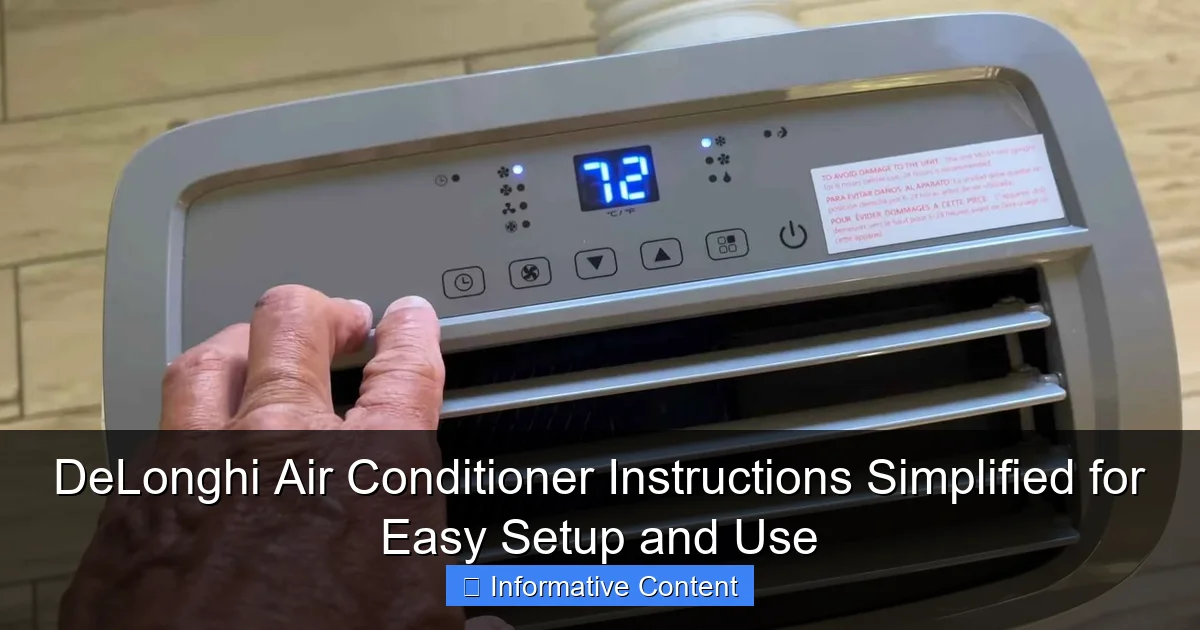
Featured image for delonghi air conditioner instructions
Image source: smartacsolutions.com
Master your DeLonghi air conditioner in minutes with our simplified, step-by-step guide to setup, operation, and maintenance. Clear instructions and pro tips ensure optimal performance, energy efficiency, and comfort all season long—no manual confusion or guesswork required.
Key Takeaways
- Read the manual first: Always start with DeLonghi’s official guide for model-specific details.
- Proper placement matters: Install near a window for optimal airflow and efficiency.
- Clean filters regularly: Maintain performance by washing filters every two weeks.
- Use timer settings: Schedule on/off times to save energy and cool efficiently.
- Check error codes: Decode alerts quickly using the manual’s troubleshooting section.
- Secure electrical connections: Ensure stable power to avoid damage or malfunctions.
📑 Table of Contents
- Why DeLonghi Air Conditioners Are a Smart Choice for Home Cooling
- Getting Started: Unboxing and Initial Setup
- Understanding the Control Panel and Remote
- Operating Modes Explained: Cooling, Fan, Dehumidify, and More
- Maintenance and Troubleshooting: Keep Your AC Running Smoothly
- Energy Efficiency and Smart Features
- Final Thoughts: Making the Most of Your DeLonghi AC
Why DeLonghi Air Conditioners Are a Smart Choice for Home Cooling
Let’s be honest—summer heat can be relentless. I remember one particularly sweltering afternoon when my old AC unit finally gave up, leaving me sweating through my shirt while trying to work from home. After a frantic search, I landed on a DeLonghi air conditioner, drawn by its sleek design and promise of quiet operation. But like many people, I was initially overwhelmed by the setup and controls. Was I supposed to use the remote or the buttons on the unit? What did all those icons mean? And why did the manual feel like it was written in a different language?
If you’ve ever felt that way, you’re not alone. DeLonghi is known for making reliable, energy-efficient portable and window air conditioners—but their instructions can be a bit dense. That’s why I’ve created this DeLonghi air conditioner instructions guide: to simplify setup, explain features, and help you get the most comfort with the least stress. Whether you’re setting up a portable unit for the first time or troubleshooting an older model, this guide breaks everything down in plain English—no engineering degree required.
Getting Started: Unboxing and Initial Setup
What’s in the Box?
When your DeLonghi air conditioner arrives, the first thing you’ll notice is how well it’s packed. Inside, you’ll typically find:
Visual guide about delonghi air conditioner instructions
Image source: globalcoolair.com.au
- The main unit (portable or window-style)
- Window installation kit (ventilation hose, exhaust adapter, window panel)
- Remote control with batteries
- User manual (in multiple languages)
- Drain hose (for models with continuous drainage)
- Optional: floor casters or mounting brackets
Pro tip: Before unboxing, clear a space near a window or sliding door. Most portable models need about 18–24 inches of clearance on all sides for optimal airflow. I learned this the hard way when I tried to tuck mine into a corner—it kept overheating and shutting off.
Choosing the Right Location
Where you place your DeLonghi air conditioner makes a huge difference in performance. Here’s what to keep in mind:
- Near a window: The exhaust hose must vent hot air outside. Avoid long, kinked, or elevated hose runs.
- On a flat, stable surface: Portable units have wheels, but they can still tip if the floor is uneven.
- Away from heat sources: Keep it clear of radiators, stoves, or direct sunlight.
- Accessible power outlet: Use a grounded outlet—never an extension cord. I once used a power strip and tripped the breaker during a heatwave. Not fun.
For window units, ensure the window can support the unit’s weight (check the manual). If you’re renting, talk to your landlord first—some buildings have restrictions on window-mounted ACs.
Assembling the Ventilation Kit
This step trips up a lot of people. Here’s how to do it right:
- Attach the exhaust hose to the back of the unit (usually twists or clicks in).
- Connect the other end to the window panel adapter.
- Slide the window panel into your open window or sliding door.
- Adjust the panel to fit snugly. Some kits have adjustable sliders; others use foam strips.
- Close the window tightly against the panel. Use foam tape or weather stripping to seal gaps and reduce drafts.
Example: I have a sliding glass door in my bedroom. I used the DeLonghi window panel kit with the adjustable sliders. It took me about 10 minutes to install, and I didn’t need tools. Just make sure the hose isn’t dragging on the floor—it can kink and reduce efficiency.
Understanding the Control Panel and Remote
Control Panel Basics
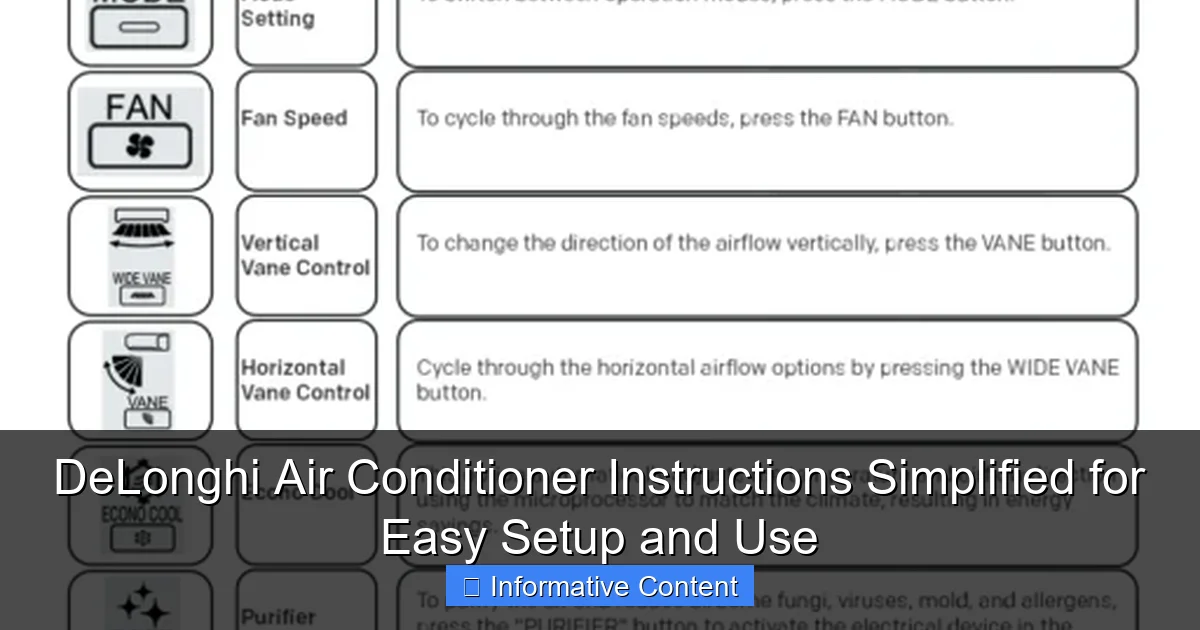
Most DeLonghi air conditioners have a simple control panel on the front or top. Here’s what each button does:
- Power: Turns the unit on/off.
- Mode: Cycles through cooling, fan, dehumidify, and sometimes heat (on dual-function models).
- Fan Speed: Adjusts between low, medium, high, or auto.
- Timer: Sets automatic on/off times (great for saving energy).
- Temperature: Up/down arrows to set your desired temp (usually 61°F–88°F or 16°C–31°C).
- Swing: Activates oscillating louvers for wider airflow (if available).
- Sleep Mode: Gradually adjusts temperature and fan speed for nighttime comfort.
Tip: The “Auto” mode is a lifesaver. The unit senses the room temperature and adjusts cooling and fan speed automatically. I use this 90% of the time—it keeps the room cool without freezing me out.
Using the Remote Control
The remote is usually more intuitive than the panel. Key features:
- Full control: All main functions (power, mode, fan, temp, timer) are accessible.
- Backlit buttons: Helpful in dark rooms (no fumbling at night).
- Signal range: Works up to 20–30 feet, but avoid obstacles like furniture or walls.
I keep my remote in a designated spot (a small bowl on my nightstand) so I never lose it. One summer, I spent 20 minutes searching for it—only to find it under a pile of laundry. Lesson learned!
Decoding the Display Screen
The LED display shows:
- Current room temperature
- Set temperature
- Active mode (e.g., “COOL,” “FAN”)
- Timer countdown
- Filter or water tank alerts (on models with these features)
Example: If the display flashes “FIL,” it’s time to clean the air filter. If it shows “FULL,” the internal water tank needs emptying (common in dehumidifying mode). I once ignored the “FULL” alert and came back to a puddle on the floor. Not cool—literally.
Operating Modes Explained: Cooling, Fan, Dehumidify, and More
Cooling Mode
This is the star of the show. To use:
- Press “Mode” until “COOL” appears.
- Set your desired temperature with the up/down arrows.
- Choose a fan speed (low for quiet, high for quick cooling).
Pro tip: For best results, set the temperature 7–10°F (4–6°C) below the current room temp. Going too low won’t cool faster—it just runs longer and wastes energy. I set mine to 74°F (23°C) in summer, which keeps the room comfortable without skyrocketing my electric bill.
Fan-Only Mode
Ideal for mild days or when you just want airflow without cooling. Press “Mode” until “FAN” appears. You can adjust speed, but no temperature control.
Use this in spring or fall when the air is warm but not hot. I also use it at night to keep air circulating while I sleep—it’s much quieter than a ceiling fan.
Dehumidify Mode
Great for damp climates or muggy days. In this mode, the unit removes moisture without lowering the temperature much. It’s perfect for:
- Basements
- Laundry rooms
- Humid bedrooms
How it works: The AC runs the compressor and fan at low speed, condensing moisture into the water tank. You’ll need to empty the tank regularly (every few hours in high humidity). Some models have a continuous drain option—just attach the hose to a floor drain or bucket.
Example: During a rainy week, my basement felt like a sauna. I switched to dehumidify mode, and within a day, the air felt noticeably drier. No more musty smell!
Sleep Mode and Timer
Sleep Mode: Gradually raises the temperature by 1–2°F (0.5–1°C) every 30 minutes for 2 hours, then holds it steady. This prevents you from getting too cold at night. I use this every night—it’s like the AC knows when I’m about to shiver.
Timer: Set the unit to turn on or off automatically. For example:
- On timer: Program the AC to start 30 minutes before you get home. No more walking into a hot house!
- Off timer: Set it to shut off after 4 hours. Prevents overcooling and saves energy.
To set: Press “Timer”, then use arrows to choose hours (1–24), and press “Enter” or “Timer” again to confirm.
Maintenance and Troubleshooting: Keep Your AC Running Smoothly
Cleaning the Air Filter
Dirty filters reduce efficiency and can cause the unit to freeze up. Here’s how to clean it:
- Turn off and unplug the unit.
- Locate the filter (usually behind a front panel—check your manual).
- Remove and gently vacuum or rinse with water. Let it dry completely (1–2 hours).
- Reinstall.
How often? Every 2–4 weeks in summer, or monthly in cooler months. I set a phone reminder every 3 weeks. It takes 5 minutes and makes a big difference in airflow.
Draining the Water Tank
Most portable DeLonghi ACs collect condensation in an internal tank. When it’s full, the unit shuts off and displays “FULL” or “TANK.” To empty:
- Turn off and unplug.
- Place a container under the drain plug (usually on the back or side).
- Remove the plug and let water drain out.
- Reinsert the plug and restart.
Tip: In humid climates, you may need to drain it daily. For less hassle, use the continuous drain option (if your model has it). Just attach the hose to a floor drain or bucket.
Common Issues and Fixes
Here’s a quick troubleshooting guide:
- Unit won’t turn on: Check power outlet, circuit breaker, and remote batteries. Try the control panel buttons.
- Not cooling: Clean the filter, check for blocked vents, and ensure the exhaust hose isn’t kinked. Make sure the unit is in “COOL” mode.
- Leaking water: Empty the tank, check the drain hose for cracks, and ensure the unit is level.
- Remote not working: Replace batteries, ensure no obstructions, and point it directly at the unit.
- Loud noises: Check for loose parts, debris in the fan, or a dirty filter.
Example: One night, my AC started making a grinding noise. I turned it off, cleaned the filter, and checked the fan blades. Turned out a small leaf had gotten stuck. Problem solved!
Seasonal Storage Tips
If you’re not using the AC in winter:
- Drain all water (including the hose).
- Clean the filter and interior.
- Store in a dry, cool place (not an attic or garage if it freezes).
- Cover with a breathable cloth or the original box.
I keep mine in my closet with the manual taped to the top. That way, I don’t have to search for instructions next summer.
Energy Efficiency and Smart Features
Understanding Energy Ratings
DeLonghi ACs often have high EER (Energy Efficiency Ratio) ratings. For example:
- EER 10–12: Standard efficiency
- EER 12–14: High efficiency (lower electricity bills)
- EER 14+: Premium efficiency (best for hot climates)
Look for the yellow EnergyGuide label on the unit. It shows estimated yearly energy use and cost. A 10,000 BTU unit with EER 12 might use 800 kWh/year—about $100 at $0.12/kWh.
Smart Features (Wi-Fi and App Control)
Some newer DeLonghi models (like the Pinguino series) offer Wi-Fi connectivity. With the DeLonghi app, you can:
- Control the AC from your phone
- Set schedules and monitor energy use
- Receive filter and maintenance alerts
- Use voice commands (via Alexa or Google Assistant)
I haven’t tried this yet, but I’ve heard great things. Imagine turning on your AC from your phone while you’re still at work—no more coming home to a hot house!
Data Table: DeLonghi Air Conditioner Models Comparison
| Model | Type | BTU | EER | Features | Best For |
|---|---|---|---|---|---|
| Pinguino PAC AN97 | Portable | 9,700 | 12.1 | Wi-Fi, remote, 3-speed fan, dehumidify, sleep mode | Bedrooms (up to 400 sq ft) |
| Pinguino PAC EM98 | Portable | 10,000 | 12.5 | Continuous drain, 24-hour timer, auto-restart | Living rooms (up to 500 sq ft) |
| Window Air Conditioner WAC-10000 | Window | 10,000 | 11.8 | Remote, 3-speed fan, washable filter | Large rooms (up to 450 sq ft) |
| Pinguino PAC AN112 | Portable | 12,000 | 12.3 | Dual hose (faster cooling), Wi-Fi, voice control | Large spaces (up to 600 sq ft) |
Note: Dual-hose models (like the AN112) cool faster and are more efficient because they use one hose for exhaust and one for intake. They’re a bit louder but worth it for large rooms.
Final Thoughts: Making the Most of Your DeLonghi AC
Using a DeLonghi air conditioner doesn’t have to be complicated. With these DeLonghi air conditioner instructions, you can set up, operate, and maintain your unit with confidence. Remember:
- Start with a clean, well-ventilated space.
- Use “Auto” and “Sleep” modes to save energy and stay comfortable.
- Clean the filter regularly—it’s the easiest way to boost performance.
- Don’t ignore alerts (“FULL,” “FIL”)—they’re there to help.
- Store properly in winter to extend the unit’s life.
After using mine for two summers, I’m a convert. It’s quiet, efficient, and has saved me from countless sweaty nights. Sure, the manual could be clearer—but now you’ve got this guide to fill in the gaps. So go ahead, set it up, and enjoy a cool, comfortable home. You’ve earned it.
Frequently Asked Questions
How do I set up my DeLonghi air conditioner for the first time?
Follow the DeLonghi air conditioner instructions included in the manual: unbox, secure the exhaust hose through a window or wall, plug it in, and power it on. Ensure all parts are properly connected to avoid leaks or poor cooling performance.
Why is my DeLonghi air conditioner not cooling properly?
This may be due to a clogged filter, incorrect thermostat settings, or improper exhaust hose installation. Refer to the DeLonghi air conditioner instructions to clean the filter and verify the unit is placed in a well-ventilated area.
Can I use my DeLonghi portable AC without a window vent?
Yes, but you’ll need a sliding door adapter or a custom wall vent to safely expel hot air. Never run the unit without venting, as it can overheat and damage the system.
How often should I clean the air filter in my DeLonghi AC?
Clean the filter every 2–4 weeks during heavy use to maintain airflow and efficiency. The DeLonghi air conditioner instructions recommend rinsing it with mild soap and water, then air-drying before reinserting.
What do the error codes on my DeLonghi AC mean?
Error codes like “E1” or “E2” typically indicate issues with water tank fullness, sensor faults, or airflow blockages. Consult your manual’s troubleshooting section or the official DeLonghi support website for specific fixes.
Is it safe to leave my DeLonghi air conditioner on overnight?
Yes, DeLonghi units have built-in safety features like auto-shutoff and overheat protection. However, ensure the water tank isn’t full and the exhaust hose is unobstructed for safe, continuous operation.